Picture AI offers a comprehensive suite of tools for image editing and generation, making it easy for users to create, restore, and enhance images. With features like AI photo maker, background removal, and virtual try-on, it caters to both casual users and professionals. The platform is browser-based, ensuring accessibility without the need for software installation.
Free AI Image Generator | Prompt Generator and AI Image Creator
Picture AI is an amazing AI image generator and image editor. It generates prompts for you and then creates images that meet your needs with AI.
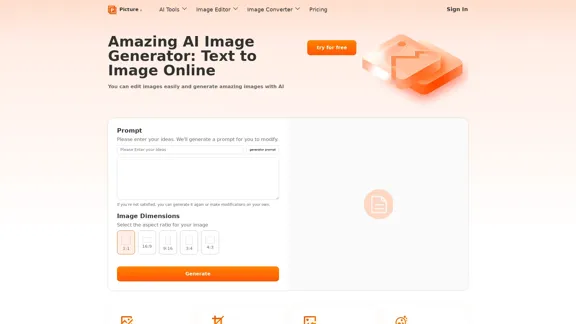
Introduction
Feature
-
AI Photo Maker
Create personalized images using your own styles and photos, allowing for unique and tailored results.
-
Photo Restoration
Restore old or damaged photos with professional-grade services that bring cherished memories back to life.
-
Background Removal
Quickly and accurately remove backgrounds from images while maintaining high quality, perfect for creating clean visuals.
-
Virtual Try-On
Upload photos and clothing images to visualize how different outfits will look on you, enhancing the online shopping experience.
-
Image Upscaler
Enhance and upscale images without losing quality, making them suitable for various applications.
-
Tattoo Generator
Design unique tattoos in seconds using an intuitive online tool that allows for creative expression.
-
Image Editor
A multifunctional editor that includes cropping, resizing, filtering, and converting images across various formats.
How to Use?
- Visit the Picture AI website and select the desired image editing tool.
- Upload your image by dragging and dropping or selecting from your computer.
- Choose the specific function you want to use, such as background removal or photo restoration.
- Follow the on-screen instructions to edit your image as needed.
- Save or download your edited image once you are satisfied with the results.
FAQ
What is Picture AI?
Picture AI is an online platform that provides a variety of AI-powered tools for image editing, restoration, and generation, making it accessible to users of all skill levels.
How does Picture AI work?
Users can upload images and select from various editing functions, such as resizing, cropping, or applying AI features like photo restoration and background removal. The platform processes the images quickly and efficiently.
Can I use Picture AI for commercial purposes?
Yes, images edited or generated using Picture AI can be used for commercial purposes, provided you adhere to any applicable licensing agreements.
Is Picture AI free to use?
Yes, Picture AI offers free access to its tools without the need for registration or hidden fees, making it a convenient option for users.
What types of images can I edit with Picture AI?
You can edit various image formats, including JPG, PNG, WEBP, and GIF, allowing for versatile use across different projects.
Price
- Free Plan: $0/month
- Basic Plan: $9.99/month
- Standard Plan: $19.99/month
- Professional Plan: $49.99/month
The price is for reference only, please refer to the latest official data for actual information.
Evaluation
-
Picture AI excels in providing a user-friendly interface and a wide range of tools that cater to different image editing needs, making it suitable for both casual users and professionals.
-
The AI-powered features, such as photo restoration and background removal, are particularly impressive, delivering high-quality results in a short amount of time.
-
However, the platform could benefit from additional advanced editing features that cater to professional photographers and graphic designers who may require more complex tools.
-
Overall, Picture AI is a valuable resource for anyone looking to enhance their images easily, though it may not fully meet the needs of advanced users seeking comprehensive editing capabilities.
Related Websites
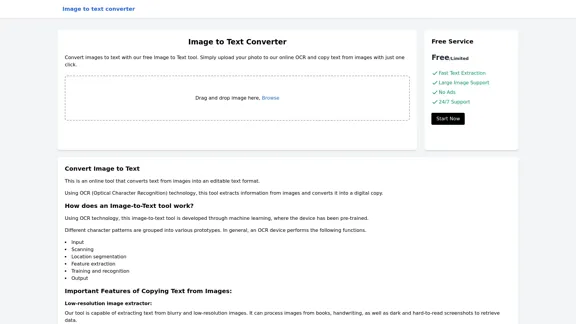
Image to text converter, converting image text to text, how to extract text from an image.
Image to text converter, converting image text to text, how to extract text from an image.Transform images with text into editable, searchable content instantly. Our advanced AI technology extracts text from any image with remarkable accuracy, supporting multiple languages and document types. Simply upload your picture, and watch as handwritten notes, printed documents, screenshots, and signs are converted to crisp, copyable text in seconds.
0
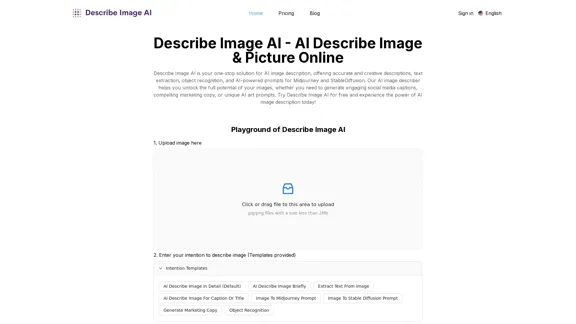
AI Describe Image & Picture Online, Free Trial This title describes an online service that uses artificial intelligence to analyze and describe images or pictures. The service offers a free trial period for users to test its capabilities. The AI technology can likely generate text descriptions of the visual content in uploaded images, helping users understand or categorize their pictures automatically.
AI Describe Image & Picture Online, Free Trial This title describes an online service that uses artificial intelligence to analyze and describe images or pictures. The service offers a free trial period for users to test its capabilities. The AI technology can likely generate text descriptions of the visual content in uploaded images, helping users understand or categorize their pictures automatically.Describe Image AI: Accurately describe images online using AI. Our image describer generates image descriptions, AI picture descriptions, text extraction, social media captions, and prompts for Midjourney & StableDiffusion. Free Trial!
5.16 K
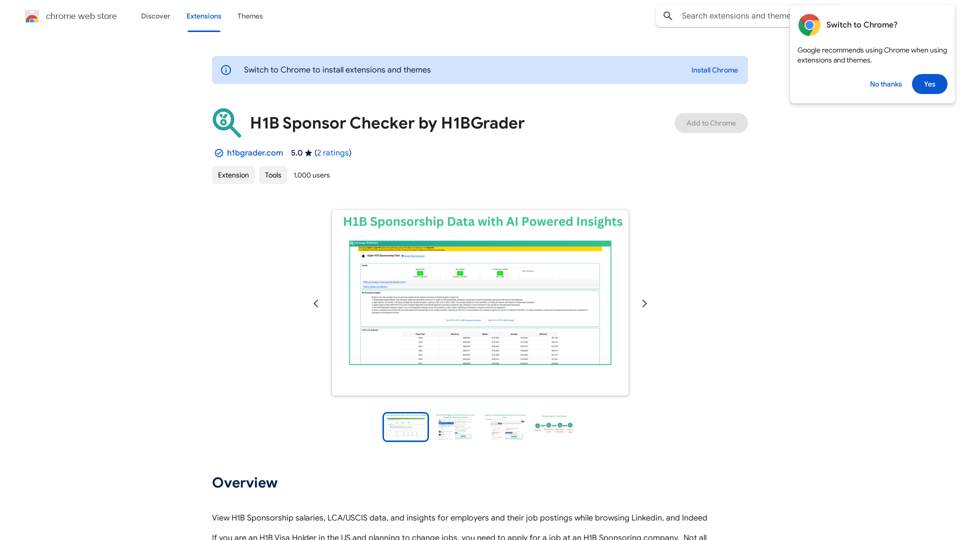
View H1B Sponsorship salaries, LCA/USCIS data, and insights for employers and their job postings while browsing Linkedin, and Indeed
193.90 M
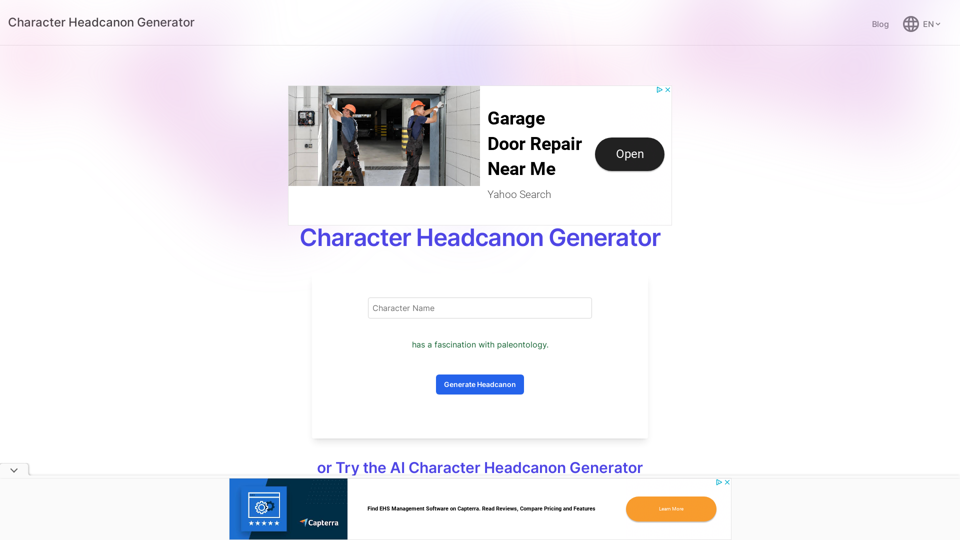
Character Headcanon Generator The Character Headcanon Generator, originating from Perchance, creates unique character headcanons through our headcanon generator.
Character Headcanon Generator The Character Headcanon Generator, originating from Perchance, creates unique character headcanons through our headcanon generator.Discover the Character Headcanon Generator, an innovative tool that originated from the Perchance platform. This powerful character headcanon generator helps you create detailed and engaging character headcanon with ease, allowing fans to explore new interpretations of their favorite characters. Whether you're a writer, role-player, or fan fiction enthusiast, our headcanon generator provides endless creative possibilities by generating unique backgrounds and traits. Enhance your storytelling and bring your characters to life with the Character Headcanon Generator today!
243
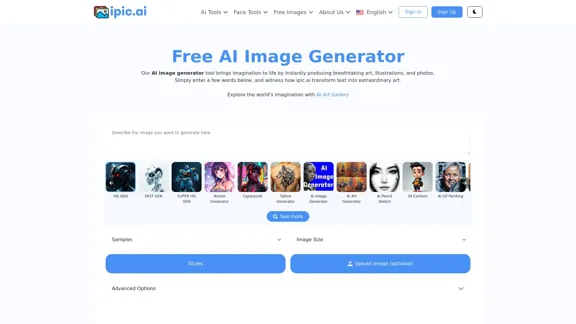
AI Powered Image Generator for Unique and Custom Images
AI Powered Image Generator for Unique and Custom ImagesCreate unique and custom images effortlessly with iPic.Ai - the AI-powered image generator.
68.28 K
![Batch Save ChatGPT to Notion
This is a guide on how to save multiple ChatGPT responses to Notion in a batch.
Tools You'll Need:
* ChatGPT: An AI chatbot that can generate text.
* Notion: A note-taking and project management tool.
* Python: A programming language.
* Requests Library: A Python library for making HTTP requests.
Steps:
1. Get Your Notion API Token:
- Go to your Notion workspace settings.
- Navigate to the "Integrations" tab.
- Click "Create new integration" and choose "API Token".
- Copy your API token.
2. Install Python Libraries:
- Open your terminal or command prompt.
- Type `pip install requests` and press Enter.
3. Write Python Script:
- Create a new Python file (e.g., `save_chatgpt_to_notion.py`).
- Paste the following code into the file, replacing `YOUR_NOTION_API_TOKEN` with your actual token:
```python
import requests
def save_chatgpt_response_to_notion(response, page_id, token):
"""Saves a ChatGPT response to a Notion page."""
url = f"https://api.notion.com/v1/pages/{page_id}/children"
headers = {"Authorization": f"Bearer {token}"}
data = {
"parent": {
"page_id": page_id
},
"properties": {
"title": {
"title": [
{
"text": {
"content": "ChatGPT Response"
}
}
]
},
"content": {
"rich_text": [
{
"text": {
"content": response
}
}
]
}
}
}
response = requests.post(url, headers=headers, json=data)
print(response.status_code)
Example usage
page_id = "YOUR_NOTION_PAGE_ID"
token = "YOUR_NOTION_API_TOKEN"
Get ChatGPT responses (replace with your actual ChatGPT interaction)
chatgpt_responses = [
"This is the first ChatGPT response.",
"This is the second ChatGPT response.",
"This is the third ChatGPT response."
]
Save each response to Notion
for response in chatgpt_responses:
save_chatgpt_response_to_notion(response, page_id, token)
```
4. Run the Script:
- In your terminal, navigate to the directory where you saved the Python file.
- Type `python save_chatgpt_to_notion.py` and press Enter.
5. Check Notion:
- Open your Notion workspace and go to the page specified by `page_id`.
- You should see your ChatGPT responses saved as separate blocks.](https://static.right-ai.com/tools/2024/7/4/chromewebstore-google-com-detail-save-chatgpt-to-notion-da-djefhicmpbpmmlagbgooepmbobdhajgn-thumbnail-1720087209.png "Batch Save ChatGPT to Notion
This is a guide on how to save multiple ChatGPT responses to Notion in a batch.
Tools You'll Need:
* ChatGPT: An AI chatbot that can generate text.
* Notion: A note-taking and project management tool.
* Python: A programming language.
* Requests Library: A Python library for making HTTP requests.
Steps:
1. Get Your Notion API Token:
- Go to your Notion workspace settings.
- Navigate to the \"Integrations\" tab.
- Click \"Create new integration\" and choose \"API Token\".
- Copy your API token.
2. Install Python Libraries:
- Open your terminal or command prompt.
- Type `pip install requests` and press Enter.
3. Write Python Script:
- Create a new Python file (e.g., `save_chatgpt_to_notion.py`).
- Paste the following code into the file, replacing `YOUR_NOTION_API_TOKEN` with your actual token:
```python
import requests
def save_chatgpt_response_to_notion(response, page_id, token):
\"\"\"Saves a ChatGPT response to a Notion page.\"\"\"
url = f\"https://api.notion.com/v1/pages/{page_id}/children\"
headers = {\"Authorization\": f\"Bearer {token}\"}
data = {
\"parent\": {
\"page_id\": page_id
},
\"properties\": {
\"title\": {
\"title\": [
{
\"text\": {
\"content\": \"ChatGPT Response\"
}
}
]
},
\"content\": {
\"rich_text\": [
{
\"text\": {
\"content\": response
}
}
]
}
}
}
response = requests.post(url, headers=headers, json=data)
print(response.status_code)
Example usage
page_id = \"YOUR_NOTION_PAGE_ID\"
token = \"YOUR_NOTION_API_TOKEN\"
Get ChatGPT responses (replace with your actual ChatGPT interaction)
chatgpt_responses = [
\"This is the first ChatGPT response.\",
\"This is the second ChatGPT response.\",
\"This is the third ChatGPT response.\"
]
Save each response to Notion
for response in chatgpt_responses:
save_chatgpt_response_to_notion(response, page_id, token)
```
4. Run the Script:
- In your terminal, navigate to the directory where you saved the Python file.
- Type `python save_chatgpt_to_notion.py` and press Enter.
5. Check Notion:
- Open your Notion workspace and go to the page specified by `page_id`.
- You should see your ChatGPT responses saved as separate blocks.")
Batch Save ChatGPT to Notion This is a guide on how to save multiple ChatGPT responses to Notion in a batch. Tools You'll Need: * ChatGPT: An AI chatbot that can generate text. * Notion: A note-taking and project management tool. * Python: A programming language. * Requests Library: A Python library for making HTTP requests. Steps: 1. Get Your Notion API Token: - Go to your Notion workspace settings. - Navigate to the "Integrations" tab. - Click "Create new integration" and choose "API Token". - Copy your API token. 2. Install Python Libraries: - Open your terminal or command prompt. - Type `pip install requests` and press Enter. 3. Write Python Script: - Create a new Python file (e.g., `save_chatgpt_to_notion.py`). - Paste the following code into the file, replacing `YOUR_NOTION_API_TOKEN` with your actual token: ```python import requests def save_chatgpt_response_to_notion(response, page_id, token): """Saves a ChatGPT response to a Notion page.""" url = f"https://api.notion.com/v1/pages/{page_id}/children" headers = {"Authorization": f"Bearer {token}"} data = { "parent": { "page_id": page_id }, "properties": { "title": { "title": [ { "text": { "content": "ChatGPT Response" } } ] }, "content": { "rich_text": [ { "text": { "content": response } } ] } } } response = requests.post(url, headers=headers, json=data) print(response.status_code) Example usage page_id = "YOUR_NOTION_PAGE_ID" token = "YOUR_NOTION_API_TOKEN" Get ChatGPT responses (replace with your actual ChatGPT interaction) chatgpt_responses = [ "This is the first ChatGPT response.", "This is the second ChatGPT response.", "This is the third ChatGPT response." ] Save each response to Notion for response in chatgpt_responses: save_chatgpt_response_to_notion(response, page_id, token) ``` 4. Run the Script: - In your terminal, navigate to the directory where you saved the Python file. - Type `python save_chatgpt_to_notion.py` and press Enter. 5. Check Notion: - Open your Notion workspace and go to the page specified by `page_id`. - You should see your ChatGPT responses saved as separate blocks.
Batch Save ChatGPT to Notion This is a guide on how to save multiple ChatGPT responses to Notion in a batch. Tools You'll Need: * ChatGPT: An AI chatbot that can generate text. * Notion: A note-taking and project management tool. * Python: A programming language. * Requests Library: A Python library for making HTTP requests. Steps: 1. Get Your Notion API Token: - Go to your Notion workspace settings. - Navigate to the "Integrations" tab. - Click "Create new integration" and choose "API Token". - Copy your API token. 2. Install Python Libraries: - Open your terminal or command prompt. - Type `pip install requests` and press Enter. 3. Write Python Script: - Create a new Python file (e.g., `save_chatgpt_to_notion.py`). - Paste the following code into the file, replacing `YOUR_NOTION_API_TOKEN` with your actual token: ```python import requests def save_chatgpt_response_to_notion(response, page_id, token): """Saves a ChatGPT response to a Notion page.""" url = f"https://api.notion.com/v1/pages/{page_id}/children" headers = {"Authorization": f"Bearer {token}"} data = { "parent": { "page_id": page_id }, "properties": { "title": { "title": [ { "text": { "content": "ChatGPT Response" } } ] }, "content": { "rich_text": [ { "text": { "content": response } } ] } } } response = requests.post(url, headers=headers, json=data) print(response.status_code) Example usage page_id = "YOUR_NOTION_PAGE_ID" token = "YOUR_NOTION_API_TOKEN" Get ChatGPT responses (replace with your actual ChatGPT interaction) chatgpt_responses = [ "This is the first ChatGPT response.", "This is the second ChatGPT response.", "This is the third ChatGPT response." ] Save each response to Notion for response in chatgpt_responses: save_chatgpt_response_to_notion(response, page_id, token) ``` 4. Run the Script: - In your terminal, navigate to the directory where you saved the Python file. - Type `python save_chatgpt_to_notion.py` and press Enter. 5. Check Notion: - Open your Notion workspace and go to the page specified by `page_id`. - You should see your ChatGPT responses saved as separate blocks.Save ChatGPT Conversations to Notion with One Click Export your ChatGPT conversations directly to Notion with a single click.
193.90 M
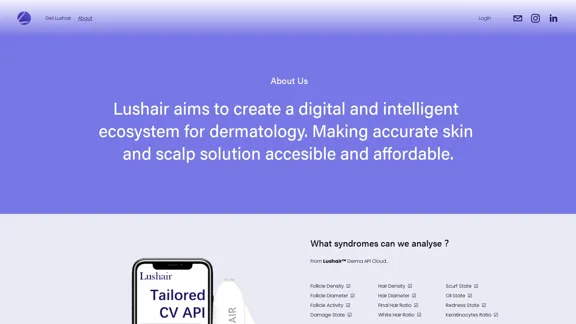
Lushair, AI-Powered Hair & Scalp Analysis | Personalized Care Solutions
Lushair, AI-Powered Hair & Scalp Analysis | Personalized Care SolutionsUnlock the secrets of healthy hair with our AI-powered hair and scalp analysis. Discover personalized insights, effective treatments, and embrace a vibrant, confident you. Elevate your hair care journey with cutting-edge technology and expert analysis.
0