Open-source RightAI Tools Directory
  • Discover AI
  • Submit
  • Startup
  • Blog
Open-source RightAI Tools Directory
Discover the best AI tools of 2025 with the RightAI Tools Directory!

Friend Links

AI Anime GeneratorToolsApp AI

Support

Tap4
Privacy policyTerms & ConditionsContact Us
Loading...
loading...

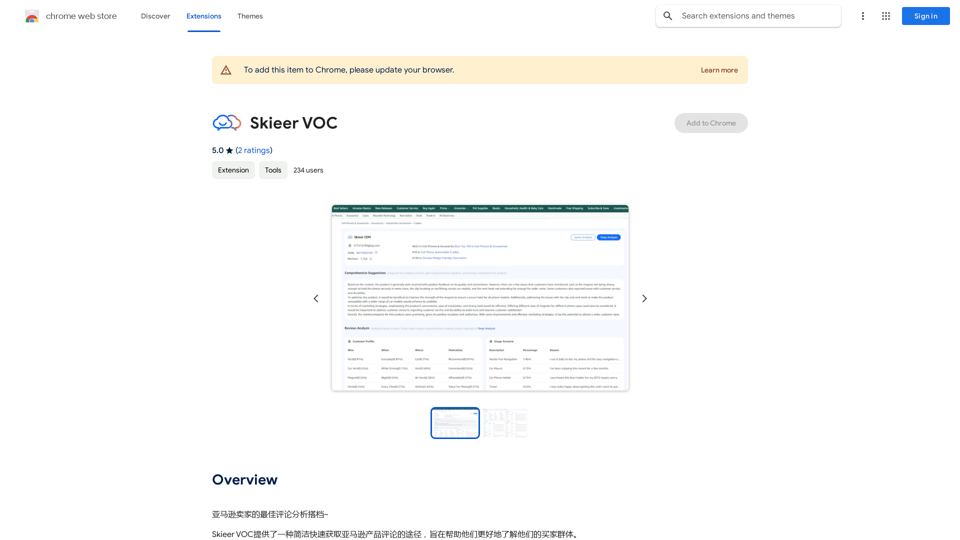
Skiing VOC

Amazon Seller's Best Review Analysis Partner~
Visit Website
Skiing VOC
Visit Website

Introduction

Skieer VOC is an AI-powered platform designed to analyze Amazon product reviews, providing sellers with valuable insights into their customer base. This tool offers quick and in-depth analysis options, multi-product analysis capabilities, and AI-driven insights to help sellers better understand customer behavior, preferences, and sentiments.

Feature

Quick Analysis

Generate rapid reports based on product reviews, offering a swift overview of customer feedback.

In-depth Analysis

Produce detailed reports on product reviews, providing comprehensive insights into customer opinions and trends.

Multi-product Analysis

Analyze multiple products simultaneously, creating a holistic view of customer feedback across various offerings.

AI-powered Insights

Leverage advanced AI technology to extract meaningful insights on customer behavior, preferences, and sentiment analysis.

User-friendly Process

  1. Sign up for a free trial or subscription
  2. Upload Amazon product reviews
  3. Select desired analysis options
  4. View generated reports with actionable insights

Market Support

Currently supports Amazon markets in:

  • United States
  • United Kingdom
  • France
  • Germany
  • Japan
  • Canada

Flexible Pricing

Offers a free trial and subscription-based pricing plans, tailored to chosen features and analysis options.

FAQ

What is Skieer VOC?

Skieer VOC is an AI-driven platform that analyzes Amazon product reviews, helping sellers gain insights into their customer base through quick and in-depth analysis options.

How do I use Skieer VOC?

To use Skieer VOC:

  1. Sign up for a free trial or subscription
  2. Upload your Amazon product reviews
  3. Choose your preferred analysis options
  4. View the generated reports with customer insights

Is Skieer VOC free?

Skieer VOC offers a free trial, but also has subscription-based pricing plans that vary depending on the features and analysis options chosen.

What markets does Skieer VOC support?

Skieer VOC currently supports Amazon markets in the US, UK, France, Germany, Japan, and Canada.

Related Websites
AI Powered Image Generator for Unique and Custom Images
View Detail

AI Powered Image Generator for Unique and Custom Images

AI Powered Image Generator for Unique and Custom Images

Create unique and custom images effortlessly with iPic.Ai - the AI-powered image generator.

68.28 K
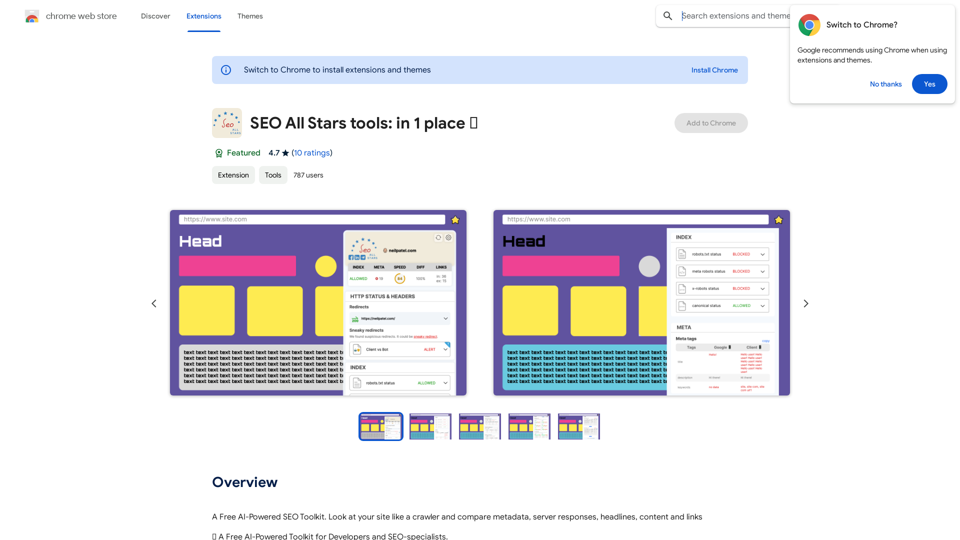
SEO All Stars tools: in 1 place ⭐️
View Detail

SEO All Stars tools: in 1 place ⭐️

SEO All Stars tools: in 1 place ⭐️

A Free AI-Powered SEO Toolkit. Analyze your website from a crawler's perspective, comparing metadata, server responses, headlines, content, and links.

193.90 M
eFiling.us
View Detail

eFiling.us

eFiling.us

eFiling.us

193.90 M
Create AI Girls
View Detail

Create AI Girls

Create AI Girls

Create AI Girls

148
Amote Extension
View Detail

Amote Extension

Amote Extension

Note: Improve the cart and checkout pages with effective upsell features to boost sales.

193.90 M
Brush - Smart and Easy Image Editing App
View Detail

Brush - Smart and Easy Image Editing App

Brush - Smart and Easy Image Editing App

Transform your photos effortlessly with Pincel, the intelligent and user-friendly online image editing application. Perfect your images, one brush stroke at a time.

562.68 K
FluxAI Pro - Advanced Flux Image Generator
View Detail

FluxAI Pro - Advanced Flux Image Generator

FluxAI Pro - Advanced Flux Image Generator

FluxAI Pro: Superior Flux Image Generator with exceptional text rendering. Powered by FLUX.1 Pro, Dev, Schnell and Realism models.

171.41 K
Midjourney API - Automate Midjourney AI Image Generation 

This document outlines how to use the Midjourney API to automate the generation of AI images. 

What is the Midjourney API?

The Midjourney API allows developers to programmatically interact with the powerful Midjourney AI model. This means you can generate images, control various parameters, and integrate Midjourney into your own applications and workflows.

Why Use the Midjourney API?

* Automation: Automate the creation of images for various purposes, such as marketing materials, website content, or research projects.
* Customization: Fine-tune image generation by controlling parameters like aspect ratio, style, and seed values.
* Integration: Seamlessly integrate Midjourney's capabilities into your existing tools and platforms.

Getting Started

1. Sign Up for a Midjourney Account: You'll need a Midjourney account to access the API.

2. Obtain an API Key: Once you have an account, you can generate an API key from your account settings.

3. Choose a Programming Language: The Midjourney API supports various programming languages, including Python, JavaScript, and Go.

4. Install the API Client: Install the appropriate API client library for your chosen language.

5. Start Generating Images: Use the API client to send image generation requests to the Midjourney server.

Example (Python):

```python
import midjourney

Replace with your actual API key
api_key = "YOUR_API_KEY"

Create a Midjourney client
client = midjourney.Client(api_key=api_key)

Generate an image
response = client.create_image(prompt="A cat wearing a hat", num_images=1)

Print the image URL
print(response.images[0].url)
```

Documentation and Resources

For detailed information about the Midjourney API, including available endpoints, parameters, and examples, please refer to the official documentation: [https://docs.midjourney.com/](https://docs.midjourney.com/)
View Detail

Midjourney API - Automate Midjourney AI Image Generation This document outlines how to use the Midjourney API to automate the generation of AI images. What is the Midjourney API? The Midjourney API allows developers to programmatically interact with the powerful Midjourney AI model. This means you can generate images, control various parameters, and integrate Midjourney into your own applications and workflows. Why Use the Midjourney API? * Automation: Automate the creation of images for various purposes, such as marketing materials, website content, or research projects. * Customization: Fine-tune image generation by controlling parameters like aspect ratio, style, and seed values. * Integration: Seamlessly integrate Midjourney's capabilities into your existing tools and platforms. Getting Started 1. Sign Up for a Midjourney Account: You'll need a Midjourney account to access the API. 2. Obtain an API Key: Once you have an account, you can generate an API key from your account settings. 3. Choose a Programming Language: The Midjourney API supports various programming languages, including Python, JavaScript, and Go. 4. Install the API Client: Install the appropriate API client library for your chosen language. 5. Start Generating Images: Use the API client to send image generation requests to the Midjourney server. Example (Python): ```python import midjourney Replace with your actual API key api_key = "YOUR_API_KEY" Create a Midjourney client client = midjourney.Client(api_key=api_key) Generate an image response = client.create_image(prompt="A cat wearing a hat", num_images=1) Print the image URL print(response.images[0].url) ``` Documentation and Resources For detailed information about the Midjourney API, including available endpoints, parameters, and examples, please refer to the official documentation: [https://docs.midjourney.com/](https://docs.midjourney.com/)

Midjourney API - Automate Midjourney AI Image Generation This document outlines how to use the Midjourney API to automate the generation of AI images. What is the Midjourney API? The Midjourney API allows developers to programmatically interact with the powerful Midjourney AI model. This means you can generate images, control various parameters, and integrate Midjourney into your own applications and workflows. Why Use the Midjourney API? * Automation: Automate the creation of images for various purposes, such as marketing materials, website content, or research projects. * Customization: Fine-tune image generation by controlling parameters like aspect ratio, style, and seed values. * Integration: Seamlessly integrate Midjourney's capabilities into your existing tools and platforms. Getting Started 1. Sign Up for a Midjourney Account: You'll need a Midjourney account to access the API. 2. Obtain an API Key: Once you have an account, you can generate an API key from your account settings. 3. Choose a Programming Language: The Midjourney API supports various programming languages, including Python, JavaScript, and Go. 4. Install the API Client: Install the appropriate API client library for your chosen language. 5. Start Generating Images: Use the API client to send image generation requests to the Midjourney server. Example (Python): ```python import midjourney Replace with your actual API key api_key = "YOUR_API_KEY" Create a Midjourney client client = midjourney.Client(api_key=api_key) Generate an image response = client.create_image(prompt="A cat wearing a hat", num_images=1) Print the image URL print(response.images[0].url) ``` Documentation and Resources For detailed information about the Midjourney API, including available endpoints, parameters, and examples, please refer to the official documentation: [https://docs.midjourney.com/](https://docs.midjourney.com/)

Easily integrate Midjourney AI into your apps using the Midjourney API. Start creating AI images automatically today!

0