Open-source RightAI Tools Directory
  • Discover AI
  • Submit
  • Startup
  • Blog
Open-source RightAI Tools Directory
Discover the best AI tools of 2025 with the RightAI Tools Directory!

Friend Links

AI Anime GeneratorToolsApp AI

Support

Tap4
Privacy policyTerms & ConditionsContact Us
Loading...
loading...

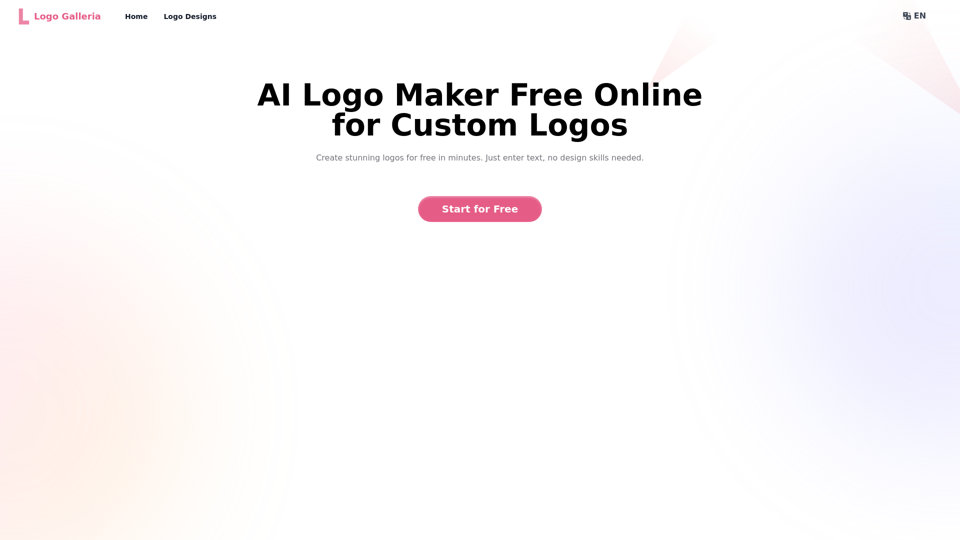
Logo Galleria: AI Logo Maker Free Online

Discover how our AI logo maker can generate unique, professional logos quickly and affordably. With AI logo maker free online features, customizable designs, and watermark-free options, Logo Galleria offers the best solutions for startups, YouTube channels, and more.
Visit Website
Logo Galleria: AI Logo Maker Free Online
Visit Website

Introduction

Logo Galleria is an innovative AI-powered logo creation platform that simplifies the process of designing professional and unique logos. It offers a user-friendly interface where businesses and individuals can generate high-quality, customizable logo designs quickly and affordably. The platform caters to various industries and design preferences, making it an ideal solution for startups, content creators, and established companies looking to rebrand.

Feature

AI-Powered Logo Generation

Logo Galleria utilizes advanced artificial intelligence to create unique and professional logo designs based on user input, including business name, industry, and design preferences.

User-Friendly Interface

The platform offers an intuitive design process, allowing users to easily input their requirements and generate logos without needing graphic design skills.

Rapid Design Process

Users can create powerful logos in just one minute, significantly faster than traditional design methods.

Customization Options

The AI logo maker provides advanced customization features, enabling users to modify fonts, colors, layers, and other elements to perfect their logo design.

Watermark-Free Designs

Logo Galleria generates professional-quality logos without watermarks, ensuring a clean and polished final product.

Cost-Effective Solution

As a free online tool, Logo Galleria offers an affordable alternative to hiring premium graphic designers for logo creation.

Diverse Industry Support

The platform caters to a wide range of industries and branding needs, making it versatile for various business types.

High-Quality Output

Users can download their finalized logos in high-quality PNG format, suitable for immediate use across different mediums.

FAQ

What makes Logo Galleria different from traditional logo design tools?

Logo Galleria leverages AI technology to generate unique and professional logo designs quickly. Unlike traditional tools, it requires no design skills and can produce multiple concepts in minutes based on user input.

How does the AI logo generator work?

The AI logo generator analyzes user inputs such as business name, industry, and design preferences. It then uses this information to create tailored logo concepts that align with the user's requirements and industry trends.

Can I customize the logos created by Logo Galleria?

Yes, Logo Galleria offers advanced customization options. Users can modify fonts, colors, layers, and other elements to refine their logo design and ensure it perfectly matches their vision.

How can content creators benefit from Logo Galleria's YouTube logo maker AI?

Content creators can quickly design unique and professional logos for their YouTube channels using Logo Galleria. The tool understands the specific needs of video content branding, allowing creators to generate logos that stand out and represent their channel's theme effectively.

How does Logo Galleria ensure my logo is unique and not a copy of another design?

Logo Galleria's AI generates 100% unique logos based on the specific inputs provided by each user. The combination of business name, industry, design preferences, and AI-driven creativity ensures that each logo is original and tailored to the user's needs.

Can Logo Galleria help in creating logos for multiple business industries?

Yes, Logo Galleria is designed to cater to diverse branding needs across various industries. The AI is trained on a wide range of design trends and industry-specific elements, allowing it to generate appropriate logos for different business sectors.

How long does it take to generate a logo using Logo Galleria?

Logo Galleria can create powerful logos in just one minute, making it significantly faster than traditional design processes. This rapid generation allows users to quickly explore multiple design options.

Can logos created with Logo Galleria be used for commercial purposes?

Yes, logos created using Logo Galleria can be used for commercial purposes. The platform provides high-quality, watermark-free logos that are suitable for various business applications, including branding, marketing materials, and official documents.

Latest Traffic Insights

  • Monthly Visits

    15.21 K

  • Bounce Rate

    45.94%

  • Pages Per Visit

    2.33

  • Time on Site(s)

    103.25

  • Global Rank

    1476814

  • Country Rank

    China 78411

Recent Visits

Traffic Sources

  • Social Media:
    1.25%
  • Paid Referrals:
    0.46%
  • Email:
    0.14%
  • Referrals:
    10.90%
  • Search Engines:
    39.64%
  • Direct:
    47.57%
More Data

Related Websites

Ziko.ai Extension
View Detail

Ziko.ai Extension

Ziko.ai Extension

Here are some examples of auto-replies you can use for Google Business reviews: For Positive Reviews: * "Thank you so much for the wonderful review! We're thrilled you had a positive experience. We appreciate your business and look forward to seeing you again soon." * "We're so happy to hear you enjoyed your time with us! Your feedback means a lot to us. Thanks for taking the time to leave a review." * "Wow, thank you for the kind words! We strive to provide excellent service and we're glad we met your expectations. We appreciate your support!" For Negative Reviews: * "We're sorry to hear that you had a negative experience. We value your feedback and would like to learn more about what happened. Please contact us directly at [phone number] or [email address] so we can address your concerns." * "Thank you for your honest feedback. We apologize that we didn't meet your expectations. We're always working to improve our services and we appreciate you bringing this to our attention." * "We understand your frustration and sincerely apologize for any inconvenience caused. We'd like to make things right. Please contact us at [phone number] or [email address] so we can discuss this further." Tips: * Be prompt: Respond to reviews as quickly as possible. * Be genuine: Your responses should sound sincere and authentic. * Be professional: Avoid getting defensive or argumentative. * Keep it concise: Get to the point and avoid writing lengthy responses. * Offer solutions: If possible, offer a way to resolve the issue.

193.90 M
LogoAI.ai: Free Online AI Logo Creator
View Detail

LogoAI.ai: Free Online AI Logo Creator

LogoAI.ai: Free Online AI Logo Creator

Create unique and professional logos effortlessly with LogoAI.ai's AI logo maker. Enjoy free online access, advanced customization, watermark-free logos, and secure design.

129.09 K
PS2 Filter AI - PS2 Video Game Style Generator
View Detail

PS2 Filter AI - PS2 Video Game Style Generator

PS2 Filter AI - PS2 Video Game Style Generator

Discover the magic of AI with our PS2 filter and instantly transform your photos into classic PS2 video game characters. Experience this retro style with a modern twist—just upload your photo and see the transformation in one click! Try it for free at ps2filterai.net.

0
Idolly
View Detail

Idolly

Idolly

Explore idolly.ai, where imagination meets AI image creation and BlockChain. Create stunning visuals with ease using our Face Transfer and Mood Fusion technology.

9.70 K
AI Anime Generator
View Detail

AI Anime Generator

AI Anime Generator

AI Anime Generator is a free AI tool for creating anime characters and scenes. Simply input a description and allow the AI to produce your anime image.

0
Buyers List Builder
View Detail

Buyers List Builder

Buyers List Builder

Build a Cash Buyer List Fast and Easy

193.90 M
Text to Voice Generator
==========================

A text-to-voice generator, also known as a text-to-speech (TTS) system, is a software that converts written text into a spoken voice output. This technology has been widely used in various applications, including virtual assistants, audiobooks, and language learning platforms.

How it Works
---------------

The process of generating voice from text involves several steps:

1. Text Analysis: The input text is analyzed to identify the language, syntax, and semantics.
2. Phonetic Transcription: The text is converted into a phonetic transcription, which represents the sounds of the spoken language.
3. Prosody Generation: The phonetic transcription is then used to generate the prosody, or rhythm and intonation, of the spoken voice.
4. Waveform Generation: The prosody and phonetic transcription are combined to generate the audio waveform, which is the final spoken voice output.

Types of Text-to-Voice Generators
-----------------------------------

There are two main types of text-to-voice generators:

Rule-Based Systems

These systems use a set of predefined rules to generate the spoken voice output. They are often limited in their ability to produce natural-sounding voices and may sound robotic.

Machine Learning-Based Systems

These systems use machine learning algorithms to learn from large datasets of spoken voices and generate more natural-sounding voices. They are often more advanced and can produce high-quality voice outputs.

Applications of Text-to-Voice Generators
-----------------------------------------

Text-to-voice generators have a wide range of applications, including:

Virtual Assistants

Virtual assistants, such as Siri and Alexa, use text-to-voice generators to respond to user queries.

Audiobooks

Text-to-voice generators can be used to create audiobooks from written texts, making it easier for people to access written content.

Language Learning

Language learning platforms use text-to-voice generators to provide pronunciation guidance and practice exercises for learners.

Accessibility

Text-to-voice generators can be used to assist people with disabilities, such as visual impairments, by providing an auditory interface to written content.
View Detail

Text to Voice Generator ========================== A text-to-voice generator, also known as a text-to-speech (TTS) system, is a software that converts written text into a spoken voice output. This technology has been widely used in various applications, including virtual assistants, audiobooks, and language learning platforms. How it Works --------------- The process of generating voice from text involves several steps: 1. Text Analysis: The input text is analyzed to identify the language, syntax, and semantics. 2. Phonetic Transcription: The text is converted into a phonetic transcription, which represents the sounds of the spoken language. 3. Prosody Generation: The phonetic transcription is then used to generate the prosody, or rhythm and intonation, of the spoken voice. 4. Waveform Generation: The prosody and phonetic transcription are combined to generate the audio waveform, which is the final spoken voice output. Types of Text-to-Voice Generators ----------------------------------- There are two main types of text-to-voice generators: Rule-Based Systems These systems use a set of predefined rules to generate the spoken voice output. They are often limited in their ability to produce natural-sounding voices and may sound robotic. Machine Learning-Based Systems These systems use machine learning algorithms to learn from large datasets of spoken voices and generate more natural-sounding voices. They are often more advanced and can produce high-quality voice outputs. Applications of Text-to-Voice Generators ----------------------------------------- Text-to-voice generators have a wide range of applications, including: Virtual Assistants Virtual assistants, such as Siri and Alexa, use text-to-voice generators to respond to user queries. Audiobooks Text-to-voice generators can be used to create audiobooks from written texts, making it easier for people to access written content. Language Learning Language learning platforms use text-to-voice generators to provide pronunciation guidance and practice exercises for learners. Accessibility Text-to-voice generators can be used to assist people with disabilities, such as visual impairments, by providing an auditory interface to written content.

Text to Voice Generator ========================== A text-to-voice generator, also known as a text-to-speech (TTS) system, is a software that converts written text into a spoken voice output. This technology has been widely used in various applications, including virtual assistants, audiobooks, and language learning platforms. How it Works --------------- The process of generating voice from text involves several steps: 1. Text Analysis: The input text is analyzed to identify the language, syntax, and semantics. 2. Phonetic Transcription: The text is converted into a phonetic transcription, which represents the sounds of the spoken language. 3. Prosody Generation: The phonetic transcription is then used to generate the prosody, or rhythm and intonation, of the spoken voice. 4. Waveform Generation: The prosody and phonetic transcription are combined to generate the audio waveform, which is the final spoken voice output. Types of Text-to-Voice Generators ----------------------------------- There are two main types of text-to-voice generators: Rule-Based Systems These systems use a set of predefined rules to generate the spoken voice output. They are often limited in their ability to produce natural-sounding voices and may sound robotic. Machine Learning-Based Systems These systems use machine learning algorithms to learn from large datasets of spoken voices and generate more natural-sounding voices. They are often more advanced and can produce high-quality voice outputs. Applications of Text-to-Voice Generators ----------------------------------------- Text-to-voice generators have a wide range of applications, including: Virtual Assistants Virtual assistants, such as Siri and Alexa, use text-to-voice generators to respond to user queries. Audiobooks Text-to-voice generators can be used to create audiobooks from written texts, making it easier for people to access written content. Language Learning Language learning platforms use text-to-voice generators to provide pronunciation guidance and practice exercises for learners. Accessibility Text-to-voice generators can be used to assist people with disabilities, such as visual impairments, by providing an auditory interface to written content.

Generate Voice from Text on Any Web Page With the advancement of technology, it is now possible to generate voice from text on any web page. This feature is particularly useful for people who prefer listening to content rather than reading it. Here's how you can do it: #Method 1: Using Browser Extension You can use a browser extension like Read Aloud or SpeakIt! to generate voice from text on any web page. These extensions are available for both Google Chrome and Mozilla Firefox browsers. #Method 2: Using Online Tools There are several online tools available that can convert text to speech. Some popular tools include NaturalReader, Voice Dream Reader, and Google Text-to-Speech. You can copy and paste the text from any web page into these tools to generate voice. #Method 3: Using Screen Reader If you are using a Windows operating system, you can use the built-in Narrator screen reader to generate voice from text on any web page. For Mac users, you can use VoiceOver. By using any of these methods, you can easily generate voice from text on any web page and enjoy a more convenient and accessible reading experience.

193.90 M
AI Photo Editor - Edit photos online for free
View Detail

AI Photo Editor - Edit photos online for free

AI Photo Editor - Edit photos online for free

Pixelfox AI is one of the best free AI image editing tools, designed to automatically edit images and photos. Start editing photos now.

58.05 K