Open-source RightAI Tools Directory
  • Discover AI
  • Submit
  • Startup
  • Blog
Open-source RightAI Tools Directory
Discover the best AI tools of 2025 with the RightAI Tools Directory!

Friend Links

AI Anime GeneratorToolsApp AI

Support

Tap4
Privacy policyTerms & ConditionsContact Us
Loading...
loading...

Crushbank Extension

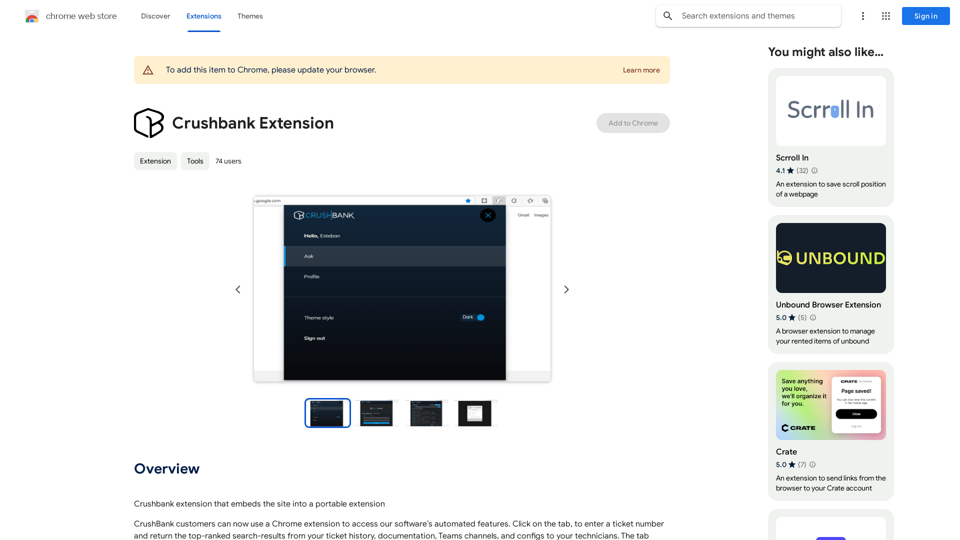
A browser extension for Crushbank that lets you use the site in a standalone, portable way.
Visit Website
Crushbank Extension
Visit Website

Introduction

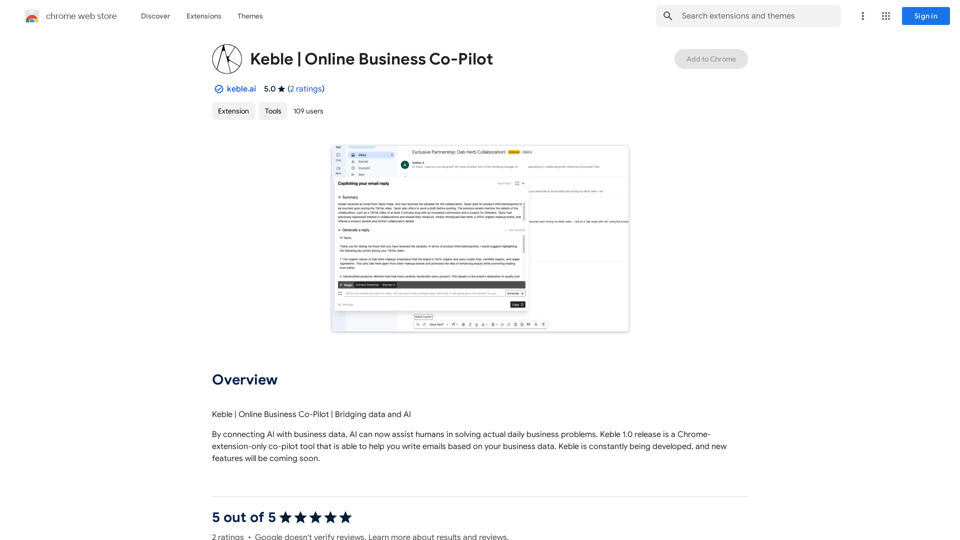
Crushbank Extension is a Chrome extension designed for CrushBank customers. It embeds CrushBank's automated features into a portable browser extension, allowing users to access and utilize the software's capabilities directly from their Chrome browser. This tool streamlines the process of retrieving and sharing information with technicians by enabling users to enter ticket numbers and obtain top-ranked search results from various sources, including ticket history, documentation, Teams channels, and configs.

Feature

Seamless Integration with CrushBank

The extension provides direct access to CrushBank's automated features, allowing users to retrieve and share information efficiently without leaving their browser environment.

Ticket-Based Information Retrieval

Users can input ticket numbers to quickly access relevant information from multiple sources:

  • Ticket history
  • Documentation
  • Teams channels
  • Configs

Enhanced Integration Capabilities

Crushbank Extension extends the functionality of CrushBank's Resolve feature to all integrations, including:

  • KaseyaBMS
  • Autotask

User-Friendly Installation

The extension can be easily installed from the Chrome Web Store, with a straightforward setup process to get users started quickly.

Cost-Effective Solution

Crushbank Extension is offered as a free tool, making it an accessible option for all CrushBank customers.

FAQ

What are the primary benefits of using Crushbank Extension?

The main advantages include:

  • Quick access to CrushBank features directly from the browser
  • Efficient retrieval of information based on ticket numbers
  • Improved communication with technicians
  • Seamless integration with existing tools like KaseyaBMS and Autotask

How do I get started with Crushbank Extension?

To begin using Crushbank Extension:

  1. Visit the Chrome Web Store
  2. Install the extension
  3. Follow the setup prompts
  4. Start entering ticket numbers to retrieve relevant information

Is there a cost associated with using Crushbank Extension?

No, Crushbank Extension is provided as a free tool for CrushBank customers.

Latest Traffic Insights

  • Monthly Visits

    193.90 M

  • Bounce Rate

    56.27%

  • Pages Per Visit

    2.71

  • Time on Site(s)

    115.91

  • Global Rank

    -

  • Country Rank

    -

Recent Visits

Traffic Sources

  • Social Media:
    0.48%
  • Paid Referrals:
    0.55%
  • Email:
    0.15%
  • Referrals:
    12.81%
  • Search Engines:
    16.21%
  • Direct:
    69.81%
More Data

Related Websites

Chart GPT
View Detail

Chart GPT

Chart GPT

AI-Powered Trading Companion

193.90 M
PromptFolder - ChatGPT Prompt Manager
View Detail

PromptFolder - ChatGPT Prompt Manager

PromptFolder - ChatGPT Prompt Manager

Save, share, and discover prompts for ChatGPT, Midjourney, and other AI tools.

193.90 M
Fast translation
View Detail

Fast translation

Fast translation

Fast translation for full text and word highlighting.

193.90 M
Carol - ChatGPT for Chrome
View Detail

Carol - ChatGPT for Chrome

Carol - ChatGPT for Chrome

ChatGPT for Chrome

193.90 M
Prompt Support
View Detail

Prompt Support

Prompt Support

Maximize the Effectiveness of Your GPT Engine Prompts 1. Be Clear and Specific: * Instead of: "Write about dogs." * Try: "Write a 500-word essay about the history and characteristics of Golden Retrievers." 2. Provide Context: * Instead of: "Summarize this article." * Try: "Summarize the main arguments presented in this article about the impact of social media on teenagers." 3. Set the Tone and Style: * Instead of: "Write a story." * Try: "Write a humorous short story about a cat who thinks it's a dog." 4. Define the Desired Format: * Instead of: "Create a poem." * Try: "Write a rhyming sonnet about the beauty of a sunset." 5. Use Examples: * Instead of: "Generate some creative writing ideas." * Try: "Generate some creative writing ideas similar to the style of Edgar Allan Poe." 6. Break Down Complex Tasks: * Instead of: "Write a business plan." * Try: * "Outline the key components of a business plan for a new coffee shop." * "Write a section of the business plan focusing on the target market." 7. Refine Your Prompts: * Experiment with different wording: See what yields the best results. * Iterate on your prompts: Build upon previous responses to get closer to your desired outcome. By following these tips, you can craft more effective prompts that will help you get the most out of your GPT engine.

193.90 M
Unlock the Power of AI
View Detail

Unlock the Power of AI

Unlock the Power of AI

Unlocking the Power of ChatGPT: Expanding Its Reach Beyond Conversations ChatGPT, the revolutionary AI language model, has been making waves in the digital world. While it's primarily known for its conversational capabilities, its potential uses extend far beyond just chatting. Imagine harnessing the power of ChatGPT to supercharge your online activities, such as searching, emailing, and browsing websites. Search Engines Integrating ChatGPT into search engines can elevate the search experience. Here are a few ways it can make a difference: * Natural Language Queries: With ChatGPT, users can ask complex, conversational questions, and the AI will understand the context, providing more accurate results. * Personalized Results: ChatGPT can learn users' preferences and tailor search results to their interests, making the search process more efficient. * Answer Engine: Instead of providing a list of links, ChatGPT can directly answer questions, saving users time and effort. Writing Emails ChatGPT can assist in crafting well-structured, coherent emails, making communication more effective: * Email Composition: The AI can suggest relevant topics, tone, and language, helping users to express themselves more clearly. * Content Generation: ChatGPT can generate email content, such as introductions, summaries, or even entire emails, saving time and effort. * Language Translation: The AI can translate emails in real-time, breaking language barriers and facilitating global communication. Any Website Imagine having ChatGPT as your personal assistant on any website: * Content Summarization: The AI can summarize long articles, blog posts, or product descriptions, providing users with a quick overview. * FAQ Generation: ChatGPT can generate answers to frequently asked questions, reducing the need for customer support. * Personalized Recommendations: The AI can analyze user behavior and provide personalized suggestions, enhancing the overall user experience. The possibilities are endless, and the potential benefits are substantial. By integrating ChatGPT into search engines, email clients, and websites, we can unlock a new level of efficiency, productivity, and innovation.

193.90 M
Chat-GPT PDF

What is Chat-GPT PDF?

Chat-GPT PDF is a tool that allows users to generate PDF files from Chat-GPT conversations. This innovative tool enables users to save and share their conversations in a more organized and visually appealing format.

How does Chat-GPT PDF work?

The process is simple and straightforward. Here's a step-by-step guide:

1. Copy the conversation: Copy the entire conversation from the Chat-GPT platform.
2. Paste the conversation: Paste the copied conversation into the Chat-GPT PDF tool.
3. Customize the layout: Customize the layout, font, and design of the PDF file according to your preferences.
4. Generate the PDF: Click the "Generate PDF" button to create a downloadable PDF file.

Features of Chat-GPT PDF

Chat-GPT PDF offers several features that make it an essential tool for users:

* Customizable layout: Customize the layout, font, and design of the PDF file to suit your needs.
* Easy sharing: Share the PDF file with others via email, social media, or messaging apps.
* Offline access: Access your conversations offline, even without an internet connection.
* Organization: Organize your conversations in a neat and tidy format, making it easier to review and reference.

Benefits of Chat-GPT PDF

The benefits of using Chat-GPT PDF are numerous:

* Improved productivity: Save time and increase productivity by having all your conversations in one place.
* Enhanced collaboration: Collaborate with others more effectively by sharing conversations in a clear and concise format.
* Better organization: Keep your conversations organized, making it easier to review and reference them later.

Conclusion

Chat-GPT PDF is a game-changer for anyone who uses Chat-GPT regularly. With its ease of use, customization options, and benefits, it's an essential tool for anyone looking to get the most out of their conversations.
View Detail

Chat-GPT PDF What is Chat-GPT PDF? Chat-GPT PDF is a tool that allows users to generate PDF files from Chat-GPT conversations. This innovative tool enables users to save and share their conversations in a more organized and visually appealing format. How does Chat-GPT PDF work? The process is simple and straightforward. Here's a step-by-step guide: 1. Copy the conversation: Copy the entire conversation from the Chat-GPT platform. 2. Paste the conversation: Paste the copied conversation into the Chat-GPT PDF tool. 3. Customize the layout: Customize the layout, font, and design of the PDF file according to your preferences. 4. Generate the PDF: Click the "Generate PDF" button to create a downloadable PDF file. Features of Chat-GPT PDF Chat-GPT PDF offers several features that make it an essential tool for users: * Customizable layout: Customize the layout, font, and design of the PDF file to suit your needs. * Easy sharing: Share the PDF file with others via email, social media, or messaging apps. * Offline access: Access your conversations offline, even without an internet connection. * Organization: Organize your conversations in a neat and tidy format, making it easier to review and reference. Benefits of Chat-GPT PDF The benefits of using Chat-GPT PDF are numerous: * Improved productivity: Save time and increase productivity by having all your conversations in one place. * Enhanced collaboration: Collaborate with others more effectively by sharing conversations in a clear and concise format. * Better organization: Keep your conversations organized, making it easier to review and reference them later. Conclusion Chat-GPT PDF is a game-changer for anyone who uses Chat-GPT regularly. With its ease of use, customization options, and benefits, it's an essential tool for anyone looking to get the most out of their conversations.

Chat-GPT PDF What is Chat-GPT PDF? Chat-GPT PDF is a tool that allows users to generate PDF files from Chat-GPT conversations. This innovative tool enables users to save and share their conversations in a more organized and visually appealing format. How does Chat-GPT PDF work? The process is simple and straightforward. Here's a step-by-step guide: 1. Copy the conversation: Copy the entire conversation from the Chat-GPT platform. 2. Paste the conversation: Paste the copied conversation into the Chat-GPT PDF tool. 3. Customize the layout: Customize the layout, font, and design of the PDF file according to your preferences. 4. Generate the PDF: Click the "Generate PDF" button to create a downloadable PDF file. Features of Chat-GPT PDF Chat-GPT PDF offers several features that make it an essential tool for users: * Customizable layout: Customize the layout, font, and design of the PDF file to suit your needs. * Easy sharing: Share the PDF file with others via email, social media, or messaging apps. * Offline access: Access your conversations offline, even without an internet connection. * Organization: Organize your conversations in a neat and tidy format, making it easier to review and reference. Benefits of Chat-GPT PDF The benefits of using Chat-GPT PDF are numerous: * Improved productivity: Save time and increase productivity by having all your conversations in one place. * Enhanced collaboration: Collaborate with others more effectively by sharing conversations in a clear and concise format. * Better organization: Keep your conversations organized, making it easier to review and reference them later. Conclusion Chat-GPT PDF is a game-changer for anyone who uses Chat-GPT regularly. With its ease of use, customization options, and benefits, it's an essential tool for anyone looking to get the most out of their conversations.

Exporting Chat History to PDF You can export your chat history with Chat-GPT to a PDF file using the following methods: #Method 1: Browser Print Function 1. Open your chat conversation with Chat-GPT in a web browser. 2. Press `Ctrl + P` (Windows) or `Cmd + P` (Mac) to open the print dialog box. 3. Select "Save as PDF" as the printer destination. 4. Choose a location to save the PDF file and set the file name. 5. Click "Save" to export the chat history to a PDF file. #Method 2: Online PDF Conversion Tools 1. Copy the entire chat conversation by pressing `Ctrl + A` (Windows) or `Cmd + A` (Mac) and then `Ctrl + C` (Windows) or `Cmd + C` (Mac). 2. Go to an online PDF conversion tool, such as SmallPDF or Convertio. 3. Paste the chat conversation into the conversion tool's text box. 4. Select the PDF format and click "Convert" to generate the PDF file. 5. Download the PDF file to your computer. #Method 3: Browser Extensions 1. Install a browser extension, such as Print Friendly & PDF or FireShot, that allows you to save web pages as PDF files. 2. Open your chat conversation with Chat-GPT in a web browser. 3. Click the browser extension's icon in the toolbar. 4. Select the "Save as PDF" option and choose a location to save the file. 5. Click "Save" to export the chat history to a PDF file. By following these methods, you can easily export your chat history with Chat-GPT to a PDF file for future reference or sharing.

193.90 M
AI Presentation Generator | GenPPT.com
View Detail

AI Presentation Generator | GenPPT.com

AI Presentation Generator | GenPPT.com

Generate beautiful presentations in minutes with GenPPT. Choose from a variety of themes and let GenPPT's PowerPoint presentation AI do the rest.

41.71 K