Open-source RightAI Tools Directory
  • Discover AI
  • Submit
  • Startup
  • Blog
Open-source RightAI Tools Directory
Discover the best AI tools of 2025 with the RightAI Tools Directory!

Friend Links

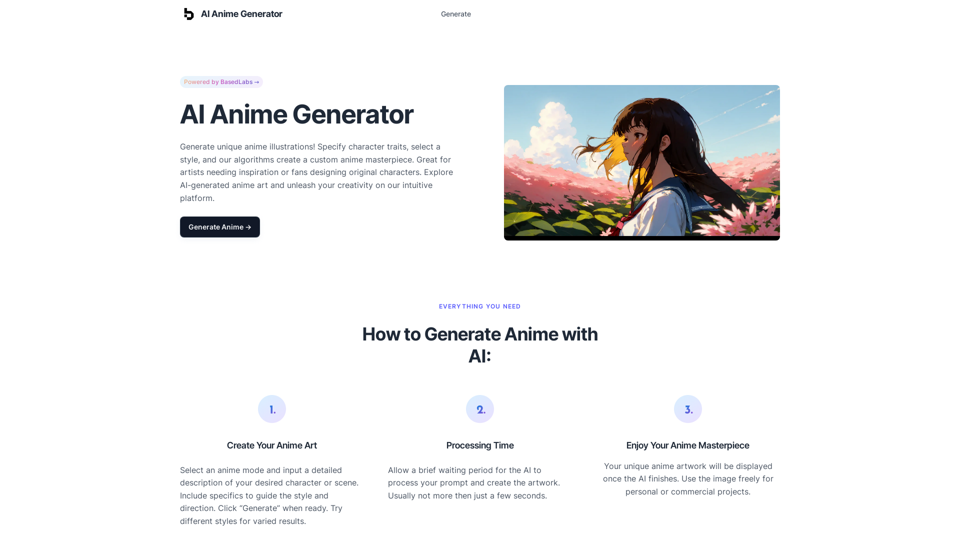
AI Anime GeneratorToolsApp AI

Support

Tap4
Privacy policyTerms & ConditionsContact Us
Loading...
loading...

ChatBotKit

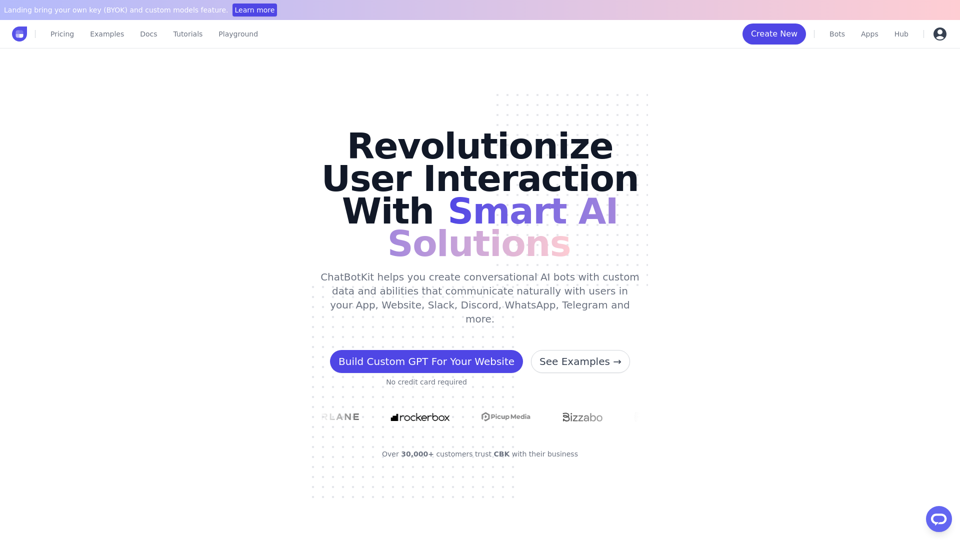
ChatBotKit makes it easy for developers and non-developers alike to build chatbots that can communicate with users in natural language.
Visit Website
ChatBotKit
Visit Website

Introduction

ChatBotKit is a cutting-edge platform for developing conversational AI systems. It provides a comprehensive set of tools and features to create custom chatbots capable of natural and intuitive user interactions. The platform supports multiple languages, custom datasets, and skillsets, making it versatile for various applications.

Feature

Multi-Lingual Support

ChatBotKit enables the creation of chatbots that can communicate with users in their native language, supporting multiple languages.

Custom Datasets and Skillsets

Users can manage and organize bespoke datasets for chatbot responses. Special abilities, such as image generation or web page fetching, can be created as custom skillsets.

Message Peek

This feature enhances engagement and accessibility for the chatbot widget, improving user experience.

Partner API

ChatBotKit offers a Partner API to simplify SaaS development, making integration easier for developers.

Events & Webhooks

Real-time event listening is possible through ChatBotKit's Webhook feature, allowing for immediate responses to user interactions.

Customization and Integration

Users can customize their chatbot's appearance, behavior, and functionality to align with their brand. The platform supports seamless integration with popular messaging platforms like Slack, Discord, and WhatsApp.

Flexible Pricing

ChatBotKit offers monthly memberships with access to all features, custom pricing plans for specific needs, and free trials upon request.

FAQ

What is ChatBotKit used for?

ChatBotKit is a platform for creating and interacting with chatbots, accessing various tools and services, and utilizing pre-built apps for a wide range of tasks.

How do I use a chatbot created with ChatBotKit?

You can interact with the chatbot by typing questions or statements into the chat window. The chatbot generates responses based on its programmed understanding.

What are the pricing options for ChatBotKit?

Plan TypeDescription
Monthly MembershipAccess to any chatbot and all features
Custom PricingTailored plans for specific needs
Free TrialsAvailable upon request

How can I get started with ChatBotKit?

  1. Sign up by clicking the "Get Access" button on the front page
  2. Explore the comprehensive documentation
  3. Contact the support team for assistance if needed

Latest Traffic Insights

  • Monthly Visits

    33.88 K

  • Bounce Rate

    37.34%

  • Pages Per Visit

    2.67

  • Time on Site(s)

    52.18

  • Global Rank

    762476

  • Country Rank

    Belgium 39559

Recent Visits

Traffic Sources

  • Social Media:
    5.07%
  • Paid Referrals:
    0.85%
  • Email:
    0.12%
  • Referrals:
    10.06%
  • Search Engines:
    46.21%
  • Direct:
    37.63%
More Data

Related Websites

Stability Matrix CivitAI Integration 

This document outlines the integration of Stability Matrix into Civitai. 

What is Stability Matrix?

Stability Matrix is a powerful tool for evaluating and comparing different AI models. It provides a comprehensive set of metrics to assess model performance across various tasks, including text generation, image generation, and code generation.

Benefits of Integrating Stability Matrix into Civitai:

* Enhanced Model Discovery: Users can easily identify high-performing models based on their desired tasks and preferences.
* Improved Model Selection: The detailed metrics provided by Stability Matrix allow for informed decision-making when choosing a model for a specific project.
* Community-Driven Evaluation: By leveraging the collective wisdom of the Civitai community, Stability Matrix fosters a transparent and collaborative approach to model evaluation.
* Accelerated Model Development: Developers can use Stability Matrix to track the progress of their models and identify areas for improvement.

Implementation Details:

* Stability Matrix scores will be displayed alongside model descriptions on Civitai.
* Users will be able to filter models based on their Stability Matrix scores.
* The integration will initially focus on text generation and image generation models.

Future Enhancements:

* Expand support for additional model types, such as code generation models.
* Implement interactive visualizations of Stability Matrix data.
* Allow users to contribute their own model evaluations to the platform.
View Detail

Stability Matrix CivitAI Integration This document outlines the integration of Stability Matrix into Civitai. What is Stability Matrix? Stability Matrix is a powerful tool for evaluating and comparing different AI models. It provides a comprehensive set of metrics to assess model performance across various tasks, including text generation, image generation, and code generation. Benefits of Integrating Stability Matrix into Civitai: * Enhanced Model Discovery: Users can easily identify high-performing models based on their desired tasks and preferences. * Improved Model Selection: The detailed metrics provided by Stability Matrix allow for informed decision-making when choosing a model for a specific project. * Community-Driven Evaluation: By leveraging the collective wisdom of the Civitai community, Stability Matrix fosters a transparent and collaborative approach to model evaluation. * Accelerated Model Development: Developers can use Stability Matrix to track the progress of their models and identify areas for improvement. Implementation Details: * Stability Matrix scores will be displayed alongside model descriptions on Civitai. * Users will be able to filter models based on their Stability Matrix scores. * The integration will initially focus on text generation and image generation models. Future Enhancements: * Expand support for additional model types, such as code generation models. * Implement interactive visualizations of Stability Matrix data. * Allow users to contribute their own model evaluations to the platform.

Stability Matrix CivitAI Integration This document outlines the integration of Stability Matrix into Civitai. What is Stability Matrix? Stability Matrix is a powerful tool for evaluating and comparing different AI models. It provides a comprehensive set of metrics to assess model performance across various tasks, including text generation, image generation, and code generation. Benefits of Integrating Stability Matrix into Civitai: * Enhanced Model Discovery: Users can easily identify high-performing models based on their desired tasks and preferences. * Improved Model Selection: The detailed metrics provided by Stability Matrix allow for informed decision-making when choosing a model for a specific project. * Community-Driven Evaluation: By leveraging the collective wisdom of the Civitai community, Stability Matrix fosters a transparent and collaborative approach to model evaluation. * Accelerated Model Development: Developers can use Stability Matrix to track the progress of their models and identify areas for improvement. Implementation Details: * Stability Matrix scores will be displayed alongside model descriptions on Civitai. * Users will be able to filter models based on their Stability Matrix scores. * The integration will initially focus on text generation and image generation models. Future Enhancements: * Expand support for additional model types, such as code generation models. * Implement interactive visualizations of Stability Matrix data. * Allow users to contribute their own model evaluations to the platform.

This extension adds a button to the CivitAI interface that allows you to download a given model with Stability Matrix.

193.90 M
Kartiv: Automated Visual Content for eCommerce & Marketing Agencies
View Detail

Kartiv: Automated Visual Content for eCommerce & Marketing Agencies

Kartiv: Automated Visual Content for eCommerce & Marketing Agencies

Elevate your brand with Kartiv's AI-powered design solutions. Perfect for eCommerce businesses and marketing agencies.

440
Cốc Cốc Search
View Detail

Cốc Cốc Search

Cốc Cốc Search

Install Cốc Cốc Search today and experience the search engine designed for Vietnamese people!

193.90 M
Open ChatGPT in a New Tab

You can open ChatGPT in a new tab by following these steps:

#Method 1: Using the Browser's Context Menu

1. Right-click on the ChatGPT link or button.
2. Select "Open in new tab" or "Open link in new tab" from the context menu.

#Method 2: Using the Keyboard Shortcut

1. Press `Ctrl + Click` (Windows/Linux) or `Cmd + Click` (Mac) on the ChatGPT link or button.

#Method 3: Using the Browser's Toolbar

1. Click on the ChatGPT link or button while holding down the `Ctrl` key (Windows/Linux) or `Cmd` key (Mac).
2. Release the key after the new tab is opened.

By following these methods, you can easily open ChatGPT in a new tab and start chatting without leaving your current page.
View Detail

Open ChatGPT in a New Tab You can open ChatGPT in a new tab by following these steps: #Method 1: Using the Browser's Context Menu 1. Right-click on the ChatGPT link or button. 2. Select "Open in new tab" or "Open link in new tab" from the context menu. #Method 2: Using the Keyboard Shortcut 1. Press `Ctrl + Click` (Windows/Linux) or `Cmd + Click` (Mac) on the ChatGPT link or button. #Method 3: Using the Browser's Toolbar 1. Click on the ChatGPT link or button while holding down the `Ctrl` key (Windows/Linux) or `Cmd` key (Mac). 2. Release the key after the new tab is opened. By following these methods, you can easily open ChatGPT in a new tab and start chatting without leaving your current page.

Open ChatGPT in a New Tab You can open ChatGPT in a new tab by following these steps: #Method 1: Using the Browser's Context Menu 1. Right-click on the ChatGPT link or button. 2. Select "Open in new tab" or "Open link in new tab" from the context menu. #Method 2: Using the Keyboard Shortcut 1. Press `Ctrl + Click` (Windows/Linux) or `Cmd + Click` (Mac) on the ChatGPT link or button. #Method 3: Using the Browser's Toolbar 1. Click on the ChatGPT link or button while holding down the `Ctrl` key (Windows/Linux) or `Cmd` key (Mac). 2. Release the key after the new tab is opened. By following these methods, you can easily open ChatGPT in a new tab and start chatting without leaving your current page.

New Tab with Quick ChatGPT Access

193.90 M
BlockP: AI Website, App & Porn Blocker
View Detail

BlockP: AI Website, App & Porn Blocker

BlockP: AI Website, App & Porn Blocker

Free AI-Based Chrome Productivity & Porn Blocker Protects Against Websites, Keywords, and Adult Content.

193.90 M
PodKit: Listen to Web Pages
View Detail

PodKit: Listen to Web Pages

PodKit: Listen to Web Pages

Turn webpages into engaging audio conversations.

193.90 M
Grimo - Cursor for Writing
View Detail

Grimo - Cursor for Writing

Grimo - Cursor for Writing

The most powerful AI text editor. Coherent editing. Customized styling. Collaborate seamlessly.

1.36 K
Apollo AI
View Detail

Apollo AI

Apollo AI

ApolloAI Browser Companion

193.90 M