Open-source RightAI Tools Directory
  • Discover AI
  • Submit
  • Startup
  • Blog
Open-source RightAI Tools Directory
Discover the best AI tools of 2025 with the RightAI Tools Directory!

Friend Links

AI Anime GeneratorToolsApp AI

Support

Tap4
Privacy policyTerms & ConditionsContact Us
Loading...
loading...

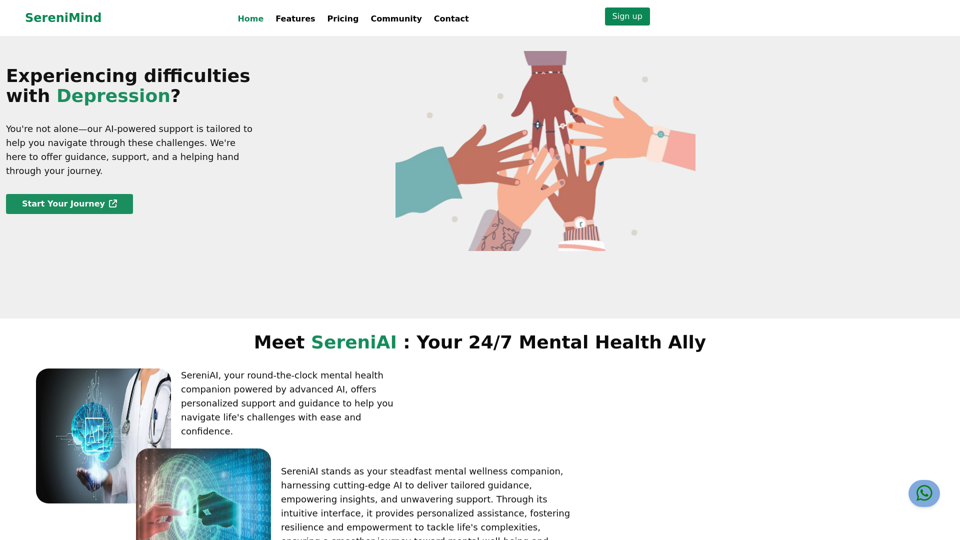
Best Mental Health Services in Nigeria | SereniMind

SereniMind is a top mental health platform in Nigeria, offering accessible online counseling services across Africa. Our expert counselors provide personalized mental health support to help you overcome challenges like depression, anxiety, and stress. Join SereniMind today for a path to better mental well-being.
Visit Website
Best Mental Health Services in Nigeria | SereniMind
Visit Website

Introduction

SereniMind is a comprehensive mental health services platform that leverages AI technology to provide personalized support for individuals struggling with depression and other mental health challenges. The platform offers a range of features designed to empower users, including 24/7 AI-powered assistance, mood enhancement tools, and a supportive community. SereniMind aims to help users navigate life's complexities and achieve mental well-being through its intuitive interface and tailored guidance.

Feature

24/7 AI-Powered Mental Health Support

SereniMind's AI companion, SereniAI, provides round-the-clock mental health support and guidance. Using cutting-edge AI technology, it delivers personalized assistance and empowering insights to users whenever they need it.

Mood Enhancement Tools

The platform offers a variety of mood-centric experiences designed to uplift users' spirits and improve their overall well-being. These include:

  • Games
  • Music
  • Sounds
  • Exercises

Supportive Community

SereniMind provides a safe and supportive community space where users can:

  • Connect with others facing similar challenges
  • Seek advice and support
  • Find a listening ear among community members

User-Friendly Interface

The platform is designed to be accessible and easy to use. Users can simply sign up to gain access to a wide range of mental health support tools and features.

Affordable Pricing Options

SereniMind offers flexible pricing plans to suit various needs and budgets. Users can contact the platform for detailed information on available pricing options.

FAQ

Is SereniMind a replacement for professional mental health care?

No, SereniMind is not a substitute for professional help. The platform is designed to supplement and support professional mental health care, not replace it.

How does SereniMind protect user information?

SereniMind prioritizes the security and privacy of user information. The platform implements robust security measures to protect user data, ensuring a safe and confidential environment for mental health support.

Can users cancel their SereniMind subscription?

Yes, users have the flexibility to cancel their subscription at any time. For more information on the cancellation process, users can contact the SereniMind support team.

What are some helpful tips for using SereniMind effectively?

  1. Take the initiative in your mental wellness journey by reaching out to the community or seeking professional help.
  2. Prioritize self-care and make your mental health a top priority.
  3. Engage with the community to connect with others who understand your challenges and can offer support.

Related Websites
BiRead - A Simple Tool for Instant Bilingual Reading
View Detail

BiRead - A Simple Tool for Instant Bilingual Reading

BiRead - A Simple Tool for Instant Bilingual Reading

Transform any website content into bilingual text with a single click, using AI. Make reading in other languages easy.

10.98 K
Faster GPT
View Detail

Faster GPT

Faster GPT

Excellent GPT assistant with useful extensions and powerful prompts. Use ChatGPT, Claude, Bard, Bing on any website.

193.90 M
Adaapt.ai - Simplify and Optimize Your Processes with Automation
View Detail

Adaapt.ai - Simplify and Optimize Your Processes with Automation

Adaapt.ai - Simplify and Optimize Your Processes with Automation

Unlock efficiency and elevate your business with Adaapt.ai - Your partner in automation. Streamline processes effortlessly and boost productivity. Discover cutting-edge solutions tailored for your success.

0
WallySmarter
View Detail

WallySmarter

WallySmarter

WallySmarter is groundbreaking software for selling on Walmart. Grow your business on walmart.com.

193.90 M
Claude to Notion

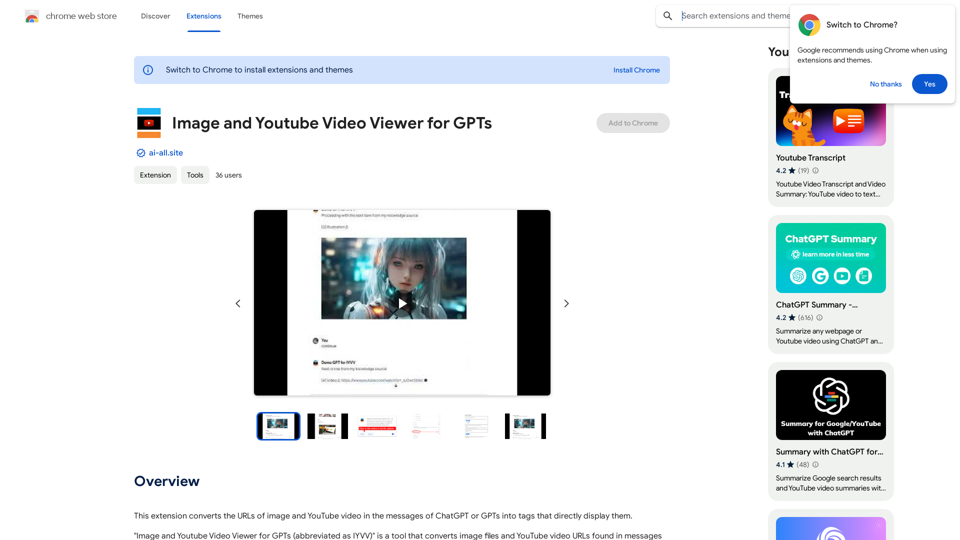
This is a guide on how to connect Claude, an AI assistant, with Notion, a note-taking and workspace app. 

Why connect Claude and Notion?

* Boost your productivity: Use Claude to generate content, summarize information, and automate tasks directly within Notion.
* Enhance your research: Ask Claude questions about your Notion notes and get insightful answers.
* Unlock new creative possibilities: Leverage Claude's generative capabilities to brainstorm ideas, write stories, or compose emails within your Notion workspace.

How to connect Claude and Notion:

1. API Keys: Obtain an API key for both Claude and Notion. 
2. Integration Tool: Explore integration tools like Zapier or Integromat to connect Claude and Notion. These platforms allow you to create workflows that trigger actions in one app based on events in the other.
3. Custom Development: For advanced users, you can develop your own custom integration using the Claude and Notion APIs. This gives you the most flexibility but requires coding knowledge.

Example Use Cases:

* Meeting Summarization: After a meeting, paste the transcript into Notion and use Claude to generate a concise summary.
* Content Creation:  Use Claude to write blog posts, articles, or social media captions directly within your Notion pages.
* Idea Generation: Brainstorm new ideas for projects or tasks by prompting Claude with specific questions within your Notion workspace.


Remember to review the documentation and terms of service for both Claude and Notion to ensure proper usage and security.
View Detail

Claude to Notion This is a guide on how to connect Claude, an AI assistant, with Notion, a note-taking and workspace app. Why connect Claude and Notion? * Boost your productivity: Use Claude to generate content, summarize information, and automate tasks directly within Notion. * Enhance your research: Ask Claude questions about your Notion notes and get insightful answers. * Unlock new creative possibilities: Leverage Claude's generative capabilities to brainstorm ideas, write stories, or compose emails within your Notion workspace. How to connect Claude and Notion: 1. API Keys: Obtain an API key for both Claude and Notion. 2. Integration Tool: Explore integration tools like Zapier or Integromat to connect Claude and Notion. These platforms allow you to create workflows that trigger actions in one app based on events in the other. 3. Custom Development: For advanced users, you can develop your own custom integration using the Claude and Notion APIs. This gives you the most flexibility but requires coding knowledge. Example Use Cases: * Meeting Summarization: After a meeting, paste the transcript into Notion and use Claude to generate a concise summary. * Content Creation: Use Claude to write blog posts, articles, or social media captions directly within your Notion pages. * Idea Generation: Brainstorm new ideas for projects or tasks by prompting Claude with specific questions within your Notion workspace. Remember to review the documentation and terms of service for both Claude and Notion to ensure proper usage and security.

Claude to Notion This is a guide on how to connect Claude, an AI assistant, with Notion, a note-taking and workspace app. Why connect Claude and Notion? * Boost your productivity: Use Claude to generate content, summarize information, and automate tasks directly within Notion. * Enhance your research: Ask Claude questions about your Notion notes and get insightful answers. * Unlock new creative possibilities: Leverage Claude's generative capabilities to brainstorm ideas, write stories, or compose emails within your Notion workspace. How to connect Claude and Notion: 1. API Keys: Obtain an API key for both Claude and Notion. 2. Integration Tool: Explore integration tools like Zapier or Integromat to connect Claude and Notion. These platforms allow you to create workflows that trigger actions in one app based on events in the other. 3. Custom Development: For advanced users, you can develop your own custom integration using the Claude and Notion APIs. This gives you the most flexibility but requires coding knowledge. Example Use Cases: * Meeting Summarization: After a meeting, paste the transcript into Notion and use Claude to generate a concise summary. * Content Creation: Use Claude to write blog posts, articles, or social media captions directly within your Notion pages. * Idea Generation: Brainstorm new ideas for projects or tasks by prompting Claude with specific questions within your Notion workspace. Remember to review the documentation and terms of service for both Claude and Notion to ensure proper usage and security.

Save Claude conversations to Notion with one click. Export Claude conversations.

193.90 M
Subtitle Wizard - Real-time Speech Recognition, AI Subtitle Translation
View Detail

Subtitle Wizard - Real-time Speech Recognition, AI Subtitle Translation

Subtitle Wizard - Real-time Speech Recognition, AI Subtitle Translation

Watch foreign TV series and learn without mistakes, the new subtitle translation elf is here to assist, a browser-based subtitle translation artifact.

193.90 M
Audeo AI: Audio Stem Splitter & Audio Enhancer
View Detail

Audeo AI: Audio Stem Splitter & Audio Enhancer

Audeo AI: Audio Stem Splitter & Audio Enhancer

Easily record, separate stems, isolate vocals, improve audio quality, and download audio directly from your web browser.

193.90 M
Hexofy Scraper - Free Web Scraping + AI
View Detail

Hexofy Scraper - Free Web Scraping + AI

Hexofy Scraper - Free Web Scraping + AI

1-Click Data Capture & Web Scraping Tool Enhanced with AI

193.90 M