Open-source RightAI Tools Directory
  • Discover AI
  • Submit
  • Startup
  • Blog
Open-source RightAI Tools Directory
Discover the best AI tools of 2025 with the RightAI Tools Directory!

Friend Links

AI Anime GeneratorToolsApp AI

Support

Tap4
Privacy policyTerms & ConditionsContact Us
Loading...
loading...

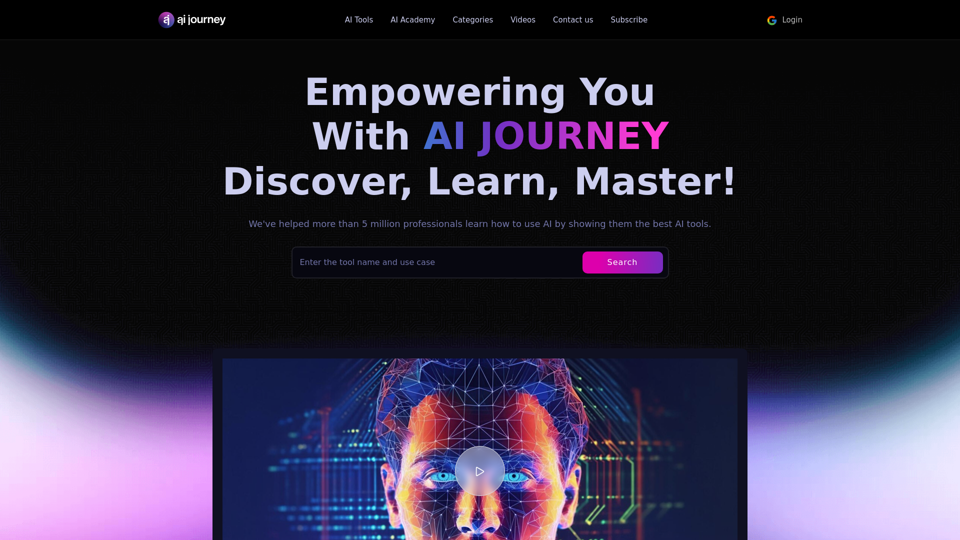
AI Journey: Explore the Leading AI Tools Software - Expert Reviews & Insights

Find the best AI tools and software with AIJourney. Our daily updates and expert reviews help you enhance your productivity and efficiency.
Visit Website
AI Journey: Explore the Leading AI Tools Software - Expert Reviews & Insights
Visit Website

Introduction

AI Journey is a comprehensive directory of AI tools, learning resources, and innovations designed to empower individuals and businesses in harnessing artificial intelligence. It serves as a one-stop platform for exploring, learning, and mastering various AI technologies, offering a wide range of tools and educational content to support users in their AI journey.

Feature

Extensive AI Tool Directory

AI Journey provides a vast array of AI technologies categorized into various domains:

  • AI Text Generator
  • Image & Design
  • Development & IT
  • Video & Animation
  • Business & Admin
  • Education & Information
  • Life Style & Entertainment

AI Academy

  • Offers courses and resources for AI skill development
  • Includes specific programs like "6 Steps To Make Money With Perplexity AI and ClickBank for Beginner in 2024"
  • Provides recent posts to keep users updated on AI trends

Search and Exploration

  • Users can search for AI tools by category or keyword
  • Expert reviews and insights on top AI tools are available

Pricing Options

  • Free trials for many AI tools and solutions
  • Paid plans for premium AI tools and services
  • Subscription options for exclusive AI tools and resources

Regular Updates

  • Newsletters, blogs, and other resources to keep users informed about the latest AI trends and innovations

FAQ

What is AI Journey?

AI Journey is a comprehensive directory of AI tools, learning resources, and innovations designed to empower individuals and businesses in harnessing artificial intelligence.

How can AI Journey benefit businesses looking for AI tools and solutions?

AI Journey serves as an indispensable resource for businesses seeking AI tools and solutions by offering a curated directory of cutting-edge AI technologies across various categories.

What categories of AI tools are covered in the AI Journey directory?

AI Journey covers a range of important AI tool categories, including:

  • AI Text Generator
  • Image & Design
  • Video & Animation
  • Development & IT
  • Business & Admin
  • Education & Information
  • Lifestyle & Entertainment

How can I stay updated on the latest trends and innovations in the AI industry through AI Journey?

AI Journey offers various resources to keep users informed about AI advancements, including:

  • Newsletters
  • Blogs
  • Recent posts in the AI Academy section
  • Regular updates to the AI tool directory
Related Websites

ChatGPT Keyboard Shortcuts

#Navigation

* Ctrl + β†’: Move to the next message
* Ctrl + ←: Move to the previous message
* Home: Move to the beginning of the conversation
* End: Move to the end of the conversation

#Editing

* Ctrl + A: Select all text
* Ctrl + C: Copy selected text
* Ctrl + X: Cut selected text
* Ctrl + V: Paste copied or cut text
* Ctrl + Z: Undo
* Ctrl + Y: Redo
* Ctrl + Shift + F: Format text as code

#Actions

* Enter: Send the message
* Shift + Enter: Insert a new line
* Ctrl + Shift + Enter: Send the message and insert a new line
* Esc: Cancel editing and close the message input field
* Ctrl + Shift + Space: Open the emoji picker
* Ctrl + Shift + /: Open the help menu

#Accessibility

* Ctrl + +: Increase font size
* Ctrl + -: Decrease font size
* Ctrl + 0: Reset font size to default
View Detail

ChatGPT Keyboard Shortcuts #Navigation * Ctrl + β†’: Move to the next message * Ctrl + ←: Move to the previous message * Home: Move to the beginning of the conversation * End: Move to the end of the conversation #Editing * Ctrl + A: Select all text * Ctrl + C: Copy selected text * Ctrl + X: Cut selected text * Ctrl + V: Paste copied or cut text * Ctrl + Z: Undo * Ctrl + Y: Redo * Ctrl + Shift + F: Format text as code #Actions * Enter: Send the message * Shift + Enter: Insert a new line * Ctrl + Shift + Enter: Send the message and insert a new line * Esc: Cancel editing and close the message input field * Ctrl + Shift + Space: Open the emoji picker * Ctrl + Shift + /: Open the help menu #Accessibility * Ctrl + +: Increase font size * Ctrl + -: Decrease font size * Ctrl + 0: Reset font size to default

ChatGPT Keyboard Shortcuts #Navigation * Ctrl + β†’: Move to the next message * Ctrl + ←: Move to the previous message * Home: Move to the beginning of the conversation * End: Move to the end of the conversation #Editing * Ctrl + A: Select all text * Ctrl + C: Copy selected text * Ctrl + X: Cut selected text * Ctrl + V: Paste copied or cut text * Ctrl + Z: Undo * Ctrl + Y: Redo * Ctrl + Shift + F: Format text as code #Actions * Enter: Send the message * Shift + Enter: Insert a new line * Ctrl + Shift + Enter: Send the message and insert a new line * Esc: Cancel editing and close the message input field * Ctrl + Shift + Space: Open the emoji picker * Ctrl + Shift + /: Open the help menu #Accessibility * Ctrl + +: Increase font size * Ctrl + -: Decrease font size * Ctrl + 0: Reset font size to default

Enhance your ChatGPT experience with easy-to-use keyboard shortcuts.

193.90 M
Make a similarity service
View Detail

Make a similarity service

Make a similarity service

Comparing Similarity for nb.no Book and Image Search Results Let's explore how to measure the similarity between: * Book search results from nb.no (the Norwegian National Library) * Image search results from various sources This comparison can be valuable for understanding: * How well visual representations match textual descriptions. * Potential for using images to enhance book discovery. * Developing new search functionalities that combine text and image data. We can use various techniques to assess similarity, including: * Textual Similarity: Analyzing the keywords, topics, and overall content of book descriptions and image captions. * Visual Similarity: Comparing the visual features of images using algorithms like convolutional neural networks (CNNs). * Hybrid Approaches: Combining textual and visual similarity measures for a more comprehensive evaluation. By comparing similarity scores across different methods, we can gain insights into the strengths and weaknesses of each approach and identify the most effective way to connect books and images.

193.90 M
Fast ChatGPT
View Detail

Fast ChatGPT

Fast ChatGPT

Using ChatGPT in a browser popup window without having to switch tabs.

193.90 M
Lexicore - AI for Legal Practices
View Detail

Lexicore - AI for Legal Practices

Lexicore - AI for Legal Practices

Lexicore is an AI-powered chatbot designed to be a virtual legal assistant. It can give you quick answers and accurate information to help you with your legal questions.

0
Image and YouTube Video Viewer for GPTs
View Detail

Image and YouTube Video Viewer for GPTs

Image and YouTube Video Viewer for GPTs

This extension changes the links for images and YouTube videos in ChatGPT or GPT messages into tags that show the images and videos directly.

193.90 M
Meet the Meeting
View Detail

Meet the Meeting

Meet the Meeting

Identifying People Expressions in Google Meets Calls This is a complex task with several challenges: * Technical Limitations: Google Meets doesn't currently offer an API to directly access facial expressions of participants. * Privacy Concerns: Analyzing facial expressions raises significant privacy issues. Users should have control over whether their expressions are being tracked and used. * Accuracy: Even with access to facial data, accurately interpreting expressions can be difficult due to variations in lighting, angles, and individual differences. Possible Approaches (with limitations): * User-Submitted Data: Participants could manually indicate their emotions during the call, which could be collected and analyzed. This relies on user honesty and may not capture subtle expressions. * Third-Party Tools: Some external tools might analyze video feeds and attempt to detect expressions. However, their accuracy and privacy practices should be carefully evaluated. * Future Developments: Google or other companies might develop features that allow for more ethical and accurate expression analysis in the future. It's important to remember that facial expressions are just one aspect of communication, and relying solely on them can be misleading.

193.90 M
Searchable ChatGPT: Search GPT Conversation History

With the rapid development of artificial intelligence technology, ChatGPT has become an essential tool for people to communicate and interact with AI. However, as the conversation history grows, it becomes increasingly difficult to find specific conversations or topics. To address this issue, we propose the concept of Searchable ChatGPT, which enables users to search their GPT conversation history efficiently.

Key Features

1. Keyword Search

Users can input specific keywords or phrases to search for relevant conversations in their chat history. The system will then display a list of conversations that match the search criteria, allowing users to quickly find the information they need.

2. Contextual Search

In addition to keyword search, users can also search for conversations based on context. For example, they can search for conversations related to a specific topic, such as "travel" or "cooking." The system will then display a list of conversations that are relevant to the specified context.

3. Conversation Filtering

To further refine the search results, users can apply filters to narrow down the list of conversations. For instance, they can filter conversations by date, time, or even the emotions expressed during the conversation.

4. Conversation Analytics

Searchable ChatGPT also provides users with conversation analytics, which offer insights into their conversation patterns and preferences. This feature can help users identify areas for improvement and optimize their communication with ChatGPT.

Benefits

1. Improved Productivity

Searchable ChatGPT saves users time and effort by allowing them to quickly find specific conversations or topics in their chat history.

2. Enhanced User Experience

By providing users with a more efficient way to search and analyze their conversations, Searchable ChatGPT enhances the overall user experience and encourages more effective communication with ChatGPT.

3. Better Decision Making

With access to conversation analytics, users can make more informed decisions by identifying patterns and trends in their conversations with ChatGPT.

Conclusion

Searchable ChatGPT is a powerful tool that revolutionizes the way users interact with ChatGPT. By providing a robust search function, contextual search, conversation filtering, and conversation analytics, Searchable ChatGPT improves productivity, enhances the user experience, and enables better decision making.
View Detail

Searchable ChatGPT: Search GPT Conversation History With the rapid development of artificial intelligence technology, ChatGPT has become an essential tool for people to communicate and interact with AI. However, as the conversation history grows, it becomes increasingly difficult to find specific conversations or topics. To address this issue, we propose the concept of Searchable ChatGPT, which enables users to search their GPT conversation history efficiently. Key Features 1. Keyword Search Users can input specific keywords or phrases to search for relevant conversations in their chat history. The system will then display a list of conversations that match the search criteria, allowing users to quickly find the information they need. 2. Contextual Search In addition to keyword search, users can also search for conversations based on context. For example, they can search for conversations related to a specific topic, such as "travel" or "cooking." The system will then display a list of conversations that are relevant to the specified context. 3. Conversation Filtering To further refine the search results, users can apply filters to narrow down the list of conversations. For instance, they can filter conversations by date, time, or even the emotions expressed during the conversation. 4. Conversation Analytics Searchable ChatGPT also provides users with conversation analytics, which offer insights into their conversation patterns and preferences. This feature can help users identify areas for improvement and optimize their communication with ChatGPT. Benefits 1. Improved Productivity Searchable ChatGPT saves users time and effort by allowing them to quickly find specific conversations or topics in their chat history. 2. Enhanced User Experience By providing users with a more efficient way to search and analyze their conversations, Searchable ChatGPT enhances the overall user experience and encourages more effective communication with ChatGPT. 3. Better Decision Making With access to conversation analytics, users can make more informed decisions by identifying patterns and trends in their conversations with ChatGPT. Conclusion Searchable ChatGPT is a powerful tool that revolutionizes the way users interact with ChatGPT. By providing a robust search function, contextual search, conversation filtering, and conversation analytics, Searchable ChatGPT improves productivity, enhances the user experience, and enables better decision making.

Searchable ChatGPT: Search GPT Conversation History With the rapid development of artificial intelligence technology, ChatGPT has become an essential tool for people to communicate and interact with AI. However, as the conversation history grows, it becomes increasingly difficult to find specific conversations or topics. To address this issue, we propose the concept of Searchable ChatGPT, which enables users to search their GPT conversation history efficiently. Key Features 1. Keyword Search Users can input specific keywords or phrases to search for relevant conversations in their chat history. The system will then display a list of conversations that match the search criteria, allowing users to quickly find the information they need. 2. Contextual Search In addition to keyword search, users can also search for conversations based on context. For example, they can search for conversations related to a specific topic, such as "travel" or "cooking." The system will then display a list of conversations that are relevant to the specified context. 3. Conversation Filtering To further refine the search results, users can apply filters to narrow down the list of conversations. For instance, they can filter conversations by date, time, or even the emotions expressed during the conversation. 4. Conversation Analytics Searchable ChatGPT also provides users with conversation analytics, which offer insights into their conversation patterns and preferences. This feature can help users identify areas for improvement and optimize their communication with ChatGPT. Benefits 1. Improved Productivity Searchable ChatGPT saves users time and effort by allowing them to quickly find specific conversations or topics in their chat history. 2. Enhanced User Experience By providing users with a more efficient way to search and analyze their conversations, Searchable ChatGPT enhances the overall user experience and encourages more effective communication with ChatGPT. 3. Better Decision Making With access to conversation analytics, users can make more informed decisions by identifying patterns and trends in their conversations with ChatGPT. Conclusion Searchable ChatGPT is a powerful tool that revolutionizes the way users interact with ChatGPT. By providing a robust search function, contextual search, conversation filtering, and conversation analytics, Searchable ChatGPT improves productivity, enhances the user experience, and enables better decision making.

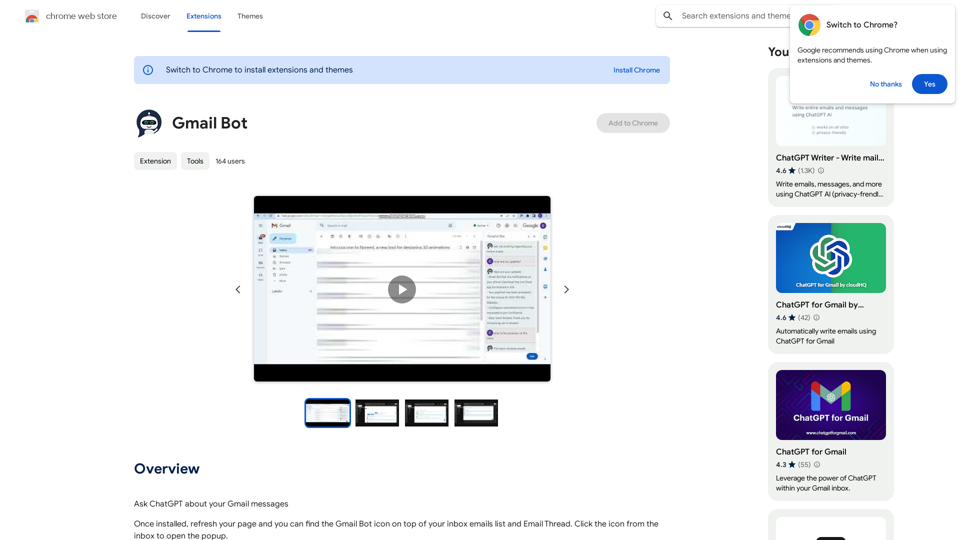
Search ChatGPT conversation history instantly. Fully local and private. Press sidebar button or hotkey

193.90 M
Adaapt.ai - Simplify and Optimize Your Processes with Automation
View Detail

Adaapt.ai - Simplify and Optimize Your Processes with Automation

Adaapt.ai - Simplify and Optimize Your Processes with Automation

Unlock efficiency and elevate your business with Adaapt.ai - Your partner in automation. Streamline processes effortlessly and boost productivity. Discover cutting-edge solutions tailored for your success.

0