Open-source RightAI Tools Directory
  • Discover AI
  • Submit
  • Startup
  • Blog
Open-source RightAI Tools Directory
Discover the best AI tools of 2025 with the RightAI Tools Directory!

Friend Links

AI Anime GeneratorToolsApp AI

Support

Tap4
Privacy policyTerms & ConditionsContact Us
Loading...
loading...

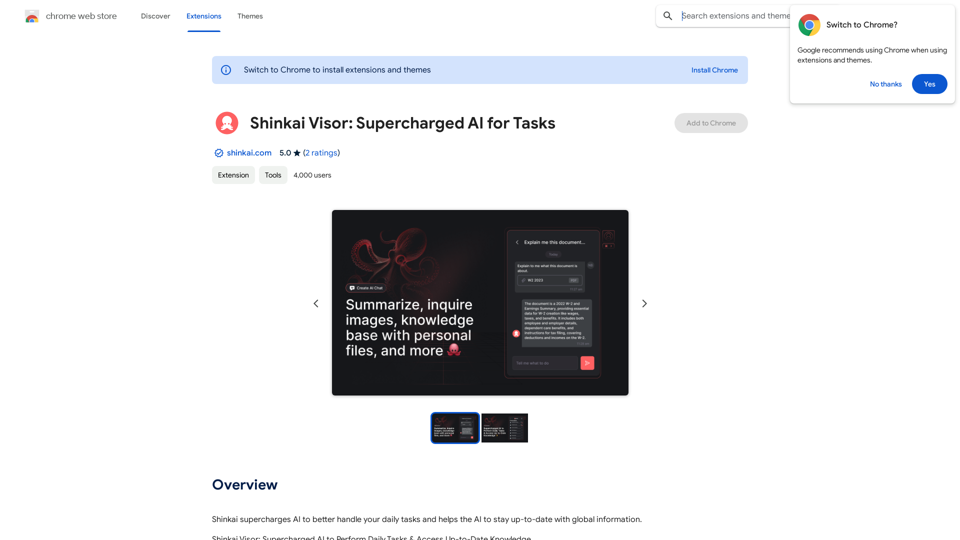
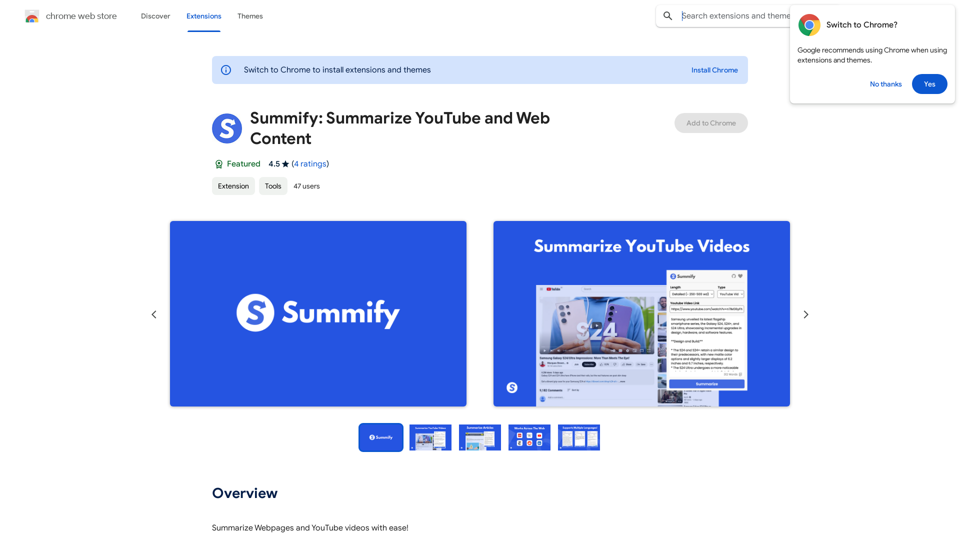
Summify: Summarize YouTube and Web Content This is a tool that can summarize videos from YouTube and web pages.

Quickly get the main points of websites and YouTube videos.
Visit Website
Summify: Summarize YouTube and Web Content 

This is a tool that can summarize videos from YouTube and web pages.
Visit Website

Introduction

Summify is an AI-powered productivity tool designed to enhance efficiency by providing instant summaries of articles, websites, and YouTube videos. It offers users the flexibility to choose summary lengths, catering to different needs for quick information retrieval or more comprehensive overviews.

Feature

Versatile Content Summarization

Summify efficiently summarizes various types of content, including:

  • Webpages
  • YouTube videos
  • Articles

Customizable Summary Length

Users can select their preferred summary length:

  • Brief Summary (~100-250 words)
  • Detailed Summary (~250-500 words)

Multilingual Support

Summify supports a wide range of languages:

  • English (US/UK)
  • French
  • Spanish
  • Hindi
  • Traditional Chinese
  • Other autodetected languages

Content Limitations

  • Can process up to 32,000 tokens (~24,000 words)
  • Does not support PDFs or Google Documents

User-Friendly Interface

Simple operation:

  1. Install the extension
  2. Select summary length
  3. Press 'Summarize' button

Free Accessibility

Summify is available as a free extension, requiring no subscription or payment.

FAQ

What types of content can Summify process?

Summify can summarize:

  • Webpages
  • YouTube videos
  • Articles

What are the available summary lengths?

Users can choose between:

  • Brief Summary (~100-250 words)
  • Detailed Summary (~250-500 words)

Does Summify support multiple languages?

Yes, Summify supports:

  • English (US/UK)
  • French
  • Spanish
  • Hindi
  • Traditional Chinese
  • Other autodetected languages

Are there any content limitations?

Summify can process up to 32,000 tokens (~24,000 words) but does not support PDFs or Google Documents.

Is Summify a paid service?

No, Summify is a free extension that can be used without any subscription or payment.

Latest Traffic Insights

  • Monthly Visits

    193.90 M

  • Bounce Rate

    56.27%

  • Pages Per Visit

    2.71

  • Time on Site(s)

    115.91

  • Global Rank

    -

  • Country Rank

    -

Recent Visits

Traffic Sources

  • Social Media:
    0.48%
  • Paid Referrals:
    0.55%
  • Email:
    0.15%
  • Referrals:
    12.81%
  • Search Engines:
    16.21%
  • Direct:
    69.81%
More Data

Related Websites

GPT Search Helper
View Detail

GPT Search Helper

GPT Search Helper

A plugin that adds ChatGPT responses to Google and Stack Overflow search results.

193.90 M
Google Translate
View Detail

Google Translate

Google Translate

Google's service, provided at no cost, instantly translates words, phrases, and web pages between English and more than 100 other languages.

598.01 M
Breadchaser - Custom networking messages & job applications with AI
View Detail

Breadchaser - Custom networking messages & job applications with AI

Breadchaser - Custom networking messages & job applications with AI

Breadchaser transforms your networking by automating personal messages, sales InMails, and job applications with AI, all while sounding natural and human.

193.90 M
Artu
View Detail

Artu

Artu

ARTU Meetings: Your Meeting's Personal Scribe! Install ARTU to receive automatic meeting minutes for your Google Meet and...

193.90 M
STAIRAZ 

Job Application Tracker, Resume Builder, Job Analysis
View Detail

STAIRAZ Job Application Tracker, Resume Builder, Job Analysis

STAIRAZ Job Application Tracker, Resume Builder, Job Analysis

STAIRAZ Job Application Tracker: A professional tool that simplifies your job search and increases your chances of getting hired.

193.90 M
Job Tracker
View Detail

Job Tracker

Job Tracker

Save, track, and manage all your job applications in one place. Build your professional network and get hired.

193.90 M
CrackerJack Resume 

Objective: To obtain a challenging and rewarding position in a fast-paced environment where I can utilize my skills and experience to contribute to the success of a dynamic team.

Summary of Qualifications:

* Highly motivated and results-oriented individual with a proven track record of success in [mention your field].
* Excellent communication, interpersonal, and problem-solving skills.
* Strong analytical and critical thinking abilities.
* Proficient in [list your relevant skills].
* Adaptable and eager to learn new technologies and processes.

Experience:

* [Job Title], [Company Name], [City, State] - [Dates of Employment]
    * [List your responsibilities and achievements using action verbs]
* [Job Title], [Company Name], [City, State] - [Dates of Employment]
    * [List your responsibilities and achievements using action verbs]

Education:

* [Degree Name], [Major], [University Name], [City, State] - [Year of Graduation]
    * [List any relevant coursework, honors, or awards]

Skills:

* [List your hard and soft skills]

Projects:

* [List any relevant projects you have worked on, including a brief description and your role]

Awards and Recognition:

* [List any awards or recognition you have received]

Volunteer Experience:

* [List any volunteer experience you have]

References:

* Available upon request.
View Detail

CrackerJack Resume Objective: To obtain a challenging and rewarding position in a fast-paced environment where I can utilize my skills and experience to contribute to the success of a dynamic team. Summary of Qualifications: * Highly motivated and results-oriented individual with a proven track record of success in [mention your field]. * Excellent communication, interpersonal, and problem-solving skills. * Strong analytical and critical thinking abilities. * Proficient in [list your relevant skills]. * Adaptable and eager to learn new technologies and processes. Experience: * [Job Title], [Company Name], [City, State] - [Dates of Employment] * [List your responsibilities and achievements using action verbs] * [Job Title], [Company Name], [City, State] - [Dates of Employment] * [List your responsibilities and achievements using action verbs] Education: * [Degree Name], [Major], [University Name], [City, State] - [Year of Graduation] * [List any relevant coursework, honors, or awards] Skills: * [List your hard and soft skills] Projects: * [List any relevant projects you have worked on, including a brief description and your role] Awards and Recognition: * [List any awards or recognition you have received] Volunteer Experience: * [List any volunteer experience you have] References: * Available upon request.

CrackerJack Resume Objective: To obtain a challenging and rewarding position in a fast-paced environment where I can utilize my skills and experience to contribute to the success of a dynamic team. Summary of Qualifications: * Highly motivated and results-oriented individual with a proven track record of success in [mention your field]. * Excellent communication, interpersonal, and problem-solving skills. * Strong analytical and critical thinking abilities. * Proficient in [list your relevant skills]. * Adaptable and eager to learn new technologies and processes. Experience: * [Job Title], [Company Name], [City, State] - [Dates of Employment] * [List your responsibilities and achievements using action verbs] * [Job Title], [Company Name], [City, State] - [Dates of Employment] * [List your responsibilities and achievements using action verbs] Education: * [Degree Name], [Major], [University Name], [City, State] - [Year of Graduation] * [List any relevant coursework, honors, or awards] Skills: * [List your hard and soft skills] Projects: * [List any relevant projects you have worked on, including a brief description and your role] Awards and Recognition: * [List any awards or recognition you have received] Volunteer Experience: * [List any volunteer experience you have] References: * Available upon request.

Are you frustrated by the lack of response to your job applications? The secret may lie within your resume. Stop getting rejected…

193.90 M
Open ChatGPT in a New Tab

You can open ChatGPT in a new tab by following these steps:

#Method 1: Using the Browser's Context Menu

1. Right-click on the ChatGPT link or button.
2. Select "Open in new tab" or "Open link in new tab" from the context menu.

#Method 2: Using the Keyboard Shortcut

1. Press `Ctrl + Click` (Windows/Linux) or `Cmd + Click` (Mac) on the ChatGPT link or button.

#Method 3: Using the Browser's Toolbar

1. Click on the ChatGPT link or button while holding down the `Ctrl` key (Windows/Linux) or `Cmd` key (Mac).
2. Release the key after the new tab is opened.

By following these methods, you can easily open ChatGPT in a new tab and start chatting without leaving your current page.
View Detail

Open ChatGPT in a New Tab You can open ChatGPT in a new tab by following these steps: #Method 1: Using the Browser's Context Menu 1. Right-click on the ChatGPT link or button. 2. Select "Open in new tab" or "Open link in new tab" from the context menu. #Method 2: Using the Keyboard Shortcut 1. Press `Ctrl + Click` (Windows/Linux) or `Cmd + Click` (Mac) on the ChatGPT link or button. #Method 3: Using the Browser's Toolbar 1. Click on the ChatGPT link or button while holding down the `Ctrl` key (Windows/Linux) or `Cmd` key (Mac). 2. Release the key after the new tab is opened. By following these methods, you can easily open ChatGPT in a new tab and start chatting without leaving your current page.

Open ChatGPT in a New Tab You can open ChatGPT in a new tab by following these steps: #Method 1: Using the Browser's Context Menu 1. Right-click on the ChatGPT link or button. 2. Select "Open in new tab" or "Open link in new tab" from the context menu. #Method 2: Using the Keyboard Shortcut 1. Press `Ctrl + Click` (Windows/Linux) or `Cmd + Click` (Mac) on the ChatGPT link or button. #Method 3: Using the Browser's Toolbar 1. Click on the ChatGPT link or button while holding down the `Ctrl` key (Windows/Linux) or `Cmd` key (Mac). 2. Release the key after the new tab is opened. By following these methods, you can easily open ChatGPT in a new tab and start chatting without leaving your current page.

New Tab with Quick ChatGPT Access

193.90 M