Open-source RightAI Tools Directory
  • Discover AI
  • Submit
  • Startup
  • Blog
Open-source RightAI Tools Directory
Discover the best AI tools of 2025 with the RightAI Tools Directory!

Friend Links

AI Anime GeneratorToolsApp AI

Support

Tap4
Privacy policyTerms & ConditionsContact Us
Loading...
loading...

MagicalAPI: YouTube SEO - Boost Your Channel with AI

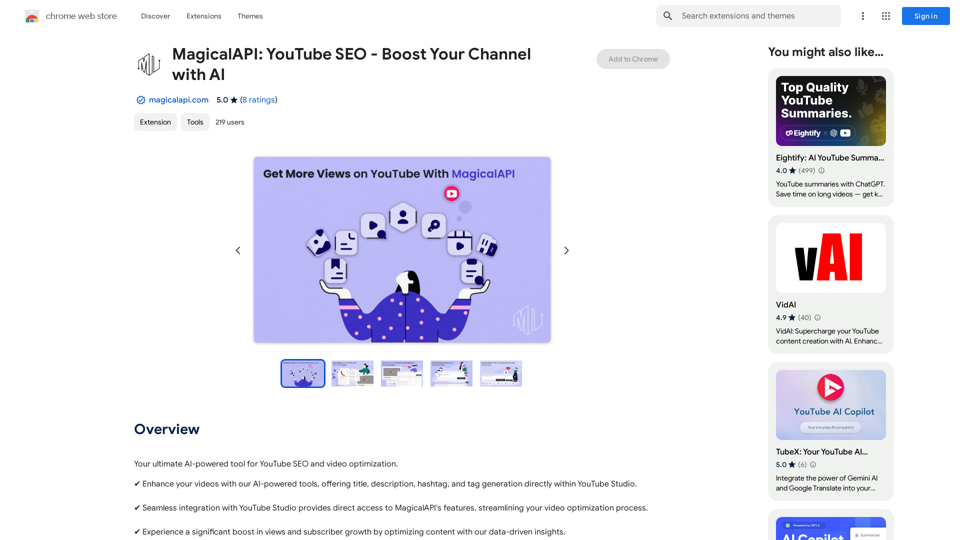
Your ultimate AI-powered tool for YouTube SEO and video optimization.
Visit Website
MagicalAPI: YouTube SEO - Boost Your Channel with AI
Visit Website

Introduction

MagicalAPI is an AI-powered tool designed to enhance YouTube SEO and video optimization. It seamlessly integrates with YouTube Studio, offering a range of features to improve video titles, descriptions, hashtags, and tags. This tool aims to boost video performance, increase visibility, and streamline content management tasks for YouTube creators.

Feature

AI Optimization Tools

  • Generate compelling titles and descriptions
  • Suggest relevant hashtags and tags
  • Provide insights on content trends for higher engagement

Analytics & Insights Tools

  • Understand video performance metrics
  • Analyze viewer preferences
  • Offer content optimization strategies

Efficiency Tools

  • Automate and simplify content management tasks
  • Save valuable time for creators
  • Allow more focus on creativity

SEO Enhancement Tools

  • Improve video searchability with targeted keywords
  • Increase visibility and attract more viewers

Seamless Integration

  • Direct integration with YouTube Studio
  • Easy access to features within the platform

Flexible Pricing

  • Offers both free and premium plans
  • Caters to various creation needs

FAQ

How does MagicalAPI work?

MagicalAPI is an AI-powered tool that integrates with YouTube Studio, providing a range of features to help optimize YouTube videos. It uses artificial intelligence to generate titles, descriptions, hashtags, and tags, as well as offer analytics and insights for better content performance.

Is MagicalAPI free?

MagicalAPI offers flexible pricing options, including both free and premium plans to suit different creation needs. Users can choose the plan that best fits their requirements and budget.

How do I get started with MagicalAPI?

To start using MagicalAPI, you need to install the extension and follow the prompts to set up your account. Once installed, you can access its features directly within YouTube Studio to optimize your content.

What kind of support does MagicalAPI offer?

MagicalAPI provides dedicated support to assist users with any questions or guidance they may need. This ensures that creators can make the most of the tool's features and optimize their YouTube content effectively.

Latest Traffic Insights

  • Monthly Visits

    193.90 M

  • Bounce Rate

    56.27%

  • Pages Per Visit

    2.71

  • Time on Site(s)

    115.91

  • Global Rank

    -

  • Country Rank

    -

Recent Visits

Traffic Sources

  • Social Media:
    0.48%
  • Paid Referrals:
    0.55%
  • Email:
    0.15%
  • Referrals:
    12.81%
  • Search Engines:
    16.21%
  • Direct:
    69.81%
More Data

Related Websites

Overcome Copilot AI Message Limit, Export Chats to JSON File: TopicsGPT

This is a tool to help you work around the message limit in Copilot AI and export your conversations to a JSON file. 

Here's how it works:

* Extend Your Conversations: TopicsGPT allows you to continue your conversations with Copilot AI beyond the usual message limit. 

* Save Your History: Export your entire chat history with Copilot AI as a structured JSON file. This makes it easy to review past interactions, analyze your conversations, or even use the data for other purposes.

Benefits:

* No More Interruptions: Keep your creative flow going without worrying about hitting the message limit.
* Organized Data:  Have a clear and organized record of your conversations with Copilot AI.
* Flexibility: Use the exported JSON data for your own projects or analysis. 


Let me know if you have any questions!
View Detail

Overcome Copilot AI Message Limit, Export Chats to JSON File: TopicsGPT This is a tool to help you work around the message limit in Copilot AI and export your conversations to a JSON file. Here's how it works: * Extend Your Conversations: TopicsGPT allows you to continue your conversations with Copilot AI beyond the usual message limit. * Save Your History: Export your entire chat history with Copilot AI as a structured JSON file. This makes it easy to review past interactions, analyze your conversations, or even use the data for other purposes. Benefits: * No More Interruptions: Keep your creative flow going without worrying about hitting the message limit. * Organized Data: Have a clear and organized record of your conversations with Copilot AI. * Flexibility: Use the exported JSON data for your own projects or analysis. Let me know if you have any questions!

Overcome Copilot AI Message Limit, Export Chats to JSON File: TopicsGPT This is a tool to help you work around the message limit in Copilot AI and export your conversations to a JSON file. Here's how it works: * Extend Your Conversations: TopicsGPT allows you to continue your conversations with Copilot AI beyond the usual message limit. * Save Your History: Export your entire chat history with Copilot AI as a structured JSON file. This makes it easy to review past interactions, analyze your conversations, or even use the data for other purposes. Benefits: * No More Interruptions: Keep your creative flow going without worrying about hitting the message limit. * Organized Data: Have a clear and organized record of your conversations with Copilot AI. * Flexibility: Use the exported JSON data for your own projects or analysis. Let me know if you have any questions!

Bypass Copilot's Message Limit and Move Conversations * Get around the message limit in Microsoft's Copilot: Find ways to exceed the character or message count restrictions within Copilot. * Transfer conversations to new chats: Move existing conversations from one chat space to another. Export AI Chat Histories * Download chat history from any AI platform: Save your conversations with various AI systems as JSON files.

193.90 M
Shift-Ctrl-F: Semantic Search for the Browser
View Detail

Shift-Ctrl-F: Semantic Search for the Browser

Shift-Ctrl-F: Semantic Search for the Browser

Find information on a webpage using everyday words.

193.90 M
Suki Assistant
View Detail

Suki Assistant

Suki Assistant

Suki: An AI-powered clinical documentation app for your Chrome browser.

193.90 M
SearchAISearchAI
View Detail

SearchAISearchAI

SearchAISearchAI

Adds a search function to the start page that incorporates a text-based AI, allowing for instant dialogue and intelligent responses.

193.90 M
Plainly - Automate video creation
View Detail

Plainly - Automate video creation

Plainly - Automate video creation

Plainly is a simple-to-use video automation software. Create automated video creation workflows and generate 1000s of videos in clicks

81.82 K
Free AI Face Swap - Photo & Video
View Detail

Free AI Face Swap - Photo & Video

Free AI Face Swap - Photo & Video

Free AI Face Swapper supports single photo face swaps, multiple photo face swaps, and video face swaps!

193.90 M
PromptForge
View Detail

PromptForge

PromptForge

PromptForge offers easy, diverse one-click prompts right inside ChatGPT, Gemini and more.

193.90 M
Spoken
View Detail

Spoken

Spoken

Production version

193.90 M