Open-source RightAI Tools Directory
  • Discover AI
  • Submit
  • Startup
  • Blog
Open-source RightAI Tools Directory
Discover the best AI tools of 2025 with the RightAI Tools Directory!

Friend Links

AI Anime GeneratorToolsApp AI

Support

Tap4
Privacy policyTerms & ConditionsContact Us
Loading...
loading...

GPT Assistant Mexico This AI-powered assistant is designed to provide helpful and informative responses to your queries, with a focus on Mexico-related topics. Whether you need information on Mexican culture, history, travel, or daily life, this assistant is here to assist you. Features: * Answering questions: Get accurate and reliable information on a wide range of topics, from Mexican history to cultural traditions. * Providing recommendations: Looking for the best places to visit, eat, or stay in Mexico? This assistant has got you covered. * Language translation: Need help translating Spanish to English or vice versa? This assistant is happy to assist. * Conversation: Engage in natural-sounding conversations, just like you would with a local. Benefits: * Convenience: Get instant answers to your questions, 24/7. * Accuracy: Rely on trustworthy information, verified by experts. * Personalization: Receive tailored recommendations based on your preferences. * Language support: Communicate effortlessly, without language barriers. How to use: 1. Ask a question: Type your query, and the assistant will respond with a helpful answer. 2. Provide context: Share more information about your question, and the assistant will give you a more accurate response. 3. Start a conversation: Engage in a natural conversation, and the assistant will respond accordingly. Get started today!

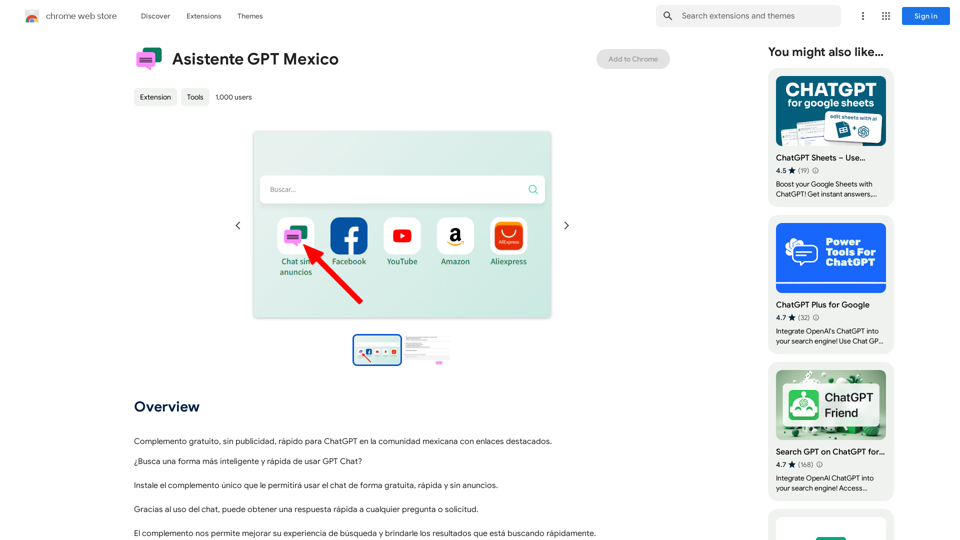
Free add-on, no ads, fast for ChatGPT in the Mexican community with highlighted links.
Visit Website
GPT Assistant Mexico

This AI-powered assistant is designed to provide helpful and informative responses to your queries, with a focus on Mexico-related topics. Whether you need information on Mexican culture, history, travel, or daily life, this assistant is here to assist you.

Features:

* Answering questions: Get accurate and reliable information on a wide range of topics, from Mexican history to cultural traditions.
* Providing recommendations: Looking for the best places to visit, eat, or stay in Mexico? This assistant has got you covered.
* Language translation: Need help translating Spanish to English or vice versa? This assistant is happy to assist.
* Conversation: Engage in natural-sounding conversations, just like you would with a local.

Benefits:

* Convenience: Get instant answers to your questions, 24/7.
* Accuracy: Rely on trustworthy information, verified by experts.
* Personalization: Receive tailored recommendations based on your preferences.
* Language support: Communicate effortlessly, without language barriers.

How to use:

1. Ask a question: Type your query, and the assistant will respond with a helpful answer.
2. Provide context: Share more information about your question, and the assistant will give you a more accurate response.
3. Start a conversation: Engage in a natural conversation, and the assistant will respond accordingly.

Get started today!
Visit Website

Introduction

Asistente GPT Mexico is a free extension designed for the Mexican community to enhance their ChatGPT experience. It offers a fast, ad-free interface with highlighted links, making it easier to navigate and use ChatGPT on Mexican community sites. This unique complement allows users to access chat functionality for free, quickly, and without any advertisements.

Feature

Fast and Ad-Free Experience

Asistente GPT Mexico provides a seamless, rapid, and advertisement-free environment for using ChatGPT within the Mexican community.

Highlighted Links

The extension enhances user experience by highlighting links, facilitating easier navigation on Mexican community sites and other popular websites in Mexico.

Quick Search Results

Users can obtain rapid search results, significantly improving their overall search experience with the help of this extension.

Free of Charge

Asistente GPT Mexico is completely free to use, with no hidden costs or advertisements.

Easy Installation

The extension can be quickly installed, allowing immediate access to free, fast, and ad-free ChatGPT usage.

Advanced Search Capabilities

Leveraging artificial intelligence, the extension offers advanced search features for more efficient information retrieval.

FAQ

How does Asistente GPT Mexico work?

Asistente GPT Mexico functions as an extension that provides a fast and ad-free experience for using ChatGPT specifically tailored for the Mexican community.

Is Asistente GPT Mexico really free?

Yes, the extension is entirely free to use. There are no costs associated with it, and it doesn't display any advertisements.

How can I start using Asistente GPT Mexico?

To begin using Asistente GPT Mexico, simply install the extension. Once installed, you can immediately start using ChatGPT for free, quickly, and without any advertisements.

What are the main benefits of using this extension?

The primary benefits include a faster ChatGPT experience, no advertisements, highlighted links for easier navigation, quick search results, and advanced search features powered by artificial intelligence.

Can I use this extension on any website?

While the extension is designed to work best with Mexican community sites and other popular websites in Mexico, it can enhance your ChatGPT experience across various platforms.

Related Websites
Readel: AI Text-to-Speech
View Detail

Readel: AI Text-to-Speech

Readel: AI Text-to-Speech

A small program that can read aloud any Reddit posts, audiobooks, or webpages using the highest quality text-to-speech technology.

193.90 M
Face Swap - FaceArt
View Detail

Face Swap - FaceArt

Face Swap - FaceArt

FaceArt is a powerful AI face swap plugin that utilizes AI technology to generate face swap images in one click!

193.90 M
Japanese Name Generator
View Detail

Japanese Name Generator

Japanese Name Generator

Discover unique Japanese names with our Japanese name generator, offering AI-generated suggestions that respect traditional naming conventions and cultural diversity.

2.16 K
Z list
View Detail

Z list

Z list

Z lister is a powerful AI tool for real estate agents!

193.90 M
Make AI Text More Human
View Detail

Make AI Text More Human

Make AI Text More Human

Meet Humanize.io, the best AI tool to make your AI content sound more human. Try our AI humanizer for free now!

164.25 K
Article Summary with ChatGPT and Take Notes

This is a guide on how to use ChatGPT to summarize articles and take notes effectively. 

Step 1:  Provide ChatGPT with the Article

Copy and paste the full text of the article into the ChatGPT interface. 

Step 2:  Craft Your Prompt

Tell ChatGPT what you want it to do. Here are some examples:

* Summarize: "Please summarize this article in 200 words."
* Key Points: "What are the main points of this article?"
* Bullet Points: "Summarize the key findings of this article in bullet points."
* Notes: "Take notes on this article, focusing on the author's arguments and supporting evidence."

Step 3:  Review and Refine

ChatGPT will generate a summary, key points, bullet points, or notes based on your prompt. 

* Read carefully: Make sure the output accurately reflects the article's content.
* Edit as needed:  You can ask ChatGPT to rephrase sections or provide more detail.
* Add your own insights:  Don't just copy ChatGPT's output. Use it as a starting point and add your own thoughts, questions, and connections.

Tips for Effective Use:

* Be specific: The more specific your prompt, the better the output will be.
* Experiment with different prompts: Try various phrasing to see what works best.
* Use ChatGPT as a tool:  It's a powerful aid, but it's not a replacement for critical reading and thinking.
View Detail

Article Summary with ChatGPT and Take Notes This is a guide on how to use ChatGPT to summarize articles and take notes effectively. Step 1: Provide ChatGPT with the Article Copy and paste the full text of the article into the ChatGPT interface. Step 2: Craft Your Prompt Tell ChatGPT what you want it to do. Here are some examples: * Summarize: "Please summarize this article in 200 words." * Key Points: "What are the main points of this article?" * Bullet Points: "Summarize the key findings of this article in bullet points." * Notes: "Take notes on this article, focusing on the author's arguments and supporting evidence." Step 3: Review and Refine ChatGPT will generate a summary, key points, bullet points, or notes based on your prompt. * Read carefully: Make sure the output accurately reflects the article's content. * Edit as needed: You can ask ChatGPT to rephrase sections or provide more detail. * Add your own insights: Don't just copy ChatGPT's output. Use it as a starting point and add your own thoughts, questions, and connections. Tips for Effective Use: * Be specific: The more specific your prompt, the better the output will be. * Experiment with different prompts: Try various phrasing to see what works best. * Use ChatGPT as a tool: It's a powerful aid, but it's not a replacement for critical reading and thinking.

Article Summary with ChatGPT and Take Notes This is a guide on how to use ChatGPT to summarize articles and take notes effectively. Step 1: Provide ChatGPT with the Article Copy and paste the full text of the article into the ChatGPT interface. Step 2: Craft Your Prompt Tell ChatGPT what you want it to do. Here are some examples: * Summarize: "Please summarize this article in 200 words." * Key Points: "What are the main points of this article?" * Bullet Points: "Summarize the key findings of this article in bullet points." * Notes: "Take notes on this article, focusing on the author's arguments and supporting evidence." Step 3: Review and Refine ChatGPT will generate a summary, key points, bullet points, or notes based on your prompt. * Read carefully: Make sure the output accurately reflects the article's content. * Edit as needed: You can ask ChatGPT to rephrase sections or provide more detail. * Add your own insights: Don't just copy ChatGPT's output. Use it as a starting point and add your own thoughts, questions, and connections. Tips for Effective Use: * Be specific: The more specific your prompt, the better the output will be. * Experiment with different prompts: Try various phrasing to see what works best. * Use ChatGPT as a tool: It's a powerful aid, but it's not a replacement for critical reading and thinking.

I can do that! Please provide me with the URL of the webpage or article you'd like me to summarize. I'll do my best to create a concise and easy-to-understand summary for you.

193.90 M
ChatTuesday.com - Customized Data. Empower with Gen-AI Platform
View Detail

ChatTuesday.com - Customized Data. Empower with Gen-AI Platform

ChatTuesday.com - Customized Data. Empower with Gen-AI Platform

Unlock the full power of a custom-made chatbot, just like ChatGPT, perfectly combined with your unique information.

193.90 M
Wonder AI - Your GPT Writing Assistant
View Detail

Wonder AI - Your GPT Writing Assistant

Wonder AI - Your GPT Writing Assistant

Wonder AI: The AI Writing Assistant That Makes Your Content Stand Out Wonder AI is an AI writing assistant that uses the power of artificial intelligence to help you create high-quality, engaging content that resonates with your audience.

193.90 M