YouTube Summary With ChatGPT is a Chrome extension that uses artificial intelligence to provide concise summaries of YouTube videos. This tool is designed to save users time and improve productivity by delivering the main ideas of videos without the need to watch them in full. It's especially useful for educational purposes, offering quick access to key information for efficient study and research.
YouTube Summary with ChatGPT
Save time by reading a summary of the video you are watching. Supports ChatGPT, Gemini, and Claude AI.
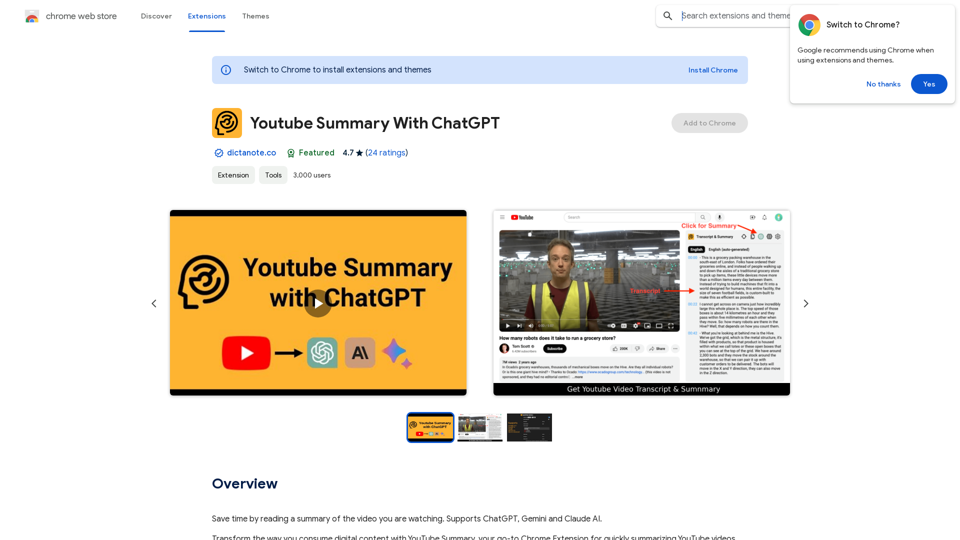
Introduction
Feature
Time-Saving Video Summarization
The extension quickly analyzes YouTube videos and creates concise summaries, allowing users to understand the main points without watching the entire content.
AI-Powered Core Idea Extraction
Using advanced AI technology, the tool extracts and presents the most important concepts from videos, improving comprehension and learning efficiency.
Seamless Chrome Integration
Easy to install and use, the extension integrates smoothly with the Chrome browser, providing a user-friendly experience for YouTube viewers.
Interactive Summary with Timestamps
Users can view video summaries with or without timestamps, enabling easy navigation to specific sections of interest within the video.
One-Click Transcript Access
The extension offers quick access to video transcripts, which can be easily copied with a single click for further reference or study.
Customizable Experience
Users can personalize their experience by customizing the summary prompt and selecting their preferred language for transcripts and summaries.
Multi-Language Support
The tool supports multiple languages, making it valuable for users watching videos in various languages and for international educational purposes.
FAQ
Is YouTube Summary With ChatGPT free to use?
Yes, the extension is free to use, with optional premium features available.
How does the summarization process work?
The extension uses AI technology to analyze the video content and generate a concise summary of the key points.
Can I customize the summary output?
Yes, users can customize the prompt used for summarization and select their preferred language for the summary and transcript.
Is the extension available on platforms other than Chrome?
Currently, YouTube Summary With ChatGPT is only available as a Chrome extension. Future availability on other platforms is possible but not confirmed.
What do users think of the extension?
The extension has received positive reviews, with a rating of 4.7 out of 5 stars based on 24 ratings. Users appreciate its time-saving capabilities and effectiveness in summarizing long videos.
Related Websites

Luxi.ai uses advanced image recognition technology to easily identify objects in uploaded images. Discover the items in your photos with precision and ease.
1.73 K

Email Completion Suggestions ============================= Powered by OpenAI, this feature provides intelligent suggestions to complete your emails, saving you time and effort. How it Works --------------- 1. Start Writing: Begin composing your email as you normally would. 2. AI Takes Over: Our AI engine, powered by OpenAI, kicks in and analyzes the context of your email. 3. Suggestions Appear: Relevant and contextual suggestions will appear, helping you complete your email quickly and efficiently. Benefits ------------ * Save Time: Get suggestions in real-time, reducing the time spent on writing emails. * Improve Quality: Enhance the clarity and coherence of your emails with AI-driven suggestions. * Boost Productivity: Focus on more important tasks while our AI handles the email completion. Get Started -------------- Try our email completion suggestions today and experience the power of AI-driven productivity!
193.90 M

HeadGen AI is an AI-powered platform that gives you access to many different AI technologies. It can be used for a variety of things, such as creating professional headshots using AI.
0
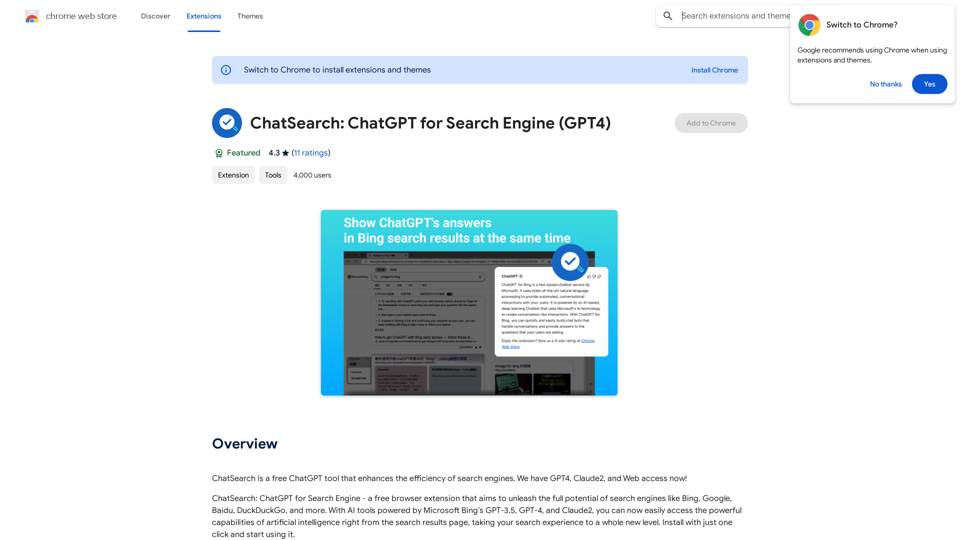
ChatSearch is a free ChatGPT tool that makes search engines more efficient. It now has GPT4, Claude2, and access to the web!
193.90 M
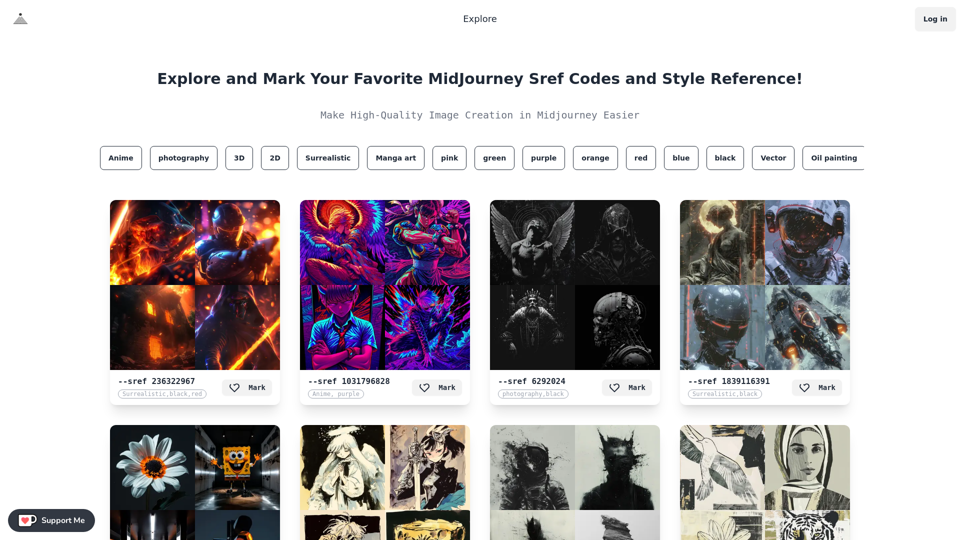
Midjourney SREF Codes Library for Style Reference What are SREF Codes? SREF codes are special text strings used in Midjourney to quickly and easily apply specific artistic styles to your image generations. How to Use SREF Codes: Simply add an SREF code to your Midjourney prompt. For example: `/imagine a majestic dragon, SREF:cyberpunk` SREF Code Library: This library contains a collection of SREF codes categorized by style. * Art Styles: * `photorealistic`: Creates images with high levels of realism. * `impressionistic`: Captures the essence of a scene with loose brushstrokes and vibrant colors. * `cubist`: Breaks down objects into geometric shapes. * `surrealist`: Creates dreamlike and fantastical images. * `abstract`: Focuses on form, color, and composition rather than representational imagery. * Visual Effects: * `cinematic`: Gives images a cinematic look and feel. * `HDR`: Creates images with high dynamic range, resulting in greater detail and contrast. * `neon`: Adds vibrant neon lights to the image. * `pixel art`: Generates images in a retro pixel art style. * Other Styles: * `anime`: Creates images in the style of Japanese animation. * `manga`: Similar to anime, but with a more comic book aesthetic. * `sketch`: Generates images that resemble pencil sketches. * `watercolor`: Creates images with the look and feel of watercolor paintings. Note: This is just a small sample of the many SREF codes available. Explore and Experiment: The best way to learn about SREF codes is to experiment with them! Try combining different codes to create unique and interesting styles.
Midjourney SREF Codes Library for Style Reference What are SREF Codes? SREF codes are special text strings used in Midjourney to quickly and easily apply specific artistic styles to your image generations. How to Use SREF Codes: Simply add an SREF code to your Midjourney prompt. For example: `/imagine a majestic dragon, SREF:cyberpunk` SREF Code Library: This library contains a collection of SREF codes categorized by style. * Art Styles: * `photorealistic`: Creates images with high levels of realism. * `impressionistic`: Captures the essence of a scene with loose brushstrokes and vibrant colors. * `cubist`: Breaks down objects into geometric shapes. * `surrealist`: Creates dreamlike and fantastical images. * `abstract`: Focuses on form, color, and composition rather than representational imagery. * Visual Effects: * `cinematic`: Gives images a cinematic look and feel. * `HDR`: Creates images with high dynamic range, resulting in greater detail and contrast. * `neon`: Adds vibrant neon lights to the image. * `pixel art`: Generates images in a retro pixel art style. * Other Styles: * `anime`: Creates images in the style of Japanese animation. * `manga`: Similar to anime, but with a more comic book aesthetic. * `sketch`: Generates images that resemble pencil sketches. * `watercolor`: Creates images with the look and feel of watercolor paintings. Note: This is just a small sample of the many SREF codes available. Explore and Experiment: The best way to learn about SREF codes is to experiment with them! Try combining different codes to create unique and interesting styles.Explore a list of 177 unique Midjourney sref codes and style references to find your perfect Midjourney sref code effect.
149.96 K