Open-source RightAI Tools Directory
  • Discover AI
  • Submit
  • Startup
  • Blog
Open-source RightAI Tools Directory
Discover the best AI tools of 2025 with the RightAI Tools Directory!

Friend Links

AI Anime GeneratorToolsApp AI

Support

Tap4
Privacy policyTerms & ConditionsContact Us
Loading...
loading...

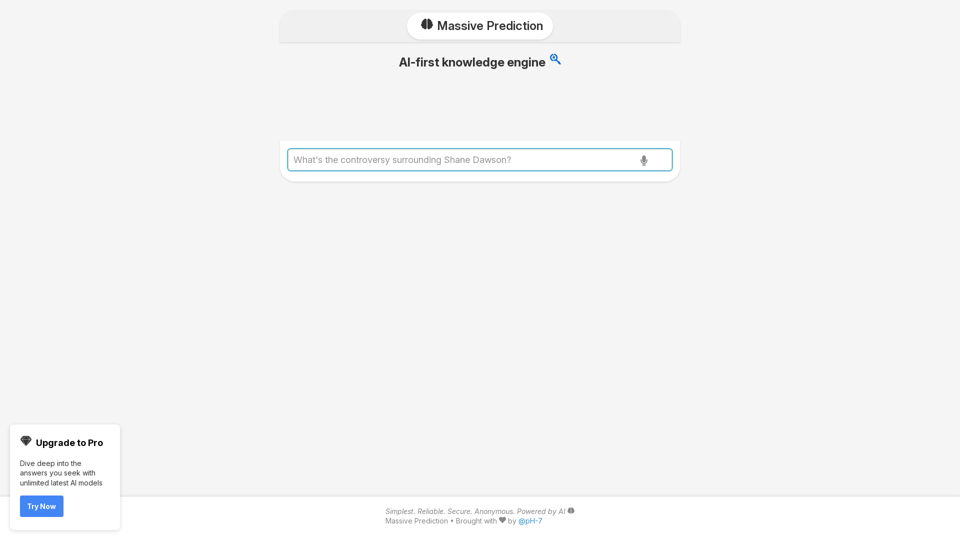
An AI-powered search engine that provides immediate answers to your most important questions.

MassivePrediction: A specialized AI search engine that is always available and runs directly in your browser. It instantly retrieves highly relevant content from the internet that was created by AI.
Visit Website
An AI-powered search engine that provides immediate answers to your most important questions.
Visit Website

Introduction

Massive Prediction is an innovative AI search engine designed to provide instant and relevant answers to important queries. Leveraging an AI-first knowledge engine, it offers users unlimited access to the latest AI models, allowing for deep exploration of sought-after information. The platform stands out for its simplicity, reliability, and commitment to user privacy through anonymous access.

Feature

AI-Driven Search Engine

Massive Prediction utilizes advanced AI technology to instantly deliver relevant answers to user queries, ensuring quick and accurate information retrieval.

Pro Upgrade for Enhanced Access

Users can upgrade to Pro to unlock unlimited access to the latest AI models, enabling deeper dives into complex topics and more comprehensive answers.

Simple, Reliable, and Secure

The platform is designed with user experience in mind, offering a simple interface, reliable performance, and secure, anonymous access to its AI-powered search capabilities.

Easy-to-Use Interface

Massive Prediction boasts a user-friendly interface where users can simply enter their queries and receive instant, relevant answers powered by AI.

Flexible Pricing Options

The service offers both a free version and a Pro upgrade, catering to different user needs and preferences.

Bookmarking Feature

Users can bookmark their favorite answers for easy reference, enhancing the overall user experience and information management.

FAQ

How does Massive Prediction protect user privacy?

Massive Prediction values user privacy and does not use user data for training purposes. The platform is designed to be anonymous, allowing users to access the AI-powered search engine without revealing their identity.

What are the benefits of upgrading to Pro?

Upgrading to Pro provides users with unlimited access to the latest AI models, enabling them to dive deeper into the answers they seek and explore complex topics more comprehensively.

How can I improve my search results on Massive Prediction?

To get more accurate results, use specific keywords in your queries. This helps the AI better understand your information needs and provide more relevant answers.

Related Websites
Searching for ChatGPT Plugins

Searching for ChatGPT plugins can be an exciting experience, as it allows you to explore and discover new features and functionalities to enhance your conversational AI model. Here are some ways to search for ChatGPT plugins:

Official Plugin Directory

The official ChatGPT plugin directory is a great place to start your search. This directory provides a curated list of plugins that are compatible with ChatGPT, along with their descriptions, features, and installation instructions.

GitHub and Open-Source Repositories

GitHub and other open-source repositories are treasure troves for ChatGPT plugins. You can search for plugins using keywords like "ChatGPT plugin" or "conversational AI plugin" to find relevant repositories. You can also explore popular open-source repositories like the ChatGPT community repository.

Plugin Marketplaces

Some plugin marketplaces, like the ChatGPT Marketplace, offer a wide range of plugins for ChatGPT. These marketplaces often provide user reviews, ratings, and descriptions to help you make informed decisions.

Forums and Communities

ChatGPT forums and communities are great places to ask for plugin recommendations or search for plugins. You can ask other users about their favorite plugins or search for threads related to specific plugin categories.

Search Engines

Finally, you can use search engines like Google to search for ChatGPT plugins. Use specific keywords like "ChatGPT plugin for [specific feature]" or "best ChatGPT plugins" to get relevant results.

Remember to always evaluate the plugins you find based on their compatibility, features, and user reviews before installing them. Happy searching!
View Detail

Searching for ChatGPT Plugins Searching for ChatGPT plugins can be an exciting experience, as it allows you to explore and discover new features and functionalities to enhance your conversational AI model. Here are some ways to search for ChatGPT plugins: Official Plugin Directory The official ChatGPT plugin directory is a great place to start your search. This directory provides a curated list of plugins that are compatible with ChatGPT, along with their descriptions, features, and installation instructions. GitHub and Open-Source Repositories GitHub and other open-source repositories are treasure troves for ChatGPT plugins. You can search for plugins using keywords like "ChatGPT plugin" or "conversational AI plugin" to find relevant repositories. You can also explore popular open-source repositories like the ChatGPT community repository. Plugin Marketplaces Some plugin marketplaces, like the ChatGPT Marketplace, offer a wide range of plugins for ChatGPT. These marketplaces often provide user reviews, ratings, and descriptions to help you make informed decisions. Forums and Communities ChatGPT forums and communities are great places to ask for plugin recommendations or search for plugins. You can ask other users about their favorite plugins or search for threads related to specific plugin categories. Search Engines Finally, you can use search engines like Google to search for ChatGPT plugins. Use specific keywords like "ChatGPT plugin for [specific feature]" or "best ChatGPT plugins" to get relevant results. Remember to always evaluate the plugins you find based on their compatibility, features, and user reviews before installing them. Happy searching!

Searching for ChatGPT Plugins Searching for ChatGPT plugins can be an exciting experience, as it allows you to explore and discover new features and functionalities to enhance your conversational AI model. Here are some ways to search for ChatGPT plugins: Official Plugin Directory The official ChatGPT plugin directory is a great place to start your search. This directory provides a curated list of plugins that are compatible with ChatGPT, along with their descriptions, features, and installation instructions. GitHub and Open-Source Repositories GitHub and other open-source repositories are treasure troves for ChatGPT plugins. You can search for plugins using keywords like "ChatGPT plugin" or "conversational AI plugin" to find relevant repositories. You can also explore popular open-source repositories like the ChatGPT community repository. Plugin Marketplaces Some plugin marketplaces, like the ChatGPT Marketplace, offer a wide range of plugins for ChatGPT. These marketplaces often provide user reviews, ratings, and descriptions to help you make informed decisions. Forums and Communities ChatGPT forums and communities are great places to ask for plugin recommendations or search for plugins. You can ask other users about their favorite plugins or search for threads related to specific plugin categories. Search Engines Finally, you can use search engines like Google to search for ChatGPT plugins. Use specific keywords like "ChatGPT plugin for [specific feature]" or "best ChatGPT plugins" to get relevant results. Remember to always evaluate the plugins you find based on their compatibility, features, and user reviews before installing them. Happy searching!

Here are some of the best, top, and popular ChatGPT plugins: 1. WebChat: A plugin that allows users to interact with ChatGPT through a web interface. 2. ChatGPT Writer: A plugin that helps users generate high-quality content, such as articles, stories, and emails, using ChatGPT's language generation capabilities. 3. ChatGPT Code Interpreter: A plugin that enables users to write code in various programming languages and have ChatGPT interpret and execute it. 4. ChatGPT Conversational AI: A plugin that allows users to create conversational AI models using ChatGPT's language understanding capabilities. 5. ChatGPT Language Translator: A plugin that enables users to translate text from one language to another using ChatGPT's language translation capabilities. 6. ChatGPT Summarizer: A plugin that helps users summarize long pieces of text, such as articles or documents, into concise summaries using ChatGPT's text summarization capabilities. 7. ChatGPT Q&A: A plugin that enables users to ask questions and receive answers from ChatGPT on a wide range of topics. 8. ChatGPT Creative Writing: A plugin that helps users generate creative writing, such as poetry, stories, and dialogues, using ChatGPT's language generation capabilities. 9. ChatGPT Dialogue System: A plugin that enables users to create conversational dialogue systems using ChatGPT's language understanding capabilities. 10. ChatGPT Sentiment Analyzer: A plugin that helps users analyze the sentiment of text, such as determining whether a piece of text is positive, negative, or neutral, using ChatGPT's sentiment analysis capabilities.

193.90 M
Ponyrun
View Detail

Ponyrun

Ponyrun

Give our bots instructions, and they will explore and engage with websites to collect and arrange useful information for you.

193.90 M
UniGPT
UniGPT is a type of artificial intelligence (AI) model that combines the capabilities of both Unified and Generative models.
View Detail

UniGPT UniGPT is a type of artificial intelligence (AI) model that combines the capabilities of both Unified and Generative models.

UniGPT UniGPT is a type of artificial intelligence (AI) model that combines the capabilities of both Unified and Generative models.

UniGPT is a platform that unites all GPTs in one place, providing access to advanced AI technologies

0
LunaNotes - Take notes on YouTube
View Detail

LunaNotes - Take notes on YouTube

LunaNotes - Take notes on YouTube

The Simplest Way to Take Notes on YouTube Videos!

193.90 M
Dream Machine AI
View Detail

Dream Machine AI

Dream Machine AI

Explore Dream Machine AI for the revolutionary AI video generator. Create unique, high-quality videos instantly from text and images. Free to use. Download and enjoy innovative video content now!

7.28 K
AutoVerify
View Detail

AutoVerify

AutoVerify

Fully automatic, high-precision CAPTCHA recognition and filling solution. Improve your work efficiency and free your hands.

193.90 M
ChatGPT Browser Extension
View Detail

ChatGPT Browser Extension

ChatGPT Browser Extension

Use ChatGPT directly in your preferred search engines. Rate helpful answers, give feedback, and save or store answers for later use.

193.90 M
Discord Translator
View Detail

Discord Translator

Discord Translator

Translate Messages in Discord ============================= What is the "Translate" feature in Discord? The "Translate" feature in Discord allows users to translate messages in real-time, making it easier for people who speak different languages to communicate with each other. How to use the "Translate" feature in Discord? #1. Enable the "Translate" feature To enable the "Translate" feature, you need to go to the "User Settings" and click on the "Language" tab. Then, toggle the switch next to "Translator" to the "On" position. #2. Set your preferred language After enabling the "Translate" feature, you need to set your preferred language. You can do this by clicking on the "Language" dropdown menu and selecting your preferred language from the list. #3. Translate messages Once you've set your preferred language, you can start translating messages. To translate a message, simply hover over the message and click on the "Translate" button that appears. #4. View translated messages After clicking the "Translate" button, the message will be translated into your preferred language. You can view the translated message below the original message. Benefits of the "Translate" feature in Discord The "Translate" feature in Discord has several benefits, including: * Improved communication: The "Translate" feature helps to break down language barriers, making it easier for people who speak different languages to communicate with each other. * Increased accessibility: The "Translate" feature makes Discord more accessible to people who may not speak the dominant language of a server or community. * Enhanced collaboration: The "Translate" feature enables people to collaborate more effectively, even if they speak different languages.

193.90 M