Open-source RightAI Tools Directory
  • Discover AI
  • Submit
  • Startup
  • Blog
Open-source RightAI Tools Directory
Discover the best AI tools of 2025 with the RightAI Tools Directory!

Friend Links

AI Anime GeneratorToolsApp AI

Support

Tap4
Privacy policyTerms & ConditionsContact Us
Loading...
loading...

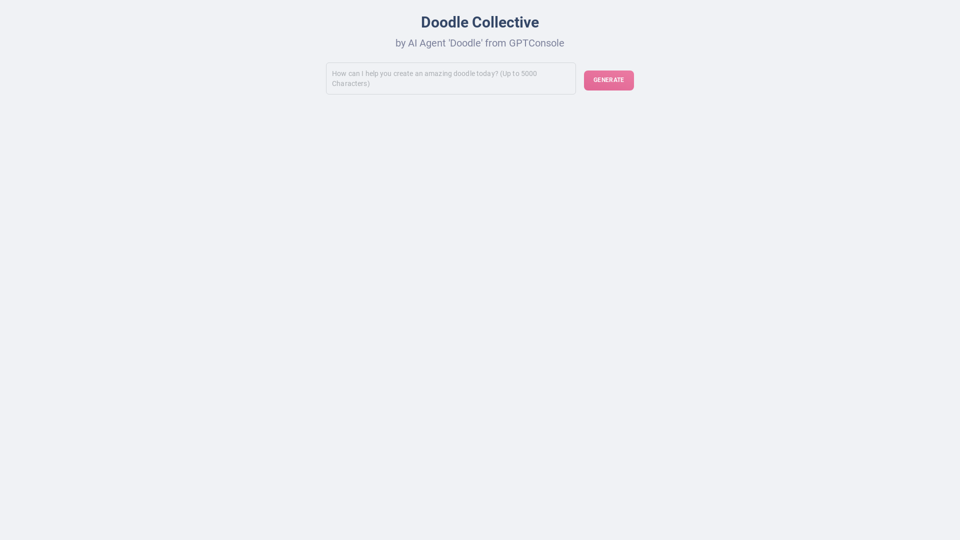
Doodles generated by GPTConsole's AI Agent DOODLE

Explore a collection of unique, AI-generated doodles. Doodle Agent provides insights into the world of creative doodles. See the future of digital art now!
Visit Website
Doodles generated by GPTConsole's AI Agent DOODLE
Visit Website

Introduction

Doodle Generator is an AI-powered platform that allows users to create unique and captivating doodles effortlessly. Utilizing GPTConsole's AI agent DOODLE, this innovative tool employs advanced AI technology to produce high-quality doodles quickly and easily. It caters to users of all skill levels, from beginners to experienced artists, making doodle creation accessible and enjoyable for everyone.

Feature

Effortless Doodle Creation

Doodle Generator simplifies the creative process, allowing users to generate doodles without extensive artistic skills or experience. The AI technology handles the artistic aspects, enabling users to focus on their ideas and vision.

High-Quality Output

The platform produces visually appealing, unique doodles that can enhance various creative projects. The AI ensures that each doodle meets high-quality standards, making them suitable for professional use.

AI-Driven Technology

Leveraging GPTConsole's AI agent DOODLE, the platform uses machine learning algorithms to generate doodles tailored to users' needs and preferences. This advanced technology transforms the doodle creation process, making it more efficient and personalized.

User-Friendly Interface

The platform offers a straightforward and easy-to-use interface. Users are guided through the doodle creation process, making it accessible even for beginners.

Customization Options

Users can customize their doodles by adjusting various parameters such as style, theme, and other elements to suit their specific needs and preferences.

Versatile Applications

Doodle Generator's creations can be used to enhance presentations, reports, social media posts, and various other creative projects, adding a unique and personal touch to visual content.

FAQ

Do I need artistic skills to use Doodle Generator?

No, artistic skills are not required to use Doodle Generator. The AI technology handles the creative process, allowing you to focus on your ideas and vision.

Can I customize my doodles?

Yes, you can customize your doodles by adjusting the style, theme, and other parameters to suit your needs and preferences.

Is Doodle Generator suitable for beginners?

Yes, Doodle Generator is designed to be user-friendly and suitable for beginners. The platform's ease of use and AI-driven technology ensure that even those with no prior experience can create high-quality, visually appealing doodles.

What are some ways to use Doodle Generator?

Doodle Generator can be used to:

  • Add creative elements to presentations and reports
  • Enhance social media posts with unique visuals
  • Create custom illustrations for various projects
  • Experiment with different artistic styles and themes
  • Collaborate with others on innovative doodle creations

How is Doodle Generator priced?

Doodle Generator offers competitive and affordable pricing with a range of subscription plans to suit different needs and budgets. For specific pricing details, please refer to the platform's pricing page.

Related Websites
GPT Chinese Station - Experience the Official Chinese Website of ChatGPT, GPT-4, Midjourney AI Painting, AI Programming, AI Translation, and AI Creation.
View Detail

GPT Chinese Station - Experience the Official Chinese Website of ChatGPT, GPT-4, Midjourney AI Painting, AI Programming, AI Translation, and AI Creation.

GPT Chinese Station - Experience the Official Chinese Website of ChatGPT, GPT-4, Midjourney AI Painting, AI Programming, AI Translation, and AI Creation.

Experience the Chinese official website of ChatGPT, GPT-4, Midjourney AI painting, AI programming, AI translation, and AI creation.

1.25 K
FLUX Redux - A Professional Tool for Generating AI Images
View Detail

FLUX Redux - A Professional Tool for Generating AI Images

FLUX Redux - A Professional Tool for Generating AI Images

FLUX Redux is an enterprise-level AI image processing tool that provides advanced features for generating variations, restyling, and enhancing images.

0
Free AI Image Generator | Prompt Generator and AI Image Creator
View Detail

Free AI Image Generator | Prompt Generator and AI Image Creator

Free AI Image Generator | Prompt Generator and AI Image Creator

Picture AI is an amazing AI image generator and image editor. It generates prompts for you and then creates images that meet your needs with AI.

100
Batch Save ChatGPT to Notion

This is a guide on how to save multiple ChatGPT responses to Notion in a batch. 

Tools You'll Need:

* ChatGPT: An AI chatbot that can generate text.
* Notion: A note-taking and project management tool.
* Python: A programming language.
* Requests Library: A Python library for making HTTP requests.

Steps:

1. Get Your Notion API Token:
   - Go to your Notion workspace settings.
   - Navigate to the "Integrations" tab.
   - Click "Create new integration" and choose "API Token".
   - Copy your API token.

2. Install Python Libraries:
   - Open your terminal or command prompt.
   - Type `pip install requests` and press Enter.

3. Write Python Script:
   - Create a new Python file (e.g., `save_chatgpt_to_notion.py`).
   - Paste the following code into the file, replacing `YOUR_NOTION_API_TOKEN` with your actual token:

```python
import requests

def save_chatgpt_response_to_notion(response, page_id, token):
  """Saves a ChatGPT response to a Notion page."""
  url = f"https://api.notion.com/v1/pages/{page_id}/children"
  headers = {"Authorization": f"Bearer {token}"}
  data = {
    "parent": {
      "page_id": page_id
    },
    "properties": {
      "title": {
        "title": [
          {
            "text": {
              "content": "ChatGPT Response"
            }
          }
        ]
      },
      "content": {
        "rich_text": [
          {
            "text": {
              "content": response
            }
          }
        ]
      }
    }
  }
  response = requests.post(url, headers=headers, json=data)
  print(response.status_code)

Example usage
page_id = "YOUR_NOTION_PAGE_ID"
token = "YOUR_NOTION_API_TOKEN"

Get ChatGPT responses (replace with your actual ChatGPT interaction)
chatgpt_responses = [
  "This is the first ChatGPT response.",
  "This is the second ChatGPT response.",
  "This is the third ChatGPT response."
]

Save each response to Notion
for response in chatgpt_responses:
  save_chatgpt_response_to_notion(response, page_id, token)
```

4. Run the Script:
   - In your terminal, navigate to the directory where you saved the Python file.
   - Type `python save_chatgpt_to_notion.py` and press Enter.

5. Check Notion:
   - Open your Notion workspace and go to the page specified by `page_id`.
   - You should see your ChatGPT responses saved as separate blocks.
View Detail

Batch Save ChatGPT to Notion This is a guide on how to save multiple ChatGPT responses to Notion in a batch. Tools You'll Need: * ChatGPT: An AI chatbot that can generate text. * Notion: A note-taking and project management tool. * Python: A programming language. * Requests Library: A Python library for making HTTP requests. Steps: 1. Get Your Notion API Token: - Go to your Notion workspace settings. - Navigate to the "Integrations" tab. - Click "Create new integration" and choose "API Token". - Copy your API token. 2. Install Python Libraries: - Open your terminal or command prompt. - Type `pip install requests` and press Enter. 3. Write Python Script: - Create a new Python file (e.g., `save_chatgpt_to_notion.py`). - Paste the following code into the file, replacing `YOUR_NOTION_API_TOKEN` with your actual token: ```python import requests def save_chatgpt_response_to_notion(response, page_id, token): """Saves a ChatGPT response to a Notion page.""" url = f"https://api.notion.com/v1/pages/{page_id}/children" headers = {"Authorization": f"Bearer {token}"} data = { "parent": { "page_id": page_id }, "properties": { "title": { "title": [ { "text": { "content": "ChatGPT Response" } } ] }, "content": { "rich_text": [ { "text": { "content": response } } ] } } } response = requests.post(url, headers=headers, json=data) print(response.status_code) Example usage page_id = "YOUR_NOTION_PAGE_ID" token = "YOUR_NOTION_API_TOKEN" Get ChatGPT responses (replace with your actual ChatGPT interaction) chatgpt_responses = [ "This is the first ChatGPT response.", "This is the second ChatGPT response.", "This is the third ChatGPT response." ] Save each response to Notion for response in chatgpt_responses: save_chatgpt_response_to_notion(response, page_id, token) ``` 4. Run the Script: - In your terminal, navigate to the directory where you saved the Python file. - Type `python save_chatgpt_to_notion.py` and press Enter. 5. Check Notion: - Open your Notion workspace and go to the page specified by `page_id`. - You should see your ChatGPT responses saved as separate blocks.

Batch Save ChatGPT to Notion This is a guide on how to save multiple ChatGPT responses to Notion in a batch. Tools You'll Need: * ChatGPT: An AI chatbot that can generate text. * Notion: A note-taking and project management tool. * Python: A programming language. * Requests Library: A Python library for making HTTP requests. Steps: 1. Get Your Notion API Token: - Go to your Notion workspace settings. - Navigate to the "Integrations" tab. - Click "Create new integration" and choose "API Token". - Copy your API token. 2. Install Python Libraries: - Open your terminal or command prompt. - Type `pip install requests` and press Enter. 3. Write Python Script: - Create a new Python file (e.g., `save_chatgpt_to_notion.py`). - Paste the following code into the file, replacing `YOUR_NOTION_API_TOKEN` with your actual token: ```python import requests def save_chatgpt_response_to_notion(response, page_id, token): """Saves a ChatGPT response to a Notion page.""" url = f"https://api.notion.com/v1/pages/{page_id}/children" headers = {"Authorization": f"Bearer {token}"} data = { "parent": { "page_id": page_id }, "properties": { "title": { "title": [ { "text": { "content": "ChatGPT Response" } } ] }, "content": { "rich_text": [ { "text": { "content": response } } ] } } } response = requests.post(url, headers=headers, json=data) print(response.status_code) Example usage page_id = "YOUR_NOTION_PAGE_ID" token = "YOUR_NOTION_API_TOKEN" Get ChatGPT responses (replace with your actual ChatGPT interaction) chatgpt_responses = [ "This is the first ChatGPT response.", "This is the second ChatGPT response.", "This is the third ChatGPT response." ] Save each response to Notion for response in chatgpt_responses: save_chatgpt_response_to_notion(response, page_id, token) ``` 4. Run the Script: - In your terminal, navigate to the directory where you saved the Python file. - Type `python save_chatgpt_to_notion.py` and press Enter. 5. Check Notion: - Open your Notion workspace and go to the page specified by `page_id`. - You should see your ChatGPT responses saved as separate blocks.

Save ChatGPT Conversations to Notion with One Click Export your ChatGPT conversations directly to Notion with a single click.

193.90 M
Flux AI Image Generator: The Future of Creative Visualization
View Detail

Flux AI Image Generator: The Future of Creative Visualization

Flux AI Image Generator: The Future of Creative Visualization

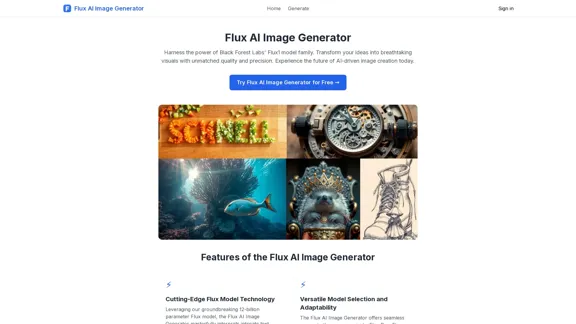
Explore the boundless possibilities of Flux AI, the leading AI image generator that converts your textual descriptions into breathtaking, one-of-a-kind visuals.

0
Home of AI Stock Images
View Detail

Home of AI Stock Images

Home of AI Stock Images

Your source for high-quality AI-generated stock images. Browse our curated collection of royalty-free images, both free and premium. Sell AI art and earn a 90% commission.

0
abcdefGPT Extension
View Detail

abcdefGPT Extension

abcdefGPT Extension

Support for Real Estate Selection

193.90 M
AI Prompt Generator
View Detail

AI Prompt Generator

AI Prompt Generator

AI Prompt Generator: The Ultimate ChatGPT Instructions Toolkit for Art Verified, free, and awesome for business and coding. This toolkit is designed to boost your productivity!

193.90 M