Open-source RightAI Tools Directory
  • Discover AI
  • Submit
  • Startup
  • Blog
Open-source RightAI Tools Directory
Discover the best AI tools of 2025 with the RightAI Tools Directory!

Friend Links

AI Anime GeneratorToolsApp AI

Support

Tap4
Privacy policyTerms & ConditionsContact Us
Loading...
loading...

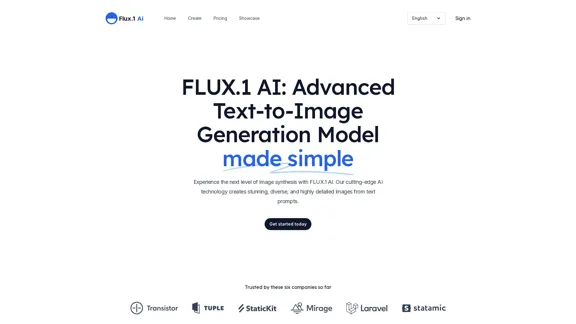
FLUX.1 AI: Advanced Text-to-Image Generation Model

Experience the next level of image synthesis with FLUX.1 AI. Our cutting-edge AI technology creates stunning, diverse, and highly detailed images from text prompts.
Visit Website
FLUX.1 AI: Advanced Text-to-Image Generation Model
Visit Website

Introduction

FLUX.1 AI is an advanced text-to-image generation model developed by Black Forest Labs. It offers cutting-edge AI technology to create stunning, diverse, and highly detailed images from text prompts. The platform is designed to simplify image creation, making it accessible for various users, from beginners to professionals.

Feature

Effortless Image Creation

Users can generate high-quality artwork by entering detailed text prompts and selecting their preferred model. The AI transforms ideas into visuals within moments.

Unmatched Visual Quality

FLUX.1 AI's advanced image synthesis technology produces images with stunning realism, vibrant colors, and exceptional detail, setting a new standard in AI-generated art.

Versatile Style Options

The platform supports a wide range of artistic styles, from photorealistic images to abstract masterpieces, catering to diverse aesthetic preferences.

Complex Scene Generation

FLUX.1 AI can create intricate scenes, including bustling cityscapes and serene natural landscapes, enabling users to generate complex compositions that tell stories.

Multiple Model Options

  • FLUX1.pro: Closed-source model with best-in-class performance, advanced prompt-following, and enterprise customization.
  • FLUX1.dev: Open-source, non-commercial model distilled from FLUX.1 [pro], offering similar quality and efficiency.
  • FLUX1.schnell: Open-source, commercial model for local development and personal use, with fastest generation speed and smallest memory footprint.

Flexible Aspect Ratios

The AI can handle various aspect ratios, making it valuable for creating visuals tailored to different platforms and marketing needs.

Offline Capabilities

FLUX.1 [schnell] can be used offline, ideal for local and personal use.

FAQ

What is FLUX.1 AI?

FLUX.1 AI is a powerful text-to-image generation tool developed by Black Forest Labs. It uses advanced technology to create high-quality pictures from text descriptions, suitable for realistic scenes or imaginative art.

How do I use FLUX.1 AI?

  1. Write a detailed description of the desired image
  2. Choose the preferred FLUX.1 AI version
  3. Generate the image with a button press

Can I use FLUX.1 AI for business?

Yes, FLUX.1 [pro] is available for business projects. For commercial use of FLUX.1 [dev], contact Black Forest Labs for special licensing.

Is there a free version of FLUX.1 AI?

Yes, FLUX.1 [schnell] is available for free under an Apache 2.0 license, perfect for personal projects.

How does FLUX.1 AI compare to other image generators?

FLUX.1 AI stands out with higher quality images, better prompt adherence, diverse styles, and various image size options.

How can I get help or share feedback about FLUX.1 AI?

Contact Black Forest Labs via email at [email protected] for questions, feedback, or suggestions.

Latest Traffic Insights

  • Monthly Visits

    152

  • Bounce Rate

    50.17%

  • Pages Per Visit

    1.01

  • Time on Site(s)

    0.00

  • Global Rank

    7526710

  • Country Rank

    -

Recent Visits

Traffic Sources

  • Social Media:
    9.69%
  • Paid Referrals:
    1.36%
  • Email:
    0.19%
  • Referrals:
    12.73%
  • Search Engines:
    33.38%
  • Direct:
    41.80%
More Data

Related Websites

Scrape G2 Reviews and Download to Excel - Extract G2 Reviews Data Easily
View Detail

Scrape G2 Reviews and Download to Excel - Extract G2 Reviews Data Easily

Scrape G2 Reviews and Download to Excel - Extract G2 Reviews Data Easily

Instantly download G2 product reviews

193.90 M
Musick.ai: Free AI Music Generator & AI Song Maker Online
View Detail

Musick.ai: Free AI Music Generator & AI Song Maker Online

Musick.ai: Free AI Music Generator & AI Song Maker Online

Explore Musick.ai as an innovative AI Music Generator, including music theory and music plaza. Create songs with AI and make AI music now!

57.04 K
AI Describe Image & Picture Online, Free Trial

This title describes an online service that uses artificial intelligence to analyze and describe images or pictures. The service offers a free trial period for users to test its capabilities. The AI technology can likely generate text descriptions of the visual content in uploaded images, helping users understand or categorize their pictures automatically.
View Detail

AI Describe Image & Picture Online, Free Trial This title describes an online service that uses artificial intelligence to analyze and describe images or pictures. The service offers a free trial period for users to test its capabilities. The AI technology can likely generate text descriptions of the visual content in uploaded images, helping users understand or categorize their pictures automatically.

AI Describe Image & Picture Online, Free Trial This title describes an online service that uses artificial intelligence to analyze and describe images or pictures. The service offers a free trial period for users to test its capabilities. The AI technology can likely generate text descriptions of the visual content in uploaded images, helping users understand or categorize their pictures automatically.

Describe Image AI: Accurately describe images online using AI. Our image describer generates image descriptions, AI picture descriptions, text extraction, social media captions, and prompts for Midjourney & StableDiffusion. Free Trial!

5.16 K
FLUX Canny - Advanced AI Tool for Image Generation with Edge Guidance
View Detail

FLUX Canny - Advanced AI Tool for Image Generation with Edge Guidance

FLUX Canny - Advanced AI Tool for Image Generation with Edge Guidance

FLUX Canny - A professional edge-guided AI image generation tool. Transform sketches into stunning artwork with precise structural control.

0
Midjourney API - Automate Midjourney AI Image Generation 

This document outlines how to use the Midjourney API to automate the generation of AI images. 

What is the Midjourney API?

The Midjourney API allows developers to programmatically interact with the powerful Midjourney AI model. This means you can generate images, control various parameters, and integrate Midjourney into your own applications and workflows.

Why Use the Midjourney API?

* Automation: Automate the creation of images for various purposes, such as marketing materials, website content, or research projects.
* Customization: Fine-tune image generation by controlling parameters like aspect ratio, style, and seed values.
* Integration: Seamlessly integrate Midjourney's capabilities into your existing tools and platforms.

Getting Started

1. Sign Up for a Midjourney Account: You'll need a Midjourney account to access the API.

2. Obtain an API Key: Once you have an account, you can generate an API key from your account settings.

3. Choose a Programming Language: The Midjourney API supports various programming languages, including Python, JavaScript, and Go.

4. Install the API Client: Install the appropriate API client library for your chosen language.

5. Start Generating Images: Use the API client to send image generation requests to the Midjourney server.

Example (Python):

```python
import midjourney

Replace with your actual API key
api_key = "YOUR_API_KEY"

Create a Midjourney client
client = midjourney.Client(api_key=api_key)

Generate an image
response = client.create_image(prompt="A cat wearing a hat", num_images=1)

Print the image URL
print(response.images[0].url)
```

Documentation and Resources

For detailed information about the Midjourney API, including available endpoints, parameters, and examples, please refer to the official documentation: [https://docs.midjourney.com/](https://docs.midjourney.com/)
View Detail

Midjourney API - Automate Midjourney AI Image Generation This document outlines how to use the Midjourney API to automate the generation of AI images. What is the Midjourney API? The Midjourney API allows developers to programmatically interact with the powerful Midjourney AI model. This means you can generate images, control various parameters, and integrate Midjourney into your own applications and workflows. Why Use the Midjourney API? * Automation: Automate the creation of images for various purposes, such as marketing materials, website content, or research projects. * Customization: Fine-tune image generation by controlling parameters like aspect ratio, style, and seed values. * Integration: Seamlessly integrate Midjourney's capabilities into your existing tools and platforms. Getting Started 1. Sign Up for a Midjourney Account: You'll need a Midjourney account to access the API. 2. Obtain an API Key: Once you have an account, you can generate an API key from your account settings. 3. Choose a Programming Language: The Midjourney API supports various programming languages, including Python, JavaScript, and Go. 4. Install the API Client: Install the appropriate API client library for your chosen language. 5. Start Generating Images: Use the API client to send image generation requests to the Midjourney server. Example (Python): ```python import midjourney Replace with your actual API key api_key = "YOUR_API_KEY" Create a Midjourney client client = midjourney.Client(api_key=api_key) Generate an image response = client.create_image(prompt="A cat wearing a hat", num_images=1) Print the image URL print(response.images[0].url) ``` Documentation and Resources For detailed information about the Midjourney API, including available endpoints, parameters, and examples, please refer to the official documentation: [https://docs.midjourney.com/](https://docs.midjourney.com/)

Midjourney API - Automate Midjourney AI Image Generation This document outlines how to use the Midjourney API to automate the generation of AI images. What is the Midjourney API? The Midjourney API allows developers to programmatically interact with the powerful Midjourney AI model. This means you can generate images, control various parameters, and integrate Midjourney into your own applications and workflows. Why Use the Midjourney API? * Automation: Automate the creation of images for various purposes, such as marketing materials, website content, or research projects. * Customization: Fine-tune image generation by controlling parameters like aspect ratio, style, and seed values. * Integration: Seamlessly integrate Midjourney's capabilities into your existing tools and platforms. Getting Started 1. Sign Up for a Midjourney Account: You'll need a Midjourney account to access the API. 2. Obtain an API Key: Once you have an account, you can generate an API key from your account settings. 3. Choose a Programming Language: The Midjourney API supports various programming languages, including Python, JavaScript, and Go. 4. Install the API Client: Install the appropriate API client library for your chosen language. 5. Start Generating Images: Use the API client to send image generation requests to the Midjourney server. Example (Python): ```python import midjourney Replace with your actual API key api_key = "YOUR_API_KEY" Create a Midjourney client client = midjourney.Client(api_key=api_key) Generate an image response = client.create_image(prompt="A cat wearing a hat", num_images=1) Print the image URL print(response.images[0].url) ``` Documentation and Resources For detailed information about the Midjourney API, including available endpoints, parameters, and examples, please refer to the official documentation: [https://docs.midjourney.com/](https://docs.midjourney.com/)

Easily integrate Midjourney AI into your apps using the Midjourney API. Start creating AI images automatically today!

0
Topaz Labs | Professional-level photo and video editing powered by AI.
View Detail

Topaz Labs | Professional-level photo and video editing powered by AI.

Topaz Labs | Professional-level photo and video editing powered by AI.

Deep learning-powered photo and video enhancement software delivers the highest image quality available for noise reduction, sharpening, upscaling, and additional improvements.

3.12 M
ChatMoney, ChatMoney AI, AI Monetization, CodeMood, CodeMood AI, AI Chat, AI Knowledge Base, AI Painting, ChatMoney was born for AI monetization.
View Detail

ChatMoney, ChatMoney AI, AI Monetization, CodeMood, CodeMood AI, AI Chat, AI Knowledge Base, AI Painting, ChatMoney was born for AI monetization.

ChatMoney, ChatMoney AI, AI Monetization, CodeMood, CodeMood AI, AI Chat, AI Knowledge Base, AI Painting, ChatMoney was born for AI monetization.

Here is the translation in English, keeping the original format: ChatMoney, ChatMoneyAI, CodeMore AI, CodeMore, AI Source Code, ChatAI, ChatWork, Intelligent Chat System, Knowledge Base System, Painting System, Stable Diffusion, Midjourney, AI Chat, AI Knowledge Base, AI Painting, AI System.

0
FLUX.1 AI: Advanced Text-to-Image Generation Model
View Detail

FLUX.1 AI: Advanced Text-to-Image Generation Model

FLUX.1 AI: Advanced Text-to-Image Generation Model

Experience the next level of image synthesis with FLUX.1 AI. Our cutting-edge AI technology creates stunning, diverse, and highly detailed images from text prompts.

152