Open-source RightAI Tools Directory
  • Discover AI
  • Submit
  • Startup
  • Blog
Open-source RightAI Tools Directory
Discover the best AI tools of 2025 with the RightAI Tools Directory!

Friend Links

AI Anime GeneratorToolsApp AI

Support

Tap4
Privacy policyTerms & ConditionsContact Us
Loading...
loading...

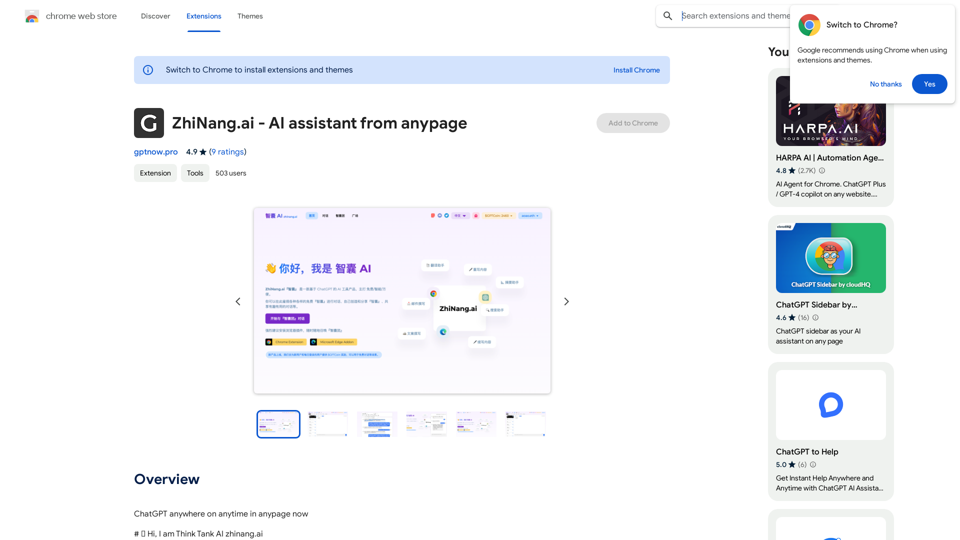
ZhiNang.ai - AI assistant from anypage

ChatGPT is available everywhere, anytime, on any webpage.
Visit Website
ZhiNang.ai - AI assistant from anypage
Visit Website

Introduction

ZhiNang.ai is a free, intelligent, and user-friendly AI tool based on ChatGPT. It offers users access to various "brain tanks" for conversations, allows creation and sharing of custom "brain tanks," and facilitates the sharing of interesting and useful dialogues within the community.

Feature

AI-Powered "Brain Tanks"

ZhiNang.ai introduces the concept of "brain tanks" - AI-powered robots with built-in knowledge and skills. These brain tanks can:

  • Quickly answer specific questions
  • Complete specific tasks
  • Guide users through certain processes

Free ChatGPT Integration

  • No API key or payment required
  • Accessible through website or browser plugin
  • Conversations consume $GPTCoin (in-app credit)

$GPTCoin System

  • Each conversation costs one $GPTCoin
  • Free acquisition methods:
    • Registration
    • Inviting others
    • Daily login
  • Option to purchase $GPTCoin directly

Website Features

  1. Dialogue Interface:

    • Start conversations with various think tanks
    • Quick switching between think tanks
  2. Think Tank Browse:

    • Access to built-in system think tanks
    • Community-created think tanks
    • Popular think tanks
  3. User-Created Think Tanks:

    • Create personal think tanks
    • Option to share with others
  4. Community Square:

    • Share interesting conversations
    • Browse community-shared dialogues

Browser Plugin Functionality

  • Summon AI assistance anywhere online
  • Text selection triggers relevant think tanks
  • Direct continuation in any input box
  • Search engine integration (Google/Bing/Baidu)
  • Easy dialogue sharing

Community Building

  • Incentive mechanism for early users
  • Potential future profit opportunities

FAQ

What is ZhiNang.ai?

ZhiNang.ai is a free AI tool based on ChatGPT that offers various "brain tanks" for conversations, allows users to create and share their own "brain tanks," and facilitates sharing of interesting dialogues within the community.

What is a "brain tank"?

A "brain tank" in ZhiNang.ai is an AI robot with built-in knowledge and skills, capable of answering specific questions, completing tasks, and guiding users through certain processes.

How do I use ZhiNang.ai?

You can visit https://zhinang.ai on a PC or mobile device to start dialogues with various think tanks and quickly switch between them as needed.

How do I get $GPTCoin?

You can acquire $GPTCoin for free through registration, inviting others, and daily logins. Alternatively, you can purchase $GPTCoin directly through the platform.

Can I create my own think tanks?

Yes, ZhiNang.ai allows users to create their own think tanks for personal use or to share with others in the community.

Latest Traffic Insights

  • Monthly Visits

    193.90 M

  • Bounce Rate

    56.27%

  • Pages Per Visit

    2.71

  • Time on Site(s)

    115.91

  • Global Rank

    -

  • Country Rank

    -

Recent Visits

Traffic Sources

  • Social Media:
    0.48%
  • Paid Referrals:
    0.55%
  • Email:
    0.15%
  • Referrals:
    12.81%
  • Search Engines:
    16.21%
  • Direct:
    69.81%
More Data

Related Websites

Pulse App AI

Pulse App AI is an innovative artificial intelligence-powered healthcare platform that enables patients to take control of their health and wellness.
View Detail

Pulse App AI Pulse App AI is an innovative artificial intelligence-powered healthcare platform that enables patients to take control of their health and wellness.

Pulse App AI Pulse App AI is an innovative artificial intelligence-powered healthcare platform that enables patients to take control of their health and wellness.

The Power of Artificial Intelligence in Your Pocket

0
Please provide me with the YouTube video link so I can transcribe it for you.
View Detail

Please provide me with the YouTube video link so I can transcribe it for you.

Please provide me with the YouTube video link so I can transcribe it for you.

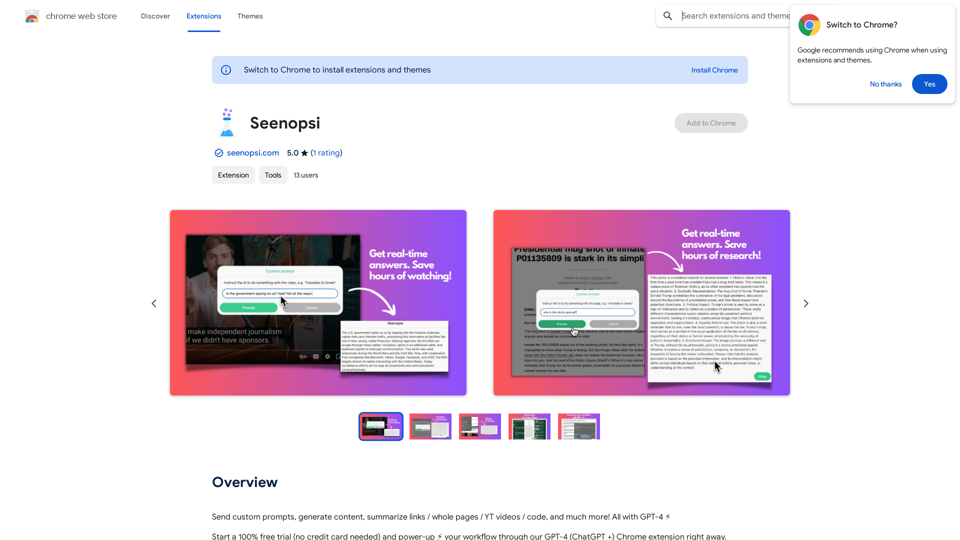
Transcribe a YouTube video to get a transcript. Our YouTube transcript generator also acts as a YouTube video summarizer.

193.90 M
Track Changes GPT
View Detail

Track Changes GPT

Track Changes GPT

Add track change function and text edit mode to ChatGPT

193.90 M
The Free Alternative to ChatGPT Powered by 4o | AIChatOnline.org
View Detail

The Free Alternative to ChatGPT Powered by 4o | AIChatOnline.org

The Free Alternative to ChatGPT Powered by 4o | AIChatOnline.org

Discover AIChatOnline.org, your ultimate platform for free online access to ChatGPT. Enjoy ChatGPT 3.5 online for free and ChatGPT 4 online for free, with no registration required. Take advantage of OpenAI's free online ChatGPT for advanced AI capabilities, including ChatGPT memory and ChatGPT API integration.

70.11 K
Grey Cat - Randomizer
View Detail

Grey Cat - Randomizer

Grey Cat - Randomizer

This extension randomly selects a specific number of items from a given list.

193.90 M
NirvanaAI Extension
View Detail

NirvanaAI Extension

NirvanaAI Extension

Extension that allows you to have AI-powered tools for grammar correction, transcription, and...

193.90 M
ScribeMD - AI Medical Scribe
View Detail

ScribeMD - AI Medical Scribe

ScribeMD - AI Medical Scribe

A Chrome extension powered by artificial intelligence, designed for healthcare professionals to make note-taking easier and more efficient.

193.90 M
What is a Prompster?

A Prompster is a person who assists a speaker, actor, or presenter by providing them with lines or cues, usually in a subtle and discreet manner, during a performance, presentation, or speech.
View Detail

What is a Prompster? A Prompster is a person who assists a speaker, actor, or presenter by providing them with lines or cues, usually in a subtle and discreet manner, during a performance, presentation, or speech.

What is a Prompster? A Prompster is a person who assists a speaker, actor, or presenter by providing them with lines or cues, usually in a subtle and discreet manner, during a performance, presentation, or speech.

Slash Commands for ChatGPT and Bard ===================================== Introduction Slash commands are a convenient way to interact with ChatGPT and Bard, allowing you to perform various tasks and actions within the chat interface. This guide provides an overview of the available slash commands for both ChatGPT and Bard. ChatGPT Slash Commands #General Commands * `/help`: Displays a list of available slash commands and their descriptions. * `/reset`: Resets the conversation, clearing all previous messages and context. #Conversation Management * `/start`: Starts a new conversation, allowing you to begin a fresh topic or task. * `/stop`: Ends the current conversation, stopping any ongoing tasks or topics. #Language and Tone * `/lang <language_code>`: Sets the language for the conversation (e.g., `/lang en` for English). * `/tone <tone>`: Adjusts the tone of the responses (e.g., `/tone formal` for formal tone). #Task Management * `/task <task_name>`: Creates a new task or topic for the conversation (e.g., `/task math problem`). * `/done`: Marks the current task as completed. #Information and Resources * `/define <word>`: Provides the definition of a word or phrase. * `/wiki <topic>`: Displays information about a topic from Wikipedia. Bard Slash Commands #General Commands * `/help`: Displays a list of available slash commands and their descriptions. * `/reset`: Resets the conversation, clearing all previous messages and context. #Conversation Management * `/start`: Starts a new conversation, allowing you to begin a fresh topic or task. * `/stop`: Ends the current conversation, stopping any ongoing tasks or topics. #Language and Tone * `/lang <language_code>`: Sets the language for the conversation (e.g., `/lang en` for English). * `/tone <tone>`: Adjusts the tone of the responses (e.g., `/tone formal` for formal tone). #Task Management * `/task <task_name>`: Creates a new task or topic for the conversation (e.g., `/task math problem`). * `/done`: Marks the current task as completed. #Information and Resources * `/define <word>`: Provides the definition of a word or phrase. * `/wiki <topic>`: Displays information about a topic from Wikipedia. * `/news <topic>`: Displays news articles related to a specific topic. Conclusion Slash commands provide a convenient way to interact with ChatGPT and Bard, allowing you to manage conversations, adjust language and tone, and access various resources. By mastering these commands, you can optimize your experience and get the most out of your interactions with these AI models.

193.90 M