Open-source RightAI Tools Directory
  • Discover AI
  • Submit
  • Startup
  • Blog
Open-source RightAI Tools Directory
Discover the best AI tools of 2025 with the RightAI Tools Directory!

Friend Links

AI Anime GeneratorToolsApp AI

Support

Tap4
Privacy policyTerms & ConditionsContact Us
Loading...
loading...

Suinfy: AI YouTube Summarizer

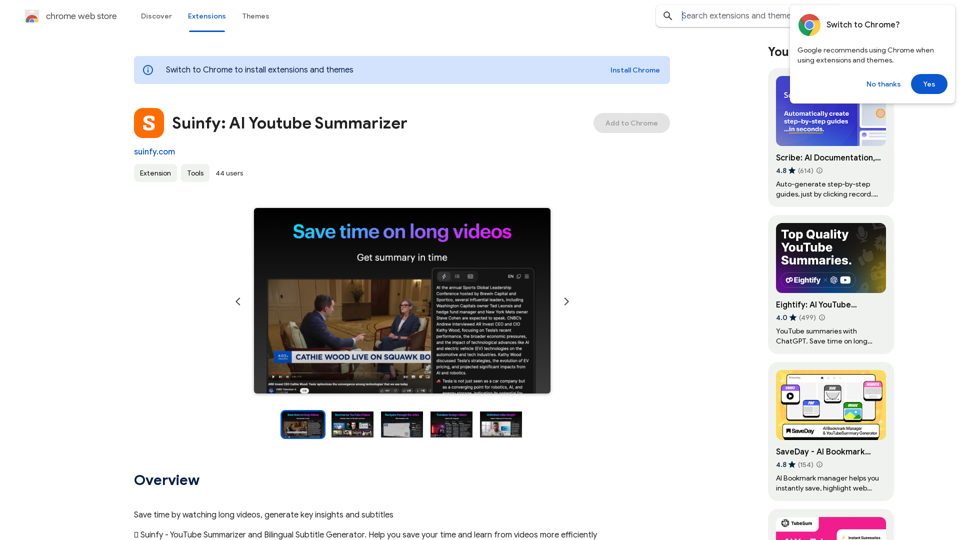
Save time by watching long videos. Generate key insights and subtitles.
Visit Website
Suinfy: AI YouTube Summarizer
Visit Website

Introduction

Suinfy: AI YouTube Summarizer is an innovative extension that leverages AI technology to provide quick summaries, segmented summaries, bilingual subtitles, and language barrier-free access to YouTube videos. It analyzes complex content and extracts key ideas with timestamps, making it easier for users to grasp the essence of video content quickly and efficiently.

Feature

Quick Summaries

Suinfy's AI technology extracts key ideas with timestamps from any video in seconds, simplifying complex content.

Segmented Summary

Analyzes entire videos and divides them into paragraphs to summarize key ideas and highlights.

Bilingual Subtitle Generation

Quickly generates and displays bilingual subtitles on-screen for easy content comprehension.

Language Barrier-Free

Supports over 30 languages, allowing users to explore global knowledge without language barriers.

Instant Results

Provides average results in 8 seconds, ensuring efficiency and power.

Long Video Support

Supports videos up to 6 hours long without duration limits.

Multilingual Translation

Translates content in over 30+ languages, making knowledge accessible globally.

Powerful AI Support

Underpinned by various LLM models such as GPT3.5, GPT4, Claude, and Gemini for stable and reliable performance.

FAQ

Is Suinfy: AI YouTube Summarizer free?

Yes, Suinfy is a free extension with optional in-app purchases for premium features.

What languages does Suinfy support?

Suinfy supports over 30 languages, making knowledge accessible without borders.

Can I use Suinfy on long videos?

Yes, Suinfy supports videos up to 6 hours long, with no worries about duration limits.

Who can benefit from using Suinfy?

Suinfy is perfect for:

  • Business decision-makers
  • Knowledge explorers
  • Current affairs followers
  • Health and wellness advocates

How do I use Suinfy: AI YouTube Summarizer?

Simply install the extension, open YouTube, and start summarizing your favorite videos.

Latest Traffic Insights

  • Monthly Visits

    193.90 M

  • Bounce Rate

    56.27%

  • Pages Per Visit

    2.71

  • Time on Site(s)

    115.91

  • Global Rank

    -

  • Country Rank

    -

Recent Visits

Traffic Sources

  • Social Media:
    0.48%
  • Paid Referrals:
    0.55%
  • Email:
    0.15%
  • Referrals:
    12.81%
  • Search Engines:
    16.21%
  • Direct:
    69.81%
More Data

Related Websites

HexarAI
View Detail

HexarAI

HexarAI

Unlock your business's full potential with HexarAI, the all-in-one AI platform. Seamlessly integrate marketing, tech development, accounting, design, and business management for unparalleled efficiency and success.

0
Text Summarizer 

This is a tool that can condense large amounts of text into shorter, more manageable summaries.
View Detail

Text Summarizer This is a tool that can condense large amounts of text into shorter, more manageable summaries.

Text Summarizer This is a tool that can condense large amounts of text into shorter, more manageable summaries.

Instantly summarize text with Text Summarizer: optimize your work using AI-powered text summarization with ChatGPT.

193.90 M
Suinfy: AI YouTube Summarizer
View Detail

Suinfy: AI YouTube Summarizer

Suinfy: AI YouTube Summarizer

Save time by watching long videos. Generate key insights and subtitles.

193.90 M
Get ChatGPT for Free with Google

You can now access ChatGPT, a powerful language model, for free with Google. Here's how:

Method 1: Google Colab

* Open Google Colab ([colab.research.google.com](http://colab.research.google.com))
* Create a new notebook
* Install the `transformers` library by running `!pip install transformers`
* Import the `transformers` library and load the ChatGPT model using `from transformers import AutoModelForCausalLM, AutoTokenizer; model = AutoModelForCausalLM.from_pretrained('chatgpt'); tokenizer = AutoTokenizer.from_pretrained('chatgpt')`
* Use the model to generate text using `input_text = "Your input here"; inputs = tokenizer.encode_plus(input_text, return_tensors='pt', max_length=1024, padding='max_length', truncation=True); output = model(inputs['input_ids'], attention_mask=inputs['attention_mask']); print(tokenizer.decode(output.logits[0], skip_special_tokens=True))`

Method 2: Google Apps Script

* Open Google Apps Script ([script.google.com](http://script.google.com))
* Create a new project
* Install the `transformers` library by running `npm install transformers`
* Import the `transformers` library and load the ChatGPT model using `const { AutoModelForCausalLM, AutoTokenizer } = require('transformers'); const model = new AutoModelForCausalLM('chatgpt'); const tokenizer = new AutoTokenizer('chatgpt');`
* Use the model to generate text using `const inputText = "Your input here"; const inputs = tokenizer.encodePlus(inputText, { return_tensors: 'pt', max_length: 1024, padding: 'max_length', truncation: true }); const output = model(inputs.inputIds, inputs.attentionMask); console.log(tokenizer.decode(output.logits[0], { skipSpecialTokens: true }));`

Note: These methods require some technical knowledge and may have limitations compared to the original ChatGPT model.
View Detail

Get ChatGPT for Free with Google You can now access ChatGPT, a powerful language model, for free with Google. Here's how: Method 1: Google Colab * Open Google Colab ([colab.research.google.com](http://colab.research.google.com)) * Create a new notebook * Install the `transformers` library by running `!pip install transformers` * Import the `transformers` library and load the ChatGPT model using `from transformers import AutoModelForCausalLM, AutoTokenizer; model = AutoModelForCausalLM.from_pretrained('chatgpt'); tokenizer = AutoTokenizer.from_pretrained('chatgpt')` * Use the model to generate text using `input_text = "Your input here"; inputs = tokenizer.encode_plus(input_text, return_tensors='pt', max_length=1024, padding='max_length', truncation=True); output = model(inputs['input_ids'], attention_mask=inputs['attention_mask']); print(tokenizer.decode(output.logits[0], skip_special_tokens=True))` Method 2: Google Apps Script * Open Google Apps Script ([script.google.com](http://script.google.com)) * Create a new project * Install the `transformers` library by running `npm install transformers` * Import the `transformers` library and load the ChatGPT model using `const { AutoModelForCausalLM, AutoTokenizer } = require('transformers'); const model = new AutoModelForCausalLM('chatgpt'); const tokenizer = new AutoTokenizer('chatgpt');` * Use the model to generate text using `const inputText = "Your input here"; const inputs = tokenizer.encodePlus(inputText, { return_tensors: 'pt', max_length: 1024, padding: 'max_length', truncation: true }); const output = model(inputs.inputIds, inputs.attentionMask); console.log(tokenizer.decode(output.logits[0], { skipSpecialTokens: true }));` Note: These methods require some technical knowledge and may have limitations compared to the original ChatGPT model.

Get ChatGPT for Free with Google You can now access ChatGPT, a powerful language model, for free with Google. Here's how: Method 1: Google Colab * Open Google Colab ([colab.research.google.com](http://colab.research.google.com)) * Create a new notebook * Install the `transformers` library by running `!pip install transformers` * Import the `transformers` library and load the ChatGPT model using `from transformers import AutoModelForCausalLM, AutoTokenizer; model = AutoModelForCausalLM.from_pretrained('chatgpt'); tokenizer = AutoTokenizer.from_pretrained('chatgpt')` * Use the model to generate text using `input_text = "Your input here"; inputs = tokenizer.encode_plus(input_text, return_tensors='pt', max_length=1024, padding='max_length', truncation=True); output = model(inputs['input_ids'], attention_mask=inputs['attention_mask']); print(tokenizer.decode(output.logits[0], skip_special_tokens=True))` Method 2: Google Apps Script * Open Google Apps Script ([script.google.com](http://script.google.com)) * Create a new project * Install the `transformers` library by running `npm install transformers` * Import the `transformers` library and load the ChatGPT model using `const { AutoModelForCausalLM, AutoTokenizer } = require('transformers'); const model = new AutoModelForCausalLM('chatgpt'); const tokenizer = new AutoTokenizer('chatgpt');` * Use the model to generate text using `const inputText = "Your input here"; const inputs = tokenizer.encodePlus(inputText, { return_tensors: 'pt', max_length: 1024, padding: 'max_length', truncation: true }); const output = model(inputs.inputIds, inputs.attentionMask); console.log(tokenizer.decode(output.logits[0], { skipSpecialTokens: true }));` Note: These methods require some technical knowledge and may have limitations compared to the original ChatGPT model.

How to Add ChatGPT to All Google Searches ===================================================== Step 1: Create a Custom Search Engine -------------------------------------- * Go to the [Google Custom Search Engine](https://cse.google.com/) website and sign in with your Google account. * Click on the "New Search Engine" button. * Fill in the required information, such as the name and description of your search engine. * Click on the "Create" button. Step 2: Add ChatGPT to the Search Engine ----------------------------------------- * In the "Setup" tab, click on the "Add" button next to "Sites to search". * Enter the following URL: `https://chat.openai.com/` * Click on the "Add" button. Step 3: Configure the Search Engine -------------------------------------- * In the "Setup" tab, click on the "Edit" button next to "Search engine keywords". * Add the following keywords: `ChatGPT` * Click on the "Save" button. Step 4: Get the Search Engine Code ------------------------------------- * In the "Setup" tab, click on the "Get code" button. * Copy the HTML code provided. Step 5: Add the Search Engine to Your Browser ------------------------------------------------ * Open your browser and go to the "Settings" or "Options" page. * Look for the "Search engine" or "Default search engine" option. * Click on the "Add" or "Manage search engines" button. * Paste the HTML code you copied earlier. * Click on the "Add" or "Save" button. You're Done! =============== Now, whenever you search on Google, ChatGPT will be included in the search results. You can also use the custom search engine URL provided by Google to search directly.

193.90 M
AI Sentence | Free Online AI Sentence Rewriter Tool 2024
View Detail

AI Sentence | Free Online AI Sentence Rewriter Tool 2024

AI Sentence | Free Online AI Sentence Rewriter Tool 2024

Transform your writing instantly with AI Sentence Rewriter. Our free AI-powered tool helps you rewrite sentences, paragraphs, and articles to be more engaging, professional, and natural-sounding. Perfect for content creators, students, and professionals.

0
Keble | Online Business Co-Pilot
View Detail

Keble | Online Business Co-Pilot

Keble | Online Business Co-Pilot

Keble | Online Business Co-Pilot | Bridging data and AI

193.90 M
HindustanGPT: GPT in Indian Languages on Google™
View Detail

HindustanGPT: GPT in Indian Languages on Google™

HindustanGPT: GPT in Indian Languages on Google™

ChatGPT™ for all Google™ searches in Indian languages.

193.90 M
WhisperNotes - Audio Note Taking App
View Detail

WhisperNotes - Audio Note Taking App

WhisperNotes - Audio Note Taking App

Transcribe audio notes to text, organize them, search for specific content, and do more.

193.90 M