Open-source RightAI Tools Directory
  • Discover AI
  • Submit
  • Startup
  • Blog
Open-source RightAI Tools Directory
Discover the best AI tools of 2025 with the RightAI Tools Directory!

Friend Links

AI Anime GeneratorToolsApp AI

Support

Tap4
Privacy policyTerms & ConditionsContact Us
Loading...
loading...

NovelMate

Your Ultimate Novel Translation Companion 📚
Visit Website
NovelMate
Visit Website

Introduction

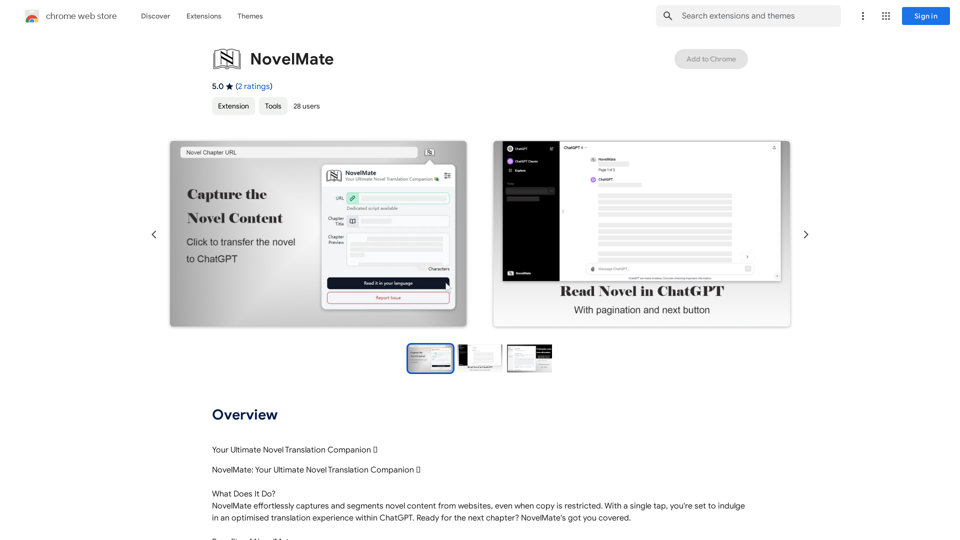
NovelMate is a browser extension designed to enhance the novel reading and translation experience. It captures and segments novel content from websites, even when copying is restricted, and seamlessly integrates with ChatGPT for optimized translation. This tool offers features like bypassing copy restrictions, managing token limits, and providing an optimal reading interface, making it an invaluable asset for avid readers and language learners.

Feature

Bypass Copy Restrictions

NovelMate effortlessly transfers content to ChatGPT, allowing users to read and translate novels without any restrictions, even from websites that prohibit copying.

Token Limit Management

The extension utilizes local storage and smart segmentation to ensure uninterrupted reading, effectively managing ChatGPT's token limits.

Optimal Reading Interface

NovelMate declutters the reading interface, focusing solely on novel content for an enhanced reading and translation experience.

Easy Next Chapter Navigation

The extension automatically loads the next chapter, facilitating a seamless reading experience across multiple chapters.

Personalized Reading Journey

Users can tailor their reading adventure, ensuring each chapter aligns with their preferences and tastes.

Free to Use

NovelMate is available as a free browser extension, with no subscription fees or hidden costs.

Compatibility

While optimized for ChatGPT, NovelMate is also compatible with other translation tools, offering flexibility to users.

FAQ

How does NovelMate work?

NovelMate captures and segments novel content from websites, even when copy is restricted. It then transfers the content to ChatGPT, allowing users to read and translate novels without any restrictions.

Will interacting with ChatGPT disrupt NovelMate?

No, users can engage with ChatGPT at any time and resume novel translations as desired without disrupting NovelMate's functionality.

What should I do if I encounter content policy alerts?

OpenAI has specific guidelines, and some content might not align with these policies. The developers are actively working on enhancements to address this issue. Users are advised to stay tuned for future updates.

Can I use NovelMate with other translation tools?

Yes, while NovelMate is optimized for use with ChatGPT, it is compatible with other translation tools as well.

Latest Traffic Insights

  • Monthly Visits

    193.90 M

  • Bounce Rate

    56.27%

  • Pages Per Visit

    2.71

  • Time on Site(s)

    115.91

  • Global Rank

    -

  • Country Rank

    -

Recent Visits

Traffic Sources

  • Social Media:
    0.48%
  • Paid Referrals:
    0.55%
  • Email:
    0.15%
  • Referrals:
    12.81%
  • Search Engines:
    16.21%
  • Direct:
    69.81%
More Data

Related Websites

Suki Assistant
View Detail

Suki Assistant

Suki Assistant

Suki: An AI-powered clinical documentation app for your Chrome browser.

193.90 M
Linkboost - LinkedIn with AI-powered Chat GPT
View Detail

Linkboost - LinkedIn with AI-powered Chat GPT

Linkboost - LinkedIn with AI-powered Chat GPT

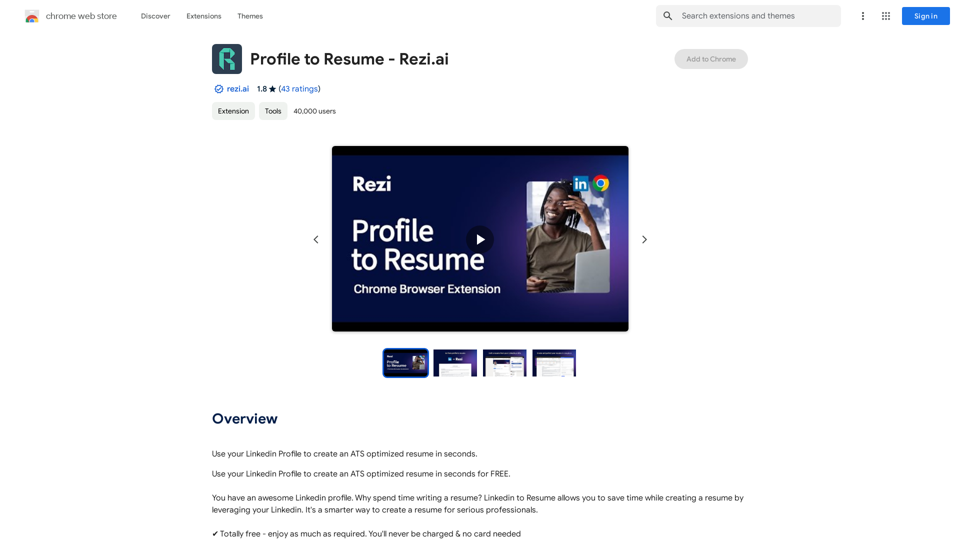
Easily Skyrocket Your LinkedIn Reach with the Power of AI - ChatGPT Let's face it, standing out on LinkedIn can be tough. But what if you could leverage the incredible power of AI to supercharge your profile and connections? That's where ChatGPT comes in. This revolutionary AI tool can help you: * Craft compelling content: Say goodbye to writer's block! ChatGPT can help you generate engaging posts, articles, and even personalized messages that resonate with your audience. * Optimize your profile: Make sure your LinkedIn profile shines! ChatGPT can suggest improvements to your headline, summary, and experience descriptions, helping you attract more views and connections. * Automate your outreach: Spend less time manually sending messages and more time building relationships. ChatGPT can help you draft personalized connection requests and follow-up messages that get results. * Unlock valuable insights: Gain a deeper understanding of your network and industry trends. ChatGPT can analyze your connections and content performance, providing actionable insights to improve your strategy. Ready to take your LinkedIn game to the next level? ChatGPT is your secret weapon.

193.90 M
Difr | Career Growth for the People
View Detail

Difr | Career Growth for the People

Difr | Career Growth for the People

Easily extract job listing details for tracking in Diffr

193.90 M
Sketch2Code GPT4-128K GPT4-Vision - Sidebar 

This is a simple sidebar for a Sketch2Code application powered by GPT4-128K and GPT4-Vision. 

It likely contains:

* Upload Sketch: A button or area to upload an image sketch.
* Code Generation Options:  Settings to choose the programming language, desired code complexity, or other generation parameters.
* Output Code: A display area to show the generated code.
* Clear Output: A button to clear the generated code.


Let me know if you'd like me to elaborate on any specific aspect of the sidebar!
View Detail

Sketch2Code GPT4-128K GPT4-Vision - Sidebar This is a simple sidebar for a Sketch2Code application powered by GPT4-128K and GPT4-Vision. It likely contains: * Upload Sketch: A button or area to upload an image sketch. * Code Generation Options: Settings to choose the programming language, desired code complexity, or other generation parameters. * Output Code: A display area to show the generated code. * Clear Output: A button to clear the generated code. Let me know if you'd like me to elaborate on any specific aspect of the sidebar!

Sketch2Code GPT4-128K GPT4-Vision - Sidebar This is a simple sidebar for a Sketch2Code application powered by GPT4-128K and GPT4-Vision. It likely contains: * Upload Sketch: A button or area to upload an image sketch. * Code Generation Options: Settings to choose the programming language, desired code complexity, or other generation parameters. * Output Code: A display area to show the generated code. * Clear Output: A button to clear the generated code. Let me know if you'd like me to elaborate on any specific aspect of the sidebar!

Sketch2Code GPT4-128K GPT4-Vision - FREE

193.90 M
Break The Web on the App Store
View Detail

Break The Web on the App Store

Break The Web on the App Store

Break The Web is a real-time, AI-powered scoreboard that shows what's trending online. It tracks all the conversations happening on the internet, ranks them by virality, and…

124.77 M
Walle - AI Copilot ChatBot for ChatGPT
View Detail

Walle - AI Copilot ChatBot for ChatGPT

Walle - AI Copilot ChatBot for ChatGPT

Walle: Your All-in-One AI Assistant and Browser Extension

193.90 M
ChatGPT Context Menu

* Copy: Copies the selected text.
* Paste: Pastes the copied text.
* Delete: Deletes the selected text.
* Edit: Opens a text editor to modify the selected text.
* Generate: Uses ChatGPT to generate new text based on the selected context.
* Summarize: Creates a concise summary of the selected text.
* Translate: Translates the selected text into another language.
* Translate to English: Translates the selected text into English.
* Code: Attempts to identify and format the selected text as code.
* Help: Provides information about the context menu options.
View Detail

ChatGPT Context Menu * Copy: Copies the selected text. * Paste: Pastes the copied text. * Delete: Deletes the selected text. * Edit: Opens a text editor to modify the selected text. * Generate: Uses ChatGPT to generate new text based on the selected context. * Summarize: Creates a concise summary of the selected text. * Translate: Translates the selected text into another language. * Translate to English: Translates the selected text into English. * Code: Attempts to identify and format the selected text as code. * Help: Provides information about the context menu options.

ChatGPT Context Menu * Copy: Copies the selected text. * Paste: Pastes the copied text. * Delete: Deletes the selected text. * Edit: Opens a text editor to modify the selected text. * Generate: Uses ChatGPT to generate new text based on the selected context. * Summarize: Creates a concise summary of the selected text. * Translate: Translates the selected text into another language. * Translate to English: Translates the selected text into English. * Code: Attempts to identify and format the selected text as code. * Help: Provides information about the context menu options.

Please provide the text you would like to send to ChatGPT.

193.90 M
Door Insight AI Assistant
View Detail

Door Insight AI Assistant

Door Insight AI Assistant

Analyze rental properties in real time with your personal AI Property Analyst.

193.90 M