Open-source RightAI Tools Directory
  • Discover AI
  • Submit
  • Startup
  • Blog
Open-source RightAI Tools Directory
Discover the best AI tools of 2025 with the RightAI Tools Directory!

Friend Links

AI Anime GeneratorToolsApp AI

Support

Tap4
Privacy policyTerms & ConditionsContact Us
Loading...
loading...

Bing Chatbot

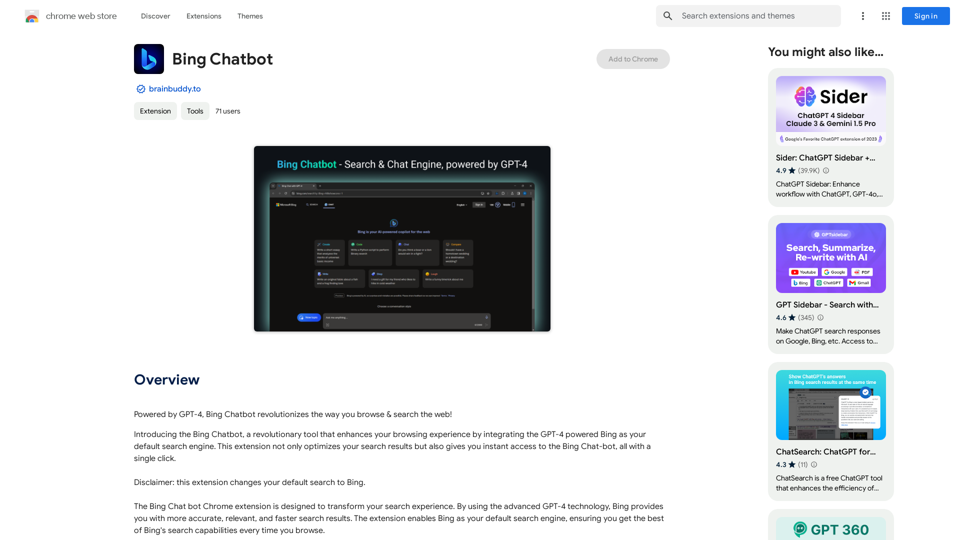
Powered by GPT-4, Bing Chatbot changes the way you explore and search the internet!
Visit Website
Bing Chatbot
Visit Website

Introduction

Bing Chatbot is an innovative browser extension that integrates GPT-4 powered Bing as your default search engine. It enhances your browsing experience by providing instant access to Bing Chat-bot and optimizing search results. This tool transforms traditional web searches into intelligent, interactive experiences, making information retrieval more efficient and user-friendly.

Feature

Powered by GPT-4 Technology

Bing Chatbot leverages advanced GPT-4 technology to deliver:

  • More accurate search results
  • Highly relevant information
  • Faster response times

One-Click Access to Bing Chat-bot

  • Instant engagement with Bing
  • Quick answers and efficient searches
  • Seamless integration as default search engine

Smart AI Assistant

  • Enhances overall browsing experience
  • Integrates advanced AI into your browser
  • Maximizes the potential of every search query

Free Extension with Premium Options

  • Basic features available at no cost
  • Subscription option for advanced features
  • Extended access beyond free usage limits

User-Friendly Setup

  • Easy installation process
  • Simple configuration as default search engine
  • Immediate access to enhanced search capabilities

FAQ

How do I start using Bing Chatbot?

  1. Install the Bing Chatbot extension
  2. Set Bing as your default search engine
  3. Begin enjoying enhanced search experiences

Is there a cost associated with Bing Chatbot?

  • The basic extension is free to use
  • Premium features available through subscription

Will my data be used for AI training?

No, your information is not used for training purposes. You can delete your account at any time, which will remove all associated data.

What are the key benefits of using Bing Chatbot?

  • Access to GPT-4 powered search results
  • Instant interaction with Bing Chat-bot
  • Improved search accuracy and relevance
  • Enhanced overall browsing experience

Latest Traffic Insights

  • Monthly Visits

    193.90 M

  • Bounce Rate

    56.27%

  • Pages Per Visit

    2.71

  • Time on Site(s)

    115.91

  • Global Rank

    -

  • Country Rank

    -

Recent Visits

Traffic Sources

  • Social Media:
    0.48%
  • Paid Referrals:
    0.55%
  • Email:
    0.15%
  • Referrals:
    12.81%
  • Search Engines:
    16.21%
  • Direct:
    69.81%
More Data

Related Websites

WallySmarter
View Detail

WallySmarter

WallySmarter

WallySmarter is groundbreaking software for selling on Walmart. Grow your business on walmart.com.

193.90 M
UndetectableGPT.ai: Bypass GPTZero with Undetectable AI Humanizer Free Online
View Detail

UndetectableGPT.ai: Bypass GPTZero with Undetectable AI Humanizer Free Online

UndetectableGPT.ai: Bypass GPTZero with Undetectable AI Humanizer Free Online

Transform AI-generated content with our undetectable AI humanizer and rewriter. Make AI text undetectable and bypass AI checkers like GPTZero and ZeroGPT using undetectable AI free online tools. Perfect for creating undetecable GPT content.

1.66 K
Work Hunty
View Detail

Work Hunty

Work Hunty

Easily track the jobs you are applying for.

193.90 M
Aiapp.gg Web Extension
View Detail

Aiapp.gg Web Extension

Aiapp.gg Web Extension

This plugin, part of aiapp.gg, enhances your online writing.

193.90 M
What is a Prompster?

A Prompster is a person who assists a speaker, actor, or presenter by providing them with lines or cues, usually in a subtle and discreet manner, during a performance, presentation, or speech.
View Detail

What is a Prompster? A Prompster is a person who assists a speaker, actor, or presenter by providing them with lines or cues, usually in a subtle and discreet manner, during a performance, presentation, or speech.

What is a Prompster? A Prompster is a person who assists a speaker, actor, or presenter by providing them with lines or cues, usually in a subtle and discreet manner, during a performance, presentation, or speech.

Slash Commands for ChatGPT and Bard ===================================== Introduction Slash commands are a convenient way to interact with ChatGPT and Bard, allowing you to perform various tasks and actions within the chat interface. This guide provides an overview of the available slash commands for both ChatGPT and Bard. ChatGPT Slash Commands #General Commands * `/help`: Displays a list of available slash commands and their descriptions. * `/reset`: Resets the conversation, clearing all previous messages and context. #Conversation Management * `/start`: Starts a new conversation, allowing you to begin a fresh topic or task. * `/stop`: Ends the current conversation, stopping any ongoing tasks or topics. #Language and Tone * `/lang <language_code>`: Sets the language for the conversation (e.g., `/lang en` for English). * `/tone <tone>`: Adjusts the tone of the responses (e.g., `/tone formal` for formal tone). #Task Management * `/task <task_name>`: Creates a new task or topic for the conversation (e.g., `/task math problem`). * `/done`: Marks the current task as completed. #Information and Resources * `/define <word>`: Provides the definition of a word or phrase. * `/wiki <topic>`: Displays information about a topic from Wikipedia. Bard Slash Commands #General Commands * `/help`: Displays a list of available slash commands and their descriptions. * `/reset`: Resets the conversation, clearing all previous messages and context. #Conversation Management * `/start`: Starts a new conversation, allowing you to begin a fresh topic or task. * `/stop`: Ends the current conversation, stopping any ongoing tasks or topics. #Language and Tone * `/lang <language_code>`: Sets the language for the conversation (e.g., `/lang en` for English). * `/tone <tone>`: Adjusts the tone of the responses (e.g., `/tone formal` for formal tone). #Task Management * `/task <task_name>`: Creates a new task or topic for the conversation (e.g., `/task math problem`). * `/done`: Marks the current task as completed. #Information and Resources * `/define <word>`: Provides the definition of a word or phrase. * `/wiki <topic>`: Displays information about a topic from Wikipedia. * `/news <topic>`: Displays news articles related to a specific topic. Conclusion Slash commands provide a convenient way to interact with ChatGPT and Bard, allowing you to manage conversations, adjust language and tone, and access various resources. By mastering these commands, you can optimize your experience and get the most out of your interactions with these AI models.

193.90 M
Upword: AI Notes & Summarization Tool
View Detail

Upword: AI Notes & Summarization Tool

Upword: AI Notes & Summarization Tool

Get the key information from every webpage. Generate AI-powered notes and save time with Upword.

193.90 M
GPT Search Helper
View Detail

GPT Search Helper

GPT Search Helper

A plugin that adds ChatGPT responses to Google and Stack Overflow search results.

193.90 M
ChatFlow: ChatGPT Prompt Populator
View Detail

ChatFlow: ChatGPT Prompt Populator

ChatFlow: ChatGPT Prompt Populator

ChatFlow for ChatGPT makes it easy to manage your prompts, so you can have more efficient and enjoyable conversations.

193.90 M