Open-source RightAI Tools Directory
  • Discover AI
  • Submit
  • Startup
  • Blog
Open-source RightAI Tools Directory
Discover the best AI tools of 2025 with the RightAI Tools Directory!

Friend Links

AI Anime GeneratorToolsApp AI

Support

Tap4
Privacy policyTerms & ConditionsContact Us
Loading...
loading...

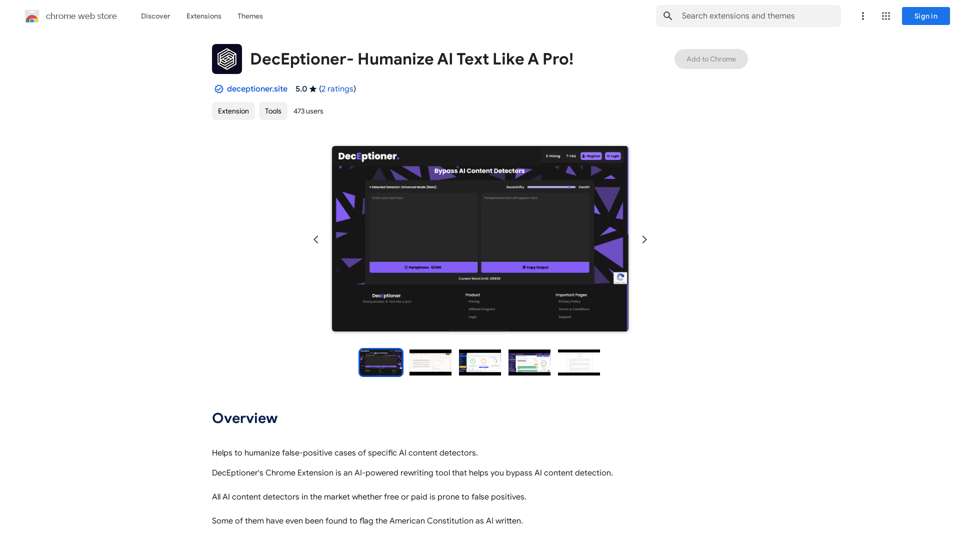
DecEptioner - Humanize AI Text Like A Pro!

Helps to make false-positive cases of specific AI content detectors seem less like mistakes.
Visit Website
DecEptioner - Humanize AI Text Like A Pro!
Visit Website

Introduction

DecEptioner is a Chrome extension designed to humanize AI-generated text and bypass AI content detection. It addresses the issue of false positives in AI content detectors by rewriting text to appear more human-like. This free tool is particularly useful for writers and content creators who want to ensure their AI-assisted work passes through content detection systems.

Feature

AI-Powered Text Humanization

DecEptioner uses advanced AI technology to rewrite text, making it more human-like and less likely to be flagged as AI-generated content.

Bypass AI Content Detectors

The extension effectively evades various AI content detection systems, including:

  • Turnitin
  • Originality.ai
  • GPTZero.me
  • ZeroGPT.com
  • And more

User-Friendly Chrome Extension

DecEptioner is easily accessible as a Chrome extension, allowing users to quickly rewrite their text without leaving their browser.

Free to Use

The extension is completely free, with no subscription or payment required, making it accessible to all users.

FAQ

Is DecEptioner a plagiarism detector?

No, DecEptioner is not a plagiarism detector. It's specifically designed to humanize AI-generated text and bypass AI content detection systems.

Can I use DecEptioner on text I've already written?

Yes, you can use DecEptioner to rewrite any text, including content you've already written, to make it appear more human-like.

How do I use DecEptioner?

To use DecEptioner, simply install the Chrome extension and start rewriting your text. The AI will automatically process your content to make it more human-like and less detectable by AI content detection systems.

Latest Traffic Insights

  • Monthly Visits

    193.90 M

  • Bounce Rate

    56.27%

  • Pages Per Visit

    2.71

  • Time on Site(s)

    115.91

  • Global Rank

    -

  • Country Rank

    -

Recent Visits

Traffic Sources

  • Social Media:
    0.48%
  • Paid Referrals:
    0.55%
  • Email:
    0.15%
  • Referrals:
    12.81%
  • Search Engines:
    16.21%
  • Direct:
    69.81%
More Data

Related Websites

aireply: Your Personalized Email Writing Assistant
View Detail

aireply: Your Personalized Email Writing Assistant

aireply: Your Personalized Email Writing Assistant

AI Email Reply and Writing Assistant

193.90 M
ChatGPT Chat History Search
View Detail

ChatGPT Chat History Search

ChatGPT Chat History Search

ChatGPT Conversation History Management, including: Historical Data Download Historical Data Search Historical Data Collection …

193.90 M
DIDASKO BOT
View Detail

DIDASKO BOT

DIDASKO BOT

Instantaneous Responses to Modules 1-7, by Antonio Caprio [v5-6]

193.90 M
Algae
View Detail

Algae

Algae

Offers ideas for MSP support requests.

193.90 M
BlockP: AI Website, App & Porn Blocker
View Detail

BlockP: AI Website, App & Porn Blocker

BlockP: AI Website, App & Porn Blocker

Free AI-Based Chrome Productivity & Porn Blocker Protects Against Websites, Keywords, and Adult Content.

193.90 M
Astra Vision
View Detail

Astra Vision

Astra Vision

Astra Vision is an AI-powered web extension that includes a set of powerful AI tools: Astra Guard and AI Snapper.

193.90 M
ChatGPT History Search
View Detail

ChatGPT History Search

ChatGPT History Search

ChatGPT conversation history management, including: - Downloading historical data - Searching historical data - Collecting historical data

193.90 M
Magic Cal
View Detail

Magic Cal

Magic Cal

Make events with AI -- ChatGPT in Google Calendar This is a guide on how to use ChatGPT to create events in your Google Calendar. 1. Open ChatGPT and Google Calendar: * Start a new conversation in ChatGPT. * Open your Google Calendar in a separate tab or window. 2. Tell ChatGPT what you want to schedule: * Be specific about the event details, including: * Event name: (e.g., "Team Meeting") * Date and time: (e.g., "Next Tuesday at 2:00 PM") * Duration: (e.g., "1 hour") * Location: (e.g., "Conference Room") * Description: (optional, add any relevant details) 3. ChatGPT will generate a calendar event string: * ChatGPT will provide you with a text string that includes all the event details in a format suitable for Google Calendar. 4. Copy and paste the event string into Google Calendar: * Click on the "Create" button in Google Calendar. * Paste the event string generated by ChatGPT into the event details field. * Adjust any details if needed. 5. Save the event: * Click "Save" to add the event to your Google Calendar. Let me know if you have any other questions.

193.90 M