Open-source RightAI Tools Directory
  • Discover AI
  • Submit
  • Startup
  • Blog
Open-source RightAI Tools Directory
Discover the best AI tools of 2025 with the RightAI Tools Directory!

Friend Links

AI Anime GeneratorToolsApp AI

Support

Tap4
Privacy policyTerms & ConditionsContact Us
Loading...
loading...

Bing search

Upgrade your browsing with the Bing Search extension. Optimize your SEO with Bing's AI-powered search engine.
Visit Website
Bing search
Visit Website

Introduction

Bing search engine is a powerful alternative to Google, developed by Microsoft. It offers comprehensive browsing results including web pages, images, videos, news, and more. With unique features and AI-powered capabilities, Bing provides users with a diverse and enhanced search experience.

Feature

AI-Powered Search Engine

Bing utilizes cutting-edge AI technology to deliver accurate and relevant results tailored to users' needs. This smart search experience helps users find information faster and more efficiently.

Comprehensive Multimedia Search

Web Pages

  • Access a wide range of web content
  • Discover diverse perspectives on topics

Images

  • Advanced image search capabilities
  • Explore visually stunning images and related content

Videos

  • Find the latest videos on any topic
  • Comprehensive video search feature

News

  • Stay informed with the latest news and trends
  • Access current events from various sources

Personalized Browsing Experience

  • Receive personalized suggestions based on browsing history and preferences
  • Tailored results to match individual interests

SEO Optimization

  • Gain a competitive edge in SEO
  • Leverage Bing's algorithms to enhance website visibility

Chrome Extension Integration

  • Seamlessly switch between Google and Bing with a single click
  • Access multiple Bing services (Web, Images, Videos, News) from one interface

Free to Use

The Bing search engine Chrome extension is available for free download and use.

FAQ

What sets Bing apart from other search engines?

Bing offers unique features and AI-powered capabilities, providing users with diverse search results and a personalized browsing experience. It excels in multimedia content discovery and offers potential SEO advantages.

How do I install and use the Bing search engine Chrome extension?

To install:

  1. Click the 'Add to Chrome' button in the upper right corner
  2. Once installed, use Cmd+M (Mac) or Ctrl+M (Windows) to open a new tab with Bing

To use:

  • Simply access Bing directly from your browser using the extension
  • Enjoy seamless switching between Google and Bing with a single click

What services are available through the Bing Chrome extension?

The extension provides access to multiple Bing services, including:

  • Bing Web
  • Bing Images
  • Bing Videos
  • Bing News

Is there support available for the Bing search engine Chrome extension?

Yes, if you encounter any issues or have questions, you can contact the development team at [email protected] for troubleshooting and support.

Latest Traffic Insights

  • Monthly Visits

    193.90 M

  • Bounce Rate

    56.27%

  • Pages Per Visit

    2.71

  • Time on Site(s)

    115.91

  • Global Rank

    -

  • Country Rank

    -

Recent Visits

Traffic Sources

  • Social Media:
    0.48%
  • Paid Referrals:
    0.55%
  • Email:
    0.15%
  • Referrals:
    12.81%
  • Search Engines:
    16.21%
  • Direct:
    69.81%
More Data

Related Websites

AI Christmas Photo Generator | The Best Christmas AI Generator
View Detail

AI Christmas Photo Generator | The Best Christmas AI Generator

AI Christmas Photo Generator | The Best Christmas AI Generator

Don't wait in line for your Christmas photos this holiday season. Just upload a couple of selfies and let the holiday magic begin 💫

295
Supportbot Pro - AI-powered customer support
View Detail

Supportbot Pro - AI-powered customer support

Supportbot Pro - AI-powered customer support

The AI-powered chatbot which leverages your company data to answer customer questions and generate leads.

0
Abacus.AI - Effortlessly Embed Cutting-Edge AI in Your Applications.
View Detail

Abacus.AI - Effortlessly Embed Cutting-Edge AI in Your Applications.

Abacus.AI - Effortlessly Embed Cutting-Edge AI in Your Applications.

Abacus.AI is the world’s first AI super assistant built on our state-of-the-art generative AI technology. Abacus Enterprise is a fully featured AI platform where AI, not humans, builds enterprise-scale applied AI systems and agents. ChatLLM is our AI super assistant for small teams and individuals.

3.84 M
DeepTube AI - Advanced Tools for YouTube & X
View Detail

DeepTube AI - Advanced Tools for YouTube & X

DeepTube AI - Advanced Tools for YouTube & X

Learn and extract knowledge from YouTube - share everything and grow on X.

193.90 M
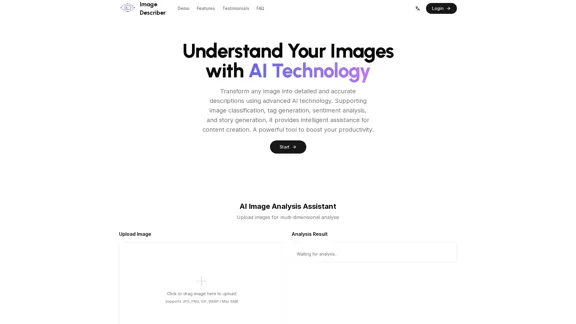
AI Image Description, Markdown, and Text Converter
View Detail

AI Image Description, Markdown, and Text Converter

AI Image Description, Markdown, and Text Converter

Explore AI-powered image descriptions with Describe Picture. Get instant insights and connect with visuals in new ways. Join us now!

62.96 K
Free AI YouTube Video Tags Generator TubeAide
View Detail

Free AI YouTube Video Tags Generator TubeAide

Free AI YouTube Video Tags Generator TubeAide

Boost Your Video with Free AI YouTube Video Tag Generator TubeAIde: Titles, Tags, Descriptions, Hooks, and Outlines in 25 Languages

193.90 M
Simplified Chrome Extension

This is a basic Chrome extension designed to be easy to understand and modify. 

Manifest File (manifest.json):

```json
{
  "manifest_version": 3,
  "name": "Simplified Extension",
  "version": "1.0",
  "description": "A simple Chrome extension example.",
  "permissions": [
    "activeTab"
  ],
  "action": {
    "default_popup": "popup.html"
  }
}
```

Popup HTML (popup.html):

```html
<!DOCTYPE html>
<html>
<head>
  <title>Simplified Extension</title>
</head>
<body>
  <h1>Hello from the extension!</h1>
  <p>This is a simple popup.</p>
</body>
</html>
```

Explanation:

* manifest.json: This file tells Chrome what your extension does.
    * `manifest_version`: Specifies the version of the manifest file format.
    * `name`: The name of your extension.
    * `version`: The current version of your extension.
    * `description`: A brief description of your extension.
    * `permissions`: Lists the permissions your extension needs to function. Here, it needs access to the active tab.
    * `action`: Defines the popup that appears when the extension icon is clicked.

* popup.html: This file contains the HTML code for the popup window.

How it works:

1. When you install the extension, Chrome reads the `manifest.json` file.
2. When you click the extension icon, Chrome opens the `popup.html` file in a new window.
3. The popup displays the "Hello from the extension!" message.
View Detail

Simplified Chrome Extension This is a basic Chrome extension designed to be easy to understand and modify. Manifest File (manifest.json): ```json { "manifest_version": 3, "name": "Simplified Extension", "version": "1.0", "description": "A simple Chrome extension example.", "permissions": [ "activeTab" ], "action": { "default_popup": "popup.html" } } ``` Popup HTML (popup.html): ```html <!DOCTYPE html> <html> <head> <title>Simplified Extension</title> </head> <body> <h1>Hello from the extension!</h1> <p>This is a simple popup.</p> </body> </html> ``` Explanation: * manifest.json: This file tells Chrome what your extension does. * `manifest_version`: Specifies the version of the manifest file format. * `name`: The name of your extension. * `version`: The current version of your extension. * `description`: A brief description of your extension. * `permissions`: Lists the permissions your extension needs to function. Here, it needs access to the active tab. * `action`: Defines the popup that appears when the extension icon is clicked. * popup.html: This file contains the HTML code for the popup window. How it works: 1. When you install the extension, Chrome reads the `manifest.json` file. 2. When you click the extension icon, Chrome opens the `popup.html` file in a new window. 3. The popup displays the "Hello from the extension!" message.

Simplified Chrome Extension This is a basic Chrome extension designed to be easy to understand and modify. Manifest File (manifest.json): ```json { "manifest_version": 3, "name": "Simplified Extension", "version": "1.0", "description": "A simple Chrome extension example.", "permissions": [ "activeTab" ], "action": { "default_popup": "popup.html" } } ``` Popup HTML (popup.html): ```html <!DOCTYPE html> <html> <head> <title>Simplified Extension</title> </head> <body> <h1>Hello from the extension!</h1> <p>This is a simple popup.</p> </body> </html> ``` Explanation: * manifest.json: This file tells Chrome what your extension does. * `manifest_version`: Specifies the version of the manifest file format. * `name`: The name of your extension. * `version`: The current version of your extension. * `description`: A brief description of your extension. * `permissions`: Lists the permissions your extension needs to function. Here, it needs access to the active tab. * `action`: Defines the popup that appears when the extension icon is clicked. * popup.html: This file contains the HTML code for the popup window. How it works: 1. When you install the extension, Chrome reads the `manifest.json` file. 2. When you click the extension icon, Chrome opens the `popup.html` file in a new window. 3. The popup displays the "Hello from the extension!" message.

Design & Collaborate Marketing made easy #Simplified

193.90 M
BG Remover - Remove and Change Background
View Detail

BG Remover - Remove and Change Background

BG Remover - Remove and Change Background

With the AI-powered tool, you can easily remove the background from a photo, or further replace the transparent backdrop with colors.

193.90 M