Open-source RightAI Tools Directory
  • Discover AI
  • Submit
  • Startup
  • Blog
Open-source RightAI Tools Directory
Discover the best AI tools of 2025 with the RightAI Tools Directory!

Friend Links

AI Anime GeneratorToolsApp AI

Support

Tap4
Privacy policyTerms & ConditionsContact Us
Loading...
loading...

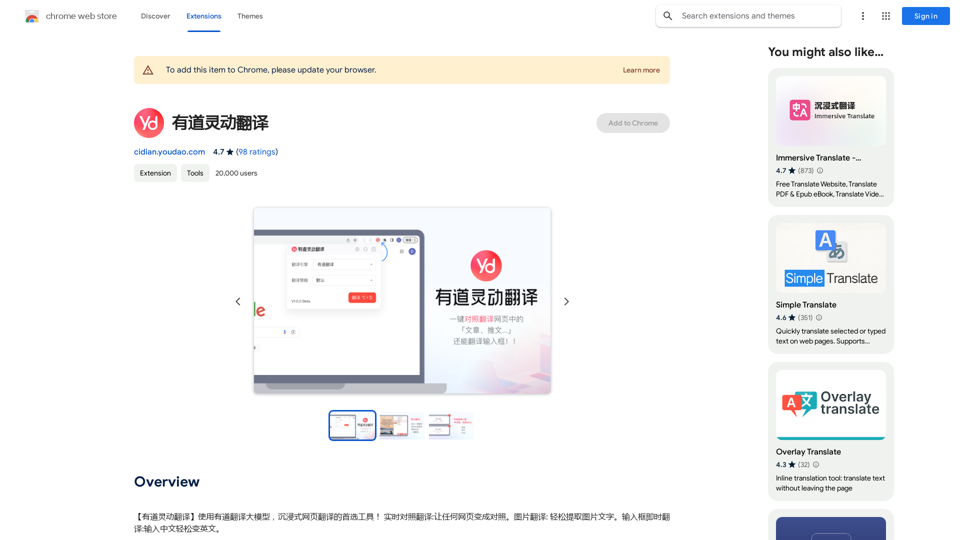
Youdao Smart Translation

【Youdao Lingdong Translation】Using Youdao's large translation model, the top choice for immersive web translation tools! Real-time contrast translation: Turn any web page into a contrast. Image translation: Easily extract text from images. Instant translation input box: Enter Chinese and easily convert to English.
Visit Website
Youdao Smart Translation
Visit Website

Introduction

Youdao Lingdong Translate is an AI-powered translation tool that leverages Youdao's large-scale translation model. It offers real-time translation for webpages, images, and audio, providing users with a seamless and immersive translation experience. This Chrome extension is designed to break language barriers and facilitate cross-cultural communication effortlessly.

Feature

Real-time Translation

Instantly translate webpages, images, and audio into your preferred language using Youdao's advanced translation model.

Image Translation

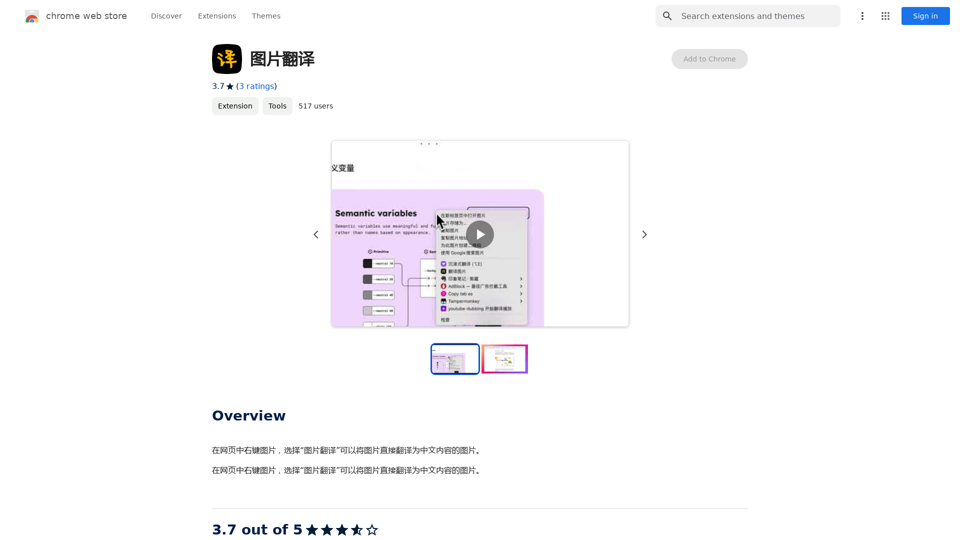
Translate text within images by right-clicking and selecting the translation option.

Audio Translation

Convert audio files like podcasts or audiobooks into your desired language for easy comprehension.

Instant Text Translation

Quickly translate text for efficient communication across different languages and cultures.

Free to Use

Access all features without any subscription or payment required.

Multi-device Compatibility

Use the extension across various devices through the Chrome Web Store.

FAQ

Is Youdao Lingdong Translate free?

Yes, the extension is completely free to use, with no subscription or payment required.

How can I access Youdao Lingdong Translate?

The extension is available through the Chrome Web Store. Simply install it and click on the extension icon to start translating.

What types of content can be translated?

Youdao Lingdong Translate can handle webpages, images, audio files, and text.

How does Youdao Lingdong Translate improve efficiency?

By providing instant translations and language support, it enhances learning and work efficiency, especially for cross-cultural communication.

Can I report issues or concerns with the extension?

Yes, you can report concerns or issues by visiting the developer's website or contacting their support team directly.

Latest Traffic Insights

  • Monthly Visits

    193.90 M

  • Bounce Rate

    56.27%

  • Pages Per Visit

    2.71

  • Time on Site(s)

    115.91

  • Global Rank

    -

  • Country Rank

    -

Recent Visits

Traffic Sources

  • Social Media:
    0.48%
  • Paid Referrals:
    0.55%
  • Email:
    0.15%
  • Referrals:
    12.81%
  • Search Engines:
    16.21%
  • Direct:
    69.81%
More Data

Related Websites

Mirror AI - Emoji Maker and Free AI Avatar Creator
View Detail

Mirror AI - Emoji Maker and Free AI Avatar Creator

Mirror AI - Emoji Maker and Free AI Avatar Creator

Mirror is your personal sticker creator! Take a single selfie and receive thousands of personalized emojis and stickers featuring you and your friends. Use them in WhatsApp, Facebook, iMessage, Telegram, and other messaging apps!

33.59 K
Imagely: Image Analyzer & Tester
View Detail

Imagely: Image Analyzer & Tester

Imagely: Image Analyzer & Tester

Get instant AI-powered recommendations to improve your images and graphics, so you can display your best visuals online.

193.90 M
JumboGPT - Bulk Prompts for ChatGPT

This is a collection of bulk prompts for ChatGPT, designed to help you explore its capabilities and generate diverse creative text formats. 

Instructions:

* Each prompt is designed to be used individually with ChatGPT.
* You can copy and paste the prompts directly into the ChatGPT interface.
* Feel free to modify the prompts to suit your specific needs and interests.

Categories:

* Story Starters:

>  A lone astronaut stumbles upon a derelict spaceship...
>  The old woman sat on the park bench, watching the children play...
>  A mysterious package arrived on her doorstep, addressed simply to "The Keeper"...

* Creative Writing:

> Write a short poem about the feeling of nostalgia.
> Compose a song about a robot who falls in love with a human.
> Describe a world where animals can talk.

* Dialogue Prompts:

> Two friends argue about the best way to spend a weekend.
> A detective interrogates a suspect in a murder case.
> A parent tries to explain a difficult concept to their child.

* Worldbuilding:

> Create a detailed description of a fantasy city.
> Design a new species of creature for a science fiction story.
> Develop a unique magic system for a medieval world.

* Code Generation:

> Write a Python function to calculate the factorial of a number.
> Generate HTML code for a simple webpage.
> Create a SQL query to retrieve data from a database.

* Humor:

> Write a joke about a programmer.
> Create a funny story about a talking cat.
> Generate a list of puns about food.

* Educational:

> Explain the concept of photosynthesis in simple terms.
> Summarize the main events of the American Revolution.
> Provide a brief history of the development of the internet.
View Detail

JumboGPT - Bulk Prompts for ChatGPT This is a collection of bulk prompts for ChatGPT, designed to help you explore its capabilities and generate diverse creative text formats. Instructions: * Each prompt is designed to be used individually with ChatGPT. * You can copy and paste the prompts directly into the ChatGPT interface. * Feel free to modify the prompts to suit your specific needs and interests. Categories: * Story Starters: > A lone astronaut stumbles upon a derelict spaceship... > The old woman sat on the park bench, watching the children play... > A mysterious package arrived on her doorstep, addressed simply to "The Keeper"... * Creative Writing: > Write a short poem about the feeling of nostalgia. > Compose a song about a robot who falls in love with a human. > Describe a world where animals can talk. * Dialogue Prompts: > Two friends argue about the best way to spend a weekend. > A detective interrogates a suspect in a murder case. > A parent tries to explain a difficult concept to their child. * Worldbuilding: > Create a detailed description of a fantasy city. > Design a new species of creature for a science fiction story. > Develop a unique magic system for a medieval world. * Code Generation: > Write a Python function to calculate the factorial of a number. > Generate HTML code for a simple webpage. > Create a SQL query to retrieve data from a database. * Humor: > Write a joke about a programmer. > Create a funny story about a talking cat. > Generate a list of puns about food. * Educational: > Explain the concept of photosynthesis in simple terms. > Summarize the main events of the American Revolution. > Provide a brief history of the development of the internet.

JumboGPT - Bulk Prompts for ChatGPT This is a collection of bulk prompts for ChatGPT, designed to help you explore its capabilities and generate diverse creative text formats. Instructions: * Each prompt is designed to be used individually with ChatGPT. * You can copy and paste the prompts directly into the ChatGPT interface. * Feel free to modify the prompts to suit your specific needs and interests. Categories: * Story Starters: > A lone astronaut stumbles upon a derelict spaceship... > The old woman sat on the park bench, watching the children play... > A mysterious package arrived on her doorstep, addressed simply to "The Keeper"... * Creative Writing: > Write a short poem about the feeling of nostalgia. > Compose a song about a robot who falls in love with a human. > Describe a world where animals can talk. * Dialogue Prompts: > Two friends argue about the best way to spend a weekend. > A detective interrogates a suspect in a murder case. > A parent tries to explain a difficult concept to their child. * Worldbuilding: > Create a detailed description of a fantasy city. > Design a new species of creature for a science fiction story. > Develop a unique magic system for a medieval world. * Code Generation: > Write a Python function to calculate the factorial of a number. > Generate HTML code for a simple webpage. > Create a SQL query to retrieve data from a database. * Humor: > Write a joke about a programmer. > Create a funny story about a talking cat. > Generate a list of puns about food. * Educational: > Explain the concept of photosynthesis in simple terms. > Summarize the main events of the American Revolution. > Provide a brief history of the development of the internet.

Use ChatGPT to process many different questions and save the responses in a spreadsheet format like CSV or Excel.

193.90 M
AI Interview Copilot: Cracking the Coding Interview for Real
View Detail

AI Interview Copilot: Cracking the Coding Interview for Real

AI Interview Copilot: Cracking the Coding Interview for Real

An application designed to generate real-time answers to job interview questions, solve algorithmic problems, assist with live coding, and offer advice

211
Midjourney API - Automate Midjourney AI Image Generation 

This document outlines how to use the Midjourney API to automate the generation of AI images. 

What is the Midjourney API?

The Midjourney API allows developers to programmatically interact with the powerful Midjourney AI model. This means you can generate images, control various parameters, and integrate Midjourney into your own applications and workflows.

Why Use the Midjourney API?

* Automation: Automate the creation of images for various purposes, such as marketing materials, website content, or research projects.
* Customization: Fine-tune image generation by controlling parameters like aspect ratio, style, and seed values.
* Integration: Seamlessly integrate Midjourney's capabilities into your existing tools and platforms.

Getting Started

1. Sign Up for a Midjourney Account: You'll need a Midjourney account to access the API.

2. Obtain an API Key: Once you have an account, you can generate an API key from your account settings.

3. Choose a Programming Language: The Midjourney API supports various programming languages, including Python, JavaScript, and Go.

4. Install the API Client: Install the appropriate API client library for your chosen language.

5. Start Generating Images: Use the API client to send image generation requests to the Midjourney server.

Example (Python):

```python
import midjourney

Replace with your actual API key
api_key = "YOUR_API_KEY"

Create a Midjourney client
client = midjourney.Client(api_key=api_key)

Generate an image
response = client.create_image(prompt="A cat wearing a hat", num_images=1)

Print the image URL
print(response.images[0].url)
```

Documentation and Resources

For detailed information about the Midjourney API, including available endpoints, parameters, and examples, please refer to the official documentation: [https://docs.midjourney.com/](https://docs.midjourney.com/)
View Detail

Midjourney API - Automate Midjourney AI Image Generation This document outlines how to use the Midjourney API to automate the generation of AI images. What is the Midjourney API? The Midjourney API allows developers to programmatically interact with the powerful Midjourney AI model. This means you can generate images, control various parameters, and integrate Midjourney into your own applications and workflows. Why Use the Midjourney API? * Automation: Automate the creation of images for various purposes, such as marketing materials, website content, or research projects. * Customization: Fine-tune image generation by controlling parameters like aspect ratio, style, and seed values. * Integration: Seamlessly integrate Midjourney's capabilities into your existing tools and platforms. Getting Started 1. Sign Up for a Midjourney Account: You'll need a Midjourney account to access the API. 2. Obtain an API Key: Once you have an account, you can generate an API key from your account settings. 3. Choose a Programming Language: The Midjourney API supports various programming languages, including Python, JavaScript, and Go. 4. Install the API Client: Install the appropriate API client library for your chosen language. 5. Start Generating Images: Use the API client to send image generation requests to the Midjourney server. Example (Python): ```python import midjourney Replace with your actual API key api_key = "YOUR_API_KEY" Create a Midjourney client client = midjourney.Client(api_key=api_key) Generate an image response = client.create_image(prompt="A cat wearing a hat", num_images=1) Print the image URL print(response.images[0].url) ``` Documentation and Resources For detailed information about the Midjourney API, including available endpoints, parameters, and examples, please refer to the official documentation: [https://docs.midjourney.com/](https://docs.midjourney.com/)

Midjourney API - Automate Midjourney AI Image Generation This document outlines how to use the Midjourney API to automate the generation of AI images. What is the Midjourney API? The Midjourney API allows developers to programmatically interact with the powerful Midjourney AI model. This means you can generate images, control various parameters, and integrate Midjourney into your own applications and workflows. Why Use the Midjourney API? * Automation: Automate the creation of images for various purposes, such as marketing materials, website content, or research projects. * Customization: Fine-tune image generation by controlling parameters like aspect ratio, style, and seed values. * Integration: Seamlessly integrate Midjourney's capabilities into your existing tools and platforms. Getting Started 1. Sign Up for a Midjourney Account: You'll need a Midjourney account to access the API. 2. Obtain an API Key: Once you have an account, you can generate an API key from your account settings. 3. Choose a Programming Language: The Midjourney API supports various programming languages, including Python, JavaScript, and Go. 4. Install the API Client: Install the appropriate API client library for your chosen language. 5. Start Generating Images: Use the API client to send image generation requests to the Midjourney server. Example (Python): ```python import midjourney Replace with your actual API key api_key = "YOUR_API_KEY" Create a Midjourney client client = midjourney.Client(api_key=api_key) Generate an image response = client.create_image(prompt="A cat wearing a hat", num_images=1) Print the image URL print(response.images[0].url) ``` Documentation and Resources For detailed information about the Midjourney API, including available endpoints, parameters, and examples, please refer to the official documentation: [https://docs.midjourney.com/](https://docs.midjourney.com/)

Easily integrate Midjourney AI into your apps using the Midjourney API. Start creating AI images automatically today!

0
AI Video Editor - Text to Video By Viggle
View Detail

AI Video Editor - Text to Video By Viggle

AI Video Editor - Text to Video By Viggle

Generate videos from text prompts with our Text-to-Video tool based on OpenAI Viggle.

193.90 M
Assistree
View Detail

Assistree

Assistree

Assistree AI is an AI-powered productivity tool that helps freelancers save time and get more done on Upwork. It offers a variety...

193.90 M
Text Summarizer
View Detail

Text Summarizer

Text Summarizer

Summarizing texts is an application that creates short text from much longer text files.

193.90 M