Open-source RightAI Tools Directory
  • Discover AI
  • Submit
  • Startup
  • Blog
Open-source RightAI Tools Directory
Discover the best AI tools of 2025 with the RightAI Tools Directory!

Friend Links

AI Anime GeneratorToolsApp AI

Support

Tap4
Privacy policyTerms & ConditionsContact Us
Loading...
loading...

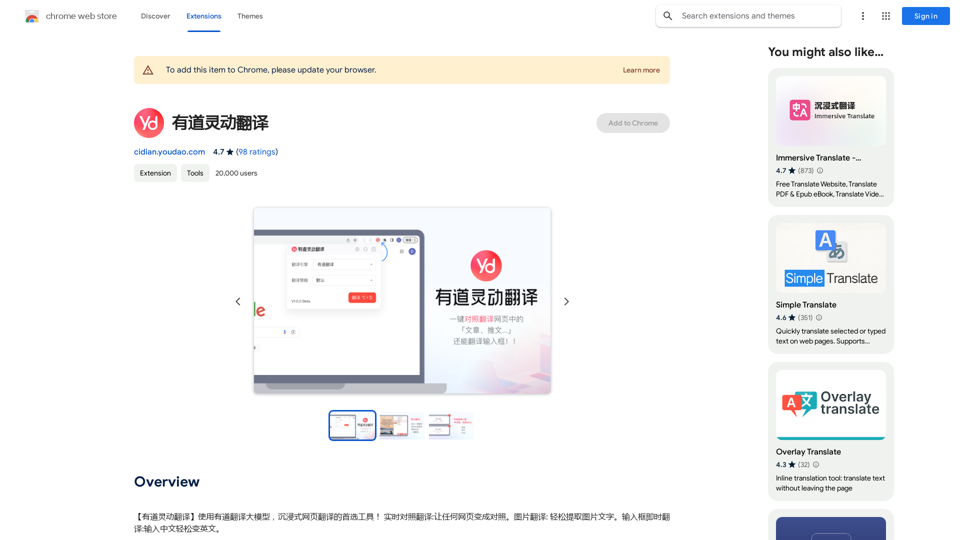
Youdao Smart Translation

【Youdao Lingdong Translation】Using Youdao's large translation model, the top choice for immersive web translation tools! Real-time contrast translation: Turn any web page into a contrast. Image translation: Easily extract text from images. Instant translation input box: Enter Chinese and easily convert to English.
Visit Website
Youdao Smart Translation
Visit Website

Introduction

Youdao Lingdong Translate is an AI-powered translation tool that leverages Youdao's large-scale translation model. It offers real-time translation for webpages, images, and audio, providing users with a seamless and immersive translation experience. This Chrome extension is designed to break language barriers and facilitate cross-cultural communication effortlessly.

Feature

Real-time Translation

Instantly translate webpages, images, and audio into your preferred language using Youdao's advanced translation model.

Image Translation

Translate text within images by right-clicking and selecting the translation option.

Audio Translation

Convert audio files like podcasts or audiobooks into your desired language for easy comprehension.

Instant Text Translation

Quickly translate text for efficient communication across different languages and cultures.

Free to Use

Access all features without any subscription or payment required.

Multi-device Compatibility

Use the extension across various devices through the Chrome Web Store.

FAQ

Is Youdao Lingdong Translate free?

Yes, the extension is completely free to use, with no subscription or payment required.

How can I access Youdao Lingdong Translate?

The extension is available through the Chrome Web Store. Simply install it and click on the extension icon to start translating.

What types of content can be translated?

Youdao Lingdong Translate can handle webpages, images, audio files, and text.

How does Youdao Lingdong Translate improve efficiency?

By providing instant translations and language support, it enhances learning and work efficiency, especially for cross-cultural communication.

Can I report issues or concerns with the extension?

Yes, you can report concerns or issues by visiting the developer's website or contacting their support team directly.

Related Websites
AI Playground
View Detail

AI Playground

AI Playground

Gan AI Playground is a developer-focused platform offering advanced AI tools and technologies.

0
AI Image Generator Free: Create and Edit Images with AI
View Detail

AI Image Generator Free: Create and Edit Images with AI

AI Image Generator Free: Create and Edit Images with AI

With our free AI image generator, creating and editing images has never been easier. Harness the potential of AI to effortlessly generate and customize visuals according to your vision. Start creating today!

9.93 K
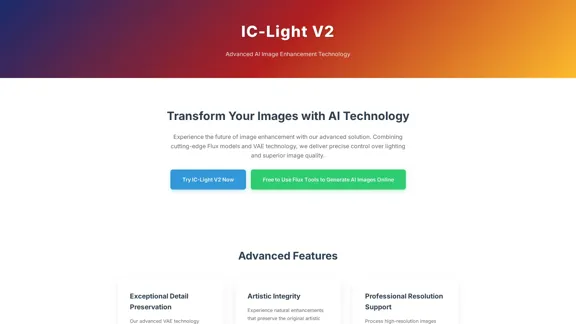
IC-Light V2 - Advanced AI Image Processing Tool
View Detail

IC-Light V2 - Advanced AI Image Processing Tool

IC-Light V2 - Advanced AI Image Processing Tool

IC-Light V2: AI image enhancement tool with Flux models and VAE technology. Transform lighting and enhance image quality. Try our free demo today.

1.60 K
ProfilePro - AI SEO Tool for Google Business Profile SEO
View Detail

ProfilePro - AI SEO Tool for Google Business Profile SEO

ProfilePro - AI SEO Tool for Google Business Profile SEO

Audit Google My Business SEO, automate Google Business Profile SEO tasks, optimize your Google My Business everywhere and outperform competitors with this AI SEO tool without having to spy!

193.90 M
DeepTube AI - Advanced Tools for YouTube & X
View Detail

DeepTube AI - Advanced Tools for YouTube & X

DeepTube AI - Advanced Tools for YouTube & X

Learn and extract knowledge from YouTube - share everything and grow on X.

193.90 M
Simplified Chrome Extension

This is a basic Chrome extension designed to be easy to understand and modify. 

Manifest File (manifest.json):

```json
{
  "manifest_version": 3,
  "name": "Simplified Extension",
  "version": "1.0",
  "description": "A simple Chrome extension example.",
  "permissions": [
    "activeTab"
  ],
  "action": {
    "default_popup": "popup.html"
  }
}
```

Popup HTML (popup.html):

```html
<!DOCTYPE html>
<html>
<head>
  <title>Simplified Extension</title>
</head>
<body>
  <h1>Hello from the extension!</h1>
  <p>This is a simple popup.</p>
</body>
</html>
```

Explanation:

* manifest.json: This file tells Chrome what your extension does.
    * `manifest_version`: Specifies the version of the manifest file format.
    * `name`: The name of your extension.
    * `version`: The current version of your extension.
    * `description`: A brief description of your extension.
    * `permissions`: Lists the permissions your extension needs to function. Here, it needs access to the active tab.
    * `action`: Defines the popup that appears when the extension icon is clicked.

* popup.html: This file contains the HTML code for the popup window.

How it works:

1. When you install the extension, Chrome reads the `manifest.json` file.
2. When you click the extension icon, Chrome opens the `popup.html` file in a new window.
3. The popup displays the "Hello from the extension!" message.
View Detail

Simplified Chrome Extension This is a basic Chrome extension designed to be easy to understand and modify. Manifest File (manifest.json): ```json { "manifest_version": 3, "name": "Simplified Extension", "version": "1.0", "description": "A simple Chrome extension example.", "permissions": [ "activeTab" ], "action": { "default_popup": "popup.html" } } ``` Popup HTML (popup.html): ```html <!DOCTYPE html> <html> <head> <title>Simplified Extension</title> </head> <body> <h1>Hello from the extension!</h1> <p>This is a simple popup.</p> </body> </html> ``` Explanation: * manifest.json: This file tells Chrome what your extension does. * `manifest_version`: Specifies the version of the manifest file format. * `name`: The name of your extension. * `version`: The current version of your extension. * `description`: A brief description of your extension. * `permissions`: Lists the permissions your extension needs to function. Here, it needs access to the active tab. * `action`: Defines the popup that appears when the extension icon is clicked. * popup.html: This file contains the HTML code for the popup window. How it works: 1. When you install the extension, Chrome reads the `manifest.json` file. 2. When you click the extension icon, Chrome opens the `popup.html` file in a new window. 3. The popup displays the "Hello from the extension!" message.

Simplified Chrome Extension This is a basic Chrome extension designed to be easy to understand and modify. Manifest File (manifest.json): ```json { "manifest_version": 3, "name": "Simplified Extension", "version": "1.0", "description": "A simple Chrome extension example.", "permissions": [ "activeTab" ], "action": { "default_popup": "popup.html" } } ``` Popup HTML (popup.html): ```html <!DOCTYPE html> <html> <head> <title>Simplified Extension</title> </head> <body> <h1>Hello from the extension!</h1> <p>This is a simple popup.</p> </body> </html> ``` Explanation: * manifest.json: This file tells Chrome what your extension does. * `manifest_version`: Specifies the version of the manifest file format. * `name`: The name of your extension. * `version`: The current version of your extension. * `description`: A brief description of your extension. * `permissions`: Lists the permissions your extension needs to function. Here, it needs access to the active tab. * `action`: Defines the popup that appears when the extension icon is clicked. * popup.html: This file contains the HTML code for the popup window. How it works: 1. When you install the extension, Chrome reads the `manifest.json` file. 2. When you click the extension icon, Chrome opens the `popup.html` file in a new window. 3. The popup displays the "Hello from the extension!" message.

Design & Collaborate Marketing made easy #Simplified

193.90 M
Two-Way Voice for Gemini™
View Detail

Two-Way Voice for Gemini™

Two-Way Voice for Gemini™

This extension for Google Gemini™ lets you ask questions using your voice and listen to the answers.

193.90 M
Coding Interview Prep | Prepfox
View Detail

Coding Interview Prep | Prepfox

Coding Interview Prep | Prepfox

Prepfox is a coding interview preparation platform powered by AI.

0