Open-source RightAI Tools Directory
  • Discover AI
  • Submit
  • Startup
  • Blog
Open-source RightAI Tools Directory
Discover the best AI tools of 2025 with the RightAI Tools Directory!

Friend Links

AI Anime GeneratorToolsApp AI

Support

Tap4
Privacy policyTerms & ConditionsContact Us
Loading...
loading...

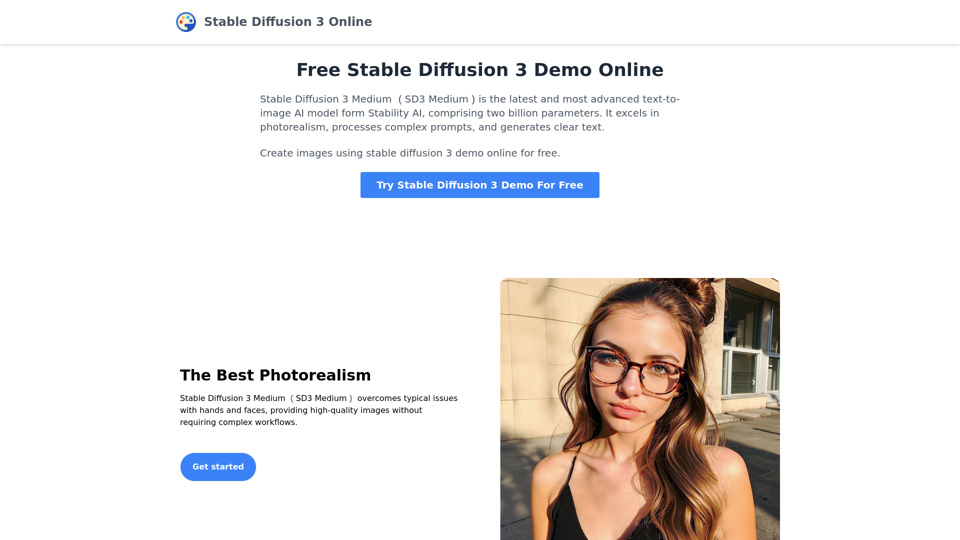
Stable Diffusion 3 Medium Demo Online

Stable Diffusion 3 Medium is the latest and most advanced text-to-image AI model. You can use the Stable Diffusion 3 Medium demo online for free.
Visit Website
Stable Diffusion 3 Medium Demo Online
Visit Website

Introduction

Stable Diffusion 3 Medium (SD3 Medium) is Stability AI's latest text-to-image AI model, boasting two billion parameters. It excels in photorealism, complex prompt processing, and clear text generation. This advanced model overcomes common issues with hands and faces, understands intricate prompts, and produces high-quality images without artifacting or spelling errors.

Feature

Unparalleled Photorealism

SD3 Medium delivers exceptional photorealistic results, particularly in rendering hands and faces, without requiring complex workflows.

Advanced Prompt Comprehension

The model accurately interprets and executes complex prompts involving:

  • Spatial relationships
  • Compositional elements
  • Actions
  • Styles

Clear Text Generation

Utilizing Diffusion Transformer architecture, SD3 Medium achieves unprecedented results in generating text without artifacting and spelling errors.

Free Online Demo

Users can experience SD3 Medium's capabilities through a free online demo, allowing for exploration and experimentation with this cutting-edge AI model.

Versatile Application

While pricing details are not specified, the model's advanced features suggest potential for both personal and professional use across various industries.

FAQ

What sets Stable Diffusion 3 Medium apart from other text-to-image AI models?

SD3 Medium is Stability AI's most advanced model, featuring:

  • Two billion parameters
  • Superior photorealism
  • Complex prompt processing
  • Clear text generation without errors

Is Stable Diffusion 3 Medium available for commercial use?

The website doesn't specify commercial use restrictions. It's advisable to review the terms of service before using the model for commercial purposes.

How can I start using Stable Diffusion 3 Medium?

To begin:

  1. Access the free online demo
  2. Experiment with complex prompts
  3. Explore various styles and compositional elements
  4. Evaluate the model's capabilities for your specific needs

Latest Traffic Insights

  • Monthly Visits

    0

  • Bounce Rate

    0.00%

  • Pages Per Visit

    0.00

  • Time on Site(s)

    0.00

  • Global Rank

    -

  • Country Rank

    -

Recent Visits

Traffic Sources

  • Social Media:
    0.00%
  • Paid Referrals:
    0.00%
  • Email:
    0.00%
  • Referrals:
    0.00%
  • Search Engines:
    0.00%
  • Direct:
    0.00%
More Data

Related Websites

Rewrite AI - Correct Grammar or Alter Writing Style with AI
View Detail

Rewrite AI - Correct Grammar or Alter Writing Style with AI

Rewrite AI - Correct Grammar or Alter Writing Style with AI

Rewrite AI assists you in refining your writing with immediate grammar corrections and style changes. Improve your content using our AI-driven writing assistant.

6.84 K
Hexofy Scraper - Free Web Scraping + AI
View Detail

Hexofy Scraper - Free Web Scraping + AI

Hexofy Scraper - Free Web Scraping + AI

1-Click Data Capture & Web Scraping Tool Enhanced with AI

193.90 M
Real-Time Video & Audio Translation
View Detail

Real-Time Video & Audio Translation

Real-Time Video & Audio Translation

AI-powered real-time translation for any video, meeting, or live-stream across 100+ languages.

193.90 M
Hadana: Your AI Travel Planner
View Detail

Hadana: Your AI Travel Planner

Hadana: Your AI Travel Planner

An AI-powered travel companion that crafts personalized travel plans based on your preferences.

593.63 K
404: This page could not be found.
View Detail

404: This page could not be found.

404: This page could not be found.

NSFW AI Characters | Erotic Roleplay | AI Sexting This platform offers a range of NSFW (Not Safe for Work) AI characters designed for erotic roleplay and AI sexting. These characters are programmed to engage in explicit conversations and roleplay scenarios, providing a unique and immersive experience for users. How it Works Our AI characters are trained on a vast dataset of erotic content, allowing them to understand and respond to a wide range of prompts and scenarios. Users can interact with the characters through text-based conversations, guiding the direction of the roleplay or sexting experience. Features * Customizable Characters: Choose from a diverse range of characters, each with their own unique personality, appearance, and preferences. * Realistic Responses: Our AI technology ensures that character responses are realistic and engaging, creating a truly immersive experience. * Explicit Content: Our characters are designed to engage in explicit conversations and roleplay scenarios, catering to a variety of tastes and preferences. * Anonymous and Secure: Our platform ensures user anonymity and security, providing a safe and discreet environment for users to explore their desires. Benefits * Discreet and Anonymous: Our platform provides a secure and anonymous environment for users to engage in erotic roleplay and sexting. * Exploration and Expression: Our AI characters allow users to explore their desires and express themselves in a safe and controlled environment. * Improved Communication: Engaging with our AI characters can help users improve their communication skills and build confidence in their relationships. Get Started Ready to explore the world of NSFW AI characters? Sign up now and discover a new level of erotic roleplay and sexting experience.

86.75 K
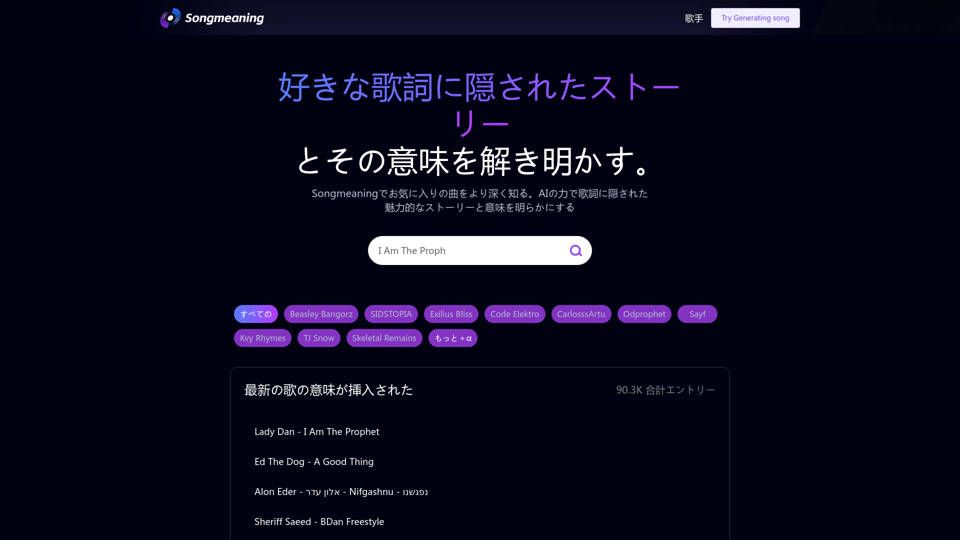
Songmeaning - Uncovering the Hidden Story Behind Your Favorite Song Lyrics
View Detail

Songmeaning - Uncovering the Hidden Story Behind Your Favorite Song Lyrics

Songmeaning - Uncovering the Hidden Story Behind Your Favorite Song Lyrics

Let's unlock the hidden depths of your favorite song with the power of AI. With Songmeaning, let's uncover the true meaning behind your favorite lyrics.

84.13 K
Claude to Notion

This is a guide on how to connect Claude, an AI assistant, with Notion, a note-taking and workspace app. 

Why connect Claude and Notion?

* Boost your productivity: Use Claude to generate content, summarize information, and automate tasks directly within Notion.
* Enhance your research: Ask Claude questions about your Notion notes and get insightful answers.
* Unlock new creative possibilities: Leverage Claude's generative capabilities to brainstorm ideas, write stories, or compose emails within your Notion workspace.

How to connect Claude and Notion:

1. API Keys: Obtain an API key for both Claude and Notion. 
2. Integration Tool: Explore integration tools like Zapier or Integromat to connect Claude and Notion. These platforms allow you to create workflows that trigger actions in one app based on events in the other.
3. Custom Development: For advanced users, you can develop your own custom integration using the Claude and Notion APIs. This gives you the most flexibility but requires coding knowledge.

Example Use Cases:

* Meeting Summarization: After a meeting, paste the transcript into Notion and use Claude to generate a concise summary.
* Content Creation:  Use Claude to write blog posts, articles, or social media captions directly within your Notion pages.
* Idea Generation: Brainstorm new ideas for projects or tasks by prompting Claude with specific questions within your Notion workspace.


Remember to review the documentation and terms of service for both Claude and Notion to ensure proper usage and security.
View Detail

Claude to Notion This is a guide on how to connect Claude, an AI assistant, with Notion, a note-taking and workspace app. Why connect Claude and Notion? * Boost your productivity: Use Claude to generate content, summarize information, and automate tasks directly within Notion. * Enhance your research: Ask Claude questions about your Notion notes and get insightful answers. * Unlock new creative possibilities: Leverage Claude's generative capabilities to brainstorm ideas, write stories, or compose emails within your Notion workspace. How to connect Claude and Notion: 1. API Keys: Obtain an API key for both Claude and Notion. 2. Integration Tool: Explore integration tools like Zapier or Integromat to connect Claude and Notion. These platforms allow you to create workflows that trigger actions in one app based on events in the other. 3. Custom Development: For advanced users, you can develop your own custom integration using the Claude and Notion APIs. This gives you the most flexibility but requires coding knowledge. Example Use Cases: * Meeting Summarization: After a meeting, paste the transcript into Notion and use Claude to generate a concise summary. * Content Creation: Use Claude to write blog posts, articles, or social media captions directly within your Notion pages. * Idea Generation: Brainstorm new ideas for projects or tasks by prompting Claude with specific questions within your Notion workspace. Remember to review the documentation and terms of service for both Claude and Notion to ensure proper usage and security.

Claude to Notion This is a guide on how to connect Claude, an AI assistant, with Notion, a note-taking and workspace app. Why connect Claude and Notion? * Boost your productivity: Use Claude to generate content, summarize information, and automate tasks directly within Notion. * Enhance your research: Ask Claude questions about your Notion notes and get insightful answers. * Unlock new creative possibilities: Leverage Claude's generative capabilities to brainstorm ideas, write stories, or compose emails within your Notion workspace. How to connect Claude and Notion: 1. API Keys: Obtain an API key for both Claude and Notion. 2. Integration Tool: Explore integration tools like Zapier or Integromat to connect Claude and Notion. These platforms allow you to create workflows that trigger actions in one app based on events in the other. 3. Custom Development: For advanced users, you can develop your own custom integration using the Claude and Notion APIs. This gives you the most flexibility but requires coding knowledge. Example Use Cases: * Meeting Summarization: After a meeting, paste the transcript into Notion and use Claude to generate a concise summary. * Content Creation: Use Claude to write blog posts, articles, or social media captions directly within your Notion pages. * Idea Generation: Brainstorm new ideas for projects or tasks by prompting Claude with specific questions within your Notion workspace. Remember to review the documentation and terms of service for both Claude and Notion to ensure proper usage and security.

Save Claude conversations to Notion with one click. Export Claude conversations.

193.90 M
Mercury: Degiro Portfolio Tracking, Visualizations & AI Metrics
View Detail

Mercury: Degiro Portfolio Tracking, Visualizations & AI Metrics

Mercury: Degiro Portfolio Tracking, Visualizations & AI Metrics

Track and visualize your Degiro portfolio performance with AI, featuring an amazing dark theme and a focus on privacy.

193.90 M