Open-source RightAI Tools Directory
  • Discover AI
  • Submit
  • Startup
  • Blog
Open-source RightAI Tools Directory
Discover the best AI tools of 2025 with the RightAI Tools Directory!

Friend Links

AI Anime GeneratorToolsApp AI

Support

Tap4
Privacy policyTerms & ConditionsContact Us
Loading...
loading...

Detailed User Personas in Seconds | Try for Free

Save hours understanding your customers with our User Persona generator.
Visit Website
Detailed User Personas in Seconds | Try for Free
Visit Website

Introduction

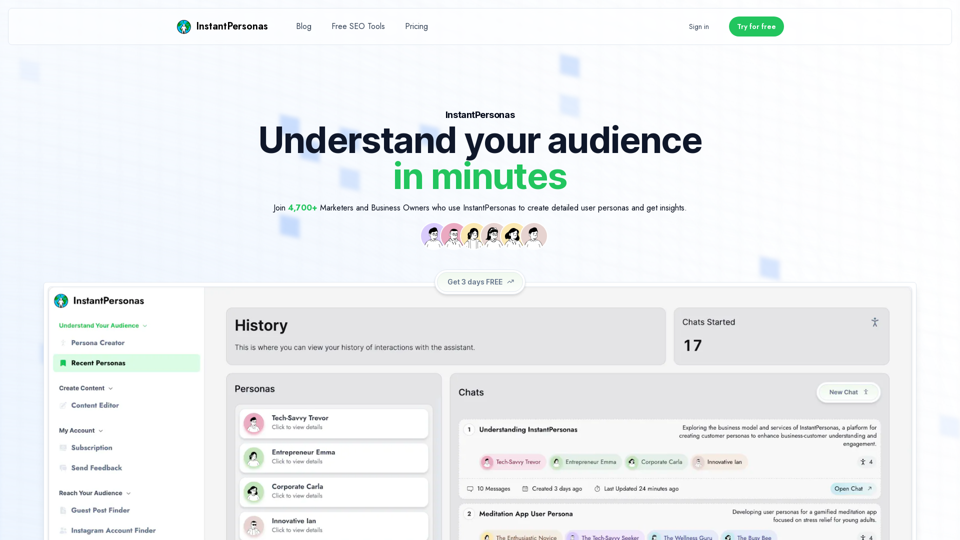
InstantPersonas is an AI-powered platform designed to help marketers and business owners understand their audience quickly and effectively. With over 4,700 users, it generates detailed user personas and provides real-time insights into audience thoughts. The platform offers a range of features to boost SEO, save time, and create targeted content.

Feature

AI-Driven Persona Creation

InstantPersonas utilizes artificial intelligence to generate detailed user personas in minutes, providing a deep understanding of your target audience.

Customizable Personas

Users can refine and tailor AI-generated personas to fit specific needs, ensuring accuracy and relevance to their business.

Real-Time Audience Insights

The platform offers real-time insights into audience thoughts, enabling users to create content that resonates with their target market.

SEO Optimization Tools

InstantPersonas provides various free SEO tools to enhance your online presence:

ToolPurpose
Topical AuthorityGenerate content ideas to boost topical authority
Guest Post FinderDiscover guest posting opportunities in your niche
Google Keyword FinderIdentify optimal keywords for your target audience
Instagram Hashtag FinderFind relevant hashtags for Instagram marketing
Share Preview OptimizerOptimize social media share previews
Headline AnalyzerCreate engaging titles for your content

Time-Saving Features

By providing quick access to audience insights and SEO tools, InstantPersonas significantly reduces the time spent on market research and content creation.

Competitive Pricing

InstantPersonas offers affordable pricing options:

PlanPriceSavings
Monthly$9.95/month-
Yearly$6.20/month37%

Community Engagement

Users can join the InstantPersonas community to connect with other marketers and business owners, sharing experiences and insights.

FAQ

Why choose InstantPersonas over ChatGPT?

InstantPersonas is specifically designed for creating detailed user personas and providing audience insights, offering specialized tools and features that ChatGPT may not provide.

How does InstantPersonas enhance SEO efforts?

InstantPersonas boosts SEO by offering deep target market insights, identifying niche-specific marketing opportunities, and facilitating the creation of SEO-optimized content tailored to your audience.

What is the vision for InstantPersonas?

While specific details about the platform's future direction are not provided, InstantPersonas aims to continually improve its AI-driven persona creation and audience insight capabilities to better serve marketers and business owners.

How can I get started with InstantPersonas?

InstantPersonas offers a free trial, allowing users to experience the platform's features and benefits before committing to a subscription.

Latest Traffic Insights

  • Monthly Visits

    781

  • Bounce Rate

    46.00%

  • Pages Per Visit

    1.70

  • Time on Site(s)

    43.36

  • Global Rank

    9393577

  • Country Rank

    -

Recent Visits

Traffic Sources

  • Social Media:
    6.57%
  • Paid Referrals:
    1.19%
  • Email:
    0.06%
  • Referrals:
    11.03%
  • Search Engines:
    45.62%
  • Direct:
    35.54%
More Data

Related Websites

1PX.AI
View Detail

1PX.AI

1PX.AI

Here is the translation: AI Photo, Photo AI, AI Photo Editing, AI Generated Photos, Free AI Photo Editor, AI Photo Generator, AI Avatar Generator

105
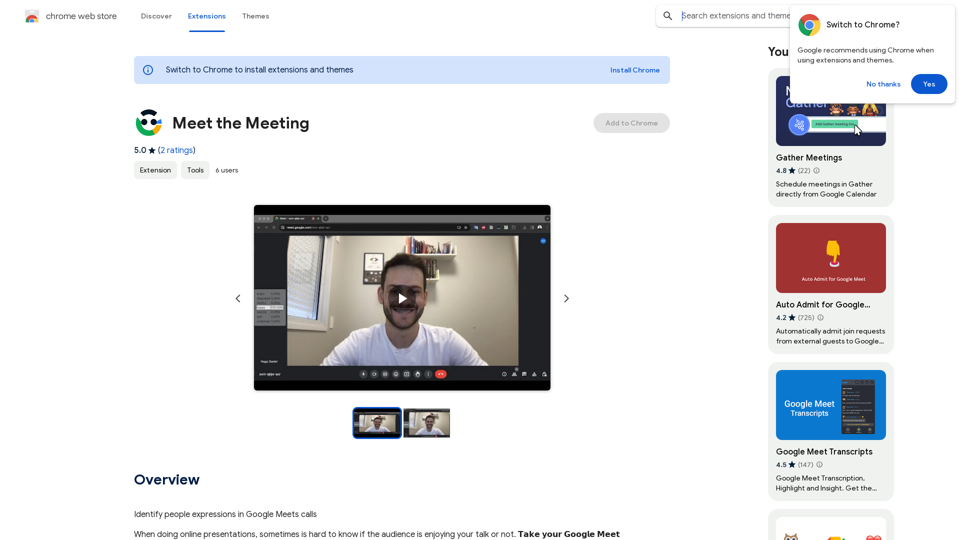
Viva Translate: Transcribe Google Meets & Browser Audio
View Detail

Viva Translate: Transcribe Google Meets & Browser Audio

Viva Translate: Transcribe Google Meets & Browser Audio

Transcribe and translate real-time video calls and more across 8 languages.

193.90 M
XOR Extension RU
View Detail

XOR Extension RU

XOR Extension RU

XOR Extension helps recruiters communicate with candidates from ATS, job boards, or LinkedIn.

193.90 M
No-Code AI Chatbot for Your Website | Chatling
View Detail

No-Code AI Chatbot for Your Website | Chatling

No-Code AI Chatbot for Your Website | Chatling

Empower your business with a custom AI website chatbot that helps with customer support, lead generation, knowledge base search, and more. It's free to start!

125.24 K
ProspectPro - B2B Lead Generation
View Detail

ProspectPro - B2B Lead Generation

ProspectPro - B2B Lead Generation

Find new B2B prospects in no time.

193.90 M
Ketchup.AI on the App Store
View Detail

Ketchup.AI on the App Store

Ketchup.AI on the App Store

Introducing Ketchup.AI, your ultimate cooking assistant powered by AI, designed to revolutionize your culinary experience, offering comprehensive answers for all your cooking needs.

124.77 M
Chat-GPT PDF

What is Chat-GPT PDF?

Chat-GPT PDF is a tool that allows users to generate PDF files from Chat-GPT conversations. This innovative tool enables users to save and share their conversations in a more organized and visually appealing format.

How does Chat-GPT PDF work?

The process is simple and straightforward. Here's a step-by-step guide:

1. Copy the conversation: Copy the entire conversation from the Chat-GPT platform.
2. Paste the conversation: Paste the copied conversation into the Chat-GPT PDF tool.
3. Customize the layout: Customize the layout, font, and design of the PDF file according to your preferences.
4. Generate the PDF: Click the "Generate PDF" button to create a downloadable PDF file.

Features of Chat-GPT PDF

Chat-GPT PDF offers several features that make it an essential tool for users:

* Customizable layout: Customize the layout, font, and design of the PDF file to suit your needs.
* Easy sharing: Share the PDF file with others via email, social media, or messaging apps.
* Offline access: Access your conversations offline, even without an internet connection.
* Organization: Organize your conversations in a neat and tidy format, making it easier to review and reference.

Benefits of Chat-GPT PDF

The benefits of using Chat-GPT PDF are numerous:

* Improved productivity: Save time and increase productivity by having all your conversations in one place.
* Enhanced collaboration: Collaborate with others more effectively by sharing conversations in a clear and concise format.
* Better organization: Keep your conversations organized, making it easier to review and reference them later.

Conclusion

Chat-GPT PDF is a game-changer for anyone who uses Chat-GPT regularly. With its ease of use, customization options, and benefits, it's an essential tool for anyone looking to get the most out of their conversations.
View Detail

Chat-GPT PDF What is Chat-GPT PDF? Chat-GPT PDF is a tool that allows users to generate PDF files from Chat-GPT conversations. This innovative tool enables users to save and share their conversations in a more organized and visually appealing format. How does Chat-GPT PDF work? The process is simple and straightforward. Here's a step-by-step guide: 1. Copy the conversation: Copy the entire conversation from the Chat-GPT platform. 2. Paste the conversation: Paste the copied conversation into the Chat-GPT PDF tool. 3. Customize the layout: Customize the layout, font, and design of the PDF file according to your preferences. 4. Generate the PDF: Click the "Generate PDF" button to create a downloadable PDF file. Features of Chat-GPT PDF Chat-GPT PDF offers several features that make it an essential tool for users: * Customizable layout: Customize the layout, font, and design of the PDF file to suit your needs. * Easy sharing: Share the PDF file with others via email, social media, or messaging apps. * Offline access: Access your conversations offline, even without an internet connection. * Organization: Organize your conversations in a neat and tidy format, making it easier to review and reference. Benefits of Chat-GPT PDF The benefits of using Chat-GPT PDF are numerous: * Improved productivity: Save time and increase productivity by having all your conversations in one place. * Enhanced collaboration: Collaborate with others more effectively by sharing conversations in a clear and concise format. * Better organization: Keep your conversations organized, making it easier to review and reference them later. Conclusion Chat-GPT PDF is a game-changer for anyone who uses Chat-GPT regularly. With its ease of use, customization options, and benefits, it's an essential tool for anyone looking to get the most out of their conversations.

Chat-GPT PDF What is Chat-GPT PDF? Chat-GPT PDF is a tool that allows users to generate PDF files from Chat-GPT conversations. This innovative tool enables users to save and share their conversations in a more organized and visually appealing format. How does Chat-GPT PDF work? The process is simple and straightforward. Here's a step-by-step guide: 1. Copy the conversation: Copy the entire conversation from the Chat-GPT platform. 2. Paste the conversation: Paste the copied conversation into the Chat-GPT PDF tool. 3. Customize the layout: Customize the layout, font, and design of the PDF file according to your preferences. 4. Generate the PDF: Click the "Generate PDF" button to create a downloadable PDF file. Features of Chat-GPT PDF Chat-GPT PDF offers several features that make it an essential tool for users: * Customizable layout: Customize the layout, font, and design of the PDF file to suit your needs. * Easy sharing: Share the PDF file with others via email, social media, or messaging apps. * Offline access: Access your conversations offline, even without an internet connection. * Organization: Organize your conversations in a neat and tidy format, making it easier to review and reference. Benefits of Chat-GPT PDF The benefits of using Chat-GPT PDF are numerous: * Improved productivity: Save time and increase productivity by having all your conversations in one place. * Enhanced collaboration: Collaborate with others more effectively by sharing conversations in a clear and concise format. * Better organization: Keep your conversations organized, making it easier to review and reference them later. Conclusion Chat-GPT PDF is a game-changer for anyone who uses Chat-GPT regularly. With its ease of use, customization options, and benefits, it's an essential tool for anyone looking to get the most out of their conversations.

Exporting Chat History to PDF You can export your chat history with Chat-GPT to a PDF file using the following methods: #Method 1: Browser Print Function 1. Open your chat conversation with Chat-GPT in a web browser. 2. Press `Ctrl + P` (Windows) or `Cmd + P` (Mac) to open the print dialog box. 3. Select "Save as PDF" as the printer destination. 4. Choose a location to save the PDF file and set the file name. 5. Click "Save" to export the chat history to a PDF file. #Method 2: Online PDF Conversion Tools 1. Copy the entire chat conversation by pressing `Ctrl + A` (Windows) or `Cmd + A` (Mac) and then `Ctrl + C` (Windows) or `Cmd + C` (Mac). 2. Go to an online PDF conversion tool, such as SmallPDF or Convertio. 3. Paste the chat conversation into the conversion tool's text box. 4. Select the PDF format and click "Convert" to generate the PDF file. 5. Download the PDF file to your computer. #Method 3: Browser Extensions 1. Install a browser extension, such as Print Friendly & PDF or FireShot, that allows you to save web pages as PDF files. 2. Open your chat conversation with Chat-GPT in a web browser. 3. Click the browser extension's icon in the toolbar. 4. Select the "Save as PDF" option and choose a location to save the file. 5. Click "Save" to export the chat history to a PDF file. By following these methods, you can easily export your chat history with Chat-GPT to a PDF file for future reference or sharing.

193.90 M
OneClick AI
View Detail

OneClick AI

OneClick AI

Instantly understand web content and extract key points with AI-powered summarization and translation with just one click.

193.90 M