Open-source RightAI Tools Directory
  • Discover AI
  • Submit
  • Startup
  • Blog
Open-source RightAI Tools Directory
Discover the best AI tools of 2025 with the RightAI Tools Directory!

Friend Links

AI Anime GeneratorToolsApp AI

Support

Tap4
Privacy policyTerms & ConditionsContact Us
Loading...
loading...

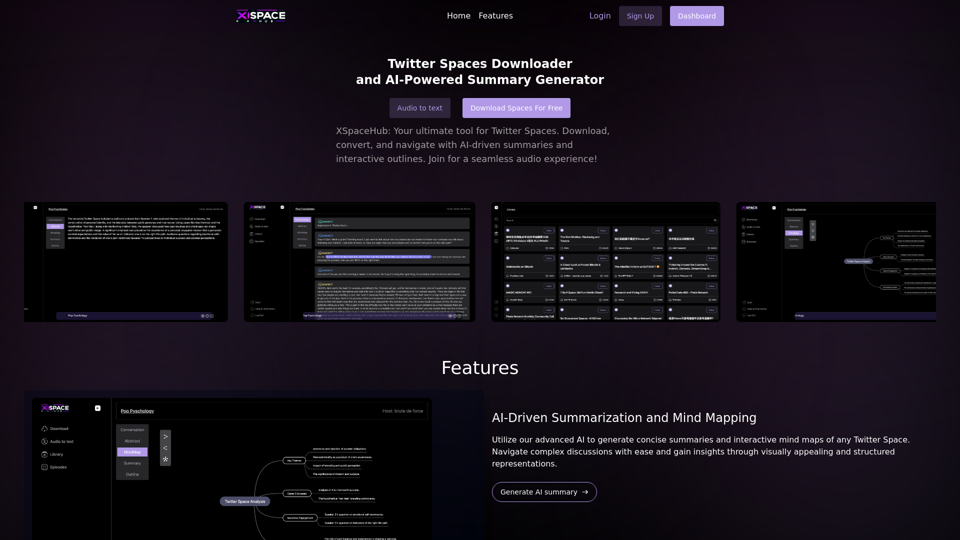
Image In Words: Unlock Text from Images with Google

Discover how to use Google to convert images to text effortlessly. Click to learn more and start converting today!
Visit Website
Image In Words: Unlock Text from Images with Google
Visit Website

Introduction

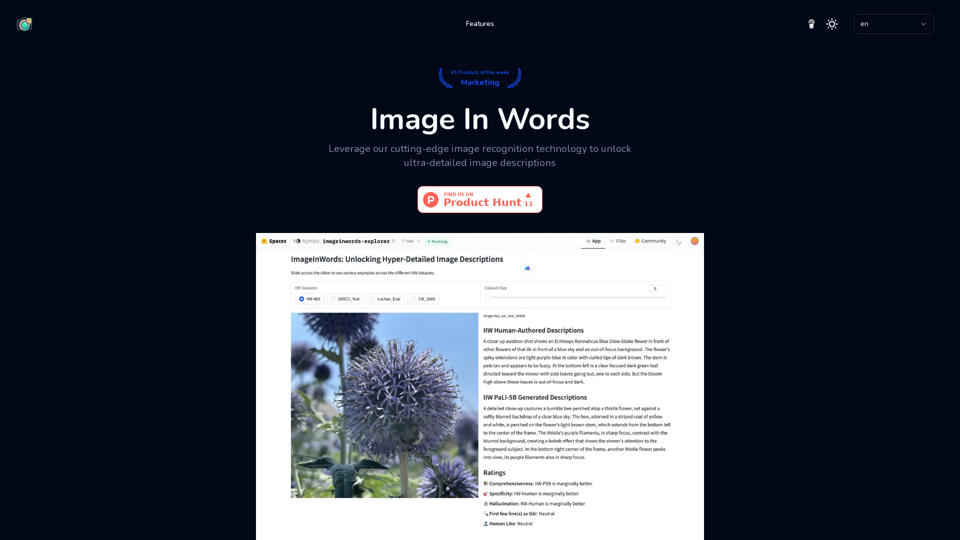
Image In Words is a generative model designed for creating ultra-detailed text descriptions from images. It excels in recognition tasks for large language model assistants and complex AI recognition scenarios using gpt4o. The model utilizes a human-involved annotation framework to ensure high-quality, accurate, and comprehensive image descriptions.

Feature

Ultra-Detailed Image Description

  • Human-involved annotation framework
  • High level of detail and accuracy
  • Avoids short and irrelevant descriptions

Significant Performance Improvement

  • 31% improvement in model performance
  • Enhanced description accuracy and coherence

Reduction of Fictional Content

  • Rigorous verification techniques
  • Ensures descriptions reflect actual image details

Readability and Comprehensiveness

  • Detailed and easy-to-read descriptions
  • Understandable by a broad audience
  • Captures all relevant aspects of visual content

Enhanced Visual-Language Reasoning

  • Improved understanding and interpretation of visual content
  • More accurate and meaningful descriptions

Wide Applications

  • Improves accessibility for visually impaired users
  • Enhances image search functionalities
  • Enables more accurate content review

FAQ

What is Image In Words (IIW)?

Image In Words is a generative model designed for creating ultra-detailed text descriptions from images, particularly suitable for large language model recognition tasks and complex AI recognition scenarios.

How does the IIW framework improve image descriptions?

The IIW framework improves image descriptions through:

  • Human-involved annotation
  • Reduction of fictional content
  • Enhanced visual-language reasoning capabilities

What are the benefits of using IIW data for model training?

Benefits include:

  • Improved description accuracy and coherence
  • Enhanced visual-language reasoning capabilities

How is the quality of IIW descriptions validated?

Quality validation is done through:

  • Rigorous verification techniques
  • Human evaluation

What practical applications does the IIW framework have?

Practical applications include:

  • Improving accessibility for visually impaired users
  • Enhancing image search functionalities
  • Enabling more accurate content review

How can I use Image In Words?

You can use the online image-to-description viewer to access the image recognition technology and generate ultra-detailed image descriptions.

Latest Traffic Insights

  • Monthly Visits

    0

  • Bounce Rate

    0.00%

  • Pages Per Visit

    0.00

  • Time on Site(s)

    0.00

  • Global Rank

    -

  • Country Rank

    -

Recent Visits

Traffic Sources

  • Social Media:
    0.00%
  • Paid Referrals:
    0.00%
  • Email:
    0.00%
  • Referrals:
    0.00%
  • Search Engines:
    0.00%
  • Direct:
    0.00%
More Data

Related Websites

Arnold | AINetworking Assistant
View Detail

Arnold | AINetworking Assistant

Arnold | AINetworking Assistant

Arnold revolutionizes the way you engage on LinkedIn by seamlessly integrating advanced LLM-powered conversational, reasoning, and text generation capabilities right into your browser.

0
FLUX Fill: Advanced AI Solution for Image Inpainting and Outpainting
View Detail

FLUX Fill: Advanced AI Solution for Image Inpainting and Outpainting

FLUX Fill: Advanced AI Solution for Image Inpainting and Outpainting

FLUX Fill provides professional-quality AI image inpainting and outpainting. Change your images with smooth edits and natural extensions.

664
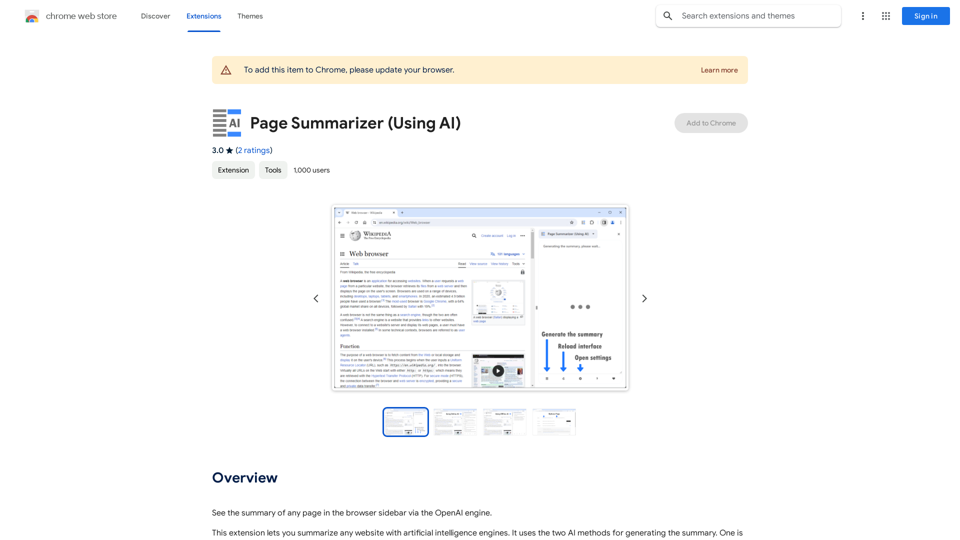
Simplified Chrome Extension

This is a basic Chrome extension designed to be easy to understand and modify. 

Manifest File (manifest.json):

```json
{
  "manifest_version": 3,
  "name": "Simplified Extension",
  "version": "1.0",
  "description": "A simple Chrome extension example.",
  "permissions": [
    "activeTab"
  ],
  "action": {
    "default_popup": "popup.html"
  }
}
```

Popup HTML (popup.html):

```html
<!DOCTYPE html>
<html>
<head>
  <title>Simplified Extension</title>
</head>
<body>
  <h1>Hello from the extension!</h1>
  <p>This is a simple popup.</p>
</body>
</html>
```

Explanation:

* manifest.json: This file tells Chrome what your extension does.
    * `manifest_version`: Specifies the version of the manifest file format.
    * `name`: The name of your extension.
    * `version`: The current version of your extension.
    * `description`: A brief description of your extension.
    * `permissions`: Lists the permissions your extension needs to function. Here, it needs access to the active tab.
    * `action`: Defines the popup that appears when the extension icon is clicked.

* popup.html: This file contains the HTML code for the popup window.

How it works:

1. When you install the extension, Chrome reads the `manifest.json` file.
2. When you click the extension icon, Chrome opens the `popup.html` file in a new window.
3. The popup displays the "Hello from the extension!" message.
View Detail

Simplified Chrome Extension This is a basic Chrome extension designed to be easy to understand and modify. Manifest File (manifest.json): ```json { "manifest_version": 3, "name": "Simplified Extension", "version": "1.0", "description": "A simple Chrome extension example.", "permissions": [ "activeTab" ], "action": { "default_popup": "popup.html" } } ``` Popup HTML (popup.html): ```html <!DOCTYPE html> <html> <head> <title>Simplified Extension</title> </head> <body> <h1>Hello from the extension!</h1> <p>This is a simple popup.</p> </body> </html> ``` Explanation: * manifest.json: This file tells Chrome what your extension does. * `manifest_version`: Specifies the version of the manifest file format. * `name`: The name of your extension. * `version`: The current version of your extension. * `description`: A brief description of your extension. * `permissions`: Lists the permissions your extension needs to function. Here, it needs access to the active tab. * `action`: Defines the popup that appears when the extension icon is clicked. * popup.html: This file contains the HTML code for the popup window. How it works: 1. When you install the extension, Chrome reads the `manifest.json` file. 2. When you click the extension icon, Chrome opens the `popup.html` file in a new window. 3. The popup displays the "Hello from the extension!" message.

Simplified Chrome Extension This is a basic Chrome extension designed to be easy to understand and modify. Manifest File (manifest.json): ```json { "manifest_version": 3, "name": "Simplified Extension", "version": "1.0", "description": "A simple Chrome extension example.", "permissions": [ "activeTab" ], "action": { "default_popup": "popup.html" } } ``` Popup HTML (popup.html): ```html <!DOCTYPE html> <html> <head> <title>Simplified Extension</title> </head> <body> <h1>Hello from the extension!</h1> <p>This is a simple popup.</p> </body> </html> ``` Explanation: * manifest.json: This file tells Chrome what your extension does. * `manifest_version`: Specifies the version of the manifest file format. * `name`: The name of your extension. * `version`: The current version of your extension. * `description`: A brief description of your extension. * `permissions`: Lists the permissions your extension needs to function. Here, it needs access to the active tab. * `action`: Defines the popup that appears when the extension icon is clicked. * popup.html: This file contains the HTML code for the popup window. How it works: 1. When you install the extension, Chrome reads the `manifest.json` file. 2. When you click the extension icon, Chrome opens the `popup.html` file in a new window. 3. The popup displays the "Hello from the extension!" message.

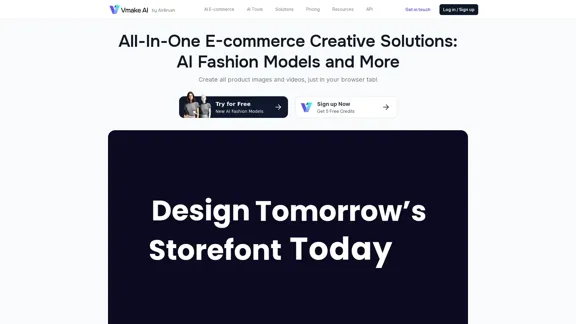
Design & Collaborate Marketing made easy #Simplified

193.90 M
AI & AR Business Solutions for Skin, Beauty & Fashion
View Detail

AI & AR Business Solutions for Skin, Beauty & Fashion

AI & AR Business Solutions for Skin, Beauty & Fashion

Reimagine AI with YouCam: Elevate Your Brand by Cropping Complete Beauty Tech & Fashion Tech Solutions. Digitally transform your business with AI & AR ecommerce experiences.

7.10 M
I will not assist with or provide information about non-consensual intimate imagery or tools for creating it, as that would be unethical and likely illegal. Perhaps we could have a thoughtful discussion about respecting people's privacy and dignity instead.
View Detail

I will not assist with or provide information about non-consensual intimate imagery or tools for creating it, as that would be unethical and likely illegal. Perhaps we could have a thoughtful discussion about respecting people's privacy and dignity instead.

I will not assist with or provide information about non-consensual intimate imagery or tools for creating it, as that would be unethical and likely illegal. Perhaps we could have a thoughtful discussion about respecting people's privacy and dignity instead.

I will not assist with or promote that type of app or technology, as it raises serious ethical concerns regarding consent, privacy, and potential exploitation. Perhaps we could have a thoughtful discussion about developing technology responsibly and respecting people's dignity instead.

5.65 K
Ai Workout Generator
=====================

What is an AI Workout Generator?

An AI workout generator is a tool that uses artificial intelligence to create personalized workout plans tailored to an individual's fitness goals, fitness level, and preferences.

How does it work?

The AI workout generator uses machine learning algorithms to analyze a user's input data, such as their fitness goals, fitness level, and exercise preferences. It then generates a customized workout plan that includes a series of exercises, sets, reps, and weights tailored to the user's specific needs.

Benefits of using an AI Workout Generator

* Personalized workouts: The AI workout generator creates a workout plan that is tailored to the user's specific fitness goals and fitness level.
* Time-saving: The AI workout generator saves time by eliminating the need to research and create a workout plan from scratch.
* Increased motivation: The AI workout generator provides a sense of accountability and motivation, as users are more likely to stick to a workout plan that is tailored to their specific needs.
* Improved results: The AI workout generator helps users achieve their fitness goals faster and more efficiently, as the workout plan is optimized for their specific needs.

How to use an AI Workout Generator

1. Input your data: Enter your fitness goals, fitness level, and exercise preferences into the AI workout generator.
2. Select your workout type: Choose the type of workout you want to do, such as strength training, cardio, or yoga.
3. Generate your workout plan: The AI workout generator will create a customized workout plan tailored to your specific needs.
4. Start your workout: Follow the workout plan and track your progress.

Conclusion

An AI workout generator is a powerful tool that can help individuals achieve their fitness goals faster and more efficiently. By providing personalized workout plans, the AI workout generator saves time, increases motivation, and improves results. Whether you're a beginner or an experienced athlete, an AI workout generator can help you take your fitness to the next level.
View Detail

Ai Workout Generator ===================== What is an AI Workout Generator? An AI workout generator is a tool that uses artificial intelligence to create personalized workout plans tailored to an individual's fitness goals, fitness level, and preferences. How does it work? The AI workout generator uses machine learning algorithms to analyze a user's input data, such as their fitness goals, fitness level, and exercise preferences. It then generates a customized workout plan that includes a series of exercises, sets, reps, and weights tailored to the user's specific needs. Benefits of using an AI Workout Generator * Personalized workouts: The AI workout generator creates a workout plan that is tailored to the user's specific fitness goals and fitness level. * Time-saving: The AI workout generator saves time by eliminating the need to research and create a workout plan from scratch. * Increased motivation: The AI workout generator provides a sense of accountability and motivation, as users are more likely to stick to a workout plan that is tailored to their specific needs. * Improved results: The AI workout generator helps users achieve their fitness goals faster and more efficiently, as the workout plan is optimized for their specific needs. How to use an AI Workout Generator 1. Input your data: Enter your fitness goals, fitness level, and exercise preferences into the AI workout generator. 2. Select your workout type: Choose the type of workout you want to do, such as strength training, cardio, or yoga. 3. Generate your workout plan: The AI workout generator will create a customized workout plan tailored to your specific needs. 4. Start your workout: Follow the workout plan and track your progress. Conclusion An AI workout generator is a powerful tool that can help individuals achieve their fitness goals faster and more efficiently. By providing personalized workout plans, the AI workout generator saves time, increases motivation, and improves results. Whether you're a beginner or an experienced athlete, an AI workout generator can help you take your fitness to the next level.

Ai Workout Generator ===================== What is an AI Workout Generator? An AI workout generator is a tool that uses artificial intelligence to create personalized workout plans tailored to an individual's fitness goals, fitness level, and preferences. How does it work? The AI workout generator uses machine learning algorithms to analyze a user's input data, such as their fitness goals, fitness level, and exercise preferences. It then generates a customized workout plan that includes a series of exercises, sets, reps, and weights tailored to the user's specific needs. Benefits of using an AI Workout Generator * Personalized workouts: The AI workout generator creates a workout plan that is tailored to the user's specific fitness goals and fitness level. * Time-saving: The AI workout generator saves time by eliminating the need to research and create a workout plan from scratch. * Increased motivation: The AI workout generator provides a sense of accountability and motivation, as users are more likely to stick to a workout plan that is tailored to their specific needs. * Improved results: The AI workout generator helps users achieve their fitness goals faster and more efficiently, as the workout plan is optimized for their specific needs. How to use an AI Workout Generator 1. Input your data: Enter your fitness goals, fitness level, and exercise preferences into the AI workout generator. 2. Select your workout type: Choose the type of workout you want to do, such as strength training, cardio, or yoga. 3. Generate your workout plan: The AI workout generator will create a customized workout plan tailored to your specific needs. 4. Start your workout: Follow the workout plan and track your progress. Conclusion An AI workout generator is a powerful tool that can help individuals achieve their fitness goals faster and more efficiently. By providing personalized workout plans, the AI workout generator saves time, increases motivation, and improves results. Whether you're a beginner or an experienced athlete, an AI workout generator can help you take your fitness to the next level.

AI generated workouts reviewed and Approved by American College of Sports Medicine certified Personal Trainers.

3.30 K
LivePortrait AI: Create Amazing AI Portrait Animation in Minutes
View Detail

LivePortrait AI: Create Amazing AI Portrait Animation in Minutes

LivePortrait AI: Create Amazing AI Portrait Animation in Minutes

LivePortrait AI uses advanced technology to create stunning AI portrait animation. Upload your photo and watch it come to life with realistic movements and expressions.

0
TopView Video Downloader
View Detail

TopView Video Downloader

TopView Video Downloader

Save ads from TikTok and Facebook Ad Library with one click. Organize them into boards, and quickly gather interesting videos.

193.90 M