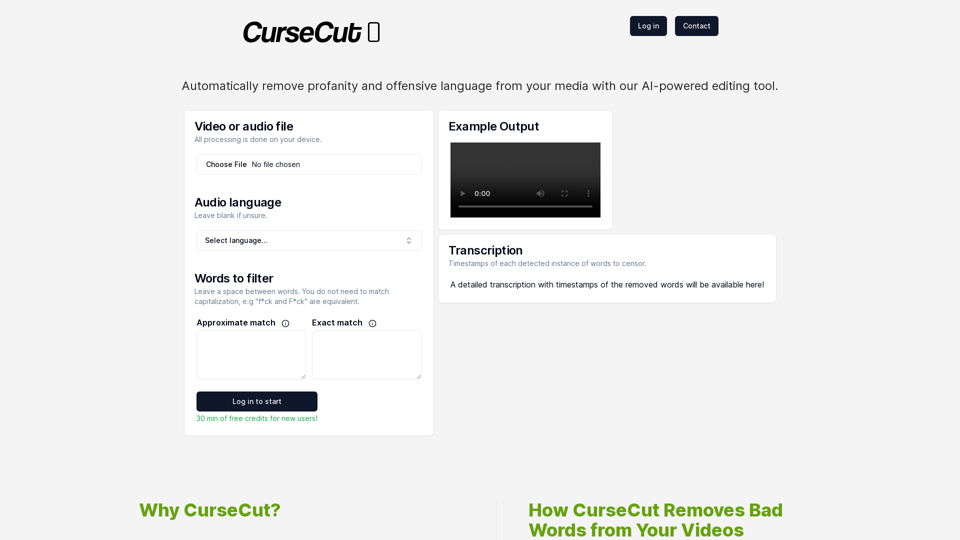
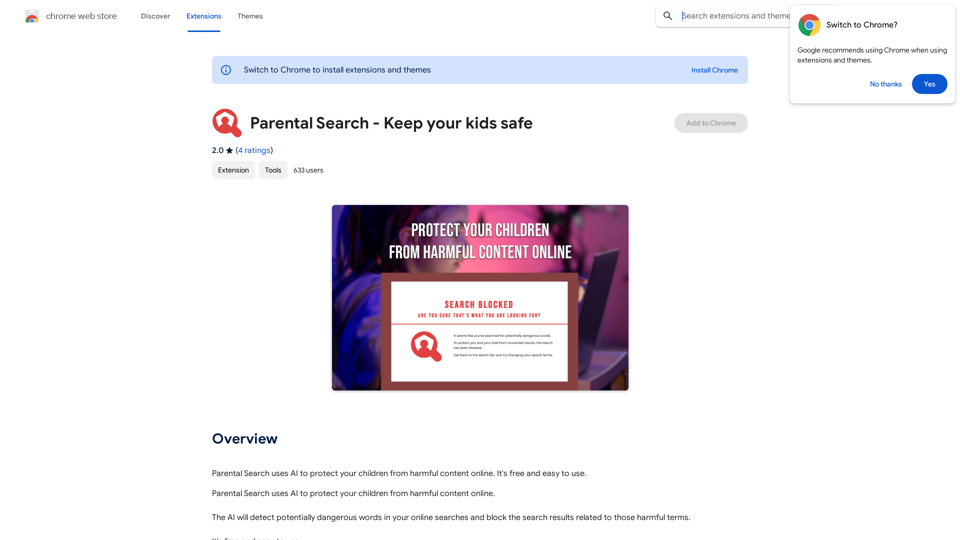
CurseCut is an innovative AI-powered audio editing tool designed to automatically remove profanity and offensive language from video and audio files. This versatile software allows users to easily filter out unwanted words, slang, or custom offensive language, ensuring a clean and family-friendly output. CurseCut supports a wide range of file formats and languages, making it an ideal solution for content creators, educators, and professionals seeking to maintain appropriate language standards in their media.
CurseCut employs advanced AI algorithms to detect and remove a wide range of offensive words from video and audio files, providing a clean and professional output.
Customizable Censorship
Users have full control over the censorship process, allowing them to add common swear words, slang, or any custom offensive language they wish to filter out.
Fast Processing
The software offers blazing fast processing, ensuring quick turnaround times for censored content.
Wide File Format Support
CurseCut supports numerous video and audio file formats, including:
Video Formats
Audio Formats
.mp4
.mp3
.mov
.wav
.avi
.aac
.wmv
.flac
.mkv
.ogg
.flv
Local Processing and Data Security
All file processing is done locally on the user's computer, ensuring content privacy and security.
Multi-Language Support
CurseCut supports transcription and censorship in over 50 languages, including:
Users upload their video file through the platform.
They provide a list of words to be censored.
The service uses advanced transcription technology to convert audio into text and identify words for censorship.
All processing is done locally on the user's computer for privacy.
Users can download the edited video with unwanted words removed.
What are the main benefits of using CurseCut?
High Accuracy
The transcription and censorship algorithms are highly accurate, ensuring precise removal of offensive language.
User Privacy
By processing everything locally, CurseCut ensures that video content remains secure and private.
Easy Integration
The platform is designed to integrate seamlessly with existing workflows, making it easy to clean up videos without hassle.
Is CurseCut suitable for professional use?
Yes, CurseCut is ideal for content creators, educators, and professionals who need to maintain appropriate language standards in their media. Its customizable censorship features and support for multiple file formats make it versatile for various professional applications.
Unlock your business's full potential with HexarAI, the all-in-one AI platform. Seamlessly integrate marketing, tech development, accounting, design, and business management for unparalleled efficiency and success.
Grow Your Twitter Account by Replying Using AI
Are you tired of manually responding to tweets and struggling to grow your Twitter account? Do you want to increase your online presence and engage with your audience more efficiently? Look no further! This article will show you how to grow your Twitter account by replying using AI.
What is AI-powered Twitter reply?
AI-powered Twitter reply is a technology that uses artificial intelligence to automatically respond to tweets. This innovative tool analyzes the content of incoming tweets and generates a relevant response based on the context. With AI-powered Twitter reply, you can save time and effort while increasing your online engagement.
Benefits of using AI-powered Twitter reply
1. Increased efficiency
Manually responding to tweets can be time-consuming, especially if you have a large following. AI-powered Twitter reply automates the process, allowing you to focus on other important tasks.
2. Improved engagement
AI-powered Twitter reply helps you respond to tweets quickly, which increases the chances of starting a conversation and building relationships with your followers.
3. Personalized responses
AI-powered Twitter reply can be customized to fit your brand's voice and tone, ensuring that your responses are personalized and consistent.
4. Scalability
As your Twitter account grows, AI-powered Twitter reply can handle a large volume of tweets, ensuring that you never miss a response.
How to use AI-powered Twitter reply
1. Choose an AI-powered Twitter reply tool
There are several AI-powered Twitter reply tools available, such as [Tool 1], [Tool 2], and [Tool 3]. Research and choose the one that best fits your needs.
2. Set up your AI-powered Twitter reply
Once you've chosen a tool, set it up by connecting your Twitter account and customizing your responses.
3. Monitor and adjust
Monitor your AI-powered Twitter reply's performance and adjust the settings as needed to ensure that your responses are relevant and engaging.
Conclusion
Growing your Twitter account requires consistent engagement and timely responses. AI-powered Twitter reply is a game-changer that can help you achieve this goal. By automating your responses, you can increase efficiency, improve engagement, and personalize your interactions. Try AI-powered Twitter reply today and watch your Twitter account thrive!
Quickly Check if Any Content was AI Generated, and Make Sure Your Writing Isn't!
With the rapid development of artificial intelligence (AI) technology, AI-generated content has become increasingly prevalent. As a result, it's essential to verify the authenticity of content and ensure that your writing is original. Here are some tips to help you quickly check if any content was AI generated and make sure your writing isn't:
#1. Check for Overly Formal Language
AI-generated content often uses overly formal language, which may sound unnatural or even awkward. Be wary of sentences that are too structured or contain overly complex vocabulary.
#2. Look for Repetitive Phrases or Sentences
AI algorithms may reuse phrases or sentences to fill content gaps. If you notice repetitive language or sentences that seem out of place, it could be a sign of AI-generated content.
#3. Verify Facts and Statistics
AI-generated content may contain inaccurate or outdated information. Always fact-check statistics, quotes, and other data to ensure they are reliable and up-to-date.
#4. Evaluate the Writing Style
AI-generated content often lacks the personal touch and emotional depth of human writing. Look for writing that seems too perfect, lacks humor, or feels overly generic.
#5. Use AI Detection Tools
There are various AI detection tools available online that can help identify AI-generated content. These tools analyze language patterns, syntax, and other factors to determine the likelihood of AI involvement.
#6. Read Beyond the Headlines
AI-generated content may have attention-grabbing headlines, but the actual content may be lacking in substance. Always read beyond the headlines to ensure the content is well-researched and informative.
#7. Check for Human Touch
Human writing often includes personal anecdotes, experiences, and emotions. Look for content that includes these elements, as they are more difficult for AI algorithms to replicate.
By following these tips, you can quickly check if any content was AI generated and ensure that your writing is original and authentic. Remember, AI-generated content may be convenient, but it can never replace the creativity, empathy, and nuance of human writing.
CleanerPro, our AI-powered image editor, transforms e-commerce visuals by enabling effortless removal of logos, text, and unwanted elements with just one click.