Open-source RightAI Tools Directory
  • Discover AI
  • Submit
  • Startup
  • Blog
Open-source RightAI Tools Directory
Discover the best AI tools of 2025 with the RightAI Tools Directory!

Friend Links

AI Anime GeneratorToolsApp AI

Support

Tap4
Privacy policyTerms & ConditionsContact Us
Loading...
loading...

SpeedClip

I can help you with that! Just give me the YouTube video link and I'll do my best to provide a clear and concise summary of its content.
Visit Website
SpeedClip
Visit Website

Introduction

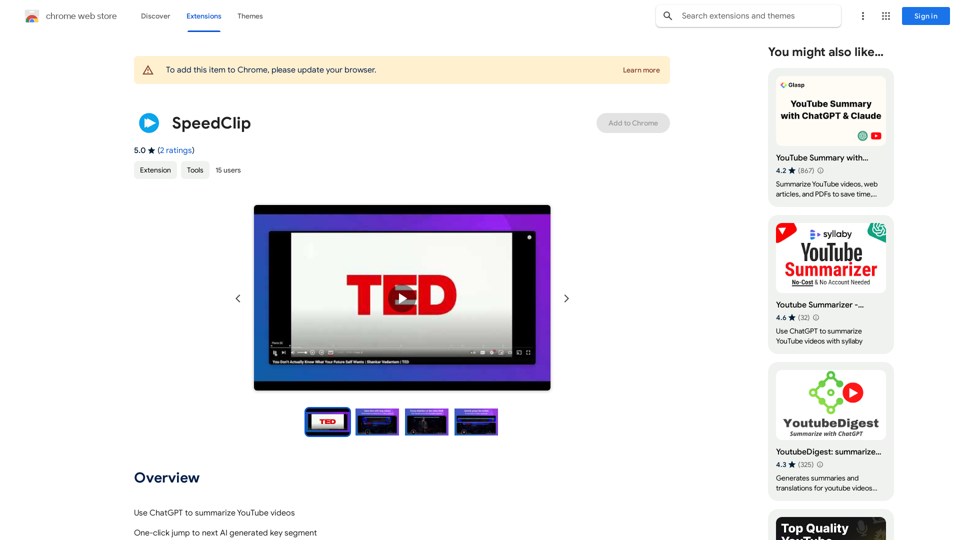
SpeedClip is an innovative Chrome extension that leverages AI technology to enhance the YouTube viewing experience. It allows users to efficiently navigate through lengthy videos by identifying and summarizing key segments, offering a time-saving alternative to traditional fast-forwarding and rewinding methods.

Feature

AI-Powered Video Navigation

SpeedClip utilizes artificial intelligence to analyze YouTube video subtitles, identifying and highlighting crucial segments for quick browsing.

One-Click Segment Jumping

Users can effortlessly navigate through key video segments with a single mouse click, streamlining the viewing process.

Segment Summaries

The extension provides concise summaries of each key segment, enabling users to quickly assess and understand video content.

Cost-Effective Solution

SpeedClip operates without subscription fees or hidden costs, utilizing the user's personal OpenAI account for AI processing.

Easy Setup Process

Installation is straightforward, requiring users to obtain an OpenAI API key and input it into the extension's settings page.

YouTube Integration

SpeedClip seamlessly integrates with YouTube, enhancing the platform's functionality for users seeking efficient video consumption.

FAQ

How do I use SpeedClip?

To use SpeedClip, follow these steps:

  1. Install the Chrome extension
  2. Obtain your OpenAI API key
  3. Paste the API key into SpeedClip's settings page
  4. Begin using the extension on YouTube videos with subtitles

Is there a subscription fee for SpeedClip?

No, SpeedClip does not charge any subscription fees or have hidden costs. The AI processing utilizes your personal OpenAI account.

Does SpeedClip support YouTube videos without subtitles?

Due to technical limitations, SpeedClip currently does not support YouTube videos without subtitles. The extension relies on subtitle data for its AI-powered analysis and navigation features.

Latest Traffic Insights

  • Monthly Visits

    193.90 M

  • Bounce Rate

    56.27%

  • Pages Per Visit

    2.71

  • Time on Site(s)

    115.91

  • Global Rank

    -

  • Country Rank

    -

Recent Visits

Traffic Sources

  • Social Media:
    0.48%
  • Paid Referrals:
    0.55%
  • Email:
    0.15%
  • Referrals:
    12.81%
  • Search Engines:
    16.21%
  • Direct:
    69.81%
More Data

Related Websites

Rent GPUs | Vast.ai
View Detail

Rent GPUs | Vast.ai

Rent GPUs | Vast.ai

Reduce your cloud compute costs by 3-5 times with the best cloud GPU rentals. Vast.ai's simple search interface allows for fair comparison of GPU rentals from all providers.

869.48 K
Moodle GPT Quiz Solver
View Detail

Moodle GPT Quiz Solver

Moodle GPT Quiz Solver

A Chrome extension that helps you find answers for Moodle quizzes by using the ChatGPT API. Press Shift + S to show or hide the answers.

193.90 M
Typogram
View Detail

Typogram

Typogram

Use Typogram to generate text, translate languages, and write code on any website.

193.90 M
Text Summarizer 

This is a tool that can condense large amounts of text into shorter, more manageable summaries.
View Detail

Text Summarizer This is a tool that can condense large amounts of text into shorter, more manageable summaries.

Text Summarizer This is a tool that can condense large amounts of text into shorter, more manageable summaries.

Instantly summarize text with Text Summarizer: optimize your work using AI-powered text summarization with ChatGPT.

193.90 M
Re:GPT β€” AI-Powered Email Assistant
View Detail

Re:GPT β€” AI-Powered Email Assistant

Re:GPT β€” AI-Powered Email Assistant

OpenAI ChatGPT integration for Gmail & Outlook β€” Automatically fill in email replies and harness the power of GPT to compose high-quality emails at a faster pace.

193.90 M
Article Summary with ChatGPT and Take Notes

This is a guide on how to use ChatGPT to summarize articles and take notes effectively. 

Step 1:  Provide ChatGPT with the Article

Copy and paste the full text of the article into the ChatGPT interface. 

Step 2:  Craft Your Prompt

Tell ChatGPT what you want it to do. Here are some examples:

* Summarize: "Please summarize this article in 200 words."
* Key Points: "What are the main points of this article?"
* Bullet Points: "Summarize the key findings of this article in bullet points."
* Notes: "Take notes on this article, focusing on the author's arguments and supporting evidence."

Step 3:  Review and Refine

ChatGPT will generate a summary, key points, bullet points, or notes based on your prompt. 

* Read carefully: Make sure the output accurately reflects the article's content.
* Edit as needed:  You can ask ChatGPT to rephrase sections or provide more detail.
* Add your own insights:  Don't just copy ChatGPT's output. Use it as a starting point and add your own thoughts, questions, and connections.

Tips for Effective Use:

* Be specific: The more specific your prompt, the better the output will be.
* Experiment with different prompts: Try various phrasing to see what works best.
* Use ChatGPT as a tool:  It's a powerful aid, but it's not a replacement for critical reading and thinking.
View Detail

Article Summary with ChatGPT and Take Notes This is a guide on how to use ChatGPT to summarize articles and take notes effectively. Step 1: Provide ChatGPT with the Article Copy and paste the full text of the article into the ChatGPT interface. Step 2: Craft Your Prompt Tell ChatGPT what you want it to do. Here are some examples: * Summarize: "Please summarize this article in 200 words." * Key Points: "What are the main points of this article?" * Bullet Points: "Summarize the key findings of this article in bullet points." * Notes: "Take notes on this article, focusing on the author's arguments and supporting evidence." Step 3: Review and Refine ChatGPT will generate a summary, key points, bullet points, or notes based on your prompt. * Read carefully: Make sure the output accurately reflects the article's content. * Edit as needed: You can ask ChatGPT to rephrase sections or provide more detail. * Add your own insights: Don't just copy ChatGPT's output. Use it as a starting point and add your own thoughts, questions, and connections. Tips for Effective Use: * Be specific: The more specific your prompt, the better the output will be. * Experiment with different prompts: Try various phrasing to see what works best. * Use ChatGPT as a tool: It's a powerful aid, but it's not a replacement for critical reading and thinking.

Article Summary with ChatGPT and Take Notes This is a guide on how to use ChatGPT to summarize articles and take notes effectively. Step 1: Provide ChatGPT with the Article Copy and paste the full text of the article into the ChatGPT interface. Step 2: Craft Your Prompt Tell ChatGPT what you want it to do. Here are some examples: * Summarize: "Please summarize this article in 200 words." * Key Points: "What are the main points of this article?" * Bullet Points: "Summarize the key findings of this article in bullet points." * Notes: "Take notes on this article, focusing on the author's arguments and supporting evidence." Step 3: Review and Refine ChatGPT will generate a summary, key points, bullet points, or notes based on your prompt. * Read carefully: Make sure the output accurately reflects the article's content. * Edit as needed: You can ask ChatGPT to rephrase sections or provide more detail. * Add your own insights: Don't just copy ChatGPT's output. Use it as a starting point and add your own thoughts, questions, and connections. Tips for Effective Use: * Be specific: The more specific your prompt, the better the output will be. * Experiment with different prompts: Try various phrasing to see what works best. * Use ChatGPT as a tool: It's a powerful aid, but it's not a replacement for critical reading and thinking.

I can do that! Please provide me with the URL of the webpage or article you'd like me to summarize. I'll do my best to create a concise and easy-to-understand summary for you.

193.90 M
The Only Platform You Need to Excel in Your Studies | AllWriting
View Detail

The Only Platform You Need to Excel in Your Studies | AllWriting

The Only Platform You Need to Excel in Your Studies | AllWriting

Allwriting provides a full pack of free online essay creation tools for your comfortable & fast editing, idea generation, essay checking, and summarizing.

638
wikibit
View Detail

wikibit

wikibit

Global Blockchain Regulatory Inquiry

193.90 M