Open-source RightAI Tools Directory
  • Discover AI
  • Submit
  • Startup
  • Blog
Open-source RightAI Tools Directory
Discover the best AI tools of 2025 with the RightAI Tools Directory!

Friend Links

AI Anime GeneratorToolsApp AI

Support

Tap4
Privacy policyTerms & ConditionsContact Us
Loading...
loading...

Scrumball for Influencer

Overseas Influencer Marketing - Overseas Internet Celebrity Marketing - Overseas Game Promotion - Scrumball - YouTube - Instagram - Tiktok - Internet Celebrity Marketing - Brand Data Analysis
Visit Website
Scrumball for Influencer
Visit Website

Introduction

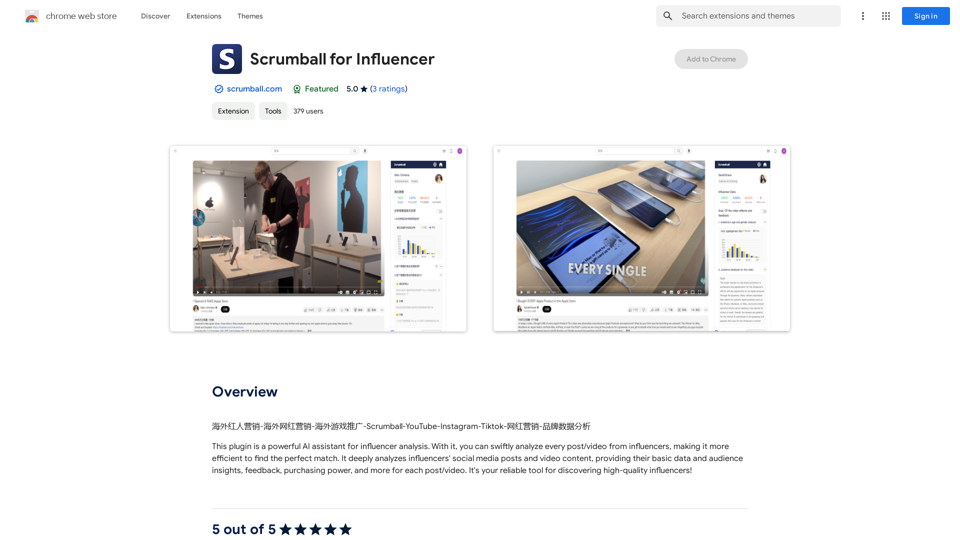
Scrumball for Influencer is an AI-powered assistant designed for comprehensive influencer analysis. This Chrome plugin enables swift examination of influencers' posts and videos across social media platforms. It provides deep insights into influencers' content, audience engagement, and purchasing power, making it an efficient tool for brands seeking the perfect influencer match.

Feature

AI-Powered Influencer Analysis

Scrumball for Influencer utilizes advanced AI technology to analyze influencers' social media posts and video content. This feature provides in-depth insights into audience demographics, engagement rates, and potential purchasing power for each post or video.

User-Friendly Interface

The plugin boasts a simple and intuitive design, making it accessible for users of all technical levels. Its easy-to-use interface allows for quick influencer searches and effortless content analysis.

Comprehensive Insights

Scrumball for Influencer offers a wide range of actionable insights, including:

  • Basic influencer data
  • Audience demographics
  • Engagement metrics
  • Feedback analysis
  • Purchasing power estimates

Multi-Platform Support

The plugin supports analysis across various social media platforms, allowing users to get a holistic view of an influencer's online presence and performance.

Free with Premium Options

Scrumball for Influencer is available as a free tool with the option for paid upgrades, providing flexibility for users with different needs and budgets.

FAQ

How does Scrumball for Influencer work?

Scrumball for Influencer employs AI technology to analyze influencers' social media content. It processes posts and videos to extract valuable insights about audience engagement, demographics, and potential purchasing power, helping brands make informed decisions about influencer partnerships.

What kind of insights does Scrumball for Influencer provide?

The plugin offers a range of insights, including:

  • Audience demographics
  • Engagement rates
  • Content performance metrics
  • Feedback analysis
  • Estimated purchasing power of the influencer's audience

How do I get started with Scrumball for Influencer?

To begin using Scrumball for Influencer:

  1. Install the plugin from the Chrome Web Store
  2. Use the search bar to find influencers
  3. Analyze their content using the plugin's AI-powered tools
  4. Review the insights to find the best influencer match for your brand

Is Scrumball for Influencer compatible with all social media platforms?

While the exact list of supported platforms isn't specified, Scrumball for Influencer is designed to analyze content across multiple social media platforms, providing a comprehensive view of an influencer's online presence.

Latest Traffic Insights

  • Monthly Visits

    193.90 M

  • Bounce Rate

    56.27%

  • Pages Per Visit

    2.71

  • Time on Site(s)

    115.91

  • Global Rank

    -

  • Country Rank

    -

Recent Visits

Traffic Sources

  • Social Media:
    0.48%
  • Paid Referrals:
    0.55%
  • Email:
    0.15%
  • Referrals:
    12.81%
  • Search Engines:
    16.21%
  • Direct:
    69.81%
More Data

Related Websites

Smart AI Chat for WhatsApp Web
View Detail

Smart AI Chat for WhatsApp Web

Smart AI Chat for WhatsApp Web

Artificial Intelligence for Whatsapp with Chat GPT 4

193.90 M
AIDU
View Detail

AIDU

AIDU

This application helps users find and implement ideas based on advanced AI platforms with daily updated information...

193.90 M
Copysense AI

Copysense AI is an innovative artificial intelligence technology designed to detect and prevent copyright infringement.
View Detail

Copysense AI Copysense AI is an innovative artificial intelligence technology designed to detect and prevent copyright infringement.

Copysense AI Copysense AI is an innovative artificial intelligence technology designed to detect and prevent copyright infringement.

Copysense AI is the Generative AI platform for crafting factually accurate, on-brand content with real-time data, generating images, voiceovers, and content from YouTube and URLs.

0
AI Journey: Explore the Leading AI Tools Software - Expert Reviews & Insights
View Detail

AI Journey: Explore the Leading AI Tools Software - Expert Reviews & Insights

AI Journey: Explore the Leading AI Tools Software - Expert Reviews & Insights

Find the best AI tools and software with AIJourney. Our daily updates and expert reviews help you enhance your productivity and efficiency.

56.90 K
AI Voice Over for YouTube 

This is a guide to using AI voice over for your YouTube videos. 

Why Use AI Voice Over?

* Cost-Effective: AI voice over is much cheaper than hiring a professional voice actor.
* Time-Saving: You can generate voice over quickly and easily, without needing to schedule recording sessions.
* Variety of Voices: Choose from a wide range of AI voices, including male, female, and even robotic voices.
* Accessibility: Make your videos accessible to viewers who are deaf or hard of hearing by adding captions generated by AI.

How to Use AI Voice Over

1. Choose a Platform: There are many different platforms that offer AI voice over services, such as:
    * Google Cloud Text-to-Speech
    * Amazon Polly
    * Microsoft Azure Text to Speech
    * Murf.ai
    * NaturalReader
2. Write Your Script:  Write a clear and concise script for your video.
3. Upload Your Script:  Upload your script to the chosen platform.
4. Select a Voice: Choose the voice that best suits your video.
5. Adjust Settings:  Adjust settings such as speed, pitch, and volume.
6. Generate Voice Over:  Click the "Generate" button to create your voice over.
7. Download and Edit: Download the generated voice over file and edit it as needed.
8. Add to Your Video:  Add the voice over to your YouTube video.

Tips for Using AI Voice Over

* Use Natural Language:  Write your script as if you were speaking naturally.
* Vary Your Tone:  Use different tones of voice to keep your viewers engaged.
* Add Pauses:  Include pauses in your script to allow viewers to process information.
* Proofread Carefully:  Always proofread your script before generating the voice over.
* Experiment:  Try different voices, settings, and styles to find what works best for you.
View Detail

AI Voice Over for YouTube This is a guide to using AI voice over for your YouTube videos. Why Use AI Voice Over? * Cost-Effective: AI voice over is much cheaper than hiring a professional voice actor. * Time-Saving: You can generate voice over quickly and easily, without needing to schedule recording sessions. * Variety of Voices: Choose from a wide range of AI voices, including male, female, and even robotic voices. * Accessibility: Make your videos accessible to viewers who are deaf or hard of hearing by adding captions generated by AI. How to Use AI Voice Over 1. Choose a Platform: There are many different platforms that offer AI voice over services, such as: * Google Cloud Text-to-Speech * Amazon Polly * Microsoft Azure Text to Speech * Murf.ai * NaturalReader 2. Write Your Script: Write a clear and concise script for your video. 3. Upload Your Script: Upload your script to the chosen platform. 4. Select a Voice: Choose the voice that best suits your video. 5. Adjust Settings: Adjust settings such as speed, pitch, and volume. 6. Generate Voice Over: Click the "Generate" button to create your voice over. 7. Download and Edit: Download the generated voice over file and edit it as needed. 8. Add to Your Video: Add the voice over to your YouTube video. Tips for Using AI Voice Over * Use Natural Language: Write your script as if you were speaking naturally. * Vary Your Tone: Use different tones of voice to keep your viewers engaged. * Add Pauses: Include pauses in your script to allow viewers to process information. * Proofread Carefully: Always proofread your script before generating the voice over. * Experiment: Try different voices, settings, and styles to find what works best for you.

AI Voice Over for YouTube This is a guide to using AI voice over for your YouTube videos. Why Use AI Voice Over? * Cost-Effective: AI voice over is much cheaper than hiring a professional voice actor. * Time-Saving: You can generate voice over quickly and easily, without needing to schedule recording sessions. * Variety of Voices: Choose from a wide range of AI voices, including male, female, and even robotic voices. * Accessibility: Make your videos accessible to viewers who are deaf or hard of hearing by adding captions generated by AI. How to Use AI Voice Over 1. Choose a Platform: There are many different platforms that offer AI voice over services, such as: * Google Cloud Text-to-Speech * Amazon Polly * Microsoft Azure Text to Speech * Murf.ai * NaturalReader 2. Write Your Script: Write a clear and concise script for your video. 3. Upload Your Script: Upload your script to the chosen platform. 4. Select a Voice: Choose the voice that best suits your video. 5. Adjust Settings: Adjust settings such as speed, pitch, and volume. 6. Generate Voice Over: Click the "Generate" button to create your voice over. 7. Download and Edit: Download the generated voice over file and edit it as needed. 8. Add to Your Video: Add the voice over to your YouTube video. Tips for Using AI Voice Over * Use Natural Language: Write your script as if you were speaking naturally. * Vary Your Tone: Use different tones of voice to keep your viewers engaged. * Add Pauses: Include pauses in your script to allow viewers to process information. * Proofread Carefully: Always proofread your script before generating the voice over. * Experiment: Try different voices, settings, and styles to find what works best for you.

Watch foreign language YouTube videos in your own language.

193.90 M
MicroKnow Intelligent Assistant
View Detail

MicroKnow Intelligent Assistant

MicroKnow Intelligent Assistant

The Wechat Intelligent Assistant plugin allows users to right-click on selected text, choose an operation from the menu, and then open a small window for conversation, AI drawing, and text creation.

193.90 M
Job Clerk Co-pilot
View Detail

Job Clerk Co-pilot

Job Clerk Co-pilot

Your AI assistant for job applications. Visit jobclerk.com for more.

193.90 M
HexarAI
View Detail

HexarAI

HexarAI

Unlock your business's full potential with HexarAI, the all-in-one AI platform. Seamlessly integrate marketing, tech development, accounting, design, and business management for unparalleled efficiency and success.

0