Open-source RightAI Tools Directory
  • Discover AI
  • Submit
  • Startup
  • Blog
Open-source RightAI Tools Directory
Discover the best AI tools of 2025 with the RightAI Tools Directory!

Friend Links

AI Anime GeneratorToolsApp AI

Support

Tap4
Privacy policyTerms & ConditionsContact Us
Loading...
loading...

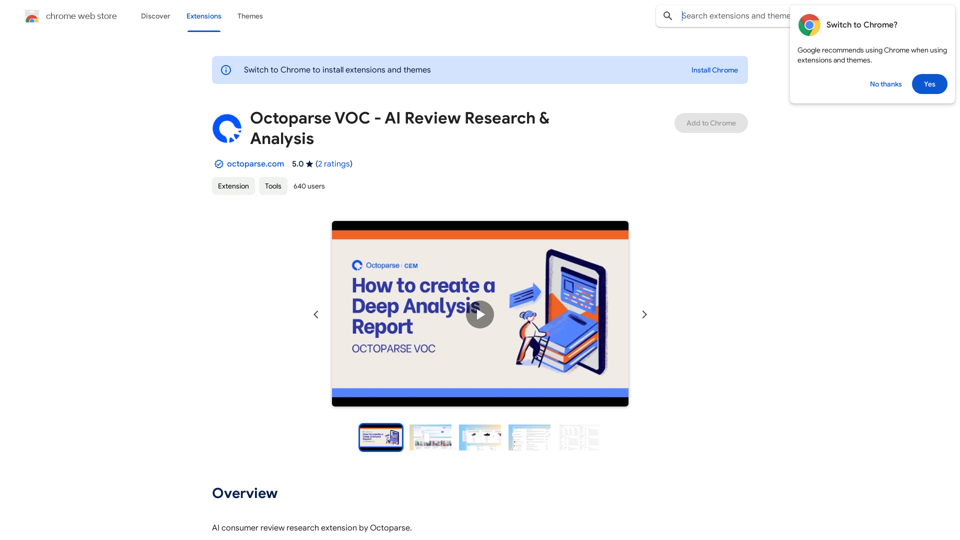
Octoparse VOC - AI Review Research & Analysis This is a document outlining the research and analysis conducted on user voice (VOC) data using Octoparse's AI capabilities.

AI Consumer Review Research Extension by Octoparse.
Visit Website
Octoparse VOC - AI Review Research & Analysis 

This is a document outlining the research and analysis conducted on user voice (VOC) data using Octoparse's AI capabilities.
Visit Website

Introduction

Octoparse VOC is an AI-powered review research extension designed for businesses to aggregate, analyze, and understand customer reviews from Amazon. It offers actionable insights and practical steps to enhance business decisions through advanced AI capabilities.

Feature

Analyze on Page

  • Single-click generation of quick review insights reports
  • Creation of data-driven buyer personas directly on Amazon product pages

Aggregate with Ease

  • Input multiple URLs, keywords, or ASINs from product portfolio
  • Automated review navigation and highlight generation
  • Preserves essence of original review content

Compare with Clarity

  • Side-by-side chart views for report comparison
  • Identification of gaps in product or service offerings
  • Pinpointing critical areas for improvement

Dive into Q&As

  • Analysis of customer concerns, pain points, and sentiment
  • Actionable insights derived from customer Q&As

Platform Compatibility

  • Currently supports 6 Amazon country/region websites (UK, US, CA, JP, DE & FR)
  • Future expansion planned for other e-commerce platforms

Pricing

  • Free extension with a range of features for review research and analysis

FAQ

What platforms does Octoparse VOC support?

Octoparse VOC currently supports 6 Amazon country/region websites: UK, US, CA, JP, DE & FR. Support for other e-commerce platforms is in development.

Is Octoparse VOC a paid extension?

No, Octoparse VOC is a free extension that offers a variety of features to help businesses improve their review research and analysis processes.

How can Octoparse VOC benefit my business?

Octoparse VOC can benefit your business by:

  • Providing quick insights into customer reviews and sentiment
  • Generating data-driven buyer personas
  • Identifying trends and areas for improvement in products or services
  • Offering actionable insights from customer Q&As
  • Enabling easy comparison of product performance across your portfolio

Latest Traffic Insights

  • Monthly Visits

    193.90 M

  • Bounce Rate

    56.27%

  • Pages Per Visit

    2.71

  • Time on Site(s)

    115.91

  • Global Rank

    -

  • Country Rank

    -

Recent Visits

Traffic Sources

  • Social Media:
    0.48%
  • Paid Referrals:
    0.55%
  • Email:
    0.15%
  • Referrals:
    12.81%
  • Search Engines:
    16.21%
  • Direct:
    69.81%
More Data

Related Websites

No-Code AI Chatbot for Your Website | Chatling
View Detail

No-Code AI Chatbot for Your Website | Chatling

No-Code AI Chatbot for Your Website | Chatling

Empower your business with a custom AI website chatbot that helps with customer support, lead generation, knowledge base search, and more. It's free to start!

125.24 K
Personal Vocabulary (Highlight/Read Aloud/Translate/Grammar)
View Detail

Personal Vocabulary (Highlight/Read Aloud/Translate/Grammar)

Personal Vocabulary (Highlight/Read Aloud/Translate/Grammar)

Highlight new words, read aloud | Translate, lexical dependency | Syntax analysis

193.90 M
SafeGPT
===============

SafeGPT is an AI model designed to generate human-like text while avoiding harmful or toxic content. It is trained on a massive dataset of text from the internet and can understand and respond to user input in a conversational manner. SafeGPT is capable of generating text on a wide range of topics, from simple questions to complex discussions, and can even create stories, dialogues, and more.

Key Features:

* Harmless responses: SafeGPT is designed to avoid generating harmful or toxic content, making it a safe and reliable tool for users of all ages.
* Conversational understanding: SafeGPT can understand and respond to user input in a conversational manner, making it feel more like a human-like interaction.
* Creative freedom: SafeGPT can generate text on a wide range of topics, from simple questions to complex discussions, and can even create stories, dialogues, and more.
* Continuous learning: SafeGPT is constantly learning and improving its responses based on user feedback, ensuring that it becomes more accurate and helpful over time.

Use Cases:

* Chatbots and virtual assistants: SafeGPT can be used to power chatbots and virtual assistants, providing users with a safe and reliable way to interact with machines.
* Content generation: SafeGPT can be used to generate content for websites, social media, and other platforms, helping to reduce the workload of content creators.
* Language learning: SafeGPT can be used to help language learners practice their conversational skills, providing them with a safe and interactive way to improve their language abilities.

Benefits:

* Improved safety: SafeGPT's ability to avoid generating harmful or toxic content makes it a safer tool for users of all ages.
* Increased creativity: SafeGPT's ability to generate text on a wide range of topics and in various styles makes it a valuable tool for content creators and language learners.
* Enhanced user experience: SafeGPT's conversational understanding and ability to respond in a human-like manner make it a more enjoyable and interactive tool for users.
View Detail

SafeGPT =============== SafeGPT is an AI model designed to generate human-like text while avoiding harmful or toxic content. It is trained on a massive dataset of text from the internet and can understand and respond to user input in a conversational manner. SafeGPT is capable of generating text on a wide range of topics, from simple questions to complex discussions, and can even create stories, dialogues, and more. Key Features: * Harmless responses: SafeGPT is designed to avoid generating harmful or toxic content, making it a safe and reliable tool for users of all ages. * Conversational understanding: SafeGPT can understand and respond to user input in a conversational manner, making it feel more like a human-like interaction. * Creative freedom: SafeGPT can generate text on a wide range of topics, from simple questions to complex discussions, and can even create stories, dialogues, and more. * Continuous learning: SafeGPT is constantly learning and improving its responses based on user feedback, ensuring that it becomes more accurate and helpful over time. Use Cases: * Chatbots and virtual assistants: SafeGPT can be used to power chatbots and virtual assistants, providing users with a safe and reliable way to interact with machines. * Content generation: SafeGPT can be used to generate content for websites, social media, and other platforms, helping to reduce the workload of content creators. * Language learning: SafeGPT can be used to help language learners practice their conversational skills, providing them with a safe and interactive way to improve their language abilities. Benefits: * Improved safety: SafeGPT's ability to avoid generating harmful or toxic content makes it a safer tool for users of all ages. * Increased creativity: SafeGPT's ability to generate text on a wide range of topics and in various styles makes it a valuable tool for content creators and language learners. * Enhanced user experience: SafeGPT's conversational understanding and ability to respond in a human-like manner make it a more enjoyable and interactive tool for users.

SafeGPT =============== SafeGPT is an AI model designed to generate human-like text while avoiding harmful or toxic content. It is trained on a massive dataset of text from the internet and can understand and respond to user input in a conversational manner. SafeGPT is capable of generating text on a wide range of topics, from simple questions to complex discussions, and can even create stories, dialogues, and more. Key Features: * Harmless responses: SafeGPT is designed to avoid generating harmful or toxic content, making it a safe and reliable tool for users of all ages. * Conversational understanding: SafeGPT can understand and respond to user input in a conversational manner, making it feel more like a human-like interaction. * Creative freedom: SafeGPT can generate text on a wide range of topics, from simple questions to complex discussions, and can even create stories, dialogues, and more. * Continuous learning: SafeGPT is constantly learning and improving its responses based on user feedback, ensuring that it becomes more accurate and helpful over time. Use Cases: * Chatbots and virtual assistants: SafeGPT can be used to power chatbots and virtual assistants, providing users with a safe and reliable way to interact with machines. * Content generation: SafeGPT can be used to generate content for websites, social media, and other platforms, helping to reduce the workload of content creators. * Language learning: SafeGPT can be used to help language learners practice their conversational skills, providing them with a safe and interactive way to improve their language abilities. Benefits: * Improved safety: SafeGPT's ability to avoid generating harmful or toxic content makes it a safer tool for users of all ages. * Increased creativity: SafeGPT's ability to generate text on a wide range of topics and in various styles makes it a valuable tool for content creators and language learners. * Enhanced user experience: SafeGPT's conversational understanding and ability to respond in a human-like manner make it a more enjoyable and interactive tool for users.

Safe Web Co-pilot

193.90 M
Flash Sale Picks - TemuFilter
View Detail

Flash Sale Picks - TemuFilter

Flash Sale Picks - TemuFilter

TemuFilter is an intelligent product selection tool designed specifically for Temu platform merchants. It uses big data analysis and artificial intelligence technology to provide merchants with accurate market trend predictions, popular product recommendations, and competitor analysis, helping merchants seize the opportunity in the fierce market competition and achieve continuous improvement in sales performance.

193.90 M
NovaTexter - Chat GPT Chrome Extension
View Detail

NovaTexter - Chat GPT Chrome Extension

NovaTexter - Chat GPT Chrome Extension

Your AI assistant powered by the latest ChatGPT models, right inside any text box! For Twitter, LinkedIn, Gmail, WordPress, and many other platforms.

193.90 M
GrammaticGenius™
View Detail

GrammaticGenius™

GrammaticGenius™

Your English Co-Pilot, Right in Your Browser

193.90 M
Claude to Notion

This is a guide on how to connect Claude, an AI assistant, with Notion, a note-taking and workspace app. 

Why connect Claude and Notion?

* Boost your productivity: Use Claude to generate content, summarize information, and automate tasks directly within Notion.
* Enhance your research: Ask Claude questions about your Notion notes and get insightful answers.
* Unlock new creative possibilities: Leverage Claude's generative capabilities to brainstorm ideas, write stories, or compose emails within your Notion workspace.

How to connect Claude and Notion:

1. API Keys: Obtain an API key for both Claude and Notion. 
2. Integration Tool: Explore integration tools like Zapier or Integromat to connect Claude and Notion. These platforms allow you to create workflows that trigger actions in one app based on events in the other.
3. Custom Development: For advanced users, you can develop your own custom integration using the Claude and Notion APIs. This gives you the most flexibility but requires coding knowledge.

Example Use Cases:

* Meeting Summarization: After a meeting, paste the transcript into Notion and use Claude to generate a concise summary.
* Content Creation:  Use Claude to write blog posts, articles, or social media captions directly within your Notion pages.
* Idea Generation: Brainstorm new ideas for projects or tasks by prompting Claude with specific questions within your Notion workspace.


Remember to review the documentation and terms of service for both Claude and Notion to ensure proper usage and security.
View Detail

Claude to Notion This is a guide on how to connect Claude, an AI assistant, with Notion, a note-taking and workspace app. Why connect Claude and Notion? * Boost your productivity: Use Claude to generate content, summarize information, and automate tasks directly within Notion. * Enhance your research: Ask Claude questions about your Notion notes and get insightful answers. * Unlock new creative possibilities: Leverage Claude's generative capabilities to brainstorm ideas, write stories, or compose emails within your Notion workspace. How to connect Claude and Notion: 1. API Keys: Obtain an API key for both Claude and Notion. 2. Integration Tool: Explore integration tools like Zapier or Integromat to connect Claude and Notion. These platforms allow you to create workflows that trigger actions in one app based on events in the other. 3. Custom Development: For advanced users, you can develop your own custom integration using the Claude and Notion APIs. This gives you the most flexibility but requires coding knowledge. Example Use Cases: * Meeting Summarization: After a meeting, paste the transcript into Notion and use Claude to generate a concise summary. * Content Creation: Use Claude to write blog posts, articles, or social media captions directly within your Notion pages. * Idea Generation: Brainstorm new ideas for projects or tasks by prompting Claude with specific questions within your Notion workspace. Remember to review the documentation and terms of service for both Claude and Notion to ensure proper usage and security.

Claude to Notion This is a guide on how to connect Claude, an AI assistant, with Notion, a note-taking and workspace app. Why connect Claude and Notion? * Boost your productivity: Use Claude to generate content, summarize information, and automate tasks directly within Notion. * Enhance your research: Ask Claude questions about your Notion notes and get insightful answers. * Unlock new creative possibilities: Leverage Claude's generative capabilities to brainstorm ideas, write stories, or compose emails within your Notion workspace. How to connect Claude and Notion: 1. API Keys: Obtain an API key for both Claude and Notion. 2. Integration Tool: Explore integration tools like Zapier or Integromat to connect Claude and Notion. These platforms allow you to create workflows that trigger actions in one app based on events in the other. 3. Custom Development: For advanced users, you can develop your own custom integration using the Claude and Notion APIs. This gives you the most flexibility but requires coding knowledge. Example Use Cases: * Meeting Summarization: After a meeting, paste the transcript into Notion and use Claude to generate a concise summary. * Content Creation: Use Claude to write blog posts, articles, or social media captions directly within your Notion pages. * Idea Generation: Brainstorm new ideas for projects or tasks by prompting Claude with specific questions within your Notion workspace. Remember to review the documentation and terms of service for both Claude and Notion to ensure proper usage and security.

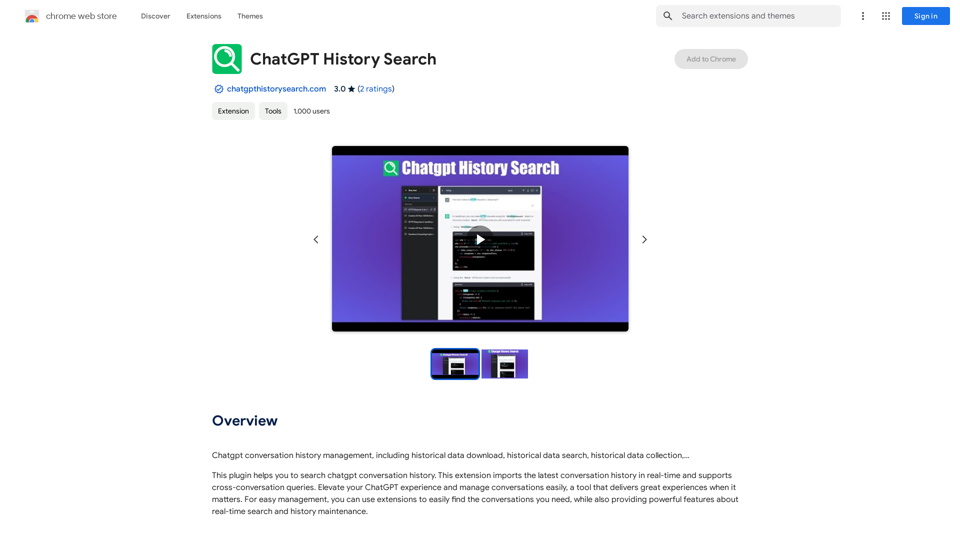
Save Claude conversations to Notion with one click. Export Claude conversations.

193.90 M
Tendi | Your Personal AI Financial Advisor
View Detail

Tendi | Your Personal AI Financial Advisor

Tendi | Your Personal AI Financial Advisor

Tendi is a personal AI financial advisor that helps you set financial goals, plan, budget, and achieve them.

22.20 K