Open-source RightAI Tools Directory
  • Discover AI
  • Submit
  • Startup
  • Blog
Open-source RightAI Tools Directory
Discover the best AI tools of 2025 with the RightAI Tools Directory!

Friend Links

AI Anime GeneratorToolsApp AI

Support

Tap4
Privacy policyTerms & ConditionsContact Us
Loading...
loading...

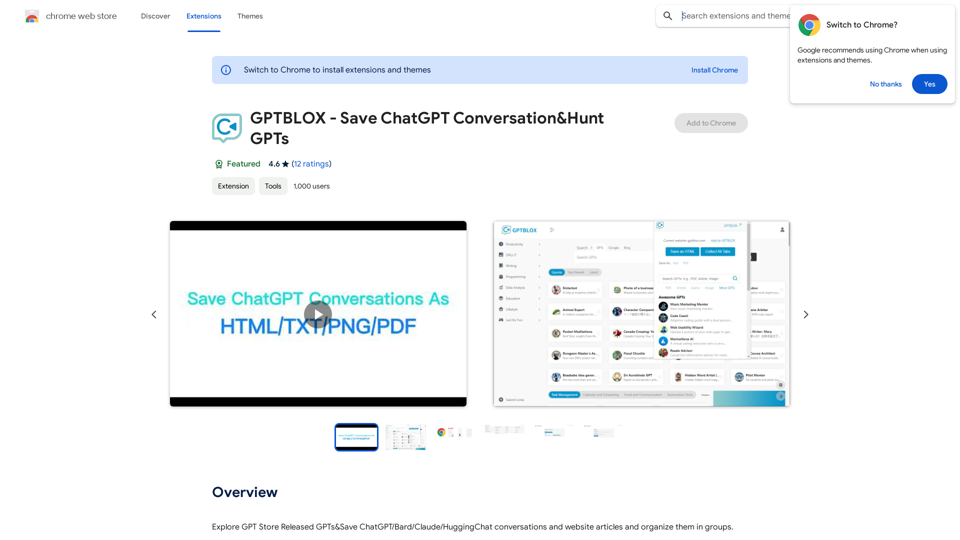
GPTBLOX - Save ChatGPT Conversations & Hunt GPTs

Discover the Power of GPT Store: Explore, Save, and Organize Conversations and Articles Explore the vast collection of GPTs released by the GPT Store, featuring conversations and articles from popular AI models like ChatGPT, Bard, Claude, and HuggingChat. This innovative platform allows you to: * Save conversations: Preserve valuable interactions with AI models for future reference or sharing. * Organize content: Categorize and group conversations and articles by topic, theme, or project, making it easy to access and review relevant information. Unlock the full potential of the GPT Store and streamline your workflow with its intuitive conversation and article management system.
Visit Website
GPTBLOX - Save ChatGPT Conversations & Hunt GPTs
Visit Website

Introduction

GPTBLOX is a Chrome extension designed to enhance the management of AI conversations and web content. It allows users to save and organize chats from various AI platforms like ChatGPT, Bard, Claude, and HuggingChat, as well as website articles. The extension offers multiple export formats, custom categorization, and advanced features for efficient content management.

Feature

Multi-Platform Conversation Saving

GPTBLOX supports saving conversations from multiple AI platforms:

  • ChatGPT
  • Bard
  • Claude
  • HuggingChat

Versatile Export Options

Users can save conversations in various formats:

  • HTML
  • TXT
  • PDF
  • PNG

Custom Organization

  • Create and manage custom groups for conversations and articles
  • Easily categorize content by topic or theme

Website Article Management

  • Seamlessly save and organize web articles alongside AI conversations

Advanced Backup and Restore

  • Ensure data safety with robust backup and restore capabilities

Customizable Display

  • Adjust layout and column views to suit individual preferences

User-Friendly Interface

  1. Install GPTBLOX from Chrome Web Store
  2. Open a new tab and navigate to GPTBLOX page
  3. Click "Save Conversation" button
  4. Choose export format
  5. Select or create a group
  6. Click "Save" to store the conversation

FAQ

Is GPTBLOX compatible with multiple ChatGPT models?

Yes, GPTBLOX supports various AI models including ChatGPT, Bard, Claude, and HuggingChat.

Can I export conversations in different formats?

Absolutely. GPTBLOX allows exporting conversations in HTML, TXT, PDF, and PNG formats.

Are there customizable display options?

Yes, GPTBLOX offers customizable display options, including layout and column views.

Is GPTBLOX free to use?

GPTBLOX is a free extension. However, it offers additional features and benefits for subscribers, such as advanced backup and restore capabilities, customizable display options, and priority support.

Latest Traffic Insights

  • Monthly Visits

    193.90 M

  • Bounce Rate

    56.27%

  • Pages Per Visit

    2.71

  • Time on Site(s)

    115.91

  • Global Rank

    -

  • Country Rank

    -

Recent Visits

Traffic Sources

  • Social Media:
    0.48%
  • Paid Referrals:
    0.55%
  • Email:
    0.15%
  • Referrals:
    12.81%
  • Search Engines:
    16.21%
  • Direct:
    69.81%
More Data

Related Websites

Choice AI
View Detail

Choice AI

Choice AI

Choice AI: Choice AI is an AI-powered tool that offers personalized controls to specifically watch and skip specific content/scenes on OTT platforms.

83
TellMe | The Simple AI
View Detail

TellMe | The Simple AI

TellMe | The Simple AI

TellMe is the simplest AI assistant for Vision Pro. Unleash the power of AI with TellMe, the most intuitive and versatile assistant for your digital life.

2.48 K
Cosmi | The Best AI Skincare Advisor You will Ever Need
View Detail

Cosmi | The Best AI Skincare Advisor You will Ever Need

Cosmi | The Best AI Skincare Advisor You will Ever Need

Glow with AI-Powered Skincare Solutions. Cosmi's advanced AI offers tailored, daily reminders and expert product recommendations.

0
WhisperNotes - Audio Note Taking App
View Detail

WhisperNotes - Audio Note Taking App

WhisperNotes - Audio Note Taking App

Transcribe audio notes to text, organize them, search for specific content, and do more.

193.90 M
xdata

xdata is a type of data that is used to extend or augment the functionality of a program or system. It is often used to provide additional information or context that is not available through traditional data sources. xdata can take many forms, including sensor data, log files, and social media posts. It is often unstructured or semi-structured, making it difficult to analyze and process using traditional data tools and techniques. However, xdata can provide valuable insights and competitive advantages when properly analyzed and utilized.
View Detail

xdata xdata is a type of data that is used to extend or augment the functionality of a program or system. It is often used to provide additional information or context that is not available through traditional data sources. xdata can take many forms, including sensor data, log files, and social media posts. It is often unstructured or semi-structured, making it difficult to analyze and process using traditional data tools and techniques. However, xdata can provide valuable insights and competitive advantages when properly analyzed and utilized.

xdata xdata is a type of data that is used to extend or augment the functionality of a program or system. It is often used to provide additional information or context that is not available through traditional data sources. xdata can take many forms, including sensor data, log files, and social media posts. It is often unstructured or semi-structured, making it difficult to analyze and process using traditional data tools and techniques. However, xdata can provide valuable insights and competitive advantages when properly analyzed and utilized.

Collect tweets and earn $Wafer tokens

193.90 M
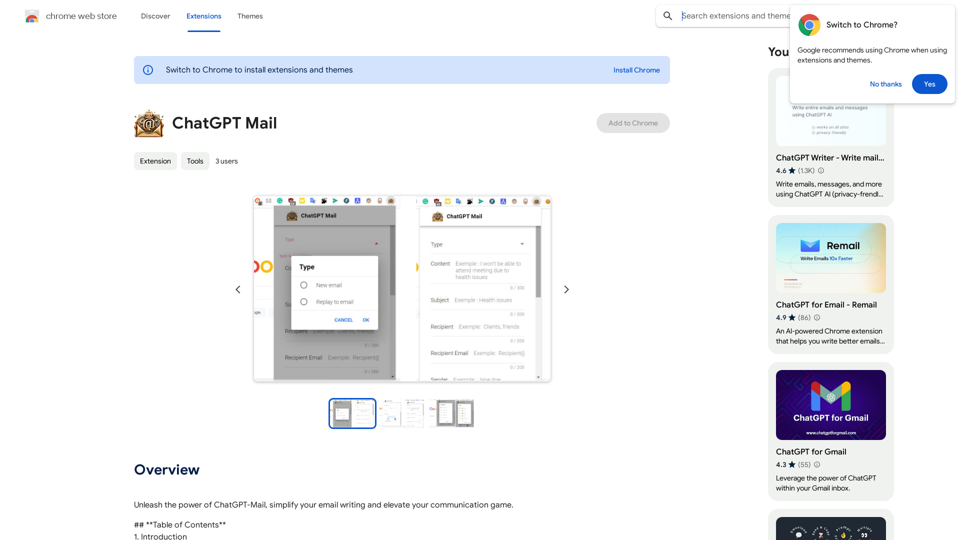
Open AI Chat GPT For Email
View Detail

Open AI Chat GPT For Email

Open AI Chat GPT For Email

Email Completion Suggestions ============================= Powered by OpenAI, this feature provides intelligent suggestions to complete your emails, saving you time and effort. How it Works --------------- 1. Start Writing: Begin composing your email as you normally would. 2. AI Takes Over: Our AI engine, powered by OpenAI, kicks in and analyzes the context of your email. 3. Suggestions Appear: Relevant and contextual suggestions will appear, helping you complete your email quickly and efficiently. Benefits ------------ * Save Time: Get suggestions in real-time, reducing the time spent on writing emails. * Improve Quality: Enhance the clarity and coherence of your emails with AI-driven suggestions. * Boost Productivity: Focus on more important tasks while our AI handles the email completion. Get Started -------------- Try our email completion suggestions today and experience the power of AI-driven productivity!

193.90 M
Ponyrun
View Detail

Ponyrun

Ponyrun

Give our bots instructions, and they will explore and engage with websites to collect and arrange useful information for you.

193.90 M
Influencer Tools for Amazon Influencers

This guide explores essential tools to help Amazon influencers succeed.

1. Content Creation Tools:

* Canva: Design eye-catching graphics, videos, and social media posts.
* Lumen5: Create engaging videos from blog posts or scripts.
* InShot: Edit and enhance videos for mobile devices.

2. Product Research Tools:

* Jungle Scout: Analyze product trends, competition, and sales data.
* Helium 10:  Discover profitable products, track keywords, and optimize listings.
* Viral Launch:  Identify trending products and conduct market research.

3. Social Media Management Tools:

* Buffer: Schedule and manage social media posts across multiple platforms.
* Hootsuite: Monitor brand mentions, engage with followers, and track social media performance.
* Later: Plan and visualize Instagram content.

4. Analytics and Tracking Tools:

* Amazon Influencer Program Dashboard: Track your performance, earnings, and audience engagement.
* Google Analytics: Monitor website traffic and user behavior.
* UTM Parameters: Track the effectiveness of your marketing campaigns.

5. Email Marketing Tools:

* Mailchimp: Create and send email newsletters to your subscribers.
* ConvertKit: Build an email list and automate your marketing workflows.
* Klaviyo:  Segment your audience and personalize email campaigns.
View Detail

Influencer Tools for Amazon Influencers This guide explores essential tools to help Amazon influencers succeed. 1. Content Creation Tools: * Canva: Design eye-catching graphics, videos, and social media posts. * Lumen5: Create engaging videos from blog posts or scripts. * InShot: Edit and enhance videos for mobile devices. 2. Product Research Tools: * Jungle Scout: Analyze product trends, competition, and sales data. * Helium 10: Discover profitable products, track keywords, and optimize listings. * Viral Launch: Identify trending products and conduct market research. 3. Social Media Management Tools: * Buffer: Schedule and manage social media posts across multiple platforms. * Hootsuite: Monitor brand mentions, engage with followers, and track social media performance. * Later: Plan and visualize Instagram content. 4. Analytics and Tracking Tools: * Amazon Influencer Program Dashboard: Track your performance, earnings, and audience engagement. * Google Analytics: Monitor website traffic and user behavior. * UTM Parameters: Track the effectiveness of your marketing campaigns. 5. Email Marketing Tools: * Mailchimp: Create and send email newsletters to your subscribers. * ConvertKit: Build an email list and automate your marketing workflows. * Klaviyo: Segment your audience and personalize email campaigns.

Influencer Tools for Amazon Influencers This guide explores essential tools to help Amazon influencers succeed. 1. Content Creation Tools: * Canva: Design eye-catching graphics, videos, and social media posts. * Lumen5: Create engaging videos from blog posts or scripts. * InShot: Edit and enhance videos for mobile devices. 2. Product Research Tools: * Jungle Scout: Analyze product trends, competition, and sales data. * Helium 10: Discover profitable products, track keywords, and optimize listings. * Viral Launch: Identify trending products and conduct market research. 3. Social Media Management Tools: * Buffer: Schedule and manage social media posts across multiple platforms. * Hootsuite: Monitor brand mentions, engage with followers, and track social media performance. * Later: Plan and visualize Instagram content. 4. Analytics and Tracking Tools: * Amazon Influencer Program Dashboard: Track your performance, earnings, and audience engagement. * Google Analytics: Monitor website traffic and user behavior. * UTM Parameters: Track the effectiveness of your marketing campaigns. 5. Email Marketing Tools: * Mailchimp: Create and send email newsletters to your subscribers. * ConvertKit: Build an email list and automate your marketing workflows. * Klaviyo: Segment your audience and personalize email campaigns.

Tools to help influencers grow their audience and influence.

193.90 M