Open-source RightAI Tools Directory
  • Discover AI
  • Submit
  • Startup
  • Blog
Open-source RightAI Tools Directory
Discover the best AI tools of 2025 with the RightAI Tools Directory!

Friend Links

AI Anime GeneratorToolsApp AI

Support

Tap4
Privacy policyTerms & ConditionsContact Us
Loading...
loading...

Free AI Tag Generator for YouTube - TubeAide

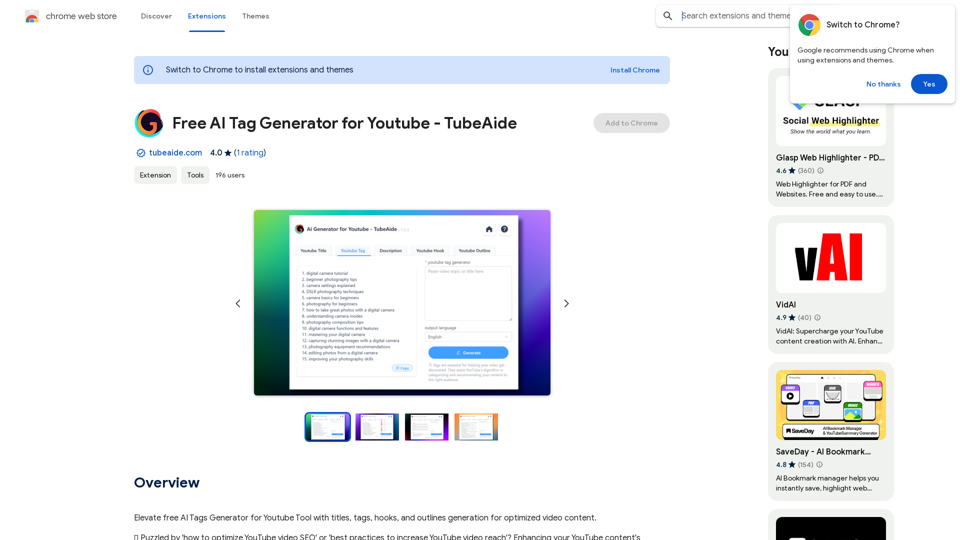
Improve the free AI Tags Generator for YouTube tool by adding features to generate titles, tags, hooks, and outlines for optimized video content.
Visit Website
Free AI Tag Generator for YouTube - TubeAide
Visit Website

Introduction

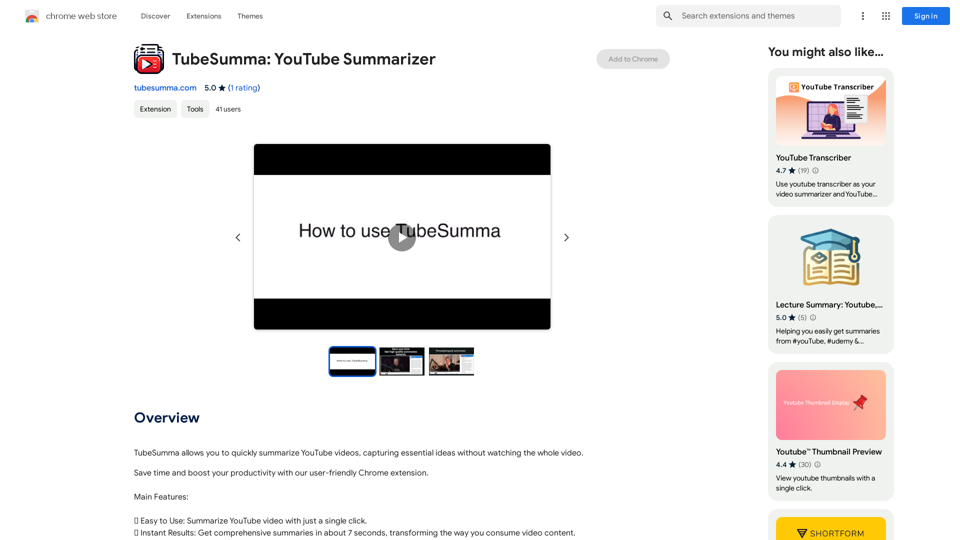
TubeAide is a free AI-powered Chrome extension designed to help content creators optimize their YouTube video content. It generates optimized titles, tags, hooks, and outlines to enhance video visibility. This tool supports 25 languages, making it accessible to a global audience. TubeAide offers a user-friendly interface, making it easy for both beginners and experienced marketers to improve their YouTube SEO.

Feature

AI-driven SEO Optimization

TubeAide utilizes advanced AI technology to generate optimized video elements, ensuring maximum SEO impact for your YouTube content.

Multilingual Support

The extension supports 25 languages, allowing content creators to cater to a global audience and optimize their channels regardless of the language.

User-friendly Interface

TubeAide's plugin is designed for simplicity, making it easy to generate and apply SEO elements to your videos, even for those new to SEO.

Comprehensive SEO Enhancement

Get all your video SEO elements aligned with your content strategy, including optimized titles, tags, hooks, and outlines.

Easy Installation and Usage

  1. Install the extension from the Chrome Web Store
  2. Input your video topic or title
  3. Let AI craft your optimized video elements
  4. Apply to your YouTube content and track the improvement

Data-driven Insights

Utilize AI to tap into the potential of your content with data-driven suggestions for tags and titles, helping you make informed decisions about your video optimization.

FAQ

Can TubeAide improve my YouTube video rankings?

Absolutely! Our AI-driven suggestions are designed to boost your video's SEO, potentially increasing its rankings on YouTube.

Is TubeAide easy to use for those new to SEO?

Yes, our tool is user-friendly, making it accessible for beginners while powerful enough for seasoned marketers.

Does TubeAide support non-English YouTube channels?

Yes, it supports 25 languages, enabling you to optimize your channel no matter the language.

Is TubeAide secure?

We prioritize your privacy and security. The extension operates in compliance with Chrome Web Store's privacy policies, ensuring your data's safety.

Is there a cost associated with TubeAide?

The core functionality is free, allowing you to generate tags, titles, and more without any charge. Additional features may be available with a subscription.

How often does TubeAide receive updates?

Our team is dedicated to the tool's continuous improvement, regularly releasing updates to enhance its features and ensure it remains ahead of SEO trends.

What sets TubeAide apart from other YouTube optimization plugins?

Our AI Tags Generator stands out for its advanced AI capabilities, multilingual support, and a focus on delivering an intuitive user experience tailored for content creators.

Latest Traffic Insights

  • Monthly Visits

    193.90 M

  • Bounce Rate

    56.27%

  • Pages Per Visit

    2.71

  • Time on Site(s)

    115.91

  • Global Rank

    -

  • Country Rank

    -

Recent Visits

Traffic Sources

  • Social Media:
    0.48%
  • Paid Referrals:
    0.55%
  • Email:
    0.15%
  • Referrals:
    12.81%
  • Search Engines:
    16.21%
  • Direct:
    69.81%
More Data

Related Websites

BuildClub Price Finder
View Detail

BuildClub Price Finder

BuildClub Price Finder

Find the lowest prices at The Home Depot and Lowe's.

193.90 M
Hebbia
View Detail

Hebbia

Hebbia

AI Agents for serious work.

18.57 K
Open ChatGPT in a New Tab

You can open ChatGPT in a new tab by following these steps:

#Method 1: Using the Browser's Context Menu

1. Right-click on the ChatGPT link or button.
2. Select "Open in new tab" or "Open link in new tab" from the context menu.

#Method 2: Using the Keyboard Shortcut

1. Press `Ctrl + Click` (Windows/Linux) or `Cmd + Click` (Mac) on the ChatGPT link or button.

#Method 3: Using the Browser's Toolbar

1. Click on the ChatGPT link or button while holding down the `Ctrl` key (Windows/Linux) or `Cmd` key (Mac).
2. Release the key after the new tab is opened.

By following these methods, you can easily open ChatGPT in a new tab and start chatting without leaving your current page.
View Detail

Open ChatGPT in a New Tab You can open ChatGPT in a new tab by following these steps: #Method 1: Using the Browser's Context Menu 1. Right-click on the ChatGPT link or button. 2. Select "Open in new tab" or "Open link in new tab" from the context menu. #Method 2: Using the Keyboard Shortcut 1. Press `Ctrl + Click` (Windows/Linux) or `Cmd + Click` (Mac) on the ChatGPT link or button. #Method 3: Using the Browser's Toolbar 1. Click on the ChatGPT link or button while holding down the `Ctrl` key (Windows/Linux) or `Cmd` key (Mac). 2. Release the key after the new tab is opened. By following these methods, you can easily open ChatGPT in a new tab and start chatting without leaving your current page.

Open ChatGPT in a New Tab You can open ChatGPT in a new tab by following these steps: #Method 1: Using the Browser's Context Menu 1. Right-click on the ChatGPT link or button. 2. Select "Open in new tab" or "Open link in new tab" from the context menu. #Method 2: Using the Keyboard Shortcut 1. Press `Ctrl + Click` (Windows/Linux) or `Cmd + Click` (Mac) on the ChatGPT link or button. #Method 3: Using the Browser's Toolbar 1. Click on the ChatGPT link or button while holding down the `Ctrl` key (Windows/Linux) or `Cmd` key (Mac). 2. Release the key after the new tab is opened. By following these methods, you can easily open ChatGPT in a new tab and start chatting without leaving your current page.

New Tab with Quick ChatGPT Access

193.90 M
SliceX AI Tweet Analyzer
View Detail

SliceX AI Tweet Analyzer

SliceX AI Tweet Analyzer

Search for tweets and get real-time statistics: general sentiment, toxicity levels, and emotions expressed.

193.90 M
Make AI Text More Human
View Detail

Make AI Text More Human

Make AI Text More Human

Meet Humanize.io, the best AI tool to make your AI content sound more human. Try our AI humanizer for free now!

164.25 K
File Zen, a tool for AI-powered intelligent file organization and classification.
View Detail

File Zen, a tool for AI-powered intelligent file organization and classification.

File Zen, a tool for AI-powered intelligent file organization and classification.

FileNeatAI is a professional AI-powered file organization tool designed to streamline the process of categorizing and organizing text files on your computer. By leveraging advanced AI capabilities, FileNeatAI reads the content of each file within a specified folder and intelligently categorizes these files into different folders based on their content.

2.42 K
Volcano Translation - Screenshot and Webpage Translation
View Detail

Volcano Translation - Screenshot and Webpage Translation

Volcano Translation - Screenshot and Webpage Translation

ByteDance production, out of the box, no configuration required, completely free and ad-free.

193.90 M
Difr | Career Growth for the People
View Detail

Difr | Career Growth for the People

Difr | Career Growth for the People

Easily extract job listing details for tracking in Diffr

193.90 M