Open-source RightAI Tools Directory
  • Discover AI
  • Submit
  • Startup
  • Blog
Open-source RightAI Tools Directory
Discover the best AI tools of 2025 with the RightAI Tools Directory!

Friend Links

AI Anime GeneratorToolsApp AI

Support

Tap4
Privacy policyTerms & ConditionsContact Us
Loading...
loading...

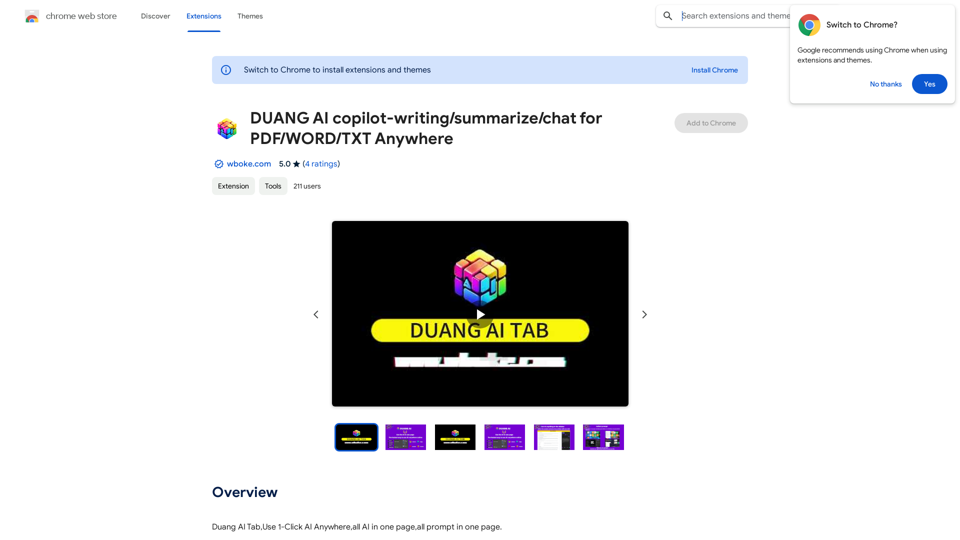
AI Copilot for Writing, Summarizing, and Chatting with PDF, WORD, and TXT Files Anywhere

Duang AI Tab, Use 1-Click AI Anywhere, All AI in One Page, All Prompts in One Page.
Visit Website
AI Copilot for Writing, Summarizing, and Chatting with PDF, WORD, and TXT Files Anywhere
Visit Website

Introduction

Duang AI is an innovative browser extension that brings the power of AI to your fingertips. It offers a wide range of AI-driven features accessible with just one click, transforming your workflow and enhancing productivity across various online platforms. From summarizing videos to automating searches and creating content, Duang AI integrates seamlessly into your browsing experience, making AI technology more accessible than ever.

Feature

AI-Powered Chrome Startpage

Reinvent your new tab experience with intelligent AI suggestions, enhancing your browsing efficiency from the moment you open a new tab.

Multi-functional AI Assistant

  • Summarize videos
  • Scrape websites
  • Respond to emails
  • Automate searches
  • Perform summarizations and translations
  • Assist with writing tasks on various websites

Versatile AI Writer

Create diverse content types including:

  • Social media posts
  • Emails
  • Art descriptions
  • Code snippets
  • And more

Integrated AI Plugins

Access powerful AI tools directly in your browser:

  • AI Chat functionality
  • Compatibility with PDF, WORD, and TXT files

Convenient Keyboard Shortcuts

  • 'Alt + Q': Open AI chat sidebar on any webpage
  • 'Ctrl + D': Add current page to Favorites

One-Click Text Operations

Select text on any webpage to instantly:

  • Rewrite
  • Proofread
  • Explain
  • Translate
  • Execute custom prompts

Custom Prompt Management

Manage and create your own prompts in the 'one-click-prompt' section within the extension Settings.

Document Analysis

Upload PDF, WORD, or TXT files for immediate summaries and answers.

AI-Powered Search

Use the 'Search' tab in the sidebar to ask questions and receive quick answers with cited search results.

FAQ

Is Duang AI free to use?

Duang AI offers a 7-day free trial. For unlimited access, users can opt for Pro Plans. Sharing an invitation code provides additional benefits.

Do I need a ChatGPT/OpenAI account to use this extension?

No, you can log in using Google, Microsoft, Twitter, or WeChat accounts.

How can I get a coupon code?

After logging in, open a new homepage in your browser, click 'More,' select 'Coupon,' and enter the "invite code" shared by your friend to activate it.

How do I get started with Duang AI?

  1. Click "Add to Chrome" at the upper right corner.
  2. Refresh all tabs to activate the Alt+Q shortcut.
  3. Start using Duang AI to increase your productivity!

Are there any important notes for using Duang AI?

  • Refresh webpages after installation for proper functionality.
  • The extension won't work on Chrome/Edge Web Store pages for security reasons.

Where can I get help or provide feedback?

For assistance or to share feedback, you can contact the Duang AI team at https://ai.wboke.com/.

Related Websites
Upword: AI Notes & Summarization Tool
View Detail

Upword: AI Notes & Summarization Tool

Upword: AI Notes & Summarization Tool

Get the key information from every webpage. Generate AI-powered notes and save time with Upword.

193.90 M
Face Swap - FaceArt
View Detail

Face Swap - FaceArt

Face Swap - FaceArt

FaceArt is a powerful AI face swap plugin that utilizes AI technology to generate face swap images in one click!

193.90 M
Midjourney SREF Codes Library for Style Reference

What are SREF Codes?

SREF codes are special text strings used in Midjourney to quickly and easily apply specific artistic styles to your image generations. 

How to Use SREF Codes:

Simply add an SREF code to your Midjourney prompt. For example:

`/imagine a majestic dragon, SREF:cyberpunk`

SREF Code Library:

This library contains a collection of SREF codes categorized by style. 

* Art Styles:
    * `photorealistic`: Creates images with high levels of realism.
    * `impressionistic`:  Captures the essence of a scene with loose brushstrokes and vibrant colors.
    * `cubist`:  Breaks down objects into geometric shapes.
    * `surrealist`:  Creates dreamlike and fantastical images.
    * `abstract`:  Focuses on form, color, and composition rather than representational imagery.

* Visual Effects:
    * `cinematic`:  Gives images a cinematic look and feel.
    * `HDR`:  Creates images with high dynamic range, resulting in greater detail and contrast.
    * `neon`:  Adds vibrant neon lights to the image.
    * `pixel art`:  Generates images in a retro pixel art style.

* Other Styles:
    * `anime`:  Creates images in the style of Japanese animation.
    * `manga`:  Similar to anime, but with a more comic book aesthetic.
    * `sketch`:  Generates images that resemble pencil sketches.
    * `watercolor`:  Creates images with the look and feel of watercolor paintings.

Note: This is just a small sample of the many SREF codes available. 

Explore and Experiment:

The best way to learn about SREF codes is to experiment with them! Try combining different codes to create unique and interesting styles.
View Detail

Midjourney SREF Codes Library for Style Reference What are SREF Codes? SREF codes are special text strings used in Midjourney to quickly and easily apply specific artistic styles to your image generations. How to Use SREF Codes: Simply add an SREF code to your Midjourney prompt. For example: `/imagine a majestic dragon, SREF:cyberpunk` SREF Code Library: This library contains a collection of SREF codes categorized by style. * Art Styles: * `photorealistic`: Creates images with high levels of realism. * `impressionistic`: Captures the essence of a scene with loose brushstrokes and vibrant colors. * `cubist`: Breaks down objects into geometric shapes. * `surrealist`: Creates dreamlike and fantastical images. * `abstract`: Focuses on form, color, and composition rather than representational imagery. * Visual Effects: * `cinematic`: Gives images a cinematic look and feel. * `HDR`: Creates images with high dynamic range, resulting in greater detail and contrast. * `neon`: Adds vibrant neon lights to the image. * `pixel art`: Generates images in a retro pixel art style. * Other Styles: * `anime`: Creates images in the style of Japanese animation. * `manga`: Similar to anime, but with a more comic book aesthetic. * `sketch`: Generates images that resemble pencil sketches. * `watercolor`: Creates images with the look and feel of watercolor paintings. Note: This is just a small sample of the many SREF codes available. Explore and Experiment: The best way to learn about SREF codes is to experiment with them! Try combining different codes to create unique and interesting styles.

Midjourney SREF Codes Library for Style Reference What are SREF Codes? SREF codes are special text strings used in Midjourney to quickly and easily apply specific artistic styles to your image generations. How to Use SREF Codes: Simply add an SREF code to your Midjourney prompt. For example: `/imagine a majestic dragon, SREF:cyberpunk` SREF Code Library: This library contains a collection of SREF codes categorized by style. * Art Styles: * `photorealistic`: Creates images with high levels of realism. * `impressionistic`: Captures the essence of a scene with loose brushstrokes and vibrant colors. * `cubist`: Breaks down objects into geometric shapes. * `surrealist`: Creates dreamlike and fantastical images. * `abstract`: Focuses on form, color, and composition rather than representational imagery. * Visual Effects: * `cinematic`: Gives images a cinematic look and feel. * `HDR`: Creates images with high dynamic range, resulting in greater detail and contrast. * `neon`: Adds vibrant neon lights to the image. * `pixel art`: Generates images in a retro pixel art style. * Other Styles: * `anime`: Creates images in the style of Japanese animation. * `manga`: Similar to anime, but with a more comic book aesthetic. * `sketch`: Generates images that resemble pencil sketches. * `watercolor`: Creates images with the look and feel of watercolor paintings. Note: This is just a small sample of the many SREF codes available. Explore and Experiment: The best way to learn about SREF codes is to experiment with them! Try combining different codes to create unique and interesting styles.

Explore a list of 177 unique Midjourney sref codes and style references to find your perfect Midjourney sref code effect.

149.96 K
ChatGPT Context Menu

* Copy: Copies the selected text.
* Paste: Pastes the copied text.
* Delete: Deletes the selected text.
* Edit: Opens a text editor to modify the selected text.
* Generate: Uses ChatGPT to generate new text based on the selected context.
* Summarize: Creates a concise summary of the selected text.
* Translate: Translates the selected text into another language.
* Translate to English: Translates the selected text into English.
* Code: Attempts to identify and format the selected text as code.
* Help: Provides information about the context menu options.
View Detail

ChatGPT Context Menu * Copy: Copies the selected text. * Paste: Pastes the copied text. * Delete: Deletes the selected text. * Edit: Opens a text editor to modify the selected text. * Generate: Uses ChatGPT to generate new text based on the selected context. * Summarize: Creates a concise summary of the selected text. * Translate: Translates the selected text into another language. * Translate to English: Translates the selected text into English. * Code: Attempts to identify and format the selected text as code. * Help: Provides information about the context menu options.

ChatGPT Context Menu * Copy: Copies the selected text. * Paste: Pastes the copied text. * Delete: Deletes the selected text. * Edit: Opens a text editor to modify the selected text. * Generate: Uses ChatGPT to generate new text based on the selected context. * Summarize: Creates a concise summary of the selected text. * Translate: Translates the selected text into another language. * Translate to English: Translates the selected text into English. * Code: Attempts to identify and format the selected text as code. * Help: Provides information about the context menu options.

Please provide the text you would like to send to ChatGPT.

193.90 M
Ai5 - The AI Art Newsletter
View Detail

Ai5 - The AI Art Newsletter

Ai5 - The AI Art Newsletter

Ai5 is your go-to twice-weekly email outlining the most important events happening in generative AI. Stay informed, get smarter, and be entertained with Ai5.

0
AIskNet
View Detail

AIskNet

AIskNet

AI that runs on your computer and answers questions about the web page you are currently viewing.

193.90 M
Satellite AI. Minutes Creation AI
View Detail

Satellite AI. Minutes Creation AI

Satellite AI. Minutes Creation AI

Satellite AI. The minutes creation AI is a function that utilizes AI to automatically create minutes of meetings on Google Meet™, Microsoft Teams, and Zoom.

193.90 M
BNNGPT - Discover the Impossible.
View Detail

BNNGPT - Discover the Impossible.

BNNGPT - Discover the Impossible.

Real-time, accurate responses driven by cutting-edge AI. Enjoy an elegant, visually appealing interface. Experience the future of search with BNNGPT.

0