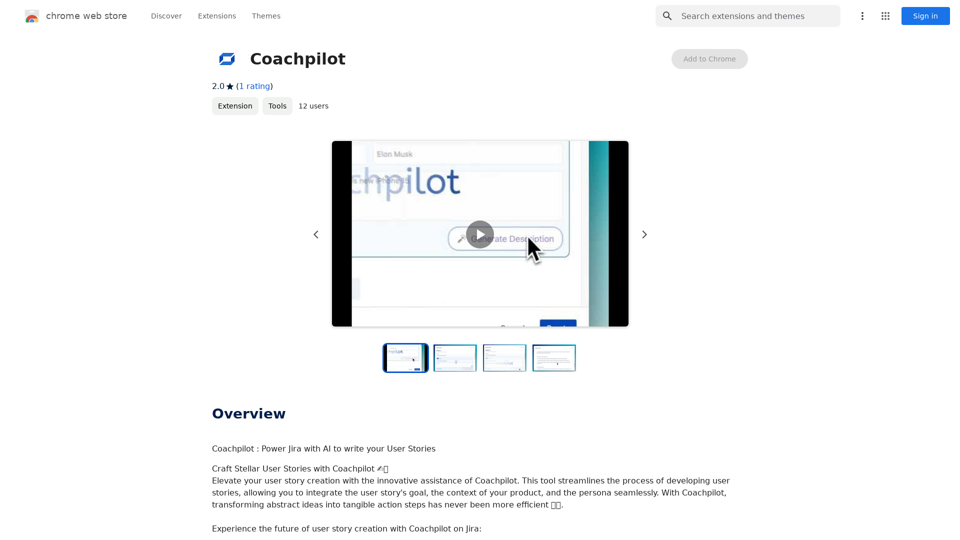
Coachpilot is an innovative AI-powered tool designed to streamline the creation of user stories for Jira. It utilizes intelligent forms and AI-driven assistance to help users define goals, context, and personas, generating comprehensive and precise user stories with a single click. This tool aims to enhance productivity and improve the quality of user stories in project management workflows.
Coachpilot
Coachpilot: Use AI to Write User Stories in Jira
Coachpilot helps you write better user stories in Jira using the power of artificial intelligence.
Introduction
Feature
Intelligent Forms
Coachpilot's smart forms guide users in defining the goal, context, and persona of their user stories. These forms are designed to capture essential information, enabling the AI to craft tailored and accurate user stories.
Instant User Story Generation
With just one click on the "Generate" button, Coachpilot's AI synthesizes a user story based on the provided inputs. This feature significantly reduces the time spent on story creation.
Jira Embedded Integration
Seamlessly integrate Coachpilot into Jira, allowing users to create, edit, and refine user stories without leaving their project management environment. This integration enhances workflow efficiency.
Guided User Story Craft
The AI-powered prompts assist users throughout the story creation process, ensuring clarity and precision. This feature acts as a story assistant, guiding users even if they're unsure how to start.
Flexible Formats (Coming Soon)
Coachpilot will adapt to various story formats, including epics, tasks, and specific user stories. The AI adjusts its output based on the provided context, catering to diverse project requirements.
FAQ
How does Coachpilot work?
Coachpilot uses intelligent forms and AI-driven assistance to help you define goals, context, and personas. It then generates comprehensive and precise user stories with just one click, streamlining the entire process.
What are the main benefits of using Coachpilot?
The key benefits include:
- Time-saving through instant user story generation
- Improved productivity with Jira integration
- Enhanced quality of user stories through AI-guided creation
- Flexibility in story formats (coming soon)
Is Coachpilot easy to use?
Yes, Coachpilot is designed for ease of use. The process involves:
- Defining goal, context, and persona using intelligent forms
- Inputting parameters and clicking "Generate"
- Reviewing and refining the generated user story
- Integrating with Jira for seamless collaboration
What pricing options does Coachpilot offer?
Coachpilot offers an affordable subscription model, though specific pricing details are not provided in the given information. It's recommended to check their official website or contact their sales team for current pricing options.
Related Websites
![Searching for ChatGPT Plugins
Searching for ChatGPT plugins can be an exciting experience, as it allows you to explore and discover new features and functionalities to enhance your conversational AI model. Here are some ways to search for ChatGPT plugins:
Official Plugin Directory
The official ChatGPT plugin directory is a great place to start your search. This directory provides a curated list of plugins that are compatible with ChatGPT, along with their descriptions, features, and installation instructions.
GitHub and Open-Source Repositories
GitHub and other open-source repositories are treasure troves for ChatGPT plugins. You can search for plugins using keywords like "ChatGPT plugin" or "conversational AI plugin" to find relevant repositories. You can also explore popular open-source repositories like the ChatGPT community repository.
Plugin Marketplaces
Some plugin marketplaces, like the ChatGPT Marketplace, offer a wide range of plugins for ChatGPT. These marketplaces often provide user reviews, ratings, and descriptions to help you make informed decisions.
Forums and Communities
ChatGPT forums and communities are great places to ask for plugin recommendations or search for plugins. You can ask other users about their favorite plugins or search for threads related to specific plugin categories.
Search Engines
Finally, you can use search engines like Google to search for ChatGPT plugins. Use specific keywords like "ChatGPT plugin for [specific feature]" or "best ChatGPT plugins" to get relevant results.
Remember to always evaluate the plugins you find based on their compatibility, features, and user reviews before installing them. Happy searching!](https://static.right-ai.com/tools/2024/7/3/chromewebstore-google-com-detail-chatgpt-plugin-search-hjdhbhggcljjjfenfbdbbhhngmkglpkl-thumbnail-1720045154.png "Searching for ChatGPT Plugins
Searching for ChatGPT plugins can be an exciting experience, as it allows you to explore and discover new features and functionalities to enhance your conversational AI model. Here are some ways to search for ChatGPT plugins:
Official Plugin Directory
The official ChatGPT plugin directory is a great place to start your search. This directory provides a curated list of plugins that are compatible with ChatGPT, along with their descriptions, features, and installation instructions.
GitHub and Open-Source Repositories
GitHub and other open-source repositories are treasure troves for ChatGPT plugins. You can search for plugins using keywords like \"ChatGPT plugin\" or \"conversational AI plugin\" to find relevant repositories. You can also explore popular open-source repositories like the ChatGPT community repository.
Plugin Marketplaces
Some plugin marketplaces, like the ChatGPT Marketplace, offer a wide range of plugins for ChatGPT. These marketplaces often provide user reviews, ratings, and descriptions to help you make informed decisions.
Forums and Communities
ChatGPT forums and communities are great places to ask for plugin recommendations or search for plugins. You can ask other users about their favorite plugins or search for threads related to specific plugin categories.
Search Engines
Finally, you can use search engines like Google to search for ChatGPT plugins. Use specific keywords like \"ChatGPT plugin for [specific feature]\" or \"best ChatGPT plugins\" to get relevant results.
Remember to always evaluate the plugins you find based on their compatibility, features, and user reviews before installing them. Happy searching!")
Searching for ChatGPT Plugins Searching for ChatGPT plugins can be an exciting experience, as it allows you to explore and discover new features and functionalities to enhance your conversational AI model. Here are some ways to search for ChatGPT plugins: Official Plugin Directory The official ChatGPT plugin directory is a great place to start your search. This directory provides a curated list of plugins that are compatible with ChatGPT, along with their descriptions, features, and installation instructions. GitHub and Open-Source Repositories GitHub and other open-source repositories are treasure troves for ChatGPT plugins. You can search for plugins using keywords like "ChatGPT plugin" or "conversational AI plugin" to find relevant repositories. You can also explore popular open-source repositories like the ChatGPT community repository. Plugin Marketplaces Some plugin marketplaces, like the ChatGPT Marketplace, offer a wide range of plugins for ChatGPT. These marketplaces often provide user reviews, ratings, and descriptions to help you make informed decisions. Forums and Communities ChatGPT forums and communities are great places to ask for plugin recommendations or search for plugins. You can ask other users about their favorite plugins or search for threads related to specific plugin categories. Search Engines Finally, you can use search engines like Google to search for ChatGPT plugins. Use specific keywords like "ChatGPT plugin for [specific feature]" or "best ChatGPT plugins" to get relevant results. Remember to always evaluate the plugins you find based on their compatibility, features, and user reviews before installing them. Happy searching!
Searching for ChatGPT Plugins Searching for ChatGPT plugins can be an exciting experience, as it allows you to explore and discover new features and functionalities to enhance your conversational AI model. Here are some ways to search for ChatGPT plugins: Official Plugin Directory The official ChatGPT plugin directory is a great place to start your search. This directory provides a curated list of plugins that are compatible with ChatGPT, along with their descriptions, features, and installation instructions. GitHub and Open-Source Repositories GitHub and other open-source repositories are treasure troves for ChatGPT plugins. You can search for plugins using keywords like "ChatGPT plugin" or "conversational AI plugin" to find relevant repositories. You can also explore popular open-source repositories like the ChatGPT community repository. Plugin Marketplaces Some plugin marketplaces, like the ChatGPT Marketplace, offer a wide range of plugins for ChatGPT. These marketplaces often provide user reviews, ratings, and descriptions to help you make informed decisions. Forums and Communities ChatGPT forums and communities are great places to ask for plugin recommendations or search for plugins. You can ask other users about their favorite plugins or search for threads related to specific plugin categories. Search Engines Finally, you can use search engines like Google to search for ChatGPT plugins. Use specific keywords like "ChatGPT plugin for [specific feature]" or "best ChatGPT plugins" to get relevant results. Remember to always evaluate the plugins you find based on their compatibility, features, and user reviews before installing them. Happy searching!Here are some of the best, top, and popular ChatGPT plugins: 1. WebChat: A plugin that allows users to interact with ChatGPT through a web interface. 2. ChatGPT Writer: A plugin that helps users generate high-quality content, such as articles, stories, and emails, using ChatGPT's language generation capabilities. 3. ChatGPT Code Interpreter: A plugin that enables users to write code in various programming languages and have ChatGPT interpret and execute it. 4. ChatGPT Conversational AI: A plugin that allows users to create conversational AI models using ChatGPT's language understanding capabilities. 5. ChatGPT Language Translator: A plugin that enables users to translate text from one language to another using ChatGPT's language translation capabilities. 6. ChatGPT Summarizer: A plugin that helps users summarize long pieces of text, such as articles or documents, into concise summaries using ChatGPT's text summarization capabilities. 7. ChatGPT Q&A: A plugin that enables users to ask questions and receive answers from ChatGPT on a wide range of topics. 8. ChatGPT Creative Writing: A plugin that helps users generate creative writing, such as poetry, stories, and dialogues, using ChatGPT's language generation capabilities. 9. ChatGPT Dialogue System: A plugin that enables users to create conversational dialogue systems using ChatGPT's language understanding capabilities. 10. ChatGPT Sentiment Analyzer: A plugin that helps users analyze the sentiment of text, such as determining whether a piece of text is positive, negative, or neutral, using ChatGPT's sentiment analysis capabilities.
193.90 M
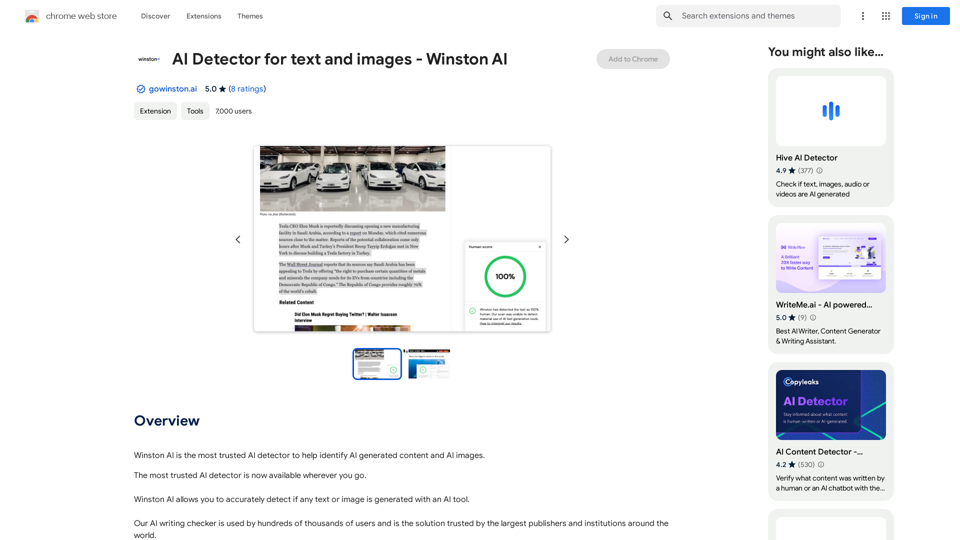
Winston AI is the most trusted AI detector to help identify AI-generated content and AI images.
193.90 M

Free AI Face Swap Online Tool for Videos, GIFs and Photos | Faceswap.tech
Free AI Face Swap Online Tool for Videos, GIFs and Photos | Faceswap.techTry our free online face swap tool to swap faces in photos, videos, and GIFs. Easy, fast, and powered by AI for amazing results. Swap faces now!
1.81 K
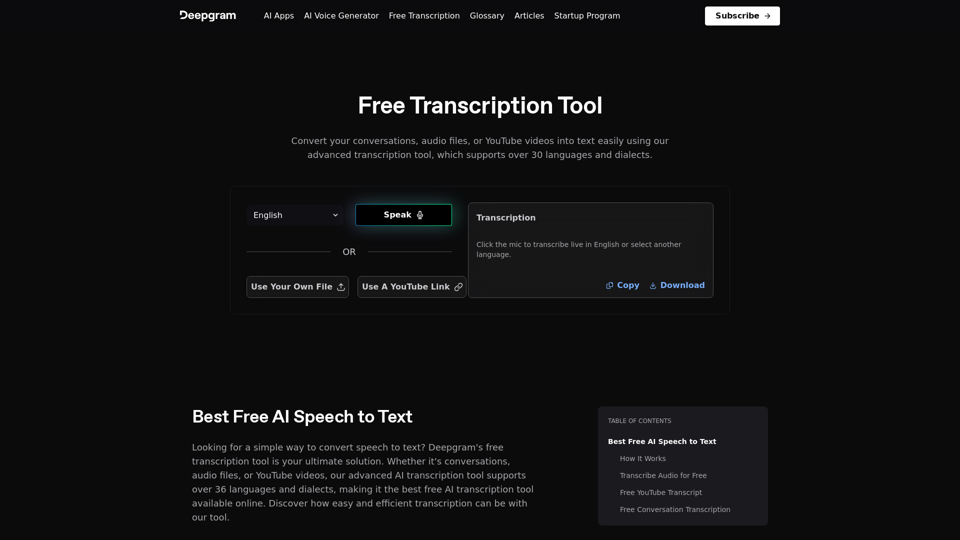
Easily convert your conversations, audio files, or YouTube videos into text for free with our advanced transcription tool.
835.16 K

Sentimetric Sentimetric is a method used to measure the sentiment of text data, such as customer reviews, comments, or social media posts. It involves analyzing the emotional tone or attitude conveyed by the text, whether it's positive, negative, or neutral.
Sentimetric Sentimetric is a method used to measure the sentiment of text data, such as customer reviews, comments, or social media posts. It involves analyzing the emotional tone or attitude conveyed by the text, whether it's positive, negative, or neutral.Unlock your career potential with our AI-powered job application presentation builder designed to help you stand out in the competitive job market. Our app goes beyond traditional cover letters and resumes by creating personalized presentations that show recruiters how your skills and experience align with company goals and values. Plus, we provide project ideas with SWOT analyses that will impress every recruiter.
0