Open-source RightAI Tools Directory
  • Discover AI
  • Submit
  • Startup
  • Blog
Open-source RightAI Tools Directory
Discover the best AI tools of 2025 with the RightAI Tools Directory!

Friend Links

AI Anime GeneratorToolsApp AI

Support

Tap4
Privacy policyTerms & ConditionsContact Us
Loading...
loading...

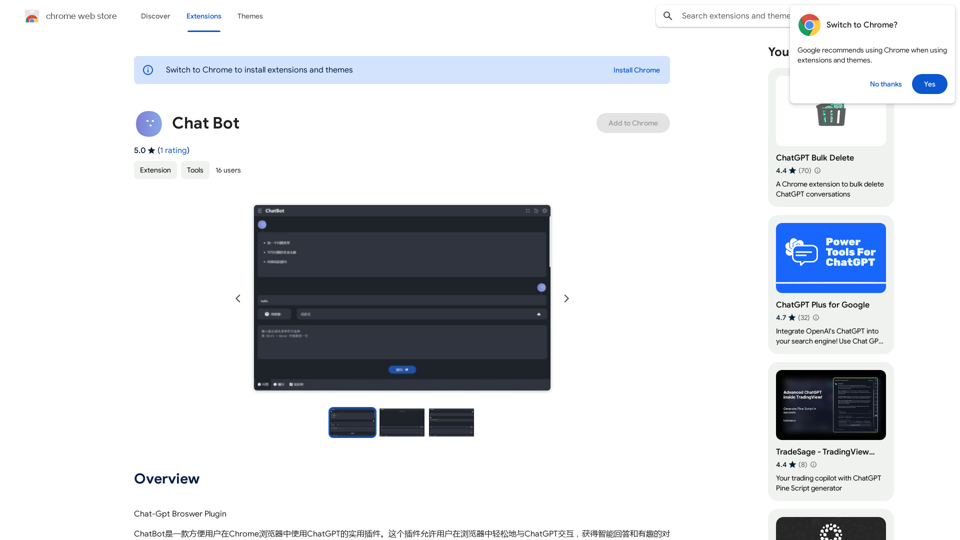
Chat Bot

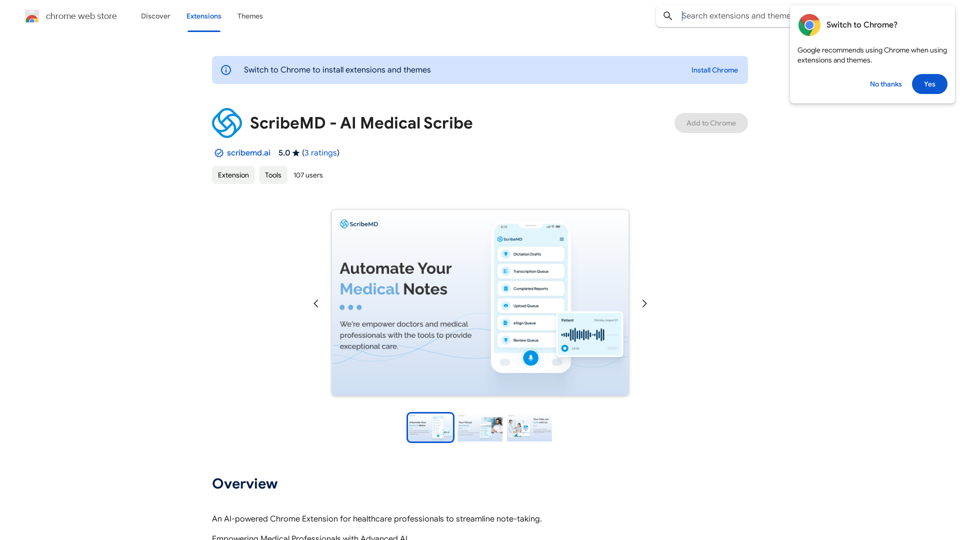
ChatGPT Browser Plugin
Visit Website
Chat Bot
Visit Website

Introduction

Chat-GPT Browser Plugin is a Chrome extension that enables users to interact with ChatGPT directly within their browser. This convenient tool allows for seamless communication with the AI, providing intelligent answers and engaging conversations. It's designed for various purposes, from seeking information to finding inspiration or simply chatting with an AI assistant.

Feature

Easy Browser Integration

The Chat-GPT Browser Plugin integrates smoothly into the Chrome browser, allowing users to access ChatGPT's capabilities without leaving their current webpage.

Versatile Interaction

Users can engage with ChatGPT for multiple purposes:

  • Seeking answers to questions
  • Finding inspiration for various tasks
  • Engaging in casual conversations with an AI assistant

Free to Use

The plugin is completely free, with no subscription fees or payments required, making it accessible to all users.

Simple Installation and Usage

Installation is straightforward through the Chrome Web Store, and usage is intuitive:

  1. Install the plugin
  2. Launch it within Chrome
  3. Start interacting with ChatGPT

Skill Enhancement Tool

The plugin can be used to:

  • Improve writing and communication skills
  • Explore new ideas and perspectives
  • Find solutions to problems

FAQ

Is the Chat-GPT Browser Plugin free to use?

Yes, the plugin is entirely free to use. There are no subscription fees or payments required.

Can I interact with ChatGPT directly in my browser using this plugin?

Absolutely. The plugin allows for seamless interaction with ChatGPT within your Chrome browser.

What are the main features of the Chat-GPT Browser Plugin?

The main features include:

  • Direct interaction with ChatGPT in the browser
  • Obtaining intelligent answers to questions
  • Engaging in various types of conversations with the AI

Related Websites
Spoken
View Detail

Spoken

Spoken

Production version

193.90 M
Rewrite AI - Correct Grammar or Alter Writing Style with AI
View Detail

Rewrite AI - Correct Grammar or Alter Writing Style with AI

Rewrite AI - Correct Grammar or Alter Writing Style with AI

Rewrite AI assists you in refining your writing with immediate grammar corrections and style changes. Improve your content using our AI-driven writing assistant.

6.84 K
SayAI
View Detail

SayAI

SayAI

Adds voice recording and spoken answers to the ChatGPT user interface.

193.90 M
Copilot: Your AI Assistant Powered By ChatGPT
View Detail

Copilot: Your AI Assistant Powered By ChatGPT

Copilot: Your AI Assistant Powered By ChatGPT

AI-powered productivity extension with personalized coaching using ChatGPT, Claude, and Gemini, plus rapid actions and AI-generated images.

193.90 M
YouTube Comment AI Powered Analyzer
View Detail

YouTube Comment AI Powered Analyzer

YouTube Comment AI Powered Analyzer

The AI-Powered YouTube Comment Analyzer

193.90 M
Youdao Speed Reading Plugin
View Detail

Youdao Speed Reading Plugin

Youdao Speed Reading Plugin

Recognize PDF files on the page, one-click jump to Youdao Speed Reading and upload to open.

193.90 M
What is a Prompster?

A Prompster is a person who assists a speaker, actor, or presenter by providing them with lines or cues, usually in a subtle and discreet manner, during a performance, presentation, or speech.
View Detail

What is a Prompster? A Prompster is a person who assists a speaker, actor, or presenter by providing them with lines or cues, usually in a subtle and discreet manner, during a performance, presentation, or speech.

What is a Prompster? A Prompster is a person who assists a speaker, actor, or presenter by providing them with lines or cues, usually in a subtle and discreet manner, during a performance, presentation, or speech.

Slash Commands for ChatGPT and Bard ===================================== Introduction Slash commands are a convenient way to interact with ChatGPT and Bard, allowing you to perform various tasks and actions within the chat interface. This guide provides an overview of the available slash commands for both ChatGPT and Bard. ChatGPT Slash Commands #General Commands * `/help`: Displays a list of available slash commands and their descriptions. * `/reset`: Resets the conversation, clearing all previous messages and context. #Conversation Management * `/start`: Starts a new conversation, allowing you to begin a fresh topic or task. * `/stop`: Ends the current conversation, stopping any ongoing tasks or topics. #Language and Tone * `/lang <language_code>`: Sets the language for the conversation (e.g., `/lang en` for English). * `/tone <tone>`: Adjusts the tone of the responses (e.g., `/tone formal` for formal tone). #Task Management * `/task <task_name>`: Creates a new task or topic for the conversation (e.g., `/task math problem`). * `/done`: Marks the current task as completed. #Information and Resources * `/define <word>`: Provides the definition of a word or phrase. * `/wiki <topic>`: Displays information about a topic from Wikipedia. Bard Slash Commands #General Commands * `/help`: Displays a list of available slash commands and their descriptions. * `/reset`: Resets the conversation, clearing all previous messages and context. #Conversation Management * `/start`: Starts a new conversation, allowing you to begin a fresh topic or task. * `/stop`: Ends the current conversation, stopping any ongoing tasks or topics. #Language and Tone * `/lang <language_code>`: Sets the language for the conversation (e.g., `/lang en` for English). * `/tone <tone>`: Adjusts the tone of the responses (e.g., `/tone formal` for formal tone). #Task Management * `/task <task_name>`: Creates a new task or topic for the conversation (e.g., `/task math problem`). * `/done`: Marks the current task as completed. #Information and Resources * `/define <word>`: Provides the definition of a word or phrase. * `/wiki <topic>`: Displays information about a topic from Wikipedia. * `/news <topic>`: Displays news articles related to a specific topic. Conclusion Slash commands provide a convenient way to interact with ChatGPT and Bard, allowing you to manage conversations, adjust language and tone, and access various resources. By mastering these commands, you can optimize your experience and get the most out of your interactions with these AI models.

193.90 M
File Zen, a tool for AI-powered intelligent file organization and classification.
View Detail

File Zen, a tool for AI-powered intelligent file organization and classification.

File Zen, a tool for AI-powered intelligent file organization and classification.

FileNeatAI is a professional AI-powered file organization tool designed to streamline the process of categorizing and organizing text files on your computer. By leveraging advanced AI capabilities, FileNeatAI reads the content of each file within a specified folder and intelligently categorizes these files into different folders based on their content.

2.42 K