Open-source RightAI Tools Directory
  • Discover AI
  • Submit
  • Startup
  • Blog
Open-source RightAI Tools Directory
Discover the best AI tools of 2025 with the RightAI Tools Directory!

Friend Links

AI Anime GeneratorToolsApp AI

Support

Tap4
Privacy policyTerms & ConditionsContact Us
Loading...
loading...

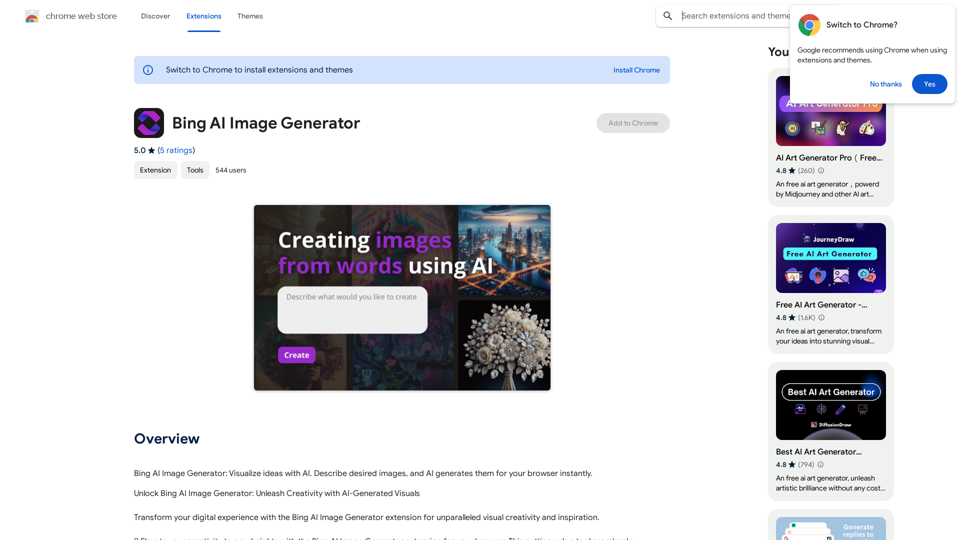
Bing AI Image Generator

Bing AI Image Generator: See your ideas come to life with AI. Tell the AI what you want to see, and it will create the image in your browser right away.
Visit Website
Bing AI Image Generator
Visit Website

Introduction

Bing AI Image Generator is an innovative Chrome extension that allows users to create AI-generated visuals directly within their browser. By integrating advanced AI capabilities into the browsing experience, this tool enables users to transform their ideas into stunning images with ease. Whether for personal projects, design work, or artistic exploration, Bing AI Image Generator offers a seamless way to access visual inspiration and create high-quality, AI-generated visuals.

Feature

🎨 Easy-to-Use Interface

  • Install the extension from the Chrome Web Store
  • Click the extension icon in your browser toolbar
  • Enter prompts or descriptions for desired images
  • AI instantly generates and displays visuals within the browser

🌐 Instant Access to Visual Inspiration

  • One-click activation through toolbar icon
  • Unlock endless possibilities for concept art, product designs, and more

🖼️ Generate Stunning Visuals

  • Prompt-based creation for tailored results
  • Highly detailed, realistic images based on user input

🔍 Explore and Discover

  • Visual search functionality
  • Upload images to generate similar or complementary results
  • Uncover new perspectives through AI-generated visuals

💡 Key Benefits

  • Unlock visual creativity
  • Access instant inspiration
  • Streamline workflow
  • Stay ahead with latest AI technology

FAQ

How do I use Bing AI Image Generator?

Install the extension, click the icon in your browser toolbar to launch the AI Image Generator, and begin creating visuals by entering prompts or descriptions.

Can I generate images using Bing AI Image Generator?

Yes, you can create stunning visuals based on your prompts or descriptions using the AI Image Generator.

Is my information used for training data?

No, your data will not be used for any training purposes, ensuring privacy and data protection.

Related Websites
Image Describer - Free AI to Describe Images Online (No Login Required)
View Detail

Image Describer - Free AI to Describe Images Online (No Login Required)

Image Describer - Free AI to Describe Images Online (No Login Required)

Discover AI-Powered Image Descriptions with Image Describer. Gain Instant Insights and Unlock New Perspectives and Efficiency for Your Work and Creations. Join Us Today!

25.53 K
JumboGPT - Bulk Prompts for ChatGPT

This is a collection of bulk prompts for ChatGPT, designed to help you explore its capabilities and generate diverse creative text formats. 

Instructions:

* Each prompt is designed to be used individually with ChatGPT.
* You can copy and paste the prompts directly into the ChatGPT interface.
* Feel free to modify the prompts to suit your specific needs and interests.

Categories:

* Story Starters:

>  A lone astronaut stumbles upon a derelict spaceship...
>  The old woman sat on the park bench, watching the children play...
>  A mysterious package arrived on her doorstep, addressed simply to "The Keeper"...

* Creative Writing:

> Write a short poem about the feeling of nostalgia.
> Compose a song about a robot who falls in love with a human.
> Describe a world where animals can talk.

* Dialogue Prompts:

> Two friends argue about the best way to spend a weekend.
> A detective interrogates a suspect in a murder case.
> A parent tries to explain a difficult concept to their child.

* Worldbuilding:

> Create a detailed description of a fantasy city.
> Design a new species of creature for a science fiction story.
> Develop a unique magic system for a medieval world.

* Code Generation:

> Write a Python function to calculate the factorial of a number.
> Generate HTML code for a simple webpage.
> Create a SQL query to retrieve data from a database.

* Humor:

> Write a joke about a programmer.
> Create a funny story about a talking cat.
> Generate a list of puns about food.

* Educational:

> Explain the concept of photosynthesis in simple terms.
> Summarize the main events of the American Revolution.
> Provide a brief history of the development of the internet.
View Detail

JumboGPT - Bulk Prompts for ChatGPT This is a collection of bulk prompts for ChatGPT, designed to help you explore its capabilities and generate diverse creative text formats. Instructions: * Each prompt is designed to be used individually with ChatGPT. * You can copy and paste the prompts directly into the ChatGPT interface. * Feel free to modify the prompts to suit your specific needs and interests. Categories: * Story Starters: > A lone astronaut stumbles upon a derelict spaceship... > The old woman sat on the park bench, watching the children play... > A mysterious package arrived on her doorstep, addressed simply to "The Keeper"... * Creative Writing: > Write a short poem about the feeling of nostalgia. > Compose a song about a robot who falls in love with a human. > Describe a world where animals can talk. * Dialogue Prompts: > Two friends argue about the best way to spend a weekend. > A detective interrogates a suspect in a murder case. > A parent tries to explain a difficult concept to their child. * Worldbuilding: > Create a detailed description of a fantasy city. > Design a new species of creature for a science fiction story. > Develop a unique magic system for a medieval world. * Code Generation: > Write a Python function to calculate the factorial of a number. > Generate HTML code for a simple webpage. > Create a SQL query to retrieve data from a database. * Humor: > Write a joke about a programmer. > Create a funny story about a talking cat. > Generate a list of puns about food. * Educational: > Explain the concept of photosynthesis in simple terms. > Summarize the main events of the American Revolution. > Provide a brief history of the development of the internet.

JumboGPT - Bulk Prompts for ChatGPT This is a collection of bulk prompts for ChatGPT, designed to help you explore its capabilities and generate diverse creative text formats. Instructions: * Each prompt is designed to be used individually with ChatGPT. * You can copy and paste the prompts directly into the ChatGPT interface. * Feel free to modify the prompts to suit your specific needs and interests. Categories: * Story Starters: > A lone astronaut stumbles upon a derelict spaceship... > The old woman sat on the park bench, watching the children play... > A mysterious package arrived on her doorstep, addressed simply to "The Keeper"... * Creative Writing: > Write a short poem about the feeling of nostalgia. > Compose a song about a robot who falls in love with a human. > Describe a world where animals can talk. * Dialogue Prompts: > Two friends argue about the best way to spend a weekend. > A detective interrogates a suspect in a murder case. > A parent tries to explain a difficult concept to their child. * Worldbuilding: > Create a detailed description of a fantasy city. > Design a new species of creature for a science fiction story. > Develop a unique magic system for a medieval world. * Code Generation: > Write a Python function to calculate the factorial of a number. > Generate HTML code for a simple webpage. > Create a SQL query to retrieve data from a database. * Humor: > Write a joke about a programmer. > Create a funny story about a talking cat. > Generate a list of puns about food. * Educational: > Explain the concept of photosynthesis in simple terms. > Summarize the main events of the American Revolution. > Provide a brief history of the development of the internet.

Use ChatGPT to process many different questions and save the responses in a spreadsheet format like CSV or Excel.

193.90 M
ChatGPT Toolbar Companion
View Detail

ChatGPT Toolbar Companion

ChatGPT Toolbar Companion

The Ultimate ChatGPT Toolbar Companion with Prompts, Text-to-Speech, Speech-to-Text, and Auto Continue.

193.90 M
Batch Save ChatGPT to Notion

This is a guide on how to save multiple ChatGPT responses to Notion in a batch. 

Tools You'll Need:

* ChatGPT: An AI chatbot that can generate text.
* Notion: A note-taking and project management tool.
* Python: A programming language.
* Requests Library: A Python library for making HTTP requests.

Steps:

1. Get Your Notion API Token:
   - Go to your Notion workspace settings.
   - Navigate to the "Integrations" tab.
   - Click "Create new integration" and choose "API Token".
   - Copy your API token.

2. Install Python Libraries:
   - Open your terminal or command prompt.
   - Type `pip install requests` and press Enter.

3. Write Python Script:
   - Create a new Python file (e.g., `save_chatgpt_to_notion.py`).
   - Paste the following code into the file, replacing `YOUR_NOTION_API_TOKEN` with your actual token:

```python
import requests

def save_chatgpt_response_to_notion(response, page_id, token):
  """Saves a ChatGPT response to a Notion page."""
  url = f"https://api.notion.com/v1/pages/{page_id}/children"
  headers = {"Authorization": f"Bearer {token}"}
  data = {
    "parent": {
      "page_id": page_id
    },
    "properties": {
      "title": {
        "title": [
          {
            "text": {
              "content": "ChatGPT Response"
            }
          }
        ]
      },
      "content": {
        "rich_text": [
          {
            "text": {
              "content": response
            }
          }
        ]
      }
    }
  }
  response = requests.post(url, headers=headers, json=data)
  print(response.status_code)

Example usage
page_id = "YOUR_NOTION_PAGE_ID"
token = "YOUR_NOTION_API_TOKEN"

Get ChatGPT responses (replace with your actual ChatGPT interaction)
chatgpt_responses = [
  "This is the first ChatGPT response.",
  "This is the second ChatGPT response.",
  "This is the third ChatGPT response."
]

Save each response to Notion
for response in chatgpt_responses:
  save_chatgpt_response_to_notion(response, page_id, token)
```

4. Run the Script:
   - In your terminal, navigate to the directory where you saved the Python file.
   - Type `python save_chatgpt_to_notion.py` and press Enter.

5. Check Notion:
   - Open your Notion workspace and go to the page specified by `page_id`.
   - You should see your ChatGPT responses saved as separate blocks.
View Detail

Batch Save ChatGPT to Notion This is a guide on how to save multiple ChatGPT responses to Notion in a batch. Tools You'll Need: * ChatGPT: An AI chatbot that can generate text. * Notion: A note-taking and project management tool. * Python: A programming language. * Requests Library: A Python library for making HTTP requests. Steps: 1. Get Your Notion API Token: - Go to your Notion workspace settings. - Navigate to the "Integrations" tab. - Click "Create new integration" and choose "API Token". - Copy your API token. 2. Install Python Libraries: - Open your terminal or command prompt. - Type `pip install requests` and press Enter. 3. Write Python Script: - Create a new Python file (e.g., `save_chatgpt_to_notion.py`). - Paste the following code into the file, replacing `YOUR_NOTION_API_TOKEN` with your actual token: ```python import requests def save_chatgpt_response_to_notion(response, page_id, token): """Saves a ChatGPT response to a Notion page.""" url = f"https://api.notion.com/v1/pages/{page_id}/children" headers = {"Authorization": f"Bearer {token}"} data = { "parent": { "page_id": page_id }, "properties": { "title": { "title": [ { "text": { "content": "ChatGPT Response" } } ] }, "content": { "rich_text": [ { "text": { "content": response } } ] } } } response = requests.post(url, headers=headers, json=data) print(response.status_code) Example usage page_id = "YOUR_NOTION_PAGE_ID" token = "YOUR_NOTION_API_TOKEN" Get ChatGPT responses (replace with your actual ChatGPT interaction) chatgpt_responses = [ "This is the first ChatGPT response.", "This is the second ChatGPT response.", "This is the third ChatGPT response." ] Save each response to Notion for response in chatgpt_responses: save_chatgpt_response_to_notion(response, page_id, token) ``` 4. Run the Script: - In your terminal, navigate to the directory where you saved the Python file. - Type `python save_chatgpt_to_notion.py` and press Enter. 5. Check Notion: - Open your Notion workspace and go to the page specified by `page_id`. - You should see your ChatGPT responses saved as separate blocks.

Batch Save ChatGPT to Notion This is a guide on how to save multiple ChatGPT responses to Notion in a batch. Tools You'll Need: * ChatGPT: An AI chatbot that can generate text. * Notion: A note-taking and project management tool. * Python: A programming language. * Requests Library: A Python library for making HTTP requests. Steps: 1. Get Your Notion API Token: - Go to your Notion workspace settings. - Navigate to the "Integrations" tab. - Click "Create new integration" and choose "API Token". - Copy your API token. 2. Install Python Libraries: - Open your terminal or command prompt. - Type `pip install requests` and press Enter. 3. Write Python Script: - Create a new Python file (e.g., `save_chatgpt_to_notion.py`). - Paste the following code into the file, replacing `YOUR_NOTION_API_TOKEN` with your actual token: ```python import requests def save_chatgpt_response_to_notion(response, page_id, token): """Saves a ChatGPT response to a Notion page.""" url = f"https://api.notion.com/v1/pages/{page_id}/children" headers = {"Authorization": f"Bearer {token}"} data = { "parent": { "page_id": page_id }, "properties": { "title": { "title": [ { "text": { "content": "ChatGPT Response" } } ] }, "content": { "rich_text": [ { "text": { "content": response } } ] } } } response = requests.post(url, headers=headers, json=data) print(response.status_code) Example usage page_id = "YOUR_NOTION_PAGE_ID" token = "YOUR_NOTION_API_TOKEN" Get ChatGPT responses (replace with your actual ChatGPT interaction) chatgpt_responses = [ "This is the first ChatGPT response.", "This is the second ChatGPT response.", "This is the third ChatGPT response." ] Save each response to Notion for response in chatgpt_responses: save_chatgpt_response_to_notion(response, page_id, token) ``` 4. Run the Script: - In your terminal, navigate to the directory where you saved the Python file. - Type `python save_chatgpt_to_notion.py` and press Enter. 5. Check Notion: - Open your Notion workspace and go to the page specified by `page_id`. - You should see your ChatGPT responses saved as separate blocks.

Save ChatGPT Conversations to Notion with One Click Export your ChatGPT conversations directly to Notion with a single click.

193.90 M
AI Describe Image & Picture Online, Free Trial

This title describes an online service that uses artificial intelligence to analyze and describe images or pictures. The service offers a free trial period for users to test its capabilities. The AI technology can likely generate text descriptions of the visual content in uploaded images, helping users understand or categorize their pictures automatically.
View Detail

AI Describe Image & Picture Online, Free Trial This title describes an online service that uses artificial intelligence to analyze and describe images or pictures. The service offers a free trial period for users to test its capabilities. The AI technology can likely generate text descriptions of the visual content in uploaded images, helping users understand or categorize their pictures automatically.

AI Describe Image & Picture Online, Free Trial This title describes an online service that uses artificial intelligence to analyze and describe images or pictures. The service offers a free trial period for users to test its capabilities. The AI technology can likely generate text descriptions of the visual content in uploaded images, helping users understand or categorize their pictures automatically.

Describe Image AI: Accurately describe images online using AI. Our image describer generates image descriptions, AI picture descriptions, text extraction, social media captions, and prompts for Midjourney & StableDiffusion. Free Trial!

5.16 K
Humanize AI Text - Convert AI to Human-Like Text Instantly

Are you tired of robotic AI-generated content that lacks the personal touch? Do you want to breathe life into your AI-written text and make it sound more human? Look no further! Our AI humanizer tool is here to help you convert your AI text into engaging, natural-sounding content that resonates with your audience.

How Does it Work?

Our advanced AI humanizer uses sophisticated algorithms to analyze your AI-generated text and identify areas that need improvement. It then applies a range of linguistic and stylistic adjustments to make your text more relatable, conversational, and authentic. The result is a rewritten text that sounds like it was written by a human, not a machine.

Benefits of Humanizing AI Text

* Increased Engagement: Human-like text is more likely to capture your audience's attention and keep them engaged.
* Improved Credibility: Authentic-sounding content builds trust and credibility with your readers.
* Enhanced Readability: Our AI humanizer ensures that your text is easy to read and understand, making it more accessible to a wider audience.

Try Our AI Humanizer Today!

Don't settle for robotic AI-generated content. Convert your AI text into human-like content that resonates with your audience. Try our AI humanizer tool now and see the difference for yourself!
View Detail

Humanize AI Text - Convert AI to Human-Like Text Instantly Are you tired of robotic AI-generated content that lacks the personal touch? Do you want to breathe life into your AI-written text and make it sound more human? Look no further! Our AI humanizer tool is here to help you convert your AI text into engaging, natural-sounding content that resonates with your audience. How Does it Work? Our advanced AI humanizer uses sophisticated algorithms to analyze your AI-generated text and identify areas that need improvement. It then applies a range of linguistic and stylistic adjustments to make your text more relatable, conversational, and authentic. The result is a rewritten text that sounds like it was written by a human, not a machine. Benefits of Humanizing AI Text * Increased Engagement: Human-like text is more likely to capture your audience's attention and keep them engaged. * Improved Credibility: Authentic-sounding content builds trust and credibility with your readers. * Enhanced Readability: Our AI humanizer ensures that your text is easy to read and understand, making it more accessible to a wider audience. Try Our AI Humanizer Today! Don't settle for robotic AI-generated content. Convert your AI text into human-like content that resonates with your audience. Try our AI humanizer tool now and see the difference for yourself!

Humanize AI Text - Convert AI to Human-Like Text Instantly Are you tired of robotic AI-generated content that lacks the personal touch? Do you want to breathe life into your AI-written text and make it sound more human? Look no further! Our AI humanizer tool is here to help you convert your AI text into engaging, natural-sounding content that resonates with your audience. How Does it Work? Our advanced AI humanizer uses sophisticated algorithms to analyze your AI-generated text and identify areas that need improvement. It then applies a range of linguistic and stylistic adjustments to make your text more relatable, conversational, and authentic. The result is a rewritten text that sounds like it was written by a human, not a machine. Benefits of Humanizing AI Text * Increased Engagement: Human-like text is more likely to capture your audience's attention and keep them engaged. * Improved Credibility: Authentic-sounding content builds trust and credibility with your readers. * Enhanced Readability: Our AI humanizer ensures that your text is easy to read and understand, making it more accessible to a wider audience. Try Our AI Humanizer Today! Don't settle for robotic AI-generated content. Convert your AI text into human-like content that resonates with your audience. Try our AI humanizer tool now and see the difference for yourself!

Humanize AI Text is a free online tool that converts AI-generated text into human-like text, helping to evade AI detection and improving the quality of your writing to match that of a human.

157.34 K
GPT Israel Assistant - Personal GPT Assistant Israel
View Detail

GPT Israel Assistant - Personal GPT Assistant Israel

GPT Israel Assistant - Personal GPT Assistant Israel

Unique add-on that enables managing conversations in chat for free, quickly, and without ads, on the Israeli community website of ChatGPT. Take advantage of shortcuts to leading websites.

193.90 M
The #1 YouTube Thumbnails Generator for Viral Videos
View Detail

The #1 YouTube Thumbnails Generator for Viral Videos

The #1 YouTube Thumbnails Generator for Viral Videos

The AI thumbnail generator used by the top YouTube content creators. Create viral thumbnails with ThumbnailPro. Ideal for YouTube thumbnails.

0