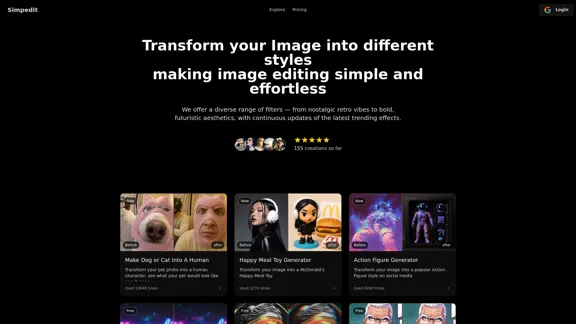
Simpedit is an innovative image transformation tool that allows users to effortlessly convert their photos into various artistic styles. With a wide range of filters, from nostalgic retro to bold futuristic aesthetics, Simpedit simplifies the image editing process, making it accessible for both casual users and creative professionals. The platform continuously updates its effects to keep up with the latest trends, ensuring that users can create visually appealing images with ease.
Simpedit One Click to Change Your Image with a Stylish Trend
We've curated a rich library of effects. Transform your image into something beautiful and unique with just one click on Simpedit.
Introduction
Feature
-
One-Click Image Transformation
Users can upload an image and receive professional-grade editing effects instantly, eliminating complex multi-step processes.
-
Diverse Range of Filters
Simpedit offers a variety of filters, including retro, futuristic, glitch art, and more, catering to different creative needs.
-
Cost-Effective AI Capabilities
The platform provides high-quality image processing services at significantly reduced prices, making it budget-friendly.
-
Continuous Trend Monitoring
Simpedit tracks global visual trends and updates its effect library regularly, ensuring users have access to the latest styles.
-
User-Friendly Interface
The platform is designed for ease of use, requiring no professional editing knowledge, allowing anyone to create stunning visuals quickly.
-
Commercial Use Rights
Images processed through Simpedit can be used for both personal and commercial projects, provided users own the rights to the original images.
How to Use?
- Visit the Simpedit website and log in or create an account.
- Upload the image you want to edit.
- Browse through the effect library and select a style you like.
- Apply the chosen effect with one click.
- Download your transformed image and share it on social media.
FAQ
What is Simpedit?
Simpedit is a professional image style transformation tool that converts ordinary photos into various artistic styles with just one click.
How is Simpedit different from other image editing tools?
Simpedit offers a one-click operation, continuously updates its effects based on current trends, and provides cost-effective AI processing services.
Who is Simpedit designed for?
Simpedit caters to creative professionals, content creators, storytellers, trendsetters, and general users looking to enhance their images.
Can I use Simpedit-processed images in commercial projects?
Yes, images generated by Simpedit can be used for both personal and commercial purposes, as long as users own the rights to the original images.
Price
| Plan | Price | Credits | Features |
|---|---|---|---|
| Standard | $2.92 | 20 | 20 images, standard resolution (up to 1080p), access to popular filters |
| Premium | $9.95 | 50 | 50 images, ultra-high resolution (up to 4K), watermark-free downloads, priority processing |
The price is for reference only, please refer to the latest official data for actual information.
Evaluation
Simpedit excels in providing a user-friendly platform for image transformation, making it suitable for a wide range of users. The one-click operation and diverse filter options are significant advantages, allowing for quick and creative edits. However, the platform could improve by offering more advanced editing features for professional users who may seek greater customization. Additionally, while the pricing is competitive, introducing a subscription model could provide users with more flexibility for frequent use. Overall, Simpedit is a valuable tool for casual users and professionals alike, but it may need to expand its capabilities to fully satisfy advanced editing needs.
Related Websites
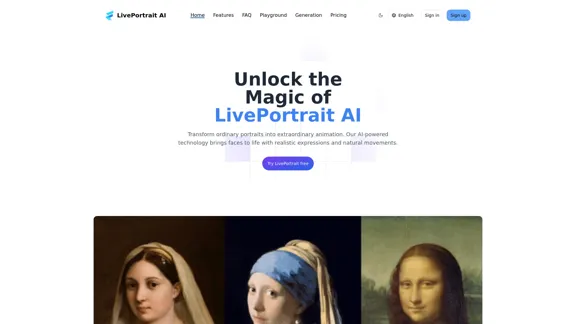
LivePortrait AI: Create Amazing AI Portrait Animation in Minutes
LivePortrait AI: Create Amazing AI Portrait Animation in MinutesLivePortrait AI uses advanced technology to create stunning AI portrait animation. Upload your photo and watch it come to life with realistic movements and expressions.
0

MarketingAI: You don't need more features. You need marketing.
MarketingAI: You don't need more features. You need marketing.Get a 15-page marketing action plan tailored to your SaaS business, including a step-by-step guide on acquiring users and a projected return on investment (ROI).
0
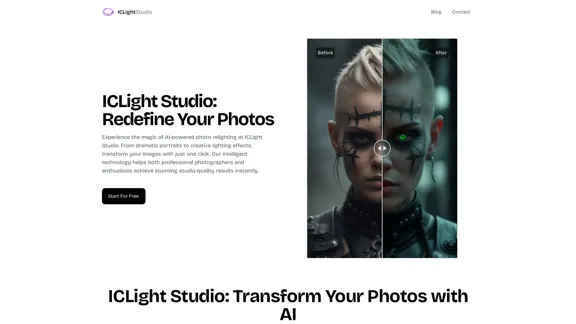
ICLight Studio - Free and Easy AI Photo Relighting
ICLight Studio - Free and Easy AI Photo RelightingTransform your photos with ICLight's free AI-powered relighting technology. Create professional studio lighting effects with simple text prompts.
0

2. Understanding the Basics
* `/imagine` Command: This is the core command for generating images.
* Prompt: A text description of the artwork you want to create. Be specific and descriptive!
* Parameters: Options that control aspects like image size, aspect ratio, and style.
3. Crafting Your Journey Prompt
Think about the story you want to tell with your artwork.
* Setting: Where does your journey take place? (e.g., a mystical forest, a futuristic city, a desolate wasteland)
* Characters: Who is on this journey? (e.g., a lone traveler, a group of adventurers, mythical creatures)
* Mood: What feeling do you want to evoke? (e.g., adventurous, mysterious, hopeful, melancholic)
* Style: What artistic style appeals to you? (e.g., photorealistic, painterly, abstract)
4. Putting it Together
Combine these elements into a clear and concise prompt.
Example:
`/imagine A lone traveler journeys through a mystical forest at sunset, bathed in golden light. The path ahead is shrouded in mist, hinting at unknown wonders. Style: painterly, ethereal`
5. Experiment and Refine
* Midjourney is all about experimentation! Try different prompts, parameters, and styles.
* Use the "upscale" command to enlarge your favorite images and reveal more detail.
* Don't be afraid to iterate and refine your prompts based on the results.](https://static.right-ai.com/tools/2024/7/4/chromewebstore-google-com-detail-journey-artprompt-with-mi-pfjhhefanfhdijppdppillliedgaehko-thumbnail-1720092379.png "Journey ArtPrompt with Midjourney
This guide will walk you through creating stunning artwork using Midjourney, a powerful AI art generator.
1. Accessing Midjourney
* You'll need a Discord account to use Midjourney.
* Join the official Midjourney server: [https://discord.gg/midjourney](https://discord.gg/midjourney)
2. Understanding the Basics
* `/imagine` Command: This is the core command for generating images.
* Prompt: A text description of the artwork you want to create. Be specific and descriptive!
* Parameters: Options that control aspects like image size, aspect ratio, and style.
3. Crafting Your Journey Prompt
Think about the story you want to tell with your artwork.
* Setting: Where does your journey take place? (e.g., a mystical forest, a futuristic city, a desolate wasteland)
* Characters: Who is on this journey? (e.g., a lone traveler, a group of adventurers, mythical creatures)
* Mood: What feeling do you want to evoke? (e.g., adventurous, mysterious, hopeful, melancholic)
* Style: What artistic style appeals to you? (e.g., photorealistic, painterly, abstract)
4. Putting it Together
Combine these elements into a clear and concise prompt.
Example:
`/imagine A lone traveler journeys through a mystical forest at sunset, bathed in golden light. The path ahead is shrouded in mist, hinting at unknown wonders. Style: painterly, ethereal`
5. Experiment and Refine
* Midjourney is all about experimentation! Try different prompts, parameters, and styles.
* Use the \"upscale\" command to enlarge your favorite images and reveal more detail.
* Don't be afraid to iterate and refine your prompts based on the results.")
Journey ArtPrompt with Midjourney This guide will walk you through creating stunning artwork using Midjourney, a powerful AI art generator. 1. Accessing Midjourney * You'll need a Discord account to use Midjourney. * Join the official Midjourney server: [https://discord.gg/midjourney](https://discord.gg/midjourney) 2. Understanding the Basics * `/imagine` Command: This is the core command for generating images. * Prompt: A text description of the artwork you want to create. Be specific and descriptive! * Parameters: Options that control aspects like image size, aspect ratio, and style. 3. Crafting Your Journey Prompt Think about the story you want to tell with your artwork. * Setting: Where does your journey take place? (e.g., a mystical forest, a futuristic city, a desolate wasteland) * Characters: Who is on this journey? (e.g., a lone traveler, a group of adventurers, mythical creatures) * Mood: What feeling do you want to evoke? (e.g., adventurous, mysterious, hopeful, melancholic) * Style: What artistic style appeals to you? (e.g., photorealistic, painterly, abstract) 4. Putting it Together Combine these elements into a clear and concise prompt. Example: `/imagine A lone traveler journeys through a mystical forest at sunset, bathed in golden light. The path ahead is shrouded in mist, hinting at unknown wonders. Style: painterly, ethereal` 5. Experiment and Refine * Midjourney is all about experimentation! Try different prompts, parameters, and styles. * Use the "upscale" command to enlarge your favorite images and reveal more detail. * Don't be afraid to iterate and refine your prompts based on the results.
Journey ArtPrompt with Midjourney This guide will walk you through creating stunning artwork using Midjourney, a powerful AI art generator. 1. Accessing Midjourney * You'll need a Discord account to use Midjourney. * Join the official Midjourney server: [https://discord.gg/midjourney](https://discord.gg/midjourney) 2. Understanding the Basics * `/imagine` Command: This is the core command for generating images. * Prompt: A text description of the artwork you want to create. Be specific and descriptive! * Parameters: Options that control aspects like image size, aspect ratio, and style. 3. Crafting Your Journey Prompt Think about the story you want to tell with your artwork. * Setting: Where does your journey take place? (e.g., a mystical forest, a futuristic city, a desolate wasteland) * Characters: Who is on this journey? (e.g., a lone traveler, a group of adventurers, mythical creatures) * Mood: What feeling do you want to evoke? (e.g., adventurous, mysterious, hopeful, melancholic) * Style: What artistic style appeals to you? (e.g., photorealistic, painterly, abstract) 4. Putting it Together Combine these elements into a clear and concise prompt. Example: `/imagine A lone traveler journeys through a mystical forest at sunset, bathed in golden light. The path ahead is shrouded in mist, hinting at unknown wonders. Style: painterly, ethereal` 5. Experiment and Refine * Midjourney is all about experimentation! Try different prompts, parameters, and styles. * Use the "upscale" command to enlarge your favorite images and reveal more detail. * Don't be afraid to iterate and refine your prompts based on the results.New backgrounds with Midjourney on new tabs
193.90 M
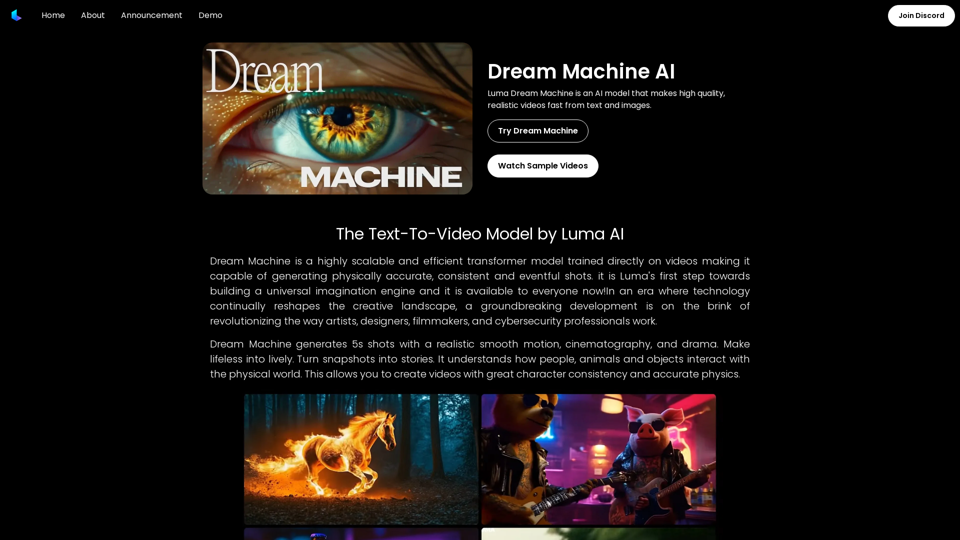
Dream Machine AI: Try Luma AI Video Generator for Free
Dream Machine AI: Try Luma AI Video Generator for FreeTry Dream Machine AI Video Generator for Free Online. Dream Machine is a new text-to-video model by Luma Ai, able to create high-definition videos.
0