Open-source RightAI Tools Directory
  • Discover AI
  • Submit
  • Startup
  • Blog
Open-source RightAI Tools Directory
Discover the best AI tools of 2025 with the RightAI Tools Directory!

Friend Links

AI Anime GeneratorToolsApp AI

Support

Tap4
Privacy policyTerms & ConditionsContact Us
Loading...
loading...

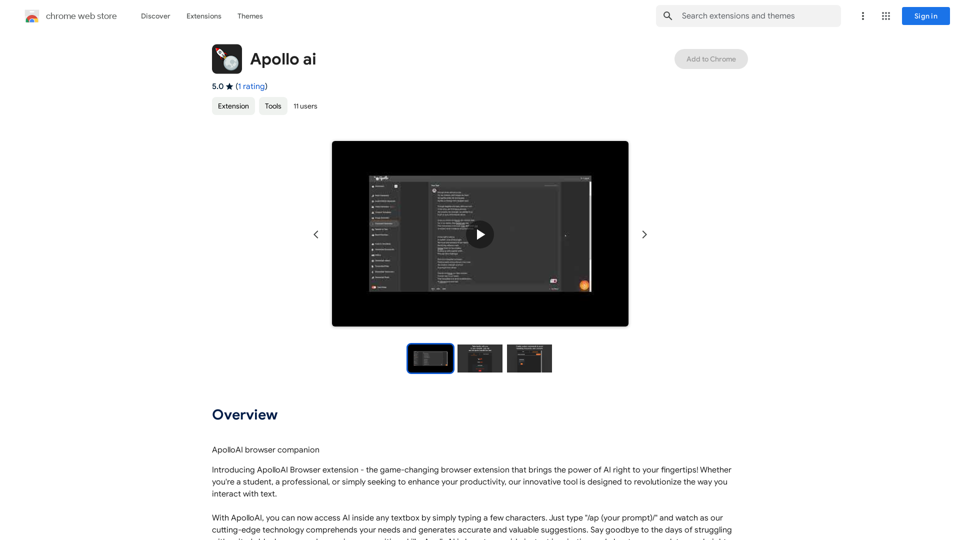
Apollo AI

ApolloAI Browser Companion
Visit Website
Apollo AI
Visit Website

Introduction

Apollo AI is a browser extension that integrates artificial intelligence into any textbox, enabling users to generate accurate and valuable suggestions with ease. By simply typing a few characters, users can access AI-powered assistance to overcome writer's block and enhance their work. This innovative tool comprehends user needs and offers customizable responses, making it a versatile aid for various writing tasks.

Feature

AI Integration in Any Textbox

Apollo AI seamlessly integrates into any textbox, allowing users to access AI assistance wherever they're typing. This feature provides instant support across various platforms and applications.

Custom Commands

Users can tailor the AI's responses to their preferences using custom commands. This personalization ensures that the AI output aligns with individual writing styles and requirements.

Fine-tuning and Templating

Apollo AI supports fine-tuning of AI output, creation of templates, and addition of personalized instructions. These features allow users to optimize the AI's performance for specific tasks or projects.

Free Access

Apollo AI is available as a free browser extension, with no subscription fees or usage limitations. This accessibility ensures that users can benefit from AI assistance without financial constraints.

YouTube Tutorial

A comprehensive tutorial is available on YouTube, providing users with detailed guidance on how to maximize the potential of Apollo AI.

Simple Activation

Users can activate Apollo AI by typing "/ap (your prompt)/" in any textbox, making it quick and easy to access AI-powered suggestions.

FAQ

How does Apollo AI work?

Apollo AI is activated by typing "/ap (your prompt)/" in any textbox. The AI then processes the prompt and generates suggestions based on the user's input and any custom settings or commands.

What are the main benefits of using Apollo AI?

Apollo AI offers instant inspiration, improved writing skills, increased productivity, and access to customizable AI-powered tools. It helps users overcome writer's block and elevates their work quality.

Can Apollo AI be customized?

Yes, Apollo AI allows for customization through custom commands, fine-tuning of output, creation of templates, and addition of personalized instructions. This ensures that the AI's responses fit individual needs and preferences.

Is there a cost associated with using Apollo AI?

No, Apollo AI is a completely free browser extension. There are no subscription fees or usage costs, allowing users to utilize the tool without any financial limitations.

Latest Traffic Insights

  • Monthly Visits

    193.90 M

  • Bounce Rate

    56.27%

  • Pages Per Visit

    2.71

  • Time on Site(s)

    115.91

  • Global Rank

    -

  • Country Rank

    -

Recent Visits

Traffic Sources

  • Social Media:
    0.48%
  • Paid Referrals:
    0.55%
  • Email:
    0.15%
  • Referrals:
    12.81%
  • Search Engines:
    16.21%
  • Direct:
    69.81%
More Data

Related Websites

super memory
View Detail

super memory

super memory

An extension for https://supermemory.ai - an AI hub for all your bookmarks.

193.90 M
TermsAi
View Detail

TermsAi

TermsAi

TermsAi provides quick summaries of terms and agreements using AI. Understand key points effortlessly with a single click.

193.90 M
Chat-GPT PDF

What is Chat-GPT PDF?

Chat-GPT PDF is a tool that allows users to generate PDF files from Chat-GPT conversations. This innovative tool enables users to save and share their conversations in a more organized and visually appealing format.

How does Chat-GPT PDF work?

The process is simple and straightforward. Here's a step-by-step guide:

1. Copy the conversation: Copy the entire conversation from the Chat-GPT platform.
2. Paste the conversation: Paste the copied conversation into the Chat-GPT PDF tool.
3. Customize the layout: Customize the layout, font, and design of the PDF file according to your preferences.
4. Generate the PDF: Click the "Generate PDF" button to create a downloadable PDF file.

Features of Chat-GPT PDF

Chat-GPT PDF offers several features that make it an essential tool for users:

* Customizable layout: Customize the layout, font, and design of the PDF file to suit your needs.
* Easy sharing: Share the PDF file with others via email, social media, or messaging apps.
* Offline access: Access your conversations offline, even without an internet connection.
* Organization: Organize your conversations in a neat and tidy format, making it easier to review and reference.

Benefits of Chat-GPT PDF

The benefits of using Chat-GPT PDF are numerous:

* Improved productivity: Save time and increase productivity by having all your conversations in one place.
* Enhanced collaboration: Collaborate with others more effectively by sharing conversations in a clear and concise format.
* Better organization: Keep your conversations organized, making it easier to review and reference them later.

Conclusion

Chat-GPT PDF is a game-changer for anyone who uses Chat-GPT regularly. With its ease of use, customization options, and benefits, it's an essential tool for anyone looking to get the most out of their conversations.
View Detail

Chat-GPT PDF What is Chat-GPT PDF? Chat-GPT PDF is a tool that allows users to generate PDF files from Chat-GPT conversations. This innovative tool enables users to save and share their conversations in a more organized and visually appealing format. How does Chat-GPT PDF work? The process is simple and straightforward. Here's a step-by-step guide: 1. Copy the conversation: Copy the entire conversation from the Chat-GPT platform. 2. Paste the conversation: Paste the copied conversation into the Chat-GPT PDF tool. 3. Customize the layout: Customize the layout, font, and design of the PDF file according to your preferences. 4. Generate the PDF: Click the "Generate PDF" button to create a downloadable PDF file. Features of Chat-GPT PDF Chat-GPT PDF offers several features that make it an essential tool for users: * Customizable layout: Customize the layout, font, and design of the PDF file to suit your needs. * Easy sharing: Share the PDF file with others via email, social media, or messaging apps. * Offline access: Access your conversations offline, even without an internet connection. * Organization: Organize your conversations in a neat and tidy format, making it easier to review and reference. Benefits of Chat-GPT PDF The benefits of using Chat-GPT PDF are numerous: * Improved productivity: Save time and increase productivity by having all your conversations in one place. * Enhanced collaboration: Collaborate with others more effectively by sharing conversations in a clear and concise format. * Better organization: Keep your conversations organized, making it easier to review and reference them later. Conclusion Chat-GPT PDF is a game-changer for anyone who uses Chat-GPT regularly. With its ease of use, customization options, and benefits, it's an essential tool for anyone looking to get the most out of their conversations.

Chat-GPT PDF What is Chat-GPT PDF? Chat-GPT PDF is a tool that allows users to generate PDF files from Chat-GPT conversations. This innovative tool enables users to save and share their conversations in a more organized and visually appealing format. How does Chat-GPT PDF work? The process is simple and straightforward. Here's a step-by-step guide: 1. Copy the conversation: Copy the entire conversation from the Chat-GPT platform. 2. Paste the conversation: Paste the copied conversation into the Chat-GPT PDF tool. 3. Customize the layout: Customize the layout, font, and design of the PDF file according to your preferences. 4. Generate the PDF: Click the "Generate PDF" button to create a downloadable PDF file. Features of Chat-GPT PDF Chat-GPT PDF offers several features that make it an essential tool for users: * Customizable layout: Customize the layout, font, and design of the PDF file to suit your needs. * Easy sharing: Share the PDF file with others via email, social media, or messaging apps. * Offline access: Access your conversations offline, even without an internet connection. * Organization: Organize your conversations in a neat and tidy format, making it easier to review and reference. Benefits of Chat-GPT PDF The benefits of using Chat-GPT PDF are numerous: * Improved productivity: Save time and increase productivity by having all your conversations in one place. * Enhanced collaboration: Collaborate with others more effectively by sharing conversations in a clear and concise format. * Better organization: Keep your conversations organized, making it easier to review and reference them later. Conclusion Chat-GPT PDF is a game-changer for anyone who uses Chat-GPT regularly. With its ease of use, customization options, and benefits, it's an essential tool for anyone looking to get the most out of their conversations.

Exporting Chat History to PDF You can export your chat history with Chat-GPT to a PDF file using the following methods: #Method 1: Browser Print Function 1. Open your chat conversation with Chat-GPT in a web browser. 2. Press `Ctrl + P` (Windows) or `Cmd + P` (Mac) to open the print dialog box. 3. Select "Save as PDF" as the printer destination. 4. Choose a location to save the PDF file and set the file name. 5. Click "Save" to export the chat history to a PDF file. #Method 2: Online PDF Conversion Tools 1. Copy the entire chat conversation by pressing `Ctrl + A` (Windows) or `Cmd + A` (Mac) and then `Ctrl + C` (Windows) or `Cmd + C` (Mac). 2. Go to an online PDF conversion tool, such as SmallPDF or Convertio. 3. Paste the chat conversation into the conversion tool's text box. 4. Select the PDF format and click "Convert" to generate the PDF file. 5. Download the PDF file to your computer. #Method 3: Browser Extensions 1. Install a browser extension, such as Print Friendly & PDF or FireShot, that allows you to save web pages as PDF files. 2. Open your chat conversation with Chat-GPT in a web browser. 3. Click the browser extension's icon in the toolbar. 4. Select the "Save as PDF" option and choose a location to save the file. 5. Click "Save" to export the chat history to a PDF file. By following these methods, you can easily export your chat history with Chat-GPT to a PDF file for future reference or sharing.

193.90 M
Keble | Online Business Co-Pilot
View Detail

Keble | Online Business Co-Pilot

Keble | Online Business Co-Pilot

Keble | Online Business Co-Pilot | Bridging data and AI

193.90 M
CSV and Parquet Viewer
View Detail

CSV and Parquet Viewer

CSV and Parquet Viewer

View and filter CSV and Parquet files in your browser.

193.90 M
LearnHouse - The modern Open source learning platform for everyone.
View Detail

LearnHouse - The modern Open source learning platform for everyone.

LearnHouse - The modern Open source learning platform for everyone.

LearnHouse is an open source platform that makes it easy for anyone to provide world-class educational content and it offers a variety of content types : Dynamic Pages, Videos, Documents & more.

12
AI Text Shortener | Precise Text Adjuster | WordLimiter
View Detail

AI Text Shortener | Precise Text Adjuster | WordLimiter

AI Text Shortener | Precise Text Adjuster | WordLimiter

WordLimit helps you to shorten your text precisely without losing key information and your unique writing style. Feel free to use it because it will never make your Human-Written content become AI-Written!

834
Online Story Planner - Plot Factory
View Detail

Online Story Planner - Plot Factory

Online Story Planner - Plot Factory

Online story planner, organizer, and writing app that allows you to create fictional universes, develop rich characters, and write amazing stories.

32.05 K