Open-source RightAI Tools Directory
  • Discover AI
  • Submit
  • Startup
  • Blog
Open-source RightAI Tools Directory
Discover the best AI tools of 2025 with the RightAI Tools Directory!

Friend Links

AI Anime GeneratorToolsApp AI

Support

Tap4
Privacy policyTerms & ConditionsContact Us
Loading...
loading...

Algae

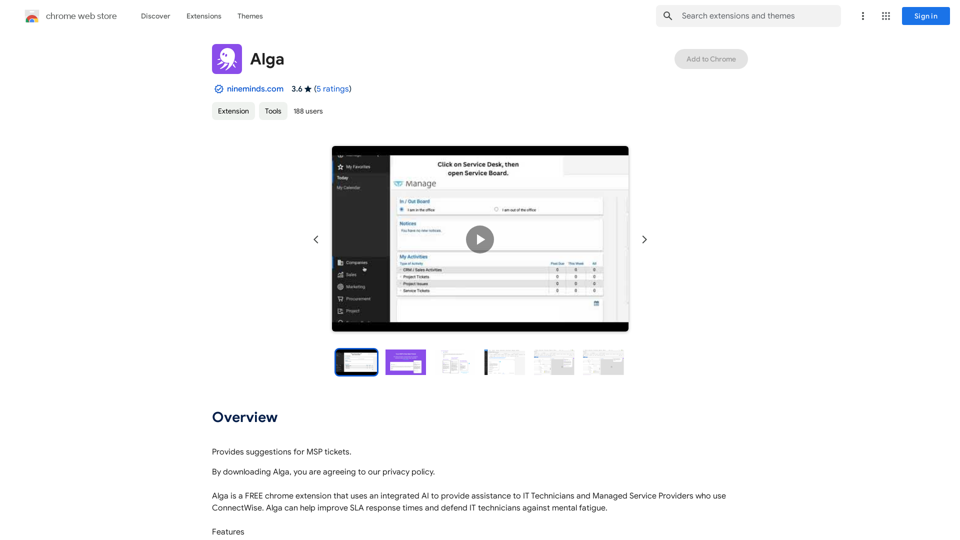
Offers ideas for MSP support requests.
Visit Website
Algae
Visit Website

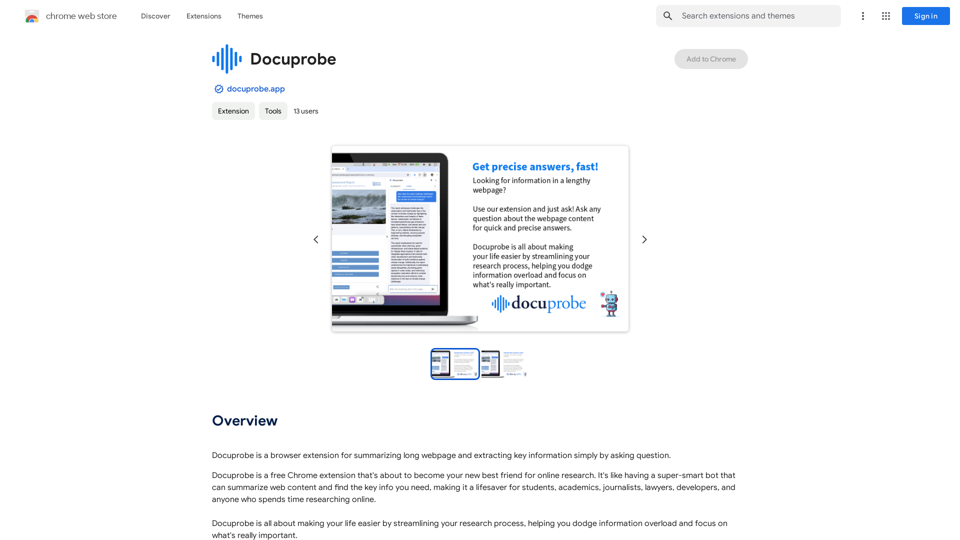
Introduction

Alga is a free Chrome extension designed to assist IT technicians and managed service providers using ConnectWise. This AI-powered tool aims to enhance SLA response times and combat mental fatigue among IT professionals. Alga integrates seamlessly with ConnectWise and operates on any Chrome-enabled device, including Windows, Mac, and Linux systems.

Feature

Intelligent Ticket Title Generation

Alga crafts new service ticket titles based on the ticket's content, ensuring clarity and relevance.

Comprehensive Ticket Summary

The AI provides a concise synopsis of ticket activities, offering a quick overview of the situation.

Automated Ticket Categorization

Alga efficiently categorizes tickets, streamlining the organization and prioritization process.

Real-time Advice

The extension offers timely suggestions on how to handle tickets, improving response efficiency.

Customer Response Generation

With a single click, Alga can compose professional responses to customers on behalf of technicians.

Cross-platform Compatibility

Alga functions on any Windows, Mac, or Linux computer running Chrome, ensuring wide accessibility.

Cost-free Utilization

As a free extension, Alga provides all its features without any additional charges to users.

FAQ

What is Alga?

Alga is a free Chrome extension that leverages AI to assist IT technicians and managed service providers using ConnectWise. It aims to improve SLA response times and reduce mental fatigue among IT professionals.

How does Alga work?

Alga integrates with ConnectWise through a Chrome extension. It uses AI to analyze ticket content, generate summaries, categorize tickets, provide advice, and draft customer responses.

What are the main features of Alga?

Alga's key features include:

  1. Intelligent ticket title generation
  2. Comprehensive ticket summarization
  3. Automated ticket categorization
  4. Real-time advice for ticket handling
  5. Customer response generation

Is Alga compatible with my system?

Alga works on any Windows, Mac, or Linux computer running Chrome, making it widely accessible for most users.

How much does Alga cost?

Alga is completely free. Users can access all its features without any additional costs or hidden charges.

Latest Traffic Insights

  • Monthly Visits

    193.90 M

  • Bounce Rate

    56.27%

  • Pages Per Visit

    2.71

  • Time on Site(s)

    115.91

  • Global Rank

    -

  • Country Rank

    -

Recent Visits

Traffic Sources

  • Social Media:
    0.48%
  • Paid Referrals:
    0.55%
  • Email:
    0.15%
  • Referrals:
    12.81%
  • Search Engines:
    16.21%
  • Direct:
    69.81%
More Data

Related Websites

TabCrunch - AI Tab Manager
View Detail

TabCrunch - AI Tab Manager

TabCrunch - AI Tab Manager

AI-Powered Tab Manager for Researchers

193.90 M
NirvanaAI Extension
View Detail

NirvanaAI Extension

NirvanaAI Extension

Extension that allows you to have AI-powered tools for grammar correction, transcription, and...

193.90 M
VidAU - AI Video Generator
View Detail

VidAU - AI Video Generator

VidAU - AI Video Generator

VidAu AI video generator creates high-quality videos for you with features such as avatar spokesperson, face swap, multi-language translation, subtitles, and watermarks removal, as well as video mixing and editing capabilities—get started for free.

684
Free ChatGPT Sidebar (GPT-4, Vision)
View Detail

Free ChatGPT Sidebar (GPT-4, Vision)

Free ChatGPT Sidebar (GPT-4, Vision)

Free ChatGPT Sideba, an artificial intelligence assistant developed using GPT-3.5 and GPT-4 technologies from OpenAI.

193.90 M
Free ChatGPT Sidebar Assistant (GPT-4, AIDraw)
View Detail

Free ChatGPT Sidebar Assistant (GPT-4, AIDraw)

Free ChatGPT Sidebar Assistant (GPT-4, AIDraw)

Free ChatGPT Sidebar Assistant is an AI chatbot developed based on OpenAI's ChatGPT 3.5 and 4 models.

193.90 M
Doubao, Browser AI Assistant
View Detail

Doubao, Browser AI Assistant

Doubao, Browser AI Assistant

Beanbag is your AI assistant, residing in the browser sidebar, answering questions, summarizing translations of web pages, papers, and videos, and even helping you write emails quickly.

193.90 M
ChatGPT Keyboard Shortcuts

#Navigation

* Ctrl + →: Move to the next message
* Ctrl + ←: Move to the previous message
* Home: Move to the beginning of the conversation
* End: Move to the end of the conversation

#Editing

* Ctrl + A: Select all text
* Ctrl + C: Copy selected text
* Ctrl + X: Cut selected text
* Ctrl + V: Paste copied or cut text
* Ctrl + Z: Undo
* Ctrl + Y: Redo
* Ctrl + Shift + F: Format text as code

#Actions

* Enter: Send the message
* Shift + Enter: Insert a new line
* Ctrl + Shift + Enter: Send the message and insert a new line
* Esc: Cancel editing and close the message input field
* Ctrl + Shift + Space: Open the emoji picker
* Ctrl + Shift + /: Open the help menu

#Accessibility

* Ctrl + +: Increase font size
* Ctrl + -: Decrease font size
* Ctrl + 0: Reset font size to default
View Detail

ChatGPT Keyboard Shortcuts #Navigation * Ctrl + →: Move to the next message * Ctrl + ←: Move to the previous message * Home: Move to the beginning of the conversation * End: Move to the end of the conversation #Editing * Ctrl + A: Select all text * Ctrl + C: Copy selected text * Ctrl + X: Cut selected text * Ctrl + V: Paste copied or cut text * Ctrl + Z: Undo * Ctrl + Y: Redo * Ctrl + Shift + F: Format text as code #Actions * Enter: Send the message * Shift + Enter: Insert a new line * Ctrl + Shift + Enter: Send the message and insert a new line * Esc: Cancel editing and close the message input field * Ctrl + Shift + Space: Open the emoji picker * Ctrl + Shift + /: Open the help menu #Accessibility * Ctrl + +: Increase font size * Ctrl + -: Decrease font size * Ctrl + 0: Reset font size to default

ChatGPT Keyboard Shortcuts #Navigation * Ctrl + →: Move to the next message * Ctrl + ←: Move to the previous message * Home: Move to the beginning of the conversation * End: Move to the end of the conversation #Editing * Ctrl + A: Select all text * Ctrl + C: Copy selected text * Ctrl + X: Cut selected text * Ctrl + V: Paste copied or cut text * Ctrl + Z: Undo * Ctrl + Y: Redo * Ctrl + Shift + F: Format text as code #Actions * Enter: Send the message * Shift + Enter: Insert a new line * Ctrl + Shift + Enter: Send the message and insert a new line * Esc: Cancel editing and close the message input field * Ctrl + Shift + Space: Open the emoji picker * Ctrl + Shift + /: Open the help menu #Accessibility * Ctrl + +: Increase font size * Ctrl + -: Decrease font size * Ctrl + 0: Reset font size to default

Enhance your ChatGPT experience with easy-to-use keyboard shortcuts.

193.90 M
Youtube VideoSynth: Summarize Youtube Videos

This tool uses artificial intelligence to create short summaries of YouTube videos. 

Simply paste the YouTube video URL into the input field, and VideoSynth will generate a concise summary of the video's content.
View Detail

Youtube VideoSynth: Summarize Youtube Videos This tool uses artificial intelligence to create short summaries of YouTube videos. Simply paste the YouTube video URL into the input field, and VideoSynth will generate a concise summary of the video's content.

Youtube VideoSynth: Summarize Youtube Videos This tool uses artificial intelligence to create short summaries of YouTube videos. Simply paste the YouTube video URL into the input field, and VideoSynth will generate a concise summary of the video's content.

Summarize YouTube Video Transcripts Using AI This is a powerful tool for quickly understanding the main points of long videos. Here's how it works: 1. Get the Transcript: You'll need a text transcript of the YouTube video. Many videos have automatic captions, or you can use a transcription service. 2. Choose an AI Summarizer: There are many free and paid AI summarization tools available online. Some popular options include: * OpenAI's GPT-3: A powerful language model that can generate high-quality summaries. * Google Cloud AI Platform: Offers a variety of AI services, including text summarization. * Hugging Face Transformers: An open-source library with pre-trained summarization models. 3. Input the Transcript: Paste the transcript into the AI summarizer. 4. Generate the Summary: The AI will analyze the text and generate a concise summary of the video's main points. 5. Review and Edit: Read through the AI-generated summary and make any necessary edits to ensure accuracy and clarity. Let me know if you'd like more details on any of these steps!

193.90 M