Open-source RightAI Tools Directory
  • Discover AI
  • Submit
  • Startup
  • Blog
Open-source RightAI Tools Directory
Discover the best AI tools of 2025 with the RightAI Tools Directory!

Friend Links

AI Anime GeneratorToolsApp AI

Support

Tap4
Privacy policyTerms & ConditionsContact Us
Loading...
loading...

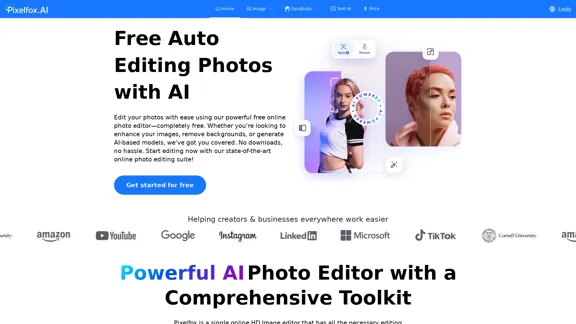
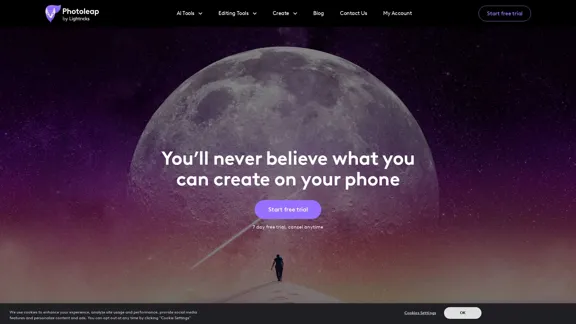
Photoleap - Creative & powerful photo editing app by Lightricks

Use the comprehensive photo editor Photoleap for incredible creations on your iPhone: Alter backgrounds, eliminate objects, design collages, and apply filters & effects. Start a 7-day free trial now.
Visit Website
Photoleap - Creative & powerful photo editing app by Lightricks
Visit Website

Introduction

Photoleap is a powerful and creative photo editing app developed by Lightricks. It offers a wide range of tools and features to transform, enhance, and personalize photos directly on your smartphone. With AI-powered capabilities and user-friendly interfaces, Photoleap aims to make professional-level photo editing accessible to everyone.

Feature

  1. AI-Powered Tools

    • Text to Image: Generate images from text descriptions
    • Sketch to Image: Convert rough sketches into detailed images
    • AI Photo Enhancer: Automatically improve photo quality
    • AI Avatar Generator: Create personalized avatars
    • AI Background Generator: Generate custom backgrounds
  2. Advanced Editing Tools

    • Object Removal: Easily remove unwanted elements from photos
    • Background Removal: Extract subjects from backgrounds
    • Combine Photos: Merge multiple images seamlessly
    • Double Exposure: Create artistic overlays
    • Layers: Work with multiple layers for complex edits
  3. Creative Effects

    • QuickArt: One-tap artistic transformations
    • Filters and Effects: Extensive library of photo filters
    • Stickers and Fonts: Add personalized elements to images
  4. Animation Features

    • Photo Animation: Add movement to static images
    • GIF Creation: Easily create shareable animated GIFs
  5. All-in-One Solution

    • Integrated Motionleap capabilities
    • Comprehensive toolset for various editing needs

How to Use?

  1. Explore the AI-powered features like Text to Image and Sketch to Image for unique creations.

  2. Utilize the object and background removal tools to clean up your photos professionally.

  3. Experiment with QuickArt effects for instant artistic transformations.

  4. Try the animation feature to bring static images to life and create engaging content for social media.

  5. Use layers for more complex edits and to combine multiple elements in your images.

  6. Take advantage of the extensive filter and effect library to achieve your desired aesthetic quickly.

  7. Don't forget to explore the sticker and font options to add a personal touch to your edits.

FAQ

Is Photoleap suitable for both beginners and advanced users?

Yes, Photoleap caters to users of all skill levels. Its intuitive interface and one-tap effects make it accessible for beginners, while advanced tools like layers and double exposure cater to more experienced editors.

Can I use Photoleap for creating content for social media?

Absolutely! Photoleap is ideal for creating social media content. With features like animation, filters, and text overlay, you can easily create engaging posts, stories, and profile pictures for various platforms.

Does Photoleap offer AI-generated images?

Yes, Photoleap includes AI image generation features. You can create images from text descriptions or turn rough sketches into detailed images using AI technology.

Is there a free version of Photoleap available?

The app offers a 7-day free trial, allowing users to explore its features before committing to a subscription. Specific details about free features beyond the trial period are not provided in the given content.

Price

The website does not provide specific pricing information. However, it mentions a 7-day free trial, after which a subscription is likely required. For accurate and up-to-date pricing details, it's best to check the app store or the official Photoleap website.

The price is for reference only, please refer to the latest official data for actual information.

Evaluation

  1. Photoleap stands out with its comprehensive set of features, combining traditional photo editing tools with cutting-edge AI capabilities. This makes it a versatile choice for a wide range of users, from casual social media enthusiasts to more serious photo editors.

  2. The integration of Motionleap features into Photoleap is a significant advantage, offering users a one-stop solution for both static and animated content creation. This eliminates the need to switch between multiple apps, streamlining the creative process.

  3. The AI-powered tools, particularly the text-to-image and sketch-to-image features, provide unique creative possibilities that set Photoleap apart from many other mobile editing apps. These features can be especially appealing to users looking to create original, AI-generated content.

  4. While the app seems to offer a robust set of features, the lack of clear pricing information on the website could be a drawback for potential users who want to understand the cost before committing to a download or trial.

  5. The high user ratings and positive reviews suggest that Photoleap delivers on its promises, but as with any powerful editing tool, there may be a learning curve for users to fully utilize all its capabilities.

  6. For future improvements, Photoleap could consider offering more detailed tutorials or guided editing experiences to help users make the most of its advanced features, ensuring that both beginners and experienced editors can fully leverage the app's potential.

Latest Traffic Insights

  • Monthly Visits

    196.20 K

  • Bounce Rate

    41.84%

  • Pages Per Visit

    2.85

  • Time on Site(s)

    32.06

  • Global Rank

    190374

  • Country Rank

    United States 143077

Recent Visits

Traffic Sources

  • Social Media:
    4.34%
  • Paid Referrals:
    0.60%
  • Email:
    0.14%
  • Referrals:
    6.42%
  • Search Engines:
    57.59%
  • Direct:
    30.90%
More Data

Related Websites

AI Interview Copilot: Cracking the Coding Interview for Real
View Detail

AI Interview Copilot: Cracking the Coding Interview for Real

AI Interview Copilot: Cracking the Coding Interview for Real

An application designed to generate real-time answers to job interview questions, solve algorithmic problems, assist with live coding, and offer advice

211
CreMind GPT Free
View Detail

CreMind GPT Free

CreMind GPT Free

Unlocking the Potential of AI GPT Technology: Empowering Productivity with this Feature-Packed Extension

193.90 M
SyntheticEye AI Detector 

This is a tool to detect AI-generated text. 


It analyzes the text for patterns and characteristics commonly found in AI-written content. 


You can use it to identify potentially fake news, spam, or other types of AI-generated text. 


Keep in mind that no AI detection tool is perfect, and some sophisticated AI-generated text may be difficult to detect.
View Detail

SyntheticEye AI Detector This is a tool to detect AI-generated text. It analyzes the text for patterns and characteristics commonly found in AI-written content. You can use it to identify potentially fake news, spam, or other types of AI-generated text. Keep in mind that no AI detection tool is perfect, and some sophisticated AI-generated text may be difficult to detect.

SyntheticEye AI Detector This is a tool to detect AI-generated text. It analyzes the text for patterns and characteristics commonly found in AI-written content. You can use it to identify potentially fake news, spam, or other types of AI-generated text. Keep in mind that no AI detection tool is perfect, and some sophisticated AI-generated text may be difficult to detect.

SyntheticEye provides a tool to detect images that may have been created by artificial intelligence, helping users tell the difference between AI-generated images and real ones.

193.90 M
Page Summarizer (Using AI)
View Detail

Page Summarizer (Using AI)

Page Summarizer (Using AI)

View a summary of any webpage in your browser sidebar powered by the OpenAI engine.

193.90 M
ScreenRedact on the Mac App Store

#Description
ScreenRedact is a powerful and easy-to-use screenshot editing tool that allows you to quickly and easily remove sensitive information from your screenshots. With its intuitive interface and advanced features, ScreenRedact is the perfect solution for anyone who needs to share screenshots online or with others.

#Features
* Easy to use: ScreenRedact's intuitive interface makes it easy to get started, even if you're not tech-savvy.
* Advanced editing tools: ScreenRedact offers a range of advanced editing tools, including blur, pixelate, and redact, to help you remove sensitive information from your screenshots.
* Customizable: ScreenRedact allows you to customize the appearance of your redactions, including the color, opacity, and style.
* Support for multiple file formats: ScreenRedact supports a range of file formats, including JPEG, PNG, and TIFF.
* Share easily: ScreenRedact makes it easy to share your edited screenshots with others, either by saving them to your computer or sharing them directly to social media or email.

#What's New
* Improved performance: ScreenRedact is now faster and more efficient, making it easier to edit your screenshots.
* New editing tools: ScreenRedact now includes new editing tools, including a magic wand and a lasso tool, to make it even easier to remove sensitive information from your screenshots.
* Enhanced customization options: ScreenRedact now offers even more customization options, including the ability to change the color and opacity of your redactions.

#Ratings and Reviews
* 4.5/5 stars: ScreenRedact has an average rating of 4.5 out of 5 stars on the Mac App Store.
* "Easy to use and effective": One reviewer praised ScreenRedact's ease of use and effectiveness, saying "I was able to quickly and easily remove sensitive information from my screenshots."
* "A must-have for anyone who shares screenshots online": Another reviewer called ScreenRedact "a must-have for anyone who shares screenshots online," citing its ease of use and advanced features.
View Detail

ScreenRedact on the Mac App Store #Description ScreenRedact is a powerful and easy-to-use screenshot editing tool that allows you to quickly and easily remove sensitive information from your screenshots. With its intuitive interface and advanced features, ScreenRedact is the perfect solution for anyone who needs to share screenshots online or with others. #Features * Easy to use: ScreenRedact's intuitive interface makes it easy to get started, even if you're not tech-savvy. * Advanced editing tools: ScreenRedact offers a range of advanced editing tools, including blur, pixelate, and redact, to help you remove sensitive information from your screenshots. * Customizable: ScreenRedact allows you to customize the appearance of your redactions, including the color, opacity, and style. * Support for multiple file formats: ScreenRedact supports a range of file formats, including JPEG, PNG, and TIFF. * Share easily: ScreenRedact makes it easy to share your edited screenshots with others, either by saving them to your computer or sharing them directly to social media or email. #What's New * Improved performance: ScreenRedact is now faster and more efficient, making it easier to edit your screenshots. * New editing tools: ScreenRedact now includes new editing tools, including a magic wand and a lasso tool, to make it even easier to remove sensitive information from your screenshots. * Enhanced customization options: ScreenRedact now offers even more customization options, including the ability to change the color and opacity of your redactions. #Ratings and Reviews * 4.5/5 stars: ScreenRedact has an average rating of 4.5 out of 5 stars on the Mac App Store. * "Easy to use and effective": One reviewer praised ScreenRedact's ease of use and effectiveness, saying "I was able to quickly and easily remove sensitive information from my screenshots." * "A must-have for anyone who shares screenshots online": Another reviewer called ScreenRedact "a must-have for anyone who shares screenshots online," citing its ease of use and advanced features.

ScreenRedact on the Mac App Store #Description ScreenRedact is a powerful and easy-to-use screenshot editing tool that allows you to quickly and easily remove sensitive information from your screenshots. With its intuitive interface and advanced features, ScreenRedact is the perfect solution for anyone who needs to share screenshots online or with others. #Features * Easy to use: ScreenRedact's intuitive interface makes it easy to get started, even if you're not tech-savvy. * Advanced editing tools: ScreenRedact offers a range of advanced editing tools, including blur, pixelate, and redact, to help you remove sensitive information from your screenshots. * Customizable: ScreenRedact allows you to customize the appearance of your redactions, including the color, opacity, and style. * Support for multiple file formats: ScreenRedact supports a range of file formats, including JPEG, PNG, and TIFF. * Share easily: ScreenRedact makes it easy to share your edited screenshots with others, either by saving them to your computer or sharing them directly to social media or email. #What's New * Improved performance: ScreenRedact is now faster and more efficient, making it easier to edit your screenshots. * New editing tools: ScreenRedact now includes new editing tools, including a magic wand and a lasso tool, to make it even easier to remove sensitive information from your screenshots. * Enhanced customization options: ScreenRedact now offers even more customization options, including the ability to change the color and opacity of your redactions. #Ratings and Reviews * 4.5/5 stars: ScreenRedact has an average rating of 4.5 out of 5 stars on the Mac App Store. * "Easy to use and effective": One reviewer praised ScreenRedact's ease of use and effectiveness, saying "I was able to quickly and easily remove sensitive information from my screenshots." * "A must-have for anyone who shares screenshots online": Another reviewer called ScreenRedact "a must-have for anyone who shares screenshots online," citing its ease of use and advanced features.

ScreenRedact allows you to remove sensitive text from an image by utilizing Apple's on-device machine learning model, which identifies text within an image and enables you to redact it with ease.

124.77 M
Stock Photos, Vectors and Royalty Free Images from 123RF
View Detail

Stock Photos, Vectors and Royalty Free Images from 123RF

Stock Photos, Vectors and Royalty Free Images from 123RF

Search and download from millions of HD stock photos, royalty-free images, clipart, vectors, and illustrations

9.66 M
eFiling.us
View Detail

eFiling.us

eFiling.us

eFiling.us

193.90 M
Screenshoter, Screen Recording, ChatGPT
View Detail

Screenshoter, Screen Recording, ChatGPT

Screenshoter, Screen Recording, ChatGPT

NEW FEATURE: 'Ask AI' based on ChatGPT! Highlight an area and ask it to solve a problem, explain, translate, and more!

193.90 M