Open-source RightAI Tools Directory
  • Discover AI
  • Submit
  • Startup
  • Blog
Open-source RightAI Tools Directory
Discover the best AI tools of 2025 with the RightAI Tools Directory!

Friend Links

AI Anime GeneratorToolsApp AI

Support

Tap4
Privacy policyTerms & ConditionsContact Us
Loading...
loading...

Dating Photo AI

Meet Dating Photo AI - the only tool that helps you increase your dating profile matches by making you look like the best version of yourself. By applying the latest AI techniques, we make you get the matches that you deserve.
Visit Website
Dating Photo AI
Visit Website

Introduction

Dating Photo AI is an innovative service designed to enhance your online dating experience by providing AI-generated photos that look just like you. This tool aims to help singles across various dating platforms increase their matches by presenting high-quality, attractive images that showcase their best selves.

Feature

  1. AI-Enhanced Photos

    • Generates photos that look 100% like you
    • Uses proprietary algorithm to learn your unique features
    • Creates images in various styles (hobbies, travel, party, professional)
  2. Easy Setup Process

    StepDescription
    1Upload 10-20 photos of yourself
    2AI processes and generates new photos
    3Select your favorite images
  3. Customization Options

    • Multiple backgrounds (5-10+ depending on plan)
    • Various outfits (5 to unlimited depending on plan)
    • Option to customize existing photos
  4. Quick Turnaround

    • Photos available in minutes (1-hour wait for Starter plan)
  5. Versatile Usage

    • Compatible with all dating platforms
    • Showcases different aspects of your personality
  6. Satisfaction Guarantee

    • 100% satisfaction guarantee
    • Money-back guarantee if you don't get more matches

How to Use?

  1. Upload a variety of photos to give the AI a comprehensive understanding of your appearance.
  2. Include images from different angles and in various lighting conditions for best results.
  3. Consider showcasing different aspects of your personality through the AI-generated photos (e.g., hobbies, travel, professional).
  4. Use a mix of AI-generated and authentic photos on your dating profile for a balanced presentation.
  5. Regularly update your photos to keep your profile fresh and engaging.

FAQ

Do I need a professional photographer to take the photos?

No, you don't need a professional photographer. You can simply upload 10-20 photos of yourself, and the AI will generate high-quality images based on these.

Will these photos actually get me matches?

While results may vary, Dating Photo AI claims that 85% of singles are not getting the matches they deserve due to subpar photos. The service aims to improve your chances of getting matches by presenting you in the best light.

Are these photos allowed on dating platforms?

The website doesn't explicitly address this, but it's important to check the terms of service of your chosen dating platform regarding the use of AI-generated images.

What resolution are the photos?

The specific resolution is not mentioned, but the service promises high-quality photos that look professional.

Is my data safe?

While the website doesn't provide detailed information about data security, it's advisable to review their privacy policy for more information on how your data is handled and protected.

Price

PlanPriceFeatures
Starter$3920 photos, 1-hour wait, 5 backgrounds, 5 outfits
Dater$7950 photos, Customize existing photos, 10 backgrounds
Casanova$199Unlimited photos, outfits, backgrounds, and edits
The price is for reference only, please refer to the latest official data for actual information.

Evaluation

  1. Dating Photo AI offers an innovative solution to a common problem in online dating - subpar profile photos. The AI-generated images could potentially level the playing field for those who struggle with self-presentation.

  2. The service's claim of doubling matches is bold and may set unrealistic expectations. While better photos can certainly improve one's chances, success in online dating depends on various factors.

  3. The pricing structure is reasonable compared to professional photoshoots, offering a cost-effective alternative for those seeking to improve their dating profiles.

  4. The 100% satisfaction guarantee and money-back offer demonstrate confidence in their product, which is reassuring for potential customers.

  5. However, there are ethical considerations regarding the use of AI-generated photos on dating platforms. Users should be aware of potential platform policies and the implications of using such images.

  6. More transparency regarding data handling and privacy would be beneficial, given the sensitive nature of the photos being uploaded and generated.

  7. While the service offers an interesting solution, it's important for users to remember that authenticity is key in building genuine connections. Balancing AI-enhanced photos with authentic representations is crucial for long-term dating success.

Latest Traffic Insights

  • Monthly Visits

    831

  • Bounce Rate

    50.37%

  • Pages Per Visit

    1.03

  • Time on Site(s)

    0.00

  • Global Rank

    13280512

  • Country Rank

    -

Recent Visits

Traffic Sources

  • Social Media:
    9.80%
  • Paid Referrals:
    1.51%
  • Email:
    0.20%
  • Referrals:
    12.75%
  • Search Engines:
    33.18%
  • Direct:
    41.71%
More Data

Related Websites

Text to Voice Generator
==========================

A text-to-voice generator, also known as a text-to-speech (TTS) system, is a software that converts written text into a spoken voice output. This technology has been widely used in various applications, including virtual assistants, audiobooks, and language learning platforms.

How it Works
---------------

The process of generating voice from text involves several steps:

1. Text Analysis: The input text is analyzed to identify the language, syntax, and semantics.
2. Phonetic Transcription: The text is converted into a phonetic transcription, which represents the sounds of the spoken language.
3. Prosody Generation: The phonetic transcription is then used to generate the prosody, or rhythm and intonation, of the spoken voice.
4. Waveform Generation: The prosody and phonetic transcription are combined to generate the audio waveform, which is the final spoken voice output.

Types of Text-to-Voice Generators
-----------------------------------

There are two main types of text-to-voice generators:

Rule-Based Systems

These systems use a set of predefined rules to generate the spoken voice output. They are often limited in their ability to produce natural-sounding voices and may sound robotic.

Machine Learning-Based Systems

These systems use machine learning algorithms to learn from large datasets of spoken voices and generate more natural-sounding voices. They are often more advanced and can produce high-quality voice outputs.

Applications of Text-to-Voice Generators
-----------------------------------------

Text-to-voice generators have a wide range of applications, including:

Virtual Assistants

Virtual assistants, such as Siri and Alexa, use text-to-voice generators to respond to user queries.

Audiobooks

Text-to-voice generators can be used to create audiobooks from written texts, making it easier for people to access written content.

Language Learning

Language learning platforms use text-to-voice generators to provide pronunciation guidance and practice exercises for learners.

Accessibility

Text-to-voice generators can be used to assist people with disabilities, such as visual impairments, by providing an auditory interface to written content.
View Detail

Text to Voice Generator ========================== A text-to-voice generator, also known as a text-to-speech (TTS) system, is a software that converts written text into a spoken voice output. This technology has been widely used in various applications, including virtual assistants, audiobooks, and language learning platforms. How it Works --------------- The process of generating voice from text involves several steps: 1. Text Analysis: The input text is analyzed to identify the language, syntax, and semantics. 2. Phonetic Transcription: The text is converted into a phonetic transcription, which represents the sounds of the spoken language. 3. Prosody Generation: The phonetic transcription is then used to generate the prosody, or rhythm and intonation, of the spoken voice. 4. Waveform Generation: The prosody and phonetic transcription are combined to generate the audio waveform, which is the final spoken voice output. Types of Text-to-Voice Generators ----------------------------------- There are two main types of text-to-voice generators: Rule-Based Systems These systems use a set of predefined rules to generate the spoken voice output. They are often limited in their ability to produce natural-sounding voices and may sound robotic. Machine Learning-Based Systems These systems use machine learning algorithms to learn from large datasets of spoken voices and generate more natural-sounding voices. They are often more advanced and can produce high-quality voice outputs. Applications of Text-to-Voice Generators ----------------------------------------- Text-to-voice generators have a wide range of applications, including: Virtual Assistants Virtual assistants, such as Siri and Alexa, use text-to-voice generators to respond to user queries. Audiobooks Text-to-voice generators can be used to create audiobooks from written texts, making it easier for people to access written content. Language Learning Language learning platforms use text-to-voice generators to provide pronunciation guidance and practice exercises for learners. Accessibility Text-to-voice generators can be used to assist people with disabilities, such as visual impairments, by providing an auditory interface to written content.

Text to Voice Generator ========================== A text-to-voice generator, also known as a text-to-speech (TTS) system, is a software that converts written text into a spoken voice output. This technology has been widely used in various applications, including virtual assistants, audiobooks, and language learning platforms. How it Works --------------- The process of generating voice from text involves several steps: 1. Text Analysis: The input text is analyzed to identify the language, syntax, and semantics. 2. Phonetic Transcription: The text is converted into a phonetic transcription, which represents the sounds of the spoken language. 3. Prosody Generation: The phonetic transcription is then used to generate the prosody, or rhythm and intonation, of the spoken voice. 4. Waveform Generation: The prosody and phonetic transcription are combined to generate the audio waveform, which is the final spoken voice output. Types of Text-to-Voice Generators ----------------------------------- There are two main types of text-to-voice generators: Rule-Based Systems These systems use a set of predefined rules to generate the spoken voice output. They are often limited in their ability to produce natural-sounding voices and may sound robotic. Machine Learning-Based Systems These systems use machine learning algorithms to learn from large datasets of spoken voices and generate more natural-sounding voices. They are often more advanced and can produce high-quality voice outputs. Applications of Text-to-Voice Generators ----------------------------------------- Text-to-voice generators have a wide range of applications, including: Virtual Assistants Virtual assistants, such as Siri and Alexa, use text-to-voice generators to respond to user queries. Audiobooks Text-to-voice generators can be used to create audiobooks from written texts, making it easier for people to access written content. Language Learning Language learning platforms use text-to-voice generators to provide pronunciation guidance and practice exercises for learners. Accessibility Text-to-voice generators can be used to assist people with disabilities, such as visual impairments, by providing an auditory interface to written content.

Generate Voice from Text on Any Web Page With the advancement of technology, it is now possible to generate voice from text on any web page. This feature is particularly useful for people who prefer listening to content rather than reading it. Here's how you can do it: #Method 1: Using Browser Extension You can use a browser extension like Read Aloud or SpeakIt! to generate voice from text on any web page. These extensions are available for both Google Chrome and Mozilla Firefox browsers. #Method 2: Using Online Tools There are several online tools available that can convert text to speech. Some popular tools include NaturalReader, Voice Dream Reader, and Google Text-to-Speech. You can copy and paste the text from any web page into these tools to generate voice. #Method 3: Using Screen Reader If you are using a Windows operating system, you can use the built-in Narrator screen reader to generate voice from text on any web page. For Mac users, you can use VoiceOver. By using any of these methods, you can easily generate voice from text on any web page and enjoy a more convenient and accessible reading experience.

193.90 M
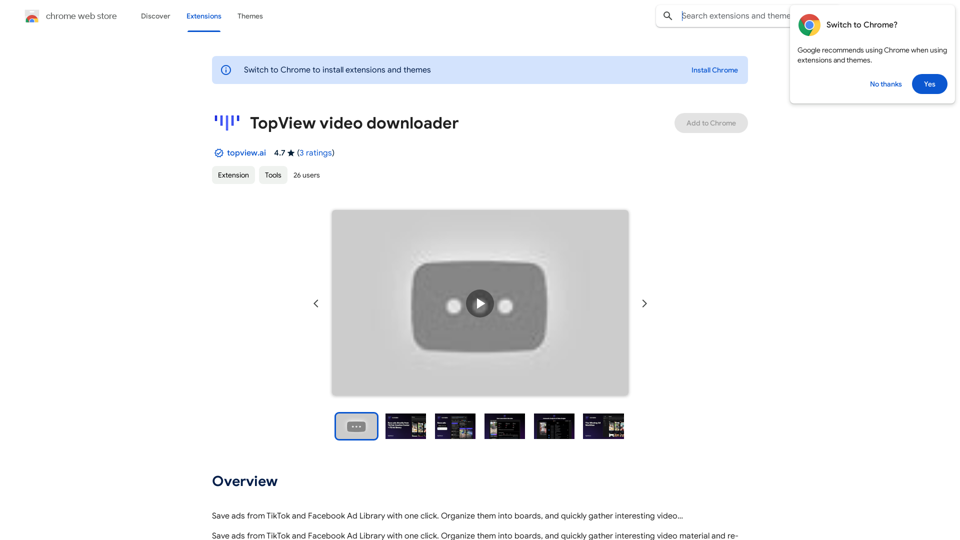
TopView Video Downloader
View Detail

TopView Video Downloader

TopView Video Downloader

Save ads from TikTok and Facebook Ad Library with one click. Organize them into boards, and quickly gather interesting videos.

193.90 M

ProfilePro - AI SEO Tool for Google Business Profile SEO
View Detail

ProfilePro - AI SEO Tool for Google Business Profile SEO

ProfilePro - AI SEO Tool for Google Business Profile SEO

Audit Google My Business SEO, automate Google Business Profile SEO tasks, optimize your Google My Business everywhere and outperform competitors with this AI SEO tool without having to spy!

193.90 M
AI Character Generator (free, no sign-up, unlimited)―Perchance AI
View Detail

AI Character Generator (free, no sign-up, unlimited)―Perchance AI

AI Character Generator (free, no sign-up, unlimited)―Perchance AI

AI text to image generator. Generate AI art from text, completely free, online, no login or sign-up, no daily credit limits/restrictions/gimmicks, and it's fast. Other AI art generators often have annoying daily credit limits and require sign-up, or are slow - this one doesn't. Use this AI to generate high quality art, photos, cartoons, drawings, anime, thumbnails, profile pictures, and more. Create original characters, anime characters, AI villains, fanfiction artwork, and pretty much anything else. It's an AI-based image generator that uses the Stable Diffusion text-to-image model. No watermark, no signup/login, unlimited images. Type words, make pics.

199
Framedrop.ai: Convert Video to Shorts
View Detail

Framedrop.ai: Convert Video to Shorts

Framedrop.ai: Convert Video to Shorts

Get and share highlights from YouTube and Twitch.

193.90 M
PS2 Filter AI - Convert Photo to PS2 Video Game Style Online With AI, Free Trial
View Detail

PS2 Filter AI - Convert Photo to PS2 Video Game Style Online With AI, Free Trial

PS2 Filter AI - Convert Photo to PS2 Video Game Style Online With AI, Free Trial

PS2 Filter AI transforms your photos into iconic PlayStation 2 style graphics. 🎮

7
Youdao Smart Translation
View Detail

Youdao Smart Translation

Youdao Smart Translation

【Youdao Lingdong Translation】Using Youdao's large translation model, the top choice for immersive web translation tools! Real-time contrast translation: Turn any web page into a contrast. Image translation: Easily extract text from images. Instant translation input box: Enter Chinese and easily convert to English.

193.90 M
Image to text converter, converting image text to text, how to extract text from an image.
View Detail

Image to text converter, converting image text to text, how to extract text from an image.

Image to text converter, converting image text to text, how to extract text from an image.

Transform images with text into editable, searchable content instantly. Our advanced AI technology extracts text from any image with remarkable accuracy, supporting multiple languages and document types. Simply upload your picture, and watch as handwritten notes, printed documents, screenshots, and signs are converted to crisp, copyable text in seconds.

0