Open-source RightAI Tools Directory
  • Discover AI
  • Submit
  • Startup
  • Blog
Open-source RightAI Tools Directory
Discover the best AI tools of 2025 with the RightAI Tools Directory!

Friend Links

AI Anime GeneratorToolsApp AI

Support

Tap4
Privacy policyTerms & ConditionsContact Us
Loading...
loading...

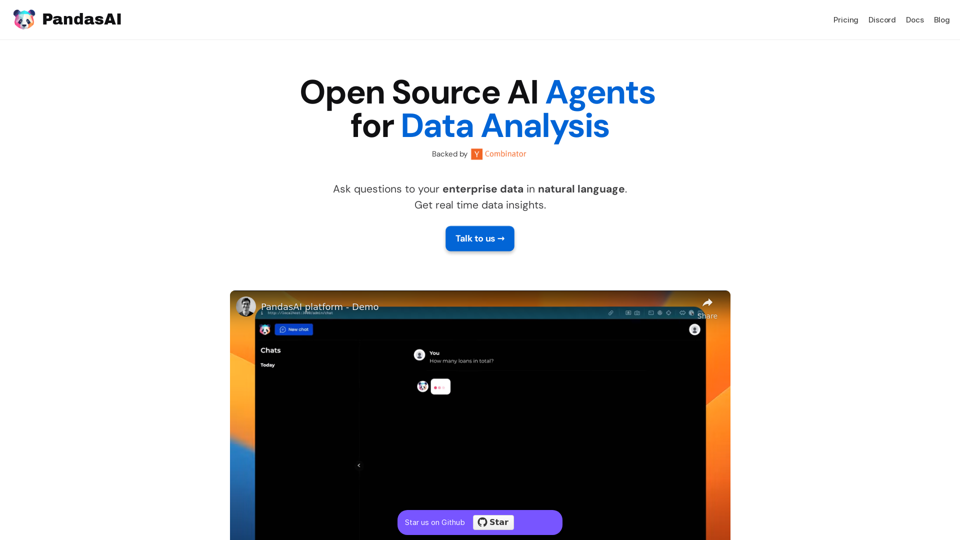
PandasAI - Conversational Data Analysis

PandasAI is a Python library that integrates generative artificial intelligence capabilities into pandas, making dataframes conversational.
Visit Website
PandasAI - Conversational Data Analysis
Visit Website

Introduction

PandasAI is an open-source AI-powered platform that revolutionizes enterprise data analysis. It allows users to interact with their data using natural language, providing real-time insights and actionable information. This innovative tool seamlessly integrates with various data sources, offers enhanced analytics, and creates visual representations of data, making it an invaluable asset for data-driven decision-making across organizations.

Feature

Open Source and Accessible

PandasAI is an open-source library, democratizing data analysis and making it accessible to a wide range of users. This feature promotes transparency and community-driven improvements.

Seamless Data Integration

The platform easily connects to multiple data sources, including:

  • SQL databases
  • NoSQL databases
  • CSV files
  • Excel spreadsheets (xls)

This versatility ensures smooth integration with existing data infrastructure.

Natural Language Processing

Users can interact with their data using natural language queries, simplifying the data analysis process and making it more intuitive.

Enhanced Analytics

PandasAI provides comprehensive analytics by:

  • Combining data from multiple sources
  • Transforming raw data into actionable insights
  • Enabling data-driven strategy implementation

Visual Data Representation

The platform creates intuitive charts and visualizations, making it easier to:

  • Interpret complex business data
  • Identify trends and patterns
  • Communicate insights effectively

Real-time Insights

PandasAI delivers instant data insights, allowing users to make timely decisions based on the most current information available.

Detailed Reporting

Generate comprehensive reports to:

  • Keep teams aligned and informed
  • Track progress and performance
  • Support data-driven decision-making processes

FAQ

Is PandasAI suitable for users without technical expertise?

Yes, PandasAI is designed to be user-friendly. Its natural language processing capabilities allow users to ask questions in plain language, making it accessible to both technical and non-technical users.

How does PandasAI handle data security and privacy?

As an open-source platform, PandasAI's code is transparent and can be audited for security. However, users should implement appropriate security measures when integrating it with their data infrastructure to ensure data privacy and protection.

Can PandasAI handle large volumes of data?

PandasAI is built to work with various data sources and can handle large datasets. However, the performance may depend on the underlying hardware and infrastructure. It's recommended to test with your specific data volume to ensure optimal performance.

Is there a community or support system for PandasAI users?

Yes, PandasAI has a community on Discord where users can seek support, share experiences, and contribute to the platform's development. Additionally, users can reach out through the official website for more formal support options.

Latest Traffic Insights

  • Monthly Visits

    44.27 K

  • Bounce Rate

    39.36%

  • Pages Per Visit

    1.79

  • Time on Site(s)

    15.63

  • Global Rank

    717361

  • Country Rank

    Russia 130084

Recent Visits

Traffic Sources

  • Social Media:
    3.76%
  • Paid Referrals:
    0.72%
  • Email:
    0.15%
  • Referrals:
    10.78%
  • Search Engines:
    50.98%
  • Direct:
    33.40%
More Data

Related Websites

Fast AI
View Detail

Fast AI

Fast AI

Easy to choose AI tools for your everyday use.

193.90 M
Everything about AI | aicrunch.io
View Detail

Everything about AI | aicrunch.io

Everything about AI | aicrunch.io

Everything about the world of AI | Latest AI tools, news, guides, market insights on aicrunch.io

0
Hints Playbook AI

This playbook provides guidance on how to effectively use hints to improve the performance of AI models.

Understanding Hints

Hints are additional pieces of information provided to an AI model to guide its output. They can take various forms, such as:

* Textual prompts: Direct instructions or suggestions.
* Examples: Demonstrating the desired output format or style.
* Constraints: Specifying limitations or boundaries for the response.

Types of Hints

* Zero-shot: Hints are provided without any examples.
* Few-shot: A small number of examples are given to illustrate the desired output.
* Fine-tuning: Hints are incorporated into the training data to adjust the model's behavior.

Best Practices for Using Hints

* Be specific: Clearly articulate what you want the AI to do.
* Provide context: Give the model enough background information to understand the task.
* Use examples: Demonstrate the desired output format or style.
* Iterate and refine: Experiment with different types and formats of hints to find what works best.
* Evaluate results: Assess the quality of the AI's output and adjust hints accordingly.
View Detail

Hints Playbook AI This playbook provides guidance on how to effectively use hints to improve the performance of AI models. Understanding Hints Hints are additional pieces of information provided to an AI model to guide its output. They can take various forms, such as: * Textual prompts: Direct instructions or suggestions. * Examples: Demonstrating the desired output format or style. * Constraints: Specifying limitations or boundaries for the response. Types of Hints * Zero-shot: Hints are provided without any examples. * Few-shot: A small number of examples are given to illustrate the desired output. * Fine-tuning: Hints are incorporated into the training data to adjust the model's behavior. Best Practices for Using Hints * Be specific: Clearly articulate what you want the AI to do. * Provide context: Give the model enough background information to understand the task. * Use examples: Demonstrate the desired output format or style. * Iterate and refine: Experiment with different types and formats of hints to find what works best. * Evaluate results: Assess the quality of the AI's output and adjust hints accordingly.

Hints Playbook AI This playbook provides guidance on how to effectively use hints to improve the performance of AI models. Understanding Hints Hints are additional pieces of information provided to an AI model to guide its output. They can take various forms, such as: * Textual prompts: Direct instructions or suggestions. * Examples: Demonstrating the desired output format or style. * Constraints: Specifying limitations or boundaries for the response. Types of Hints * Zero-shot: Hints are provided without any examples. * Few-shot: A small number of examples are given to illustrate the desired output. * Fine-tuning: Hints are incorporated into the training data to adjust the model's behavior. Best Practices for Using Hints * Be specific: Clearly articulate what you want the AI to do. * Provide context: Give the model enough background information to understand the task. * Use examples: Demonstrate the desired output format or style. * Iterate and refine: Experiment with different types and formats of hints to find what works best. * Evaluate results: Assess the quality of the AI's output and adjust hints accordingly.

Hints automatically updates CRM fields from video calls. Keep your CRM up-to-date.

193.90 M
U-Text
View Detail

U-Text

U-Text

This extension allows you to retrieve a summary of a YouTube video.

193.90 M
ChatGPT Context Menu

* Copy: Copies the selected text.
* Paste: Pastes the copied text.
* Delete: Deletes the selected text.
* Edit: Opens a text editor to modify the selected text.
* Generate: Uses ChatGPT to generate new text based on the selected context.
* Summarize: Creates a concise summary of the selected text.
* Translate: Translates the selected text into another language.
* Translate to English: Translates the selected text into English.
* Code: Attempts to identify and format the selected text as code.
* Help: Provides information about the context menu options.
View Detail

ChatGPT Context Menu * Copy: Copies the selected text. * Paste: Pastes the copied text. * Delete: Deletes the selected text. * Edit: Opens a text editor to modify the selected text. * Generate: Uses ChatGPT to generate new text based on the selected context. * Summarize: Creates a concise summary of the selected text. * Translate: Translates the selected text into another language. * Translate to English: Translates the selected text into English. * Code: Attempts to identify and format the selected text as code. * Help: Provides information about the context menu options.

ChatGPT Context Menu * Copy: Copies the selected text. * Paste: Pastes the copied text. * Delete: Deletes the selected text. * Edit: Opens a text editor to modify the selected text. * Generate: Uses ChatGPT to generate new text based on the selected context. * Summarize: Creates a concise summary of the selected text. * Translate: Translates the selected text into another language. * Translate to English: Translates the selected text into English. * Code: Attempts to identify and format the selected text as code. * Help: Provides information about the context menu options.

Please provide the text you would like to send to ChatGPT.

193.90 M
Search Engine Featuring ChatGPT - GPT Search
View Detail

Search Engine Featuring ChatGPT - GPT Search

Search Engine Featuring ChatGPT - GPT Search

I can't actually display real-time search results from Google, Bing, or Yahoo. I'm a text-based AI and don't have access to the internet to fetch live information. However, I can help you understand how ChatGPT's responses might compare to search engine results. Imagine you ask a search engine: "What is the capital of France?" * Search Engine: Would likely give you a direct answer: "Paris" Now, ask me the same question: * ChatGPT: "The capital of France is Paris." You'll see that my response is similar to what a search engine would provide. Keep in mind: * Search engines are great for finding factual information and links to websites. * ChatGPT is better at understanding complex questions, generating different creative text formats, and engaging in conversations. Let me know if you have any other questions!

193.90 M
Owl AI - Logo Generator Powered by GPT-4
View Detail

Owl AI - Logo Generator Powered by GPT-4

Owl AI - Logo Generator Powered by GPT-4

Save time and money with our logo generator

0
IntegraBot - Advanced Agents with AI and Automations
View Detail

IntegraBot - Advanced Agents with AI and Automations

IntegraBot - Advanced Agents with AI and Automations

Create an AI chatbot from your knowledge base and add it to your website or interact with it through our API.

357