Open-source RightAI Tools Directory
  • Discover AI
  • Submit
  • Startup
  • Blog
Open-source RightAI Tools Directory
Discover the best AI tools of 2025 with the RightAI Tools Directory!

Friend Links

AI Anime GeneratorToolsApp AI

Support

Tap4
Privacy policyTerms & ConditionsContact Us
Loading...
loading...

MagicMax - Job Application Copilot

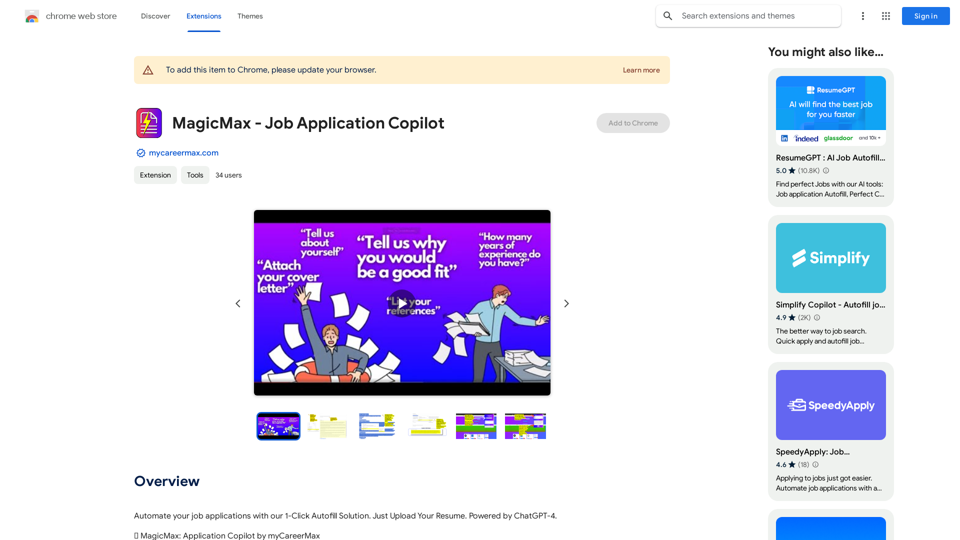
Automate your job applications with our 1-Click Autofill Solution. Just upload your resume. Powered by ChatGPT-4.
Visit Website
MagicMax - Job Application Copilot
Visit Website

Introduction

MagicMax - Job Application Copilot is a Chrome extension designed to streamline the job application process. It integrates with myCareerMax - AI Job Search app and utilizes ChatGPT-4 to provide a 1-Click Autofill Solution. This powerful tool brings AI capabilities directly to your browser, making job applications faster and more efficient.

Feature

View Saved Jobs

  • Access myCareerMax Saved Jobs from the Extension popup
  • Navigate to application sources with a single click

MagicMax Copilot

  • AutoFill from Highlighted Text
    • Highlight questions on job applications
    • Right-click to select "AutoFill from Highlighted Text"
    • ChatGPT-4 generates personalized, tailored answers
  • Generate Cover Letter
    • Right-click anywhere on the page
    • Select "Generate Cover Letter"
    • Create personalized cover letters in seconds

Efficiency Boost

  • Accelerates job application process by 45x on average
  • Manages job search without leaving the browser

Personalization

  • Tailored answers and cover letters based on:
    • Individual skills
    • Personal experiences
    • Specific job requirements

Easy Setup

  1. Install the extension
  2. Upload your resume
  3. Start using MagicMax Copilot features

Pricing

  • Free extension with no subscription fees
  • Advanced features available through platform subscription

FAQ

Is MagicMax - Job Application Copilot free?

Yes, the extension is free to use with no subscription fees. However, advanced features or extended access may require a platform subscription.

How do I use MagicMax - Job Application Copilot?

Install the extension, upload your resume, and use the MagicMax Copilot context menu option to auto-fill answers or generate cover letters.

Is my data safe with MagicMax - Job Application Copilot?

Yes, the extension handles your data securely and in accordance with its privacy policy.

Latest Traffic Insights

  • Monthly Visits

    193.90 M

  • Bounce Rate

    56.27%

  • Pages Per Visit

    2.71

  • Time on Site(s)

    115.91

  • Global Rank

    -

  • Country Rank

    -

Recent Visits

Traffic Sources

  • Social Media:
    0.48%
  • Paid Referrals:
    0.55%
  • Email:
    0.15%
  • Referrals:
    12.81%
  • Search Engines:
    16.21%
  • Direct:
    69.81%
More Data

Related Websites

Grow Your OnlyFans Agency - Supercreator Tools for OnlyFans
View Detail

Grow Your OnlyFans Agency - Supercreator Tools for OnlyFans

Grow Your OnlyFans Agency - Supercreator Tools for OnlyFans

CRM tools and automation bots for OnlyFans management agencies. Improve your chat interactions and promotions, and upsell more pay-per-view (PPV) content with the OnlyFans extension.

248.97 K
Suggesty

Suggesty is a cutting-edge AI-powered tool designed to assist users in generating high-quality content quickly and efficiently.
View Detail

Suggesty Suggesty is a cutting-edge AI-powered tool designed to assist users in generating high-quality content quickly and efficiently.

Suggesty Suggesty is a cutting-edge AI-powered tool designed to assist users in generating high-quality content quickly and efficiently.

Get human-like answers powered by GPT-3 to your Google searches

193.90 M
Addlly AI: 1st Complete AI Playground for Content Creation
View Detail

Addlly AI: 1st Complete AI Playground for Content Creation

Addlly AI: 1st Complete AI Playground for Content Creation

The best all-in-one, no-prompt Gen AI Playground for enterprises. Generate SEO blogs, social media posts, ad copy, press releases, newsletters & more.

46.81 K
Justdone: AI Writing & Copywriting Assistant
View Detail

Justdone: AI Writing & Copywriting Assistant

Justdone: AI Writing & Copywriting Assistant

Justdone AI Chrome Extension

193.90 M
2 Minute Warning - Hudl Extension
View Detail

2 Minute Warning - Hudl Extension

2 Minute Warning - Hudl Extension

Send game analyses to 2 Minute Warning directly from Hudl.

193.90 M
Lead Prospector - Econodata
View Detail

Lead Prospector - Econodata

Lead Prospector - Econodata

Browse the web and count on Econodog, our artificial intelligence, to sniff out the best markets and the right leads.

193.90 M
Article Summary with ChatGPT and Take Notes

This is a guide on how to use ChatGPT to summarize articles and take notes effectively. 

Step 1:  Provide ChatGPT with the Article

Copy and paste the full text of the article into the ChatGPT interface. 

Step 2:  Craft Your Prompt

Tell ChatGPT what you want it to do. Here are some examples:

* Summarize: "Please summarize this article in 200 words."
* Key Points: "What are the main points of this article?"
* Bullet Points: "Summarize the key findings of this article in bullet points."
* Notes: "Take notes on this article, focusing on the author's arguments and supporting evidence."

Step 3:  Review and Refine

ChatGPT will generate a summary, key points, bullet points, or notes based on your prompt. 

* Read carefully: Make sure the output accurately reflects the article's content.
* Edit as needed:  You can ask ChatGPT to rephrase sections or provide more detail.
* Add your own insights:  Don't just copy ChatGPT's output. Use it as a starting point and add your own thoughts, questions, and connections.

Tips for Effective Use:

* Be specific: The more specific your prompt, the better the output will be.
* Experiment with different prompts: Try various phrasing to see what works best.
* Use ChatGPT as a tool:  It's a powerful aid, but it's not a replacement for critical reading and thinking.
View Detail

Article Summary with ChatGPT and Take Notes This is a guide on how to use ChatGPT to summarize articles and take notes effectively. Step 1: Provide ChatGPT with the Article Copy and paste the full text of the article into the ChatGPT interface. Step 2: Craft Your Prompt Tell ChatGPT what you want it to do. Here are some examples: * Summarize: "Please summarize this article in 200 words." * Key Points: "What are the main points of this article?" * Bullet Points: "Summarize the key findings of this article in bullet points." * Notes: "Take notes on this article, focusing on the author's arguments and supporting evidence." Step 3: Review and Refine ChatGPT will generate a summary, key points, bullet points, or notes based on your prompt. * Read carefully: Make sure the output accurately reflects the article's content. * Edit as needed: You can ask ChatGPT to rephrase sections or provide more detail. * Add your own insights: Don't just copy ChatGPT's output. Use it as a starting point and add your own thoughts, questions, and connections. Tips for Effective Use: * Be specific: The more specific your prompt, the better the output will be. * Experiment with different prompts: Try various phrasing to see what works best. * Use ChatGPT as a tool: It's a powerful aid, but it's not a replacement for critical reading and thinking.

Article Summary with ChatGPT and Take Notes This is a guide on how to use ChatGPT to summarize articles and take notes effectively. Step 1: Provide ChatGPT with the Article Copy and paste the full text of the article into the ChatGPT interface. Step 2: Craft Your Prompt Tell ChatGPT what you want it to do. Here are some examples: * Summarize: "Please summarize this article in 200 words." * Key Points: "What are the main points of this article?" * Bullet Points: "Summarize the key findings of this article in bullet points." * Notes: "Take notes on this article, focusing on the author's arguments and supporting evidence." Step 3: Review and Refine ChatGPT will generate a summary, key points, bullet points, or notes based on your prompt. * Read carefully: Make sure the output accurately reflects the article's content. * Edit as needed: You can ask ChatGPT to rephrase sections or provide more detail. * Add your own insights: Don't just copy ChatGPT's output. Use it as a starting point and add your own thoughts, questions, and connections. Tips for Effective Use: * Be specific: The more specific your prompt, the better the output will be. * Experiment with different prompts: Try various phrasing to see what works best. * Use ChatGPT as a tool: It's a powerful aid, but it's not a replacement for critical reading and thinking.

I can do that! Please provide me with the URL of the webpage or article you'd like me to summarize. I'll do my best to create a concise and easy-to-understand summary for you.

193.90 M
Aria - AI Chat&Speak Assistant on the App Store
View Detail

Aria - AI Chat&Speak Assistant on the App Store

Aria - AI Chat&Speak Assistant on the App Store

I'm Aria, your voice-activated AI chatbot assistant, here to transform how you interact with your digital world using the power of speech. With a vast array of…

124.77 M