Open-source RightAI Tools Directory
  • Discover AI
  • Submit
  • Startup
  • Blog
Open-source RightAI Tools Directory
Discover the best AI tools of 2025 with the RightAI Tools Directory!

Friend Links

AI Anime GeneratorToolsApp AI

Support

Tap4
Privacy policyTerms & ConditionsContact Us
Loading...
loading...

AiReelGenerator.com | Faceless Videos on Autopilot.

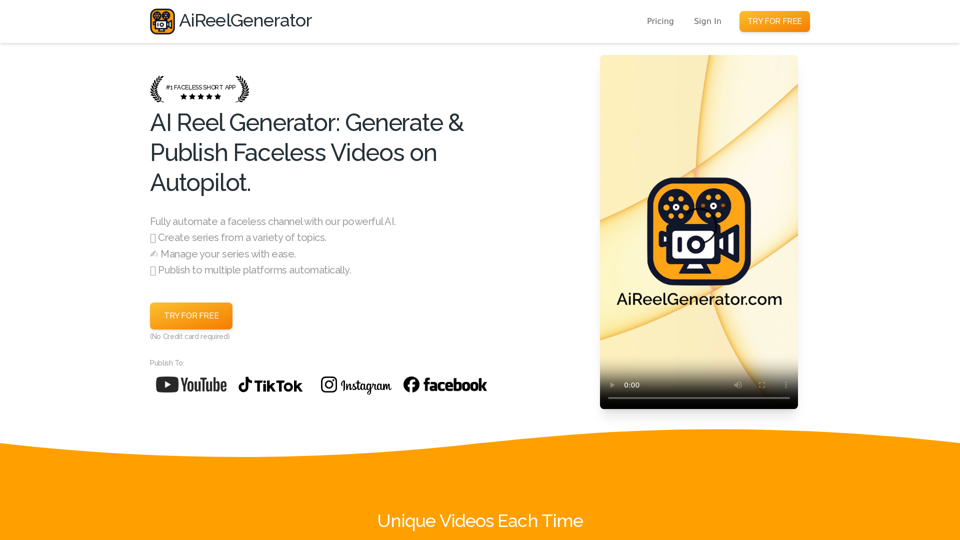
Discover AiReelGenerator, the newest app that automatically makes videos without faces. Just pick a subject, and our AI will make and upload fresh videos to your YouTube, TikTok, Instagram, or Facebook account every day.
Visit Website
AiReelGenerator.com | Faceless Videos on Autopilot.
Visit Website

Introduction

AiReelGenerator is an innovative app that automates the creation of faceless videos using advanced AI technology. It enables users to generate and upload new videos to their social media accounts daily without manual effort. This tool is designed to streamline content creation for social media marketers, influencers, and businesses looking to maintain a consistent online presence.

Feature

Faceless Video Generation

AiReelGenerator utilizes AI to create unique, faceless videos for social media channels based on user-selected topics and schedules.

Customizable Series

Users can create video series on chosen topics, with AI generating new content daily. Series can be tailored to specific needs and preferences.

Automatic Publishing

Generated videos are automatically published on designated social media platforms according to user-defined schedules.

HD Video Resolution

All videos are produced in high-definition, ensuring top-quality content for viewers.

Background Music Integration

Users can enhance their videos by adding background music, increasing engagement and entertainment value.

No Watermark

Unlike many competitors, AiReelGenerator does not add watermarks to generated videos.

Video Download Option

Users have the ability to download their generated videos for use outside the platform.

User-Friendly Interface

The app offers a simple three-step process: create a series, preview and edit, and publish.

Flexible Pricing Plans

AiReelGenerator provides various pricing options, including a free plan, starter plan, and growth plan to suit different needs and budgets.

FAQ

Is there a free trial available?

Yes, AiReelGenerator offers a free trial for users to test the platform.

How do I create a video using AiReelGenerator?

To create a video, you need to set up a series by choosing a topic and schedule. The AI will then generate your first video based on these parameters.

Can I edit the videos before publishing?

Yes, you can edit your video's script, title, and caption at any time before it is scheduled to post.

Are the generated videos unique?

Each video created by AiReelGenerator is unique and generated using AI technology.

What tips can help me make the most of AiReelGenerator?

  • Always preview videos before posting to ensure appropriateness for your audience.
  • Use custom prompts to generate varied content within a general category.
  • For new accounts, consider posting less frequently initially to avoid being flagged as spam.

How can I get support if I have questions?

If you need assistance or have any questions, you can contact the AiReelGenerator support team via email.

Latest Traffic Insights

  • Monthly Visits

    196

  • Bounce Rate

    37.33%

  • Pages Per Visit

    1.04

  • Time on Site(s)

    0.00

  • Global Rank

    13614067

  • Country Rank

    -

Recent Visits

Traffic Sources

  • Social Media:
    8.58%
  • Paid Referrals:
    1.16%
  • Email:
    0.05%
  • Referrals:
    4.90%
  • Search Engines:
    9.05%
  • Direct:
    76.26%
More Data

Related Websites

Volcano Translation - Screenshot and Webpage Translation
View Detail

Volcano Translation - Screenshot and Webpage Translation

Volcano Translation - Screenshot and Webpage Translation

ByteDance production, out of the box, no configuration required, completely free and ad-free.

193.90 M
Kimi Copilot - Web Page Summarizer
View Detail

Kimi Copilot - Web Page Summarizer

Kimi Copilot - Web Page Summarizer

Summarize webpage content with one click using Kimi AI.

193.90 M
Lymia Discover
View Detail

Lymia Discover

Lymia Discover

Lymia Discover helps users easily find new talents and leads on LinkedIn using artificial intelligence.

193.90 M
Read smoothly.
View Detail

Read smoothly.

Read smoothly.

An AI translation engine that understands context will provide a more user-friendly translation for websites, allowing everyone to have a reading experience in their native language.

193.90 M
LeadSpot Flex - AI Messaging on LinkedIn
View Detail

LeadSpot Flex - AI Messaging on LinkedIn

LeadSpot Flex - AI Messaging on LinkedIn

AI Messaging on LinkedIn Let's explore the potential and pitfalls of using AI for messaging on LinkedIn. Potential Benefits: * Increased Efficiency: AI can automate repetitive tasks like sending personalized connection requests or follow-up messages, freeing up your time for more strategic activities. * Improved Targeting: AI algorithms can analyze user profiles and identify potential connections based on shared interests, industry, or other relevant criteria. * Enhanced Personalization: AI can help craft personalized messages that resonate with individual recipients, increasing the likelihood of engagement. * Data-Driven Insights: AI can track message performance and provide insights into which messages are most effective, allowing you to refine your approach. Potential Pitfalls: * Lack of Authenticity: Overly generic or robotic messages can come across as impersonal and insincere, damaging your professional reputation. * Ethical Concerns: Using AI to manipulate or deceive users on LinkedIn raises ethical questions about transparency and consent. * Technical Limitations: Current AI technology may struggle to understand nuanced conversations or respond appropriately to complex queries. * Spam and Abuse: Malicious actors could exploit AI to send spam messages or engage in other harmful activities on LinkedIn. Best Practices: * Use AI as a Tool, Not a Replacement: Leverage AI to enhance your messaging, but always maintain human oversight and authenticity. * Prioritize Quality over Quantity: Focus on sending personalized messages to a targeted audience rather than mass-sending generic content. * Be Transparent: Disclose when you are using AI to assist with your messaging, and respect user preferences for communication. * Stay Informed: Keep up-to-date on the latest developments in AI ethics and best practices for using AI on LinkedIn.

193.90 M
X-Alpha
View Detail

X-Alpha

X-Alpha

X-Alpha Chrome Extension

193.90 M
Coachpilot
View Detail

Coachpilot

Coachpilot

Coachpilot: Use AI to Write User Stories in Jira Coachpilot helps you write better user stories in Jira using the power of artificial intelligence.

193.90 M
Article Summary with ChatGPT and Take Notes

This is a guide on how to use ChatGPT to summarize articles and take notes effectively. 

Step 1:  Provide ChatGPT with the Article

Copy and paste the full text of the article into the ChatGPT interface. 

Step 2:  Craft Your Prompt

Tell ChatGPT what you want it to do. Here are some examples:

* Summarize: "Please summarize this article in 200 words."
* Key Points: "What are the main points of this article?"
* Bullet Points: "Summarize the key findings of this article in bullet points."
* Notes: "Take notes on this article, focusing on the author's arguments and supporting evidence."

Step 3:  Review and Refine

ChatGPT will generate a summary, key points, bullet points, or notes based on your prompt. 

* Read carefully: Make sure the output accurately reflects the article's content.
* Edit as needed:  You can ask ChatGPT to rephrase sections or provide more detail.
* Add your own insights:  Don't just copy ChatGPT's output. Use it as a starting point and add your own thoughts, questions, and connections.

Tips for Effective Use:

* Be specific: The more specific your prompt, the better the output will be.
* Experiment with different prompts: Try various phrasing to see what works best.
* Use ChatGPT as a tool:  It's a powerful aid, but it's not a replacement for critical reading and thinking.
View Detail

Article Summary with ChatGPT and Take Notes This is a guide on how to use ChatGPT to summarize articles and take notes effectively. Step 1: Provide ChatGPT with the Article Copy and paste the full text of the article into the ChatGPT interface. Step 2: Craft Your Prompt Tell ChatGPT what you want it to do. Here are some examples: * Summarize: "Please summarize this article in 200 words." * Key Points: "What are the main points of this article?" * Bullet Points: "Summarize the key findings of this article in bullet points." * Notes: "Take notes on this article, focusing on the author's arguments and supporting evidence." Step 3: Review and Refine ChatGPT will generate a summary, key points, bullet points, or notes based on your prompt. * Read carefully: Make sure the output accurately reflects the article's content. * Edit as needed: You can ask ChatGPT to rephrase sections or provide more detail. * Add your own insights: Don't just copy ChatGPT's output. Use it as a starting point and add your own thoughts, questions, and connections. Tips for Effective Use: * Be specific: The more specific your prompt, the better the output will be. * Experiment with different prompts: Try various phrasing to see what works best. * Use ChatGPT as a tool: It's a powerful aid, but it's not a replacement for critical reading and thinking.

Article Summary with ChatGPT and Take Notes This is a guide on how to use ChatGPT to summarize articles and take notes effectively. Step 1: Provide ChatGPT with the Article Copy and paste the full text of the article into the ChatGPT interface. Step 2: Craft Your Prompt Tell ChatGPT what you want it to do. Here are some examples: * Summarize: "Please summarize this article in 200 words." * Key Points: "What are the main points of this article?" * Bullet Points: "Summarize the key findings of this article in bullet points." * Notes: "Take notes on this article, focusing on the author's arguments and supporting evidence." Step 3: Review and Refine ChatGPT will generate a summary, key points, bullet points, or notes based on your prompt. * Read carefully: Make sure the output accurately reflects the article's content. * Edit as needed: You can ask ChatGPT to rephrase sections or provide more detail. * Add your own insights: Don't just copy ChatGPT's output. Use it as a starting point and add your own thoughts, questions, and connections. Tips for Effective Use: * Be specific: The more specific your prompt, the better the output will be. * Experiment with different prompts: Try various phrasing to see what works best. * Use ChatGPT as a tool: It's a powerful aid, but it's not a replacement for critical reading and thinking.

I can do that! Please provide me with the URL of the webpage or article you'd like me to summarize. I'll do my best to create a concise and easy-to-understand summary for you.

193.90 M