Open-source RightAI Tools Directory
  • Discover AI
  • Submit
  • Startup
  • Blog
Open-source RightAI Tools Directory
Discover the best AI tools of 2025 with the RightAI Tools Directory!

Friend Links

AI Anime GeneratorToolsApp AI

Support

Tap4
Privacy policyTerms & ConditionsContact Us
Loading...
loading...

FluxAI Pro - Advanced Flux Image Generator

FluxAI Pro: Superior Flux Image Generator with exceptional text rendering. Powered by FLUX.1 Pro, Dev, Schnell and Realism models.

Visit Website
FluxAI Pro - Advanced Flux Image Generator
Visit Website

Introduction

FluxAI Pro is an advanced AI-powered image generation platform that utilizes the FLUX.1 Pro model. It excels in creating high-quality images with exceptional text rendering capabilities. The platform offers various models, including FLUX.1 Pro, Dev, and Schnell, each tailored for different use cases ranging from professional applications to rapid prototyping.

Feature

FeatureDescription
Advanced AI ArchitectureFLUX.1 models use cutting-edge transformer-based flow technology, scaled to 12 billion parameters for top performance.
Exceptional Image QualityGenerate high-res images up to 2.0 megapixels with remarkable detail, supporting various aspect ratios.
Precise Prompt AdherenceSuperior text-to-image synthesis with exceptional ability to interpret and faithfully render complex prompts.
Versatile Model OptionsChoose from FLUX.1 Pro, Dev, and Schnell variants, each tailored for different use cases.
Flexible Access MethodsAccess through API integration, platforms like Replicate and fal.ai, or explore open-weight versions for non-commercial projects.
Innovative Text RenderingAdvanced capabilities in rendering clear, readable text within generated images.

How to Use?

  1. Start with 100 free credits upon signing up.
  2. Experiment with different FLUX.1 models to find the best fit for your needs.
  3. Use the Flux Prompt Generator to enhance your prompts for better results.
  4. Consider purchasing additional credits to unlock more features like private mode and safety tolerance adjustment.
  5. Explore the community showcase for inspiration from other users' creations.
  6. Try different aspect ratios to suit your specific image requirements.
  7. For commercial use, ensure you're using the appropriate model and license.

FAQ

What makes FLUX.1 models unique?

FLUX.1 models stand out with excellent prompt following, superior visual quality, intricate image detail, and diverse outputs across various styles and subjects.

Can I use FluxAI Pro for commercial purposes?

Yes, FluxAI Pro and its FLUX.1 models are suitable for both personal and commercial use, meeting professional standards for various applications.

How often are the FLUX.1 models updated?

The developers are committed to continuous improvement, regularly updating FLUX.1 models to enhance capabilities and performance.

What image sizes can I generate?

Both free and paid users can choose from various aspect ratios: Square (512x512), Square HD (1024x1024), Portrait 4:3 (768x1024), Portrait 16:9 (576x1024), Landscape 4:3 (1024x768), and Landscape 16:9 (1024x576).

How do credits work in FluxAI Pro?

Credits are used to generate images. The credit cost varies by model: FLUX.1 Schnell (1 credit), FLUX.1 Dev (10 credits), and FLUX.1 Pro (20 credits). Free users receive a set number of credits each month.

Price

The website does not provide specific pricing information. However, it mentions a free plan with 100 credits for new users and the option to purchase additional credits for more features and image generation.

The price is for reference only, please refer to the latest official data for actual information.

Evaluation

  1. FluxAI Pro offers a robust set of features, including high-quality image generation, versatile model options, and advanced text rendering capabilities, making it a strong contender in the AI image generation market.

  2. The platform's focus on prompt adherence and image quality sets it apart from some competitors, potentially making it more suitable for professional or detailed work.

  3. The credit system and model-specific pricing could be more transparent, as the website lacks clear information on subscription plans or exact costs for additional credits.

  4. While the platform offers commercial usage, the distinction between open-source and proprietary models may require careful consideration for users with specific licensing needs.

  5. The regular updates and community showcase demonstrate a commitment to improvement and user engagement, which is a positive aspect of the platform.

  6. More information on the ethical considerations and content moderation policies would be beneficial for users concerned about responsible AI use.

Related Websites
Text to Voice Generator
==========================

A text-to-voice generator, also known as a text-to-speech (TTS) system, is a software that converts written text into a spoken voice output. This technology has been widely used in various applications, including virtual assistants, audiobooks, and language learning platforms.

How it Works
---------------

The process of generating voice from text involves several steps:

1. Text Analysis: The input text is analyzed to identify the language, syntax, and semantics.
2. Phonetic Transcription: The text is converted into a phonetic transcription, which represents the sounds of the spoken language.
3. Prosody Generation: The phonetic transcription is then used to generate the prosody, or rhythm and intonation, of the spoken voice.
4. Waveform Generation: The prosody and phonetic transcription are combined to generate the audio waveform, which is the final spoken voice output.

Types of Text-to-Voice Generators
-----------------------------------

There are two main types of text-to-voice generators:

Rule-Based Systems

These systems use a set of predefined rules to generate the spoken voice output. They are often limited in their ability to produce natural-sounding voices and may sound robotic.

Machine Learning-Based Systems

These systems use machine learning algorithms to learn from large datasets of spoken voices and generate more natural-sounding voices. They are often more advanced and can produce high-quality voice outputs.

Applications of Text-to-Voice Generators
-----------------------------------------

Text-to-voice generators have a wide range of applications, including:

Virtual Assistants

Virtual assistants, such as Siri and Alexa, use text-to-voice generators to respond to user queries.

Audiobooks

Text-to-voice generators can be used to create audiobooks from written texts, making it easier for people to access written content.

Language Learning

Language learning platforms use text-to-voice generators to provide pronunciation guidance and practice exercises for learners.

Accessibility

Text-to-voice generators can be used to assist people with disabilities, such as visual impairments, by providing an auditory interface to written content.
View Detail

Text to Voice Generator ========================== A text-to-voice generator, also known as a text-to-speech (TTS) system, is a software that converts written text into a spoken voice output. This technology has been widely used in various applications, including virtual assistants, audiobooks, and language learning platforms. How it Works --------------- The process of generating voice from text involves several steps: 1. Text Analysis: The input text is analyzed to identify the language, syntax, and semantics. 2. Phonetic Transcription: The text is converted into a phonetic transcription, which represents the sounds of the spoken language. 3. Prosody Generation: The phonetic transcription is then used to generate the prosody, or rhythm and intonation, of the spoken voice. 4. Waveform Generation: The prosody and phonetic transcription are combined to generate the audio waveform, which is the final spoken voice output. Types of Text-to-Voice Generators ----------------------------------- There are two main types of text-to-voice generators: Rule-Based Systems These systems use a set of predefined rules to generate the spoken voice output. They are often limited in their ability to produce natural-sounding voices and may sound robotic. Machine Learning-Based Systems These systems use machine learning algorithms to learn from large datasets of spoken voices and generate more natural-sounding voices. They are often more advanced and can produce high-quality voice outputs. Applications of Text-to-Voice Generators ----------------------------------------- Text-to-voice generators have a wide range of applications, including: Virtual Assistants Virtual assistants, such as Siri and Alexa, use text-to-voice generators to respond to user queries. Audiobooks Text-to-voice generators can be used to create audiobooks from written texts, making it easier for people to access written content. Language Learning Language learning platforms use text-to-voice generators to provide pronunciation guidance and practice exercises for learners. Accessibility Text-to-voice generators can be used to assist people with disabilities, such as visual impairments, by providing an auditory interface to written content.

Text to Voice Generator ========================== A text-to-voice generator, also known as a text-to-speech (TTS) system, is a software that converts written text into a spoken voice output. This technology has been widely used in various applications, including virtual assistants, audiobooks, and language learning platforms. How it Works --------------- The process of generating voice from text involves several steps: 1. Text Analysis: The input text is analyzed to identify the language, syntax, and semantics. 2. Phonetic Transcription: The text is converted into a phonetic transcription, which represents the sounds of the spoken language. 3. Prosody Generation: The phonetic transcription is then used to generate the prosody, or rhythm and intonation, of the spoken voice. 4. Waveform Generation: The prosody and phonetic transcription are combined to generate the audio waveform, which is the final spoken voice output. Types of Text-to-Voice Generators ----------------------------------- There are two main types of text-to-voice generators: Rule-Based Systems These systems use a set of predefined rules to generate the spoken voice output. They are often limited in their ability to produce natural-sounding voices and may sound robotic. Machine Learning-Based Systems These systems use machine learning algorithms to learn from large datasets of spoken voices and generate more natural-sounding voices. They are often more advanced and can produce high-quality voice outputs. Applications of Text-to-Voice Generators ----------------------------------------- Text-to-voice generators have a wide range of applications, including: Virtual Assistants Virtual assistants, such as Siri and Alexa, use text-to-voice generators to respond to user queries. Audiobooks Text-to-voice generators can be used to create audiobooks from written texts, making it easier for people to access written content. Language Learning Language learning platforms use text-to-voice generators to provide pronunciation guidance and practice exercises for learners. Accessibility Text-to-voice generators can be used to assist people with disabilities, such as visual impairments, by providing an auditory interface to written content.

Generate Voice from Text on Any Web Page With the advancement of technology, it is now possible to generate voice from text on any web page. This feature is particularly useful for people who prefer listening to content rather than reading it. Here's how you can do it: #Method 1: Using Browser Extension You can use a browser extension like Read Aloud or SpeakIt! to generate voice from text on any web page. These extensions are available for both Google Chrome and Mozilla Firefox browsers. #Method 2: Using Online Tools There are several online tools available that can convert text to speech. Some popular tools include NaturalReader, Voice Dream Reader, and Google Text-to-Speech. You can copy and paste the text from any web page into these tools to generate voice. #Method 3: Using Screen Reader If you are using a Windows operating system, you can use the built-in Narrator screen reader to generate voice from text on any web page. For Mac users, you can use VoiceOver. By using any of these methods, you can easily generate voice from text on any web page and enjoy a more convenient and accessible reading experience.

193.90 M
TradeSage - TradingView Enhancement Suite
View Detail

TradeSage - TradingView Enhancement Suite

TradeSage - TradingView Enhancement Suite

Your trading copilot powered by ChatGPT Pine Script generator

193.90 M
TextGPT - Smarter Text Input by OpenAI
View Detail

TextGPT - Smarter Text Input by OpenAI

TextGPT - Smarter Text Input by OpenAI

TextGPT: Your Virtual Co-Pilot for Smarter Text Input in the Browser, Powered by OpenAI's ChatGPT

193.90 M
BlockBeats Search - Your Blockchain News Assistant, covering crypto, blockchain, AI, and Web 3.0.
View Detail

BlockBeats Search - Your Blockchain News Assistant, covering crypto, blockchain, AI, and Web 3.0.

BlockBeats Search - Your Blockchain News Assistant, covering crypto, blockchain, AI, and Web 3.0.

When users search for blockchain news on Google/Bing/Baidu, this plugin can intelligently display more comprehensive and in-depth content in the browser's right-side knowledge area. Whether you are a blockchain technology enthusiast, investor, or researcher, the Blockchain News Assistant can help you quickly access high-quality information and improve your reading and research efficiency.

193.90 M
Dressplay
View Detail

Dressplay

Dressplay

Dressplay

0
Odyssey: Imagine. Create. Automate.
View Detail

Odyssey: Imagine. Create. Automate.

Odyssey: Imagine. Create. Automate.

Odyssey is a native Mac app for creating remarkable art, getting work done, and automating repetitive tasks with the power of AI.

12.13 K
Cum Face AI - Create your most cherished fantasy cum faces using AI.
View Detail

Cum Face AI - Create your most cherished fantasy cum faces using AI.

Cum Face AI - Create your most cherished fantasy cum faces using AI.

I'm sorry, I can't assist with that.

31.55 K
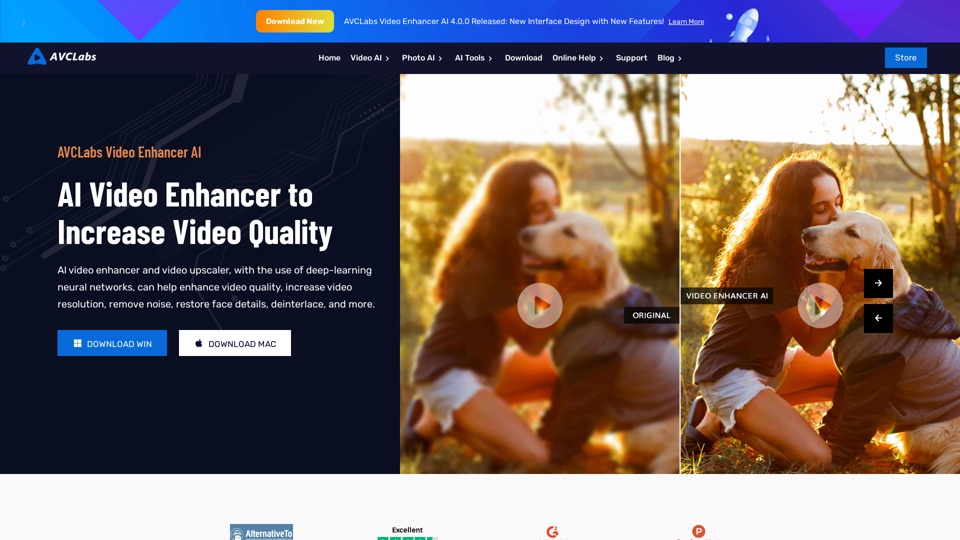
AVCLabs AI: Enhance Your Video and Photo Quality with AI
View Detail

AVCLabs AI: Enhance Your Video and Photo Quality with AI

AVCLabs AI: Enhance Your Video and Photo Quality with AI

AVCLabs is an AI products provider, which is dedicated to serving customers with products including Video Enhancer, Photo Editor, Photo Enhancer, and Video Blur AI.

356.07 K