Open-source RightAI Tools Directory
  • Discover AI
  • Submit
  • Startup
  • Blog
Open-source RightAI Tools Directory
Discover the best AI tools of 2025 with the RightAI Tools Directory!

Friend Links

AI Anime GeneratorToolsApp AI

Support

Tap4
Privacy policyTerms & ConditionsContact Us
Loading...
loading...

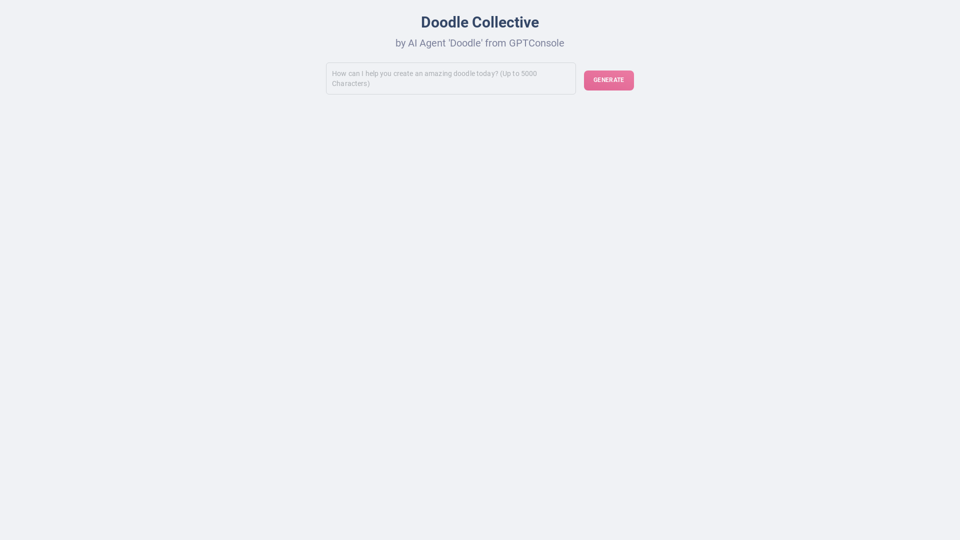
Doodles generated by GPTConsole's AI Agent DOODLE

Explore a collection of unique, AI-generated doodles. Doodle Agent provides insights into the world of creative doodles. See the future of digital art now!
Visit Website
Doodles generated by GPTConsole's AI Agent DOODLE
Visit Website

Introduction

Doodle Generator is an AI-powered platform that allows users to create unique and captivating doodles effortlessly. Utilizing GPTConsole's AI agent DOODLE, this innovative tool employs advanced AI technology to produce high-quality doodles quickly and easily. It caters to users of all skill levels, from beginners to experienced artists, making doodle creation accessible and enjoyable for everyone.

Feature

Effortless Doodle Creation

Doodle Generator simplifies the creative process, allowing users to generate doodles without extensive artistic skills or experience. The AI technology handles the artistic aspects, enabling users to focus on their ideas and vision.

High-Quality Output

The platform produces visually appealing, unique doodles that can enhance various creative projects. The AI ensures that each doodle meets high-quality standards, making them suitable for professional use.

AI-Driven Technology

Leveraging GPTConsole's AI agent DOODLE, the platform uses machine learning algorithms to generate doodles tailored to users' needs and preferences. This advanced technology transforms the doodle creation process, making it more efficient and personalized.

User-Friendly Interface

The platform offers a straightforward and easy-to-use interface. Users are guided through the doodle creation process, making it accessible even for beginners.

Customization Options

Users can customize their doodles by adjusting various parameters such as style, theme, and other elements to suit their specific needs and preferences.

Versatile Applications

Doodle Generator's creations can be used to enhance presentations, reports, social media posts, and various other creative projects, adding a unique and personal touch to visual content.

FAQ

Do I need artistic skills to use Doodle Generator?

No, artistic skills are not required to use Doodle Generator. The AI technology handles the creative process, allowing you to focus on your ideas and vision.

Can I customize my doodles?

Yes, you can customize your doodles by adjusting the style, theme, and other parameters to suit your needs and preferences.

Is Doodle Generator suitable for beginners?

Yes, Doodle Generator is designed to be user-friendly and suitable for beginners. The platform's ease of use and AI-driven technology ensure that even those with no prior experience can create high-quality, visually appealing doodles.

What are some ways to use Doodle Generator?

Doodle Generator can be used to:

  • Add creative elements to presentations and reports
  • Enhance social media posts with unique visuals
  • Create custom illustrations for various projects
  • Experiment with different artistic styles and themes
  • Collaborate with others on innovative doodle creations

How is Doodle Generator priced?

Doodle Generator offers competitive and affordable pricing with a range of subscription plans to suit different needs and budgets. For specific pricing details, please refer to the platform's pricing page.

Latest Traffic Insights

  • Monthly Visits

    0

  • Bounce Rate

    0.00%

  • Pages Per Visit

    0.00

  • Time on Site(s)

    0.00

  • Global Rank

    -

  • Country Rank

    -

Recent Visits

Traffic Sources

  • Social Media:
    0.00%
  • Paid Referrals:
    0.00%
  • Email:
    0.00%
  • Referrals:
    0.00%
  • Search Engines:
    0.00%
  • Direct:
    0.00%
More Data

Related Websites

Wilfie AI
View Detail

Wilfie AI

Wilfie AI

AI Chat powered by ChatGPT 4

193.90 M
FLUX dev: A groundbreaking AI model for generating images with open weights.
View Detail

FLUX dev: A groundbreaking AI model for generating images with open weights.

FLUX dev: A groundbreaking AI model for generating images with open weights.

Explore FLUX dev, the advanced open-weight AI image generation model. Discover its features for non-commercial use and try it now for free.

25.02 K
Free QR Code AI Art Generator (2024) • Scanner, Link in Bio, Smart Link, Analytics, Workspace, Monkey, Tiger
View Detail

Free QR Code AI Art Generator (2024) • Scanner, Link in Bio, Smart Link, Analytics, Workspace, Monkey, Tiger

Free QR Code AI Art Generator (2024) • Scanner, Link in Bio, Smart Link, Analytics, Workspace, Monkey, Tiger

Create an artistic QR Code for free, featuring images, logos, colors, and shapes. Select from templates that link to your website, email, WiFi, URL, phone, UPI, PIX, or Rick Roll. Use tools like Canva, Adobe, or Google to design. Compatible with Android and iOS devices. A top alternative to QR Monkey, Tiger, Chimp, and Unitag.

194.49 K
Midjourney API - Automate Midjourney AI Image Generation 

This document outlines how to use the Midjourney API to automate the generation of AI images. 

What is the Midjourney API?

The Midjourney API allows developers to programmatically interact with the powerful Midjourney AI model. This means you can generate images, control various parameters, and integrate Midjourney into your own applications and workflows.

Why Use the Midjourney API?

* Automation: Automate the creation of images for various purposes, such as marketing materials, website content, or research projects.
* Customization: Fine-tune image generation by controlling parameters like aspect ratio, style, and seed values.
* Integration: Seamlessly integrate Midjourney's capabilities into your existing tools and platforms.

Getting Started

1. Sign Up for a Midjourney Account: You'll need a Midjourney account to access the API.

2. Obtain an API Key: Once you have an account, you can generate an API key from your account settings.

3. Choose a Programming Language: The Midjourney API supports various programming languages, including Python, JavaScript, and Go.

4. Install the API Client: Install the appropriate API client library for your chosen language.

5. Start Generating Images: Use the API client to send image generation requests to the Midjourney server.

Example (Python):

```python
import midjourney

Replace with your actual API key
api_key = "YOUR_API_KEY"

Create a Midjourney client
client = midjourney.Client(api_key=api_key)

Generate an image
response = client.create_image(prompt="A cat wearing a hat", num_images=1)

Print the image URL
print(response.images[0].url)
```

Documentation and Resources

For detailed information about the Midjourney API, including available endpoints, parameters, and examples, please refer to the official documentation: [https://docs.midjourney.com/](https://docs.midjourney.com/)
View Detail

Midjourney API - Automate Midjourney AI Image Generation This document outlines how to use the Midjourney API to automate the generation of AI images. What is the Midjourney API? The Midjourney API allows developers to programmatically interact with the powerful Midjourney AI model. This means you can generate images, control various parameters, and integrate Midjourney into your own applications and workflows. Why Use the Midjourney API? * Automation: Automate the creation of images for various purposes, such as marketing materials, website content, or research projects. * Customization: Fine-tune image generation by controlling parameters like aspect ratio, style, and seed values. * Integration: Seamlessly integrate Midjourney's capabilities into your existing tools and platforms. Getting Started 1. Sign Up for a Midjourney Account: You'll need a Midjourney account to access the API. 2. Obtain an API Key: Once you have an account, you can generate an API key from your account settings. 3. Choose a Programming Language: The Midjourney API supports various programming languages, including Python, JavaScript, and Go. 4. Install the API Client: Install the appropriate API client library for your chosen language. 5. Start Generating Images: Use the API client to send image generation requests to the Midjourney server. Example (Python): ```python import midjourney Replace with your actual API key api_key = "YOUR_API_KEY" Create a Midjourney client client = midjourney.Client(api_key=api_key) Generate an image response = client.create_image(prompt="A cat wearing a hat", num_images=1) Print the image URL print(response.images[0].url) ``` Documentation and Resources For detailed information about the Midjourney API, including available endpoints, parameters, and examples, please refer to the official documentation: [https://docs.midjourney.com/](https://docs.midjourney.com/)

Midjourney API - Automate Midjourney AI Image Generation This document outlines how to use the Midjourney API to automate the generation of AI images. What is the Midjourney API? The Midjourney API allows developers to programmatically interact with the powerful Midjourney AI model. This means you can generate images, control various parameters, and integrate Midjourney into your own applications and workflows. Why Use the Midjourney API? * Automation: Automate the creation of images for various purposes, such as marketing materials, website content, or research projects. * Customization: Fine-tune image generation by controlling parameters like aspect ratio, style, and seed values. * Integration: Seamlessly integrate Midjourney's capabilities into your existing tools and platforms. Getting Started 1. Sign Up for a Midjourney Account: You'll need a Midjourney account to access the API. 2. Obtain an API Key: Once you have an account, you can generate an API key from your account settings. 3. Choose a Programming Language: The Midjourney API supports various programming languages, including Python, JavaScript, and Go. 4. Install the API Client: Install the appropriate API client library for your chosen language. 5. Start Generating Images: Use the API client to send image generation requests to the Midjourney server. Example (Python): ```python import midjourney Replace with your actual API key api_key = "YOUR_API_KEY" Create a Midjourney client client = midjourney.Client(api_key=api_key) Generate an image response = client.create_image(prompt="A cat wearing a hat", num_images=1) Print the image URL print(response.images[0].url) ``` Documentation and Resources For detailed information about the Midjourney API, including available endpoints, parameters, and examples, please refer to the official documentation: [https://docs.midjourney.com/](https://docs.midjourney.com/)

Easily integrate Midjourney AI into your apps using the Midjourney API. Start creating AI images automatically today!

0
Change Clothes AI - AI Clothes Changer Online, Free Trial To Change Clothes With AI
View Detail

Change Clothes AI - AI Clothes Changer Online, Free Trial To Change Clothes With AI

Change Clothes AI - AI Clothes Changer Online, Free Trial To Change Clothes With AI

Change Clothes AI is an online outfit changer powered by AI technology. Easily swap clothes in your photos by uploading a portrait and garment image. Our AI algorithm generates a new image in seconds, letting you experiment with different looks and find the perfect outfit.

19.55 K
Page Summarizer (Using AI)
View Detail

Page Summarizer (Using AI)

Page Summarizer (Using AI)

View a summary of any webpage in your browser sidebar powered by the OpenAI engine.

193.90 M
ChatGPT Online for Google
View Detail

ChatGPT Online for Google

ChatGPT Online for Google

I can't actually display real-time search engine results. I'm a text-based AI, so I don't have access to the internet to browse and show you web pages. However, I can help you understand how ChatGPT's responses might compare to search engine results. Imagine you ask a search engine "What is the capital of France?". * Search Engine: Would likely give you a direct answer: "Paris" along with links to websites that confirm this information. * ChatGPT: Might also say "The capital of France is Paris." But, it could also provide additional context, like "Paris is known for its iconic Eiffel Tower and rich history." Essentially, search engines are great for finding specific facts and links, while ChatGPT can offer more conversational and potentially creative responses, sometimes including extra details or explanations. Let me know if you have any other questions!

193.90 M
Eureka AI - The Ultimate Search Companion
View Detail

Eureka AI - The Ultimate Search Companion

Eureka AI - The Ultimate Search Companion

Eurekaa is an all-in-one AI & Search Assistant, with Bing, ChatGPT, Bard, & more! ⚡

193.90 M