Assistant Miao is an AI-powered browser extension that enhances your browsing experience by providing a personal AI assistant on any webpage. Leveraging ChatGPT's capabilities, it offers features such as answering complex questions, assisting with writing tasks, and generating code. This versatile tool is designed to boost productivity and simplify various online activities.
Assistant Meow: Any page using a personal AI assistant
Chat, create, and enhance your browsing experience - there's more to discover! This personal AI assistant, powered by ChatGPT, works on any webpage to boost your online experience.
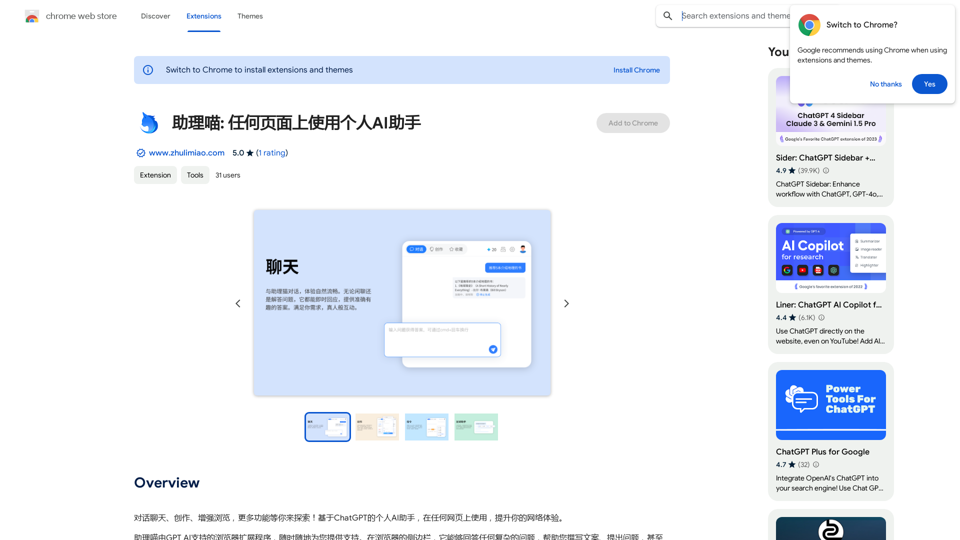
Introduction
Feature
Easy-to-Use Browser Extension
Assistant Miao supports all browsers and web pages, allowing users to increase their work efficiency anytime and anywhere.
AI-Powered Writing Assistance
Utilize Assistant Miao's AI capabilities to effortlessly create various types of content, including articles, novels, and academic papers.
Quick Information Search
Find relevant information quickly and easily, streamlining your research process.
Convenient Text Commands
Seamlessly translate, explain, or summarize any text on a webpage with simple commands.
Language Learning Support
Offers real-time translation of multiple languages, dictionary lookup, and grammar checking to facilitate language learning.
Code Generation and Programming Support
Generate professional code and access core industry knowledge with just one click, making it an invaluable tool for programmers.
Multiple Template Tools
Includes various template tools with prompts for different scenarios, simplifying operations and improving efficiency.
Flexible Login Options
Supports mobile phone and verification code login, ensuring convenient and fast access without device restrictions.
FAQ
How do I start using Assistant Miao?
To begin using Assistant Miao:
- Visit the official website to download and install the browser extension.
- Press Cmd+B (Mac) or Ctrl+B (Windows) to summon Assistant Miao and start chatting.
- Select any text on a webpage for Assistant Miao to explain, translate, or rewrite.
- Explore and utilize all of Assistant Miao's features.
Is Assistant Miao free to use?
Yes, Assistant Miao is a free browser extension with no subscription fees required.
What are the main features of Assistant Miao?
Assistant Miao offers:
- AI-powered writing assistance
- Quick information search
- Text translation and summarization
- Language learning support
- Code generation
- Multiple template tools
- Flexible login options
Can Assistant Miao work on any webpage?
Yes, Assistant Miao supports all browsers and web pages, allowing you to enhance your productivity across various online platforms.
Related Websites
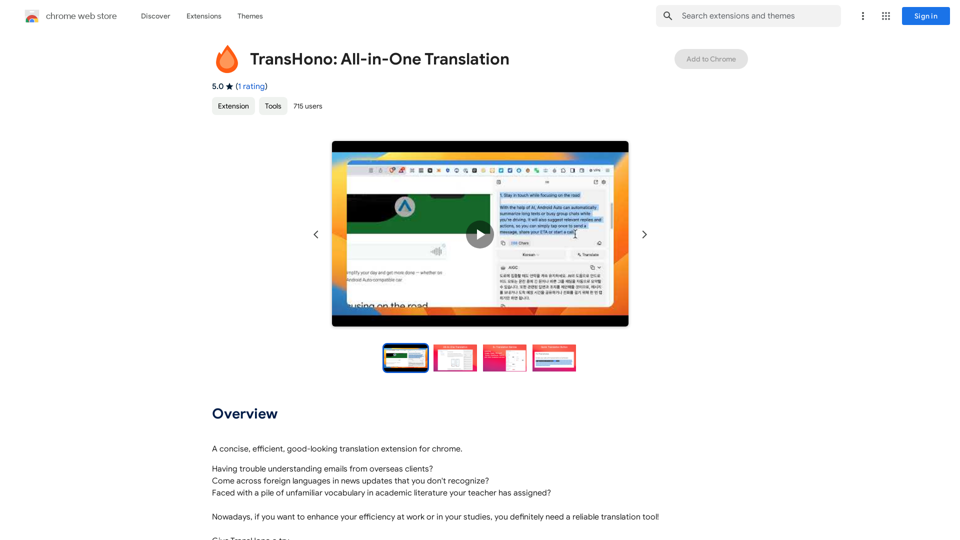
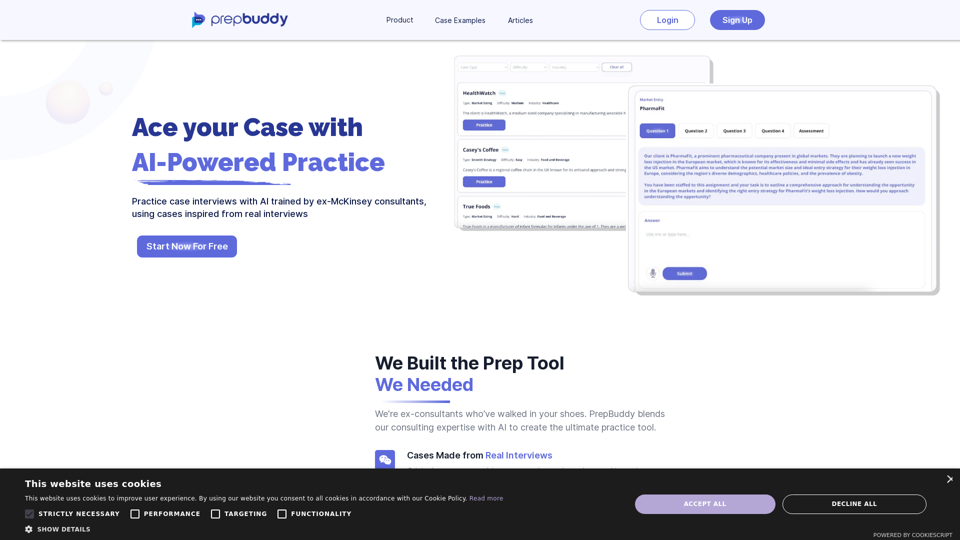
PrepBuddy offers AI-powered practice for consulting case interviews. Learn with materials from former McKinsey consultants and get instant feedback. Start your free trial today!
2.63 K
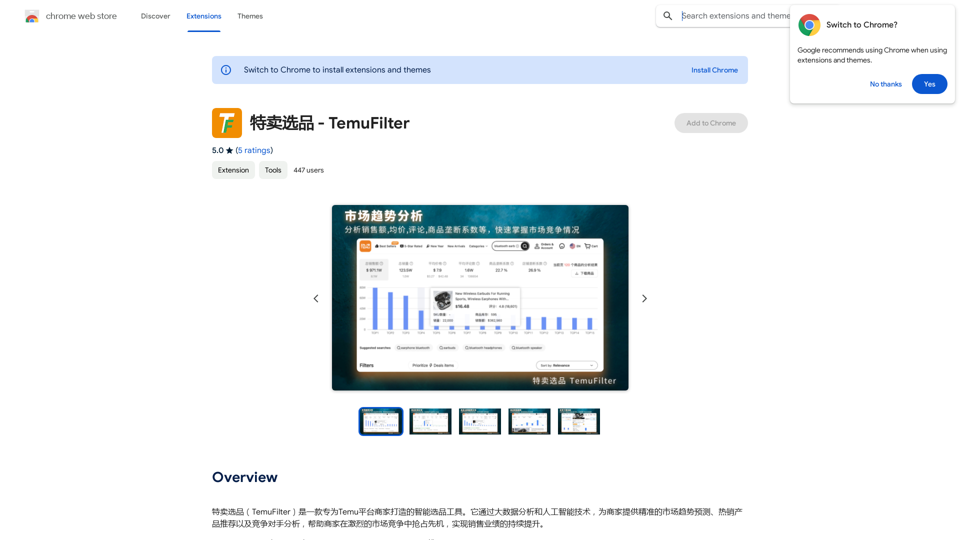
TemuFilter is an intelligent product selection tool designed specifically for Temu platform merchants. It uses big data analysis and artificial intelligence technology to provide merchants with accurate market trend predictions, popular product recommendations, and competitor analysis, helping merchants seize the opportunity in the fierce market competition and achieve continuous improvement in sales performance.
193.90 M
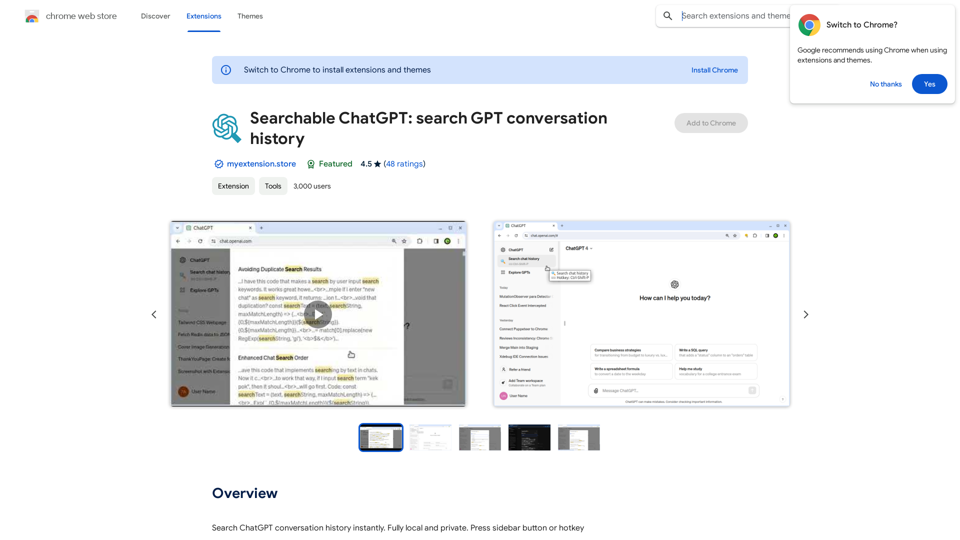
Searchable ChatGPT: Search GPT Conversation History With the rapid development of artificial intelligence technology, ChatGPT has become an essential tool for people to communicate and interact with AI. However, as the conversation history grows, it becomes increasingly difficult to find specific conversations or topics. To address this issue, we propose the concept of Searchable ChatGPT, which enables users to search their GPT conversation history efficiently. Key Features 1. Keyword Search Users can input specific keywords or phrases to search for relevant conversations in their chat history. The system will then display a list of conversations that match the search criteria, allowing users to quickly find the information they need. 2. Contextual Search In addition to keyword search, users can also search for conversations based on context. For example, they can search for conversations related to a specific topic, such as "travel" or "cooking." The system will then display a list of conversations that are relevant to the specified context. 3. Conversation Filtering To further refine the search results, users can apply filters to narrow down the list of conversations. For instance, they can filter conversations by date, time, or even the emotions expressed during the conversation. 4. Conversation Analytics Searchable ChatGPT also provides users with conversation analytics, which offer insights into their conversation patterns and preferences. This feature can help users identify areas for improvement and optimize their communication with ChatGPT. Benefits 1. Improved Productivity Searchable ChatGPT saves users time and effort by allowing them to quickly find specific conversations or topics in their chat history. 2. Enhanced User Experience By providing users with a more efficient way to search and analyze their conversations, Searchable ChatGPT enhances the overall user experience and encourages more effective communication with ChatGPT. 3. Better Decision Making With access to conversation analytics, users can make more informed decisions by identifying patterns and trends in their conversations with ChatGPT. Conclusion Searchable ChatGPT is a powerful tool that revolutionizes the way users interact with ChatGPT. By providing a robust search function, contextual search, conversation filtering, and conversation analytics, Searchable ChatGPT improves productivity, enhances the user experience, and enables better decision making.
Searchable ChatGPT: Search GPT Conversation History With the rapid development of artificial intelligence technology, ChatGPT has become an essential tool for people to communicate and interact with AI. However, as the conversation history grows, it becomes increasingly difficult to find specific conversations or topics. To address this issue, we propose the concept of Searchable ChatGPT, which enables users to search their GPT conversation history efficiently. Key Features 1. Keyword Search Users can input specific keywords or phrases to search for relevant conversations in their chat history. The system will then display a list of conversations that match the search criteria, allowing users to quickly find the information they need. 2. Contextual Search In addition to keyword search, users can also search for conversations based on context. For example, they can search for conversations related to a specific topic, such as "travel" or "cooking." The system will then display a list of conversations that are relevant to the specified context. 3. Conversation Filtering To further refine the search results, users can apply filters to narrow down the list of conversations. For instance, they can filter conversations by date, time, or even the emotions expressed during the conversation. 4. Conversation Analytics Searchable ChatGPT also provides users with conversation analytics, which offer insights into their conversation patterns and preferences. This feature can help users identify areas for improvement and optimize their communication with ChatGPT. Benefits 1. Improved Productivity Searchable ChatGPT saves users time and effort by allowing them to quickly find specific conversations or topics in their chat history. 2. Enhanced User Experience By providing users with a more efficient way to search and analyze their conversations, Searchable ChatGPT enhances the overall user experience and encourages more effective communication with ChatGPT. 3. Better Decision Making With access to conversation analytics, users can make more informed decisions by identifying patterns and trends in their conversations with ChatGPT. Conclusion Searchable ChatGPT is a powerful tool that revolutionizes the way users interact with ChatGPT. By providing a robust search function, contextual search, conversation filtering, and conversation analytics, Searchable ChatGPT improves productivity, enhances the user experience, and enables better decision making.Search ChatGPT conversation history instantly. Fully local and private. Press sidebar button or hotkey
193.90 M
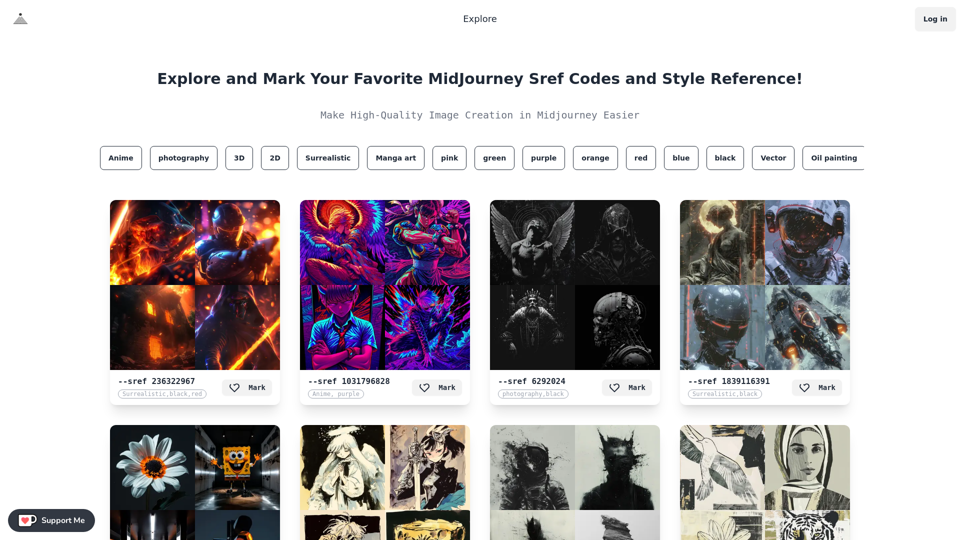
Midjourney SREF Codes Library for Style Reference What are SREF Codes? SREF codes are special text strings used in Midjourney to quickly and easily apply specific artistic styles to your image generations. How to Use SREF Codes: Simply add an SREF code to your Midjourney prompt. For example: `/imagine a majestic dragon, SREF:cyberpunk` SREF Code Library: This library contains a collection of SREF codes categorized by style. * Art Styles: * `photorealistic`: Creates images with high levels of realism. * `impressionistic`: Captures the essence of a scene with loose brushstrokes and vibrant colors. * `cubist`: Breaks down objects into geometric shapes. * `surrealist`: Creates dreamlike and fantastical images. * `abstract`: Focuses on form, color, and composition rather than representational imagery. * Visual Effects: * `cinematic`: Gives images a cinematic look and feel. * `HDR`: Creates images with high dynamic range, resulting in greater detail and contrast. * `neon`: Adds vibrant neon lights to the image. * `pixel art`: Generates images in a retro pixel art style. * Other Styles: * `anime`: Creates images in the style of Japanese animation. * `manga`: Similar to anime, but with a more comic book aesthetic. * `sketch`: Generates images that resemble pencil sketches. * `watercolor`: Creates images with the look and feel of watercolor paintings. Note: This is just a small sample of the many SREF codes available. Explore and Experiment: The best way to learn about SREF codes is to experiment with them! Try combining different codes to create unique and interesting styles.
Midjourney SREF Codes Library for Style Reference What are SREF Codes? SREF codes are special text strings used in Midjourney to quickly and easily apply specific artistic styles to your image generations. How to Use SREF Codes: Simply add an SREF code to your Midjourney prompt. For example: `/imagine a majestic dragon, SREF:cyberpunk` SREF Code Library: This library contains a collection of SREF codes categorized by style. * Art Styles: * `photorealistic`: Creates images with high levels of realism. * `impressionistic`: Captures the essence of a scene with loose brushstrokes and vibrant colors. * `cubist`: Breaks down objects into geometric shapes. * `surrealist`: Creates dreamlike and fantastical images. * `abstract`: Focuses on form, color, and composition rather than representational imagery. * Visual Effects: * `cinematic`: Gives images a cinematic look and feel. * `HDR`: Creates images with high dynamic range, resulting in greater detail and contrast. * `neon`: Adds vibrant neon lights to the image. * `pixel art`: Generates images in a retro pixel art style. * Other Styles: * `anime`: Creates images in the style of Japanese animation. * `manga`: Similar to anime, but with a more comic book aesthetic. * `sketch`: Generates images that resemble pencil sketches. * `watercolor`: Creates images with the look and feel of watercolor paintings. Note: This is just a small sample of the many SREF codes available. Explore and Experiment: The best way to learn about SREF codes is to experiment with them! Try combining different codes to create unique and interesting styles.Explore a list of 177 unique Midjourney sref codes and style references to find your perfect Midjourney sref code effect.
149.96 K
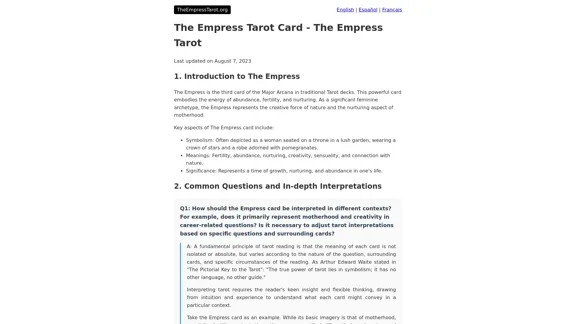
The Empress Tarot Card: Symbolism, Interpretations, and Significance The Empress is the third card in the Major Arcana of the tarot deck. This powerful and nurturing figure represents feminine energy, abundance, creativity, and fertility. Here's a comprehensive look at the Empress card: Symbolism: 1. The Empress herself: A regal woman seated on a throne, often depicted as pregnant or holding a scepter. 2. Crown: Usually adorned with 12 stars, representing the zodiac and her connection to the celestial realm. 3. Venus symbol: Often visible on her shield or clothing, emphasizing love and beauty. 4. Lush surroundings: Abundant nature, trees, and flowing water symbolize fertility and growth. 5. Wheat or grain: Represents the harvest and abundance. 6. Cushions and comfort: Signify luxury, comfort, and nurturing. Interpretations: Upright: 1. Fertility and creation 2. Nurturing and motherhood 3. Abundance and prosperity 4. Beauty and sensuality 5. Connection with nature 6. Creativity and artistic expression 7. Feminine power and energy Reversed: 1. Creative block or stagnation 2. Neglect of self-care or others 3. Codependency or overprotectiveness 4. Lack of growth or progress 5. Infertility or reproductive issues 6. Materialism or vanity 7. Disconnection from nature or intuition Significance in Tarot Readings: 1. Personal Growth: The Empress encourages embracing one's nurturing side and creative potential. 2. Relationships: Indicates a time of love, care, and emotional fulfillment in partnerships. 3. Career: Suggests a period of growth, abundance, and creative breakthroughs in professional endeavors. 4. Health: Often associated with pregnancy, fertility, and overall well-being. 5. Spirituality: Represents a connection to the divine feminine and the nurturing aspects of the universe. 6. Finances: Indicates a time of material abundance and prosperity. 7. Decision Making: Encourages trusting intuition and embracing a nurturing approach to problem-solving. The Empress in Combinations: - With The Emperor: Balance of masculine and feminine energies, strong partnerships. - With The High Priestess: Powerful feminine wisdom and intuition. - With The Star: Hope, inspiration, and creative renewal. - With Pentacle cards: Material abundance and financial growth. The Empress is a card of creation, nurturing, and abundance. When it appears in a reading, it often signals a time of growth, fertility (literal or metaphorical), and the blossoming of creative or nurturing energies. It reminds the querent to connect with their feminine side, regardless of gender, and to embrace the abundance that surrounds them.
0
What is a Prompster? A Prompster is a person who assists a speaker, actor, or presenter by providing them with lines or cues, usually in a subtle and discreet manner, during a performance, presentation, or speech.
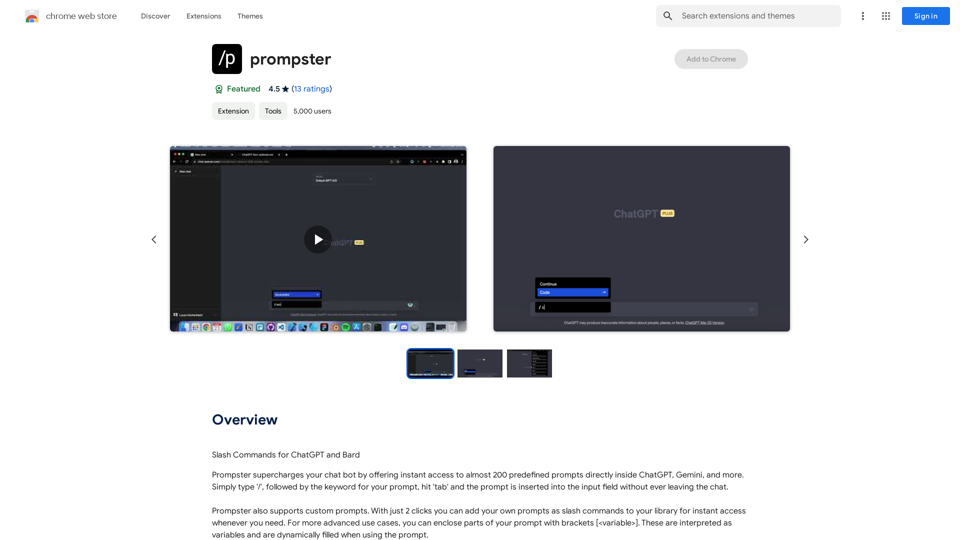
What is a Prompster? A Prompster is a person who assists a speaker, actor, or presenter by providing them with lines or cues, usually in a subtle and discreet manner, during a performance, presentation, or speech.Slash Commands for ChatGPT and Bard ===================================== Introduction Slash commands are a convenient way to interact with ChatGPT and Bard, allowing you to perform various tasks and actions within the chat interface. This guide provides an overview of the available slash commands for both ChatGPT and Bard. ChatGPT Slash Commands #General Commands * `/help`: Displays a list of available slash commands and their descriptions. * `/reset`: Resets the conversation, clearing all previous messages and context. #Conversation Management * `/start`: Starts a new conversation, allowing you to begin a fresh topic or task. * `/stop`: Ends the current conversation, stopping any ongoing tasks or topics. #Language and Tone * `/lang <language_code>`: Sets the language for the conversation (e.g., `/lang en` for English). * `/tone <tone>`: Adjusts the tone of the responses (e.g., `/tone formal` for formal tone). #Task Management * `/task <task_name>`: Creates a new task or topic for the conversation (e.g., `/task math problem`). * `/done`: Marks the current task as completed. #Information and Resources * `/define <word>`: Provides the definition of a word or phrase. * `/wiki <topic>`: Displays information about a topic from Wikipedia. Bard Slash Commands #General Commands * `/help`: Displays a list of available slash commands and their descriptions. * `/reset`: Resets the conversation, clearing all previous messages and context. #Conversation Management * `/start`: Starts a new conversation, allowing you to begin a fresh topic or task. * `/stop`: Ends the current conversation, stopping any ongoing tasks or topics. #Language and Tone * `/lang <language_code>`: Sets the language for the conversation (e.g., `/lang en` for English). * `/tone <tone>`: Adjusts the tone of the responses (e.g., `/tone formal` for formal tone). #Task Management * `/task <task_name>`: Creates a new task or topic for the conversation (e.g., `/task math problem`). * `/done`: Marks the current task as completed. #Information and Resources * `/define <word>`: Provides the definition of a word or phrase. * `/wiki <topic>`: Displays information about a topic from Wikipedia. * `/news <topic>`: Displays news articles related to a specific topic. Conclusion Slash commands provide a convenient way to interact with ChatGPT and Bard, allowing you to manage conversations, adjust language and tone, and access various resources. By mastering these commands, you can optimize your experience and get the most out of your interactions with these AI models.
193.90 M
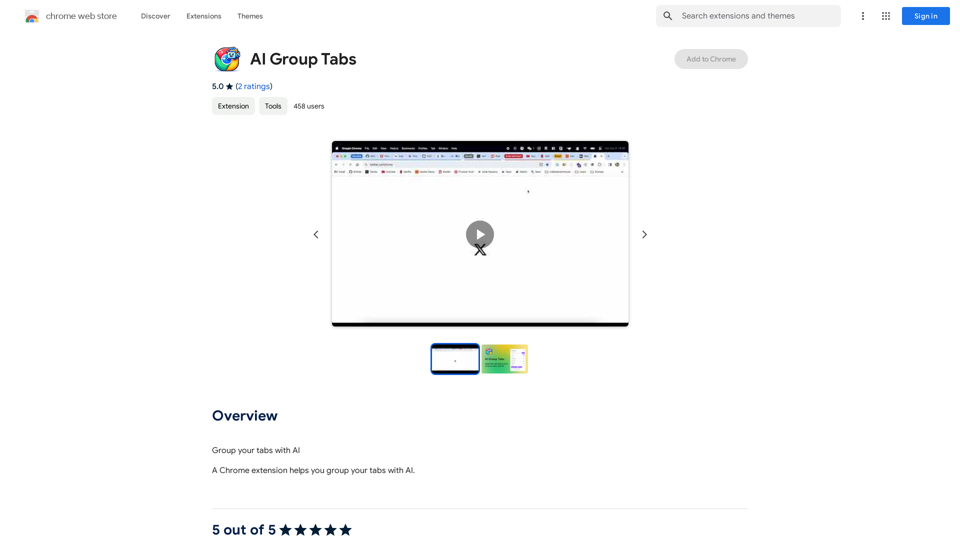
Group your tabs with AI This is a simple and effective way to organize your browser tabs using artificial intelligence. Here's how it works: * Select multiple tabs: Choose the tabs you want to group together. * AI grouping: Our AI will analyze the content of the selected tabs and suggest relevant groups. * Customize groups: You can adjust the suggested groups or create your own. * Save and access: Save your grouped tabs for easy access later. Let AI help you stay organized and productive!
193.90 M