Open-source RightAI Tools Directory
  • Discover AI
  • Submit
  • Startup
  • Blog
Open-source RightAI Tools Directory
Discover the best AI tools of 2025 with the RightAI Tools Directory!

Friend Links

AI Anime GeneratorToolsApp AI

Support

Tap4
Privacy policyTerms & ConditionsContact Us
Loading...
loading...

Exchange - Image Converter & Background Remover

Image Converter & Background Remover
Visit Website
Exchange - Image Converter & Background Remover
Visit Website

Introduction

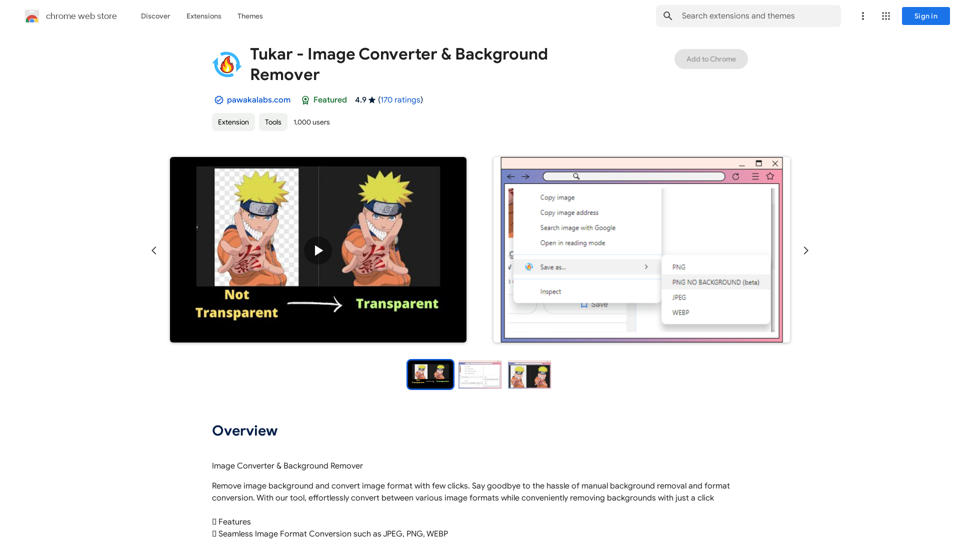
Tukar - Image Converter & Background Remover is a Chrome extension designed for effortless image manipulation and video conversion. It offers seamless image format conversion, background removal, and video conversion capabilities, making it an essential tool for professionals and casual users alike who frequently work with visual media.

Feature

Seamless Image Format Conversion

Convert images between various formats such as JPEG, PNG, and WEBP with ease, streamlining your workflow and enhancing compatibility across different platforms.

Effortless Background Removal

Remove image backgrounds with a single click, perfect for graphic designers, marketers, and anyone needing quick image edits without complex software.

Fast Video Conversion

Quickly convert videos to MP4 and other formats, expanding the tool's utility beyond image manipulation.

Premium Features

  • Advanced background removal capabilities for more complex images
  • Specialized anime art background remover for niche users

Upcoming Features

  • Expanded video conversion options beyond MP4
  • Video compression functionality to reduce file sizes

FAQ

What is Tukar - Image Converter & Background Remover?

Tukar is a Chrome extension that simplifies image conversion and background removal. It allows users to convert images between formats, remove backgrounds, and convert videos with just a few clicks.

What are the main features of Tukar?

The main features include:

  • Image format conversion (JPEG, PNG, WEBP)
  • One-click background removal
  • Video conversion to MP4
  • Premium features for advanced background removal and anime art

Is there a free trial available?

Based on user reviews, there seems to be a free trial option, but some users have reported issues accessing it. It's advisable to contact the developer for clarification.

How can I report issues or contact support?

You can report concerns or contact support by emailing [email protected].

What languages does Tukar support?

Currently, Tukar is available in English.

Related Websites
Genspark

Genspark is a technology company that provides AI-powered education and talent development solutions.
View Detail

Genspark Genspark is a technology company that provides AI-powered education and talent development solutions.

Genspark Genspark is a technology company that provides AI-powered education and talent development solutions.

GenSpark GenSpark is a training program that focuses on providing skills and knowledge to individuals in the field of software development, data science, and other related technologies. The program aims to bridge the gap between the skills possessed by the students and the requirements of the industry.

8.76 M
AISPEED for ChatGPT

What is AISPEED?

AISPEED is a powerful AI assistant designed to enhance your ChatGPT experience.

Key Features:

* Faster Response Times: Experience significantly reduced wait times for ChatGPT responses.
* Improved Accuracy: Benefit from enhanced accuracy and fluency in ChatGPT's generated text.
* Personalized Settings: Customize your ChatGPT experience with tailored settings to suit your needs.
* Multi-Modal Support: Interact with ChatGPT using text, voice, and even images.
* Seamless Integration: AISPEED integrates seamlessly with various platforms and applications.

How AISPEED Works:

AISPEED leverages advanced AI algorithms and techniques to optimize ChatGPT's performance. It accelerates response generation, refines text quality, and enables new interaction modes.

Benefits:

* Increased Productivity: Get faster answers and complete tasks more efficiently.
* Enhanced Creativity: Explore new ideas and generate more creative content.
* Improved Communication: Engage in more natural and meaningful conversations.
* Expanded Capabilities: Unlock the full potential of ChatGPT with advanced features.
View Detail

AISPEED for ChatGPT What is AISPEED? AISPEED is a powerful AI assistant designed to enhance your ChatGPT experience. Key Features: * Faster Response Times: Experience significantly reduced wait times for ChatGPT responses. * Improved Accuracy: Benefit from enhanced accuracy and fluency in ChatGPT's generated text. * Personalized Settings: Customize your ChatGPT experience with tailored settings to suit your needs. * Multi-Modal Support: Interact with ChatGPT using text, voice, and even images. * Seamless Integration: AISPEED integrates seamlessly with various platforms and applications. How AISPEED Works: AISPEED leverages advanced AI algorithms and techniques to optimize ChatGPT's performance. It accelerates response generation, refines text quality, and enables new interaction modes. Benefits: * Increased Productivity: Get faster answers and complete tasks more efficiently. * Enhanced Creativity: Explore new ideas and generate more creative content. * Improved Communication: Engage in more natural and meaningful conversations. * Expanded Capabilities: Unlock the full potential of ChatGPT with advanced features.

AISPEED for ChatGPT What is AISPEED? AISPEED is a powerful AI assistant designed to enhance your ChatGPT experience. Key Features: * Faster Response Times: Experience significantly reduced wait times for ChatGPT responses. * Improved Accuracy: Benefit from enhanced accuracy and fluency in ChatGPT's generated text. * Personalized Settings: Customize your ChatGPT experience with tailored settings to suit your needs. * Multi-Modal Support: Interact with ChatGPT using text, voice, and even images. * Seamless Integration: AISPEED integrates seamlessly with various platforms and applications. How AISPEED Works: AISPEED leverages advanced AI algorithms and techniques to optimize ChatGPT's performance. It accelerates response generation, refines text quality, and enables new interaction modes. Benefits: * Increased Productivity: Get faster answers and complete tasks more efficiently. * Enhanced Creativity: Explore new ideas and generate more creative content. * Improved Communication: Engage in more natural and meaningful conversations. * Expanded Capabilities: Unlock the full potential of ChatGPT with advanced features.

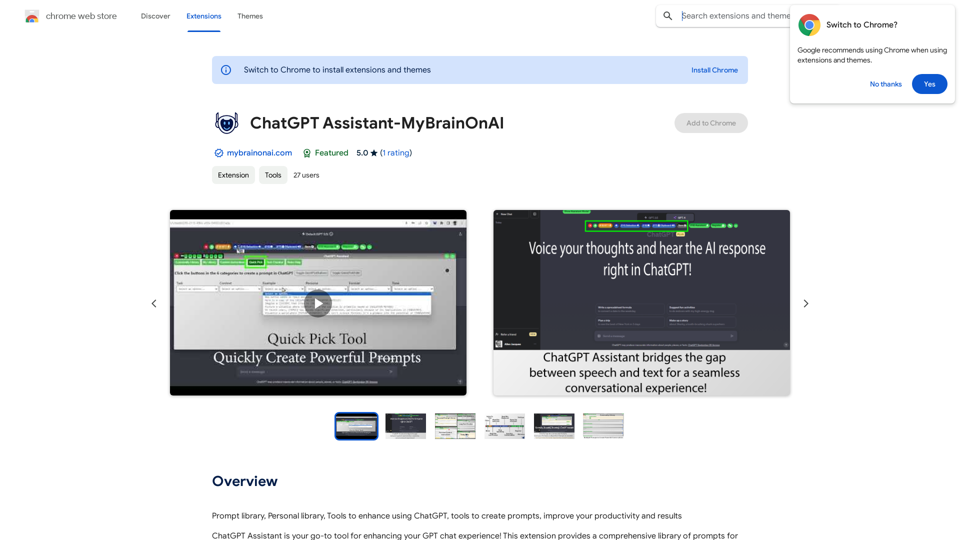
Provides a number of custom prompts to help you use ChatGPT effectively and efficiently.

193.90 M
Versabot.Co
View Detail

Versabot.Co

Versabot.Co

Automate outreach, content, customer service, and more with AI!

1.52 K
GPTsLab: Smartly Filter and Discover Top GPTs
View Detail

GPTsLab: Smartly Filter and Discover Top GPTs

GPTsLab: Smartly Filter and Discover Top GPTs

Collect over 90,000+ GPTs, search for them quickly. Save GPTs to your personal space and manage them. In GPT-4, it will automatically suggest relevant GPTs.

193.90 M
OptiMalt
View Detail

OptiMalt

OptiMalt

Turn your Malt profile into a lead-generating machine by optimizing it.

193.90 M
Western Language Assistant
View Detail

Western Language Assistant

Western Language Assistant

Provides authoritative Xi Han-Han Xi dictionary references, with web-based paragraph-by-paragraph translation and PDF document translation functions, making it an essential reference tool for Spanish learners. It also allows synchronization of learning records with clients.

193.90 M
Coursnap - Summarizer for Long YouTube Videos
View Detail

Coursnap - Summarizer for Long YouTube Videos

Coursnap - Summarizer for Long YouTube Videos

Premier Summarizer for Courses, Lectures, and Long YouTube Videos.

193.90 M
ChatGPT Context Menu

* Copy: Copies the selected text.
* Paste: Pastes the copied text.
* Delete: Deletes the selected text.
* Edit: Opens a text editor to modify the selected text.
* Generate: Uses ChatGPT to generate new text based on the selected context.
* Summarize: Creates a concise summary of the selected text.
* Translate: Translates the selected text into another language.
* Translate to English: Translates the selected text into English.
* Code: Attempts to identify and format the selected text as code.
* Help: Provides information about the context menu options.
View Detail

ChatGPT Context Menu * Copy: Copies the selected text. * Paste: Pastes the copied text. * Delete: Deletes the selected text. * Edit: Opens a text editor to modify the selected text. * Generate: Uses ChatGPT to generate new text based on the selected context. * Summarize: Creates a concise summary of the selected text. * Translate: Translates the selected text into another language. * Translate to English: Translates the selected text into English. * Code: Attempts to identify and format the selected text as code. * Help: Provides information about the context menu options.

ChatGPT Context Menu * Copy: Copies the selected text. * Paste: Pastes the copied text. * Delete: Deletes the selected text. * Edit: Opens a text editor to modify the selected text. * Generate: Uses ChatGPT to generate new text based on the selected context. * Summarize: Creates a concise summary of the selected text. * Translate: Translates the selected text into another language. * Translate to English: Translates the selected text into English. * Code: Attempts to identify and format the selected text as code. * Help: Provides information about the context menu options.

Please provide the text you would like to send to ChatGPT.

193.90 M