Open-source RightAI Tools Directory
  • Discover AI
  • Submit
  • Startup
  • Blog
Open-source RightAI Tools Directory
Discover the best AI tools of 2025 with the RightAI Tools Directory!

Friend Links

AI Anime GeneratorToolsApp AI

Support

Tap4
Privacy policyTerms & ConditionsContact Us
Loading...
loading...

Summarize and Translate with Gemini Gemini是一个基于人工智能的多语言翻译和文本摘要工具。它可以将长篇文本转换为简洁的摘要,同时提供多种语言的翻译选项。 #Key Features * Multilingual Translation: Gemini支持多种语言的翻译,包括英语、法语、德语、西班牙语、葡萄牙语、意大利语、荷兰语、俄语、中文、日语和韩语等。 * Text Summarization: Gemini可以将长篇文本转换为简洁的摘要,帮助用户快速了解文本的主要内容。 * AI-powered: Gemini基于人工智能技术,能够智能地识别和处理语言,提供高质量的翻译和摘要结果。 #How to Use Gemini 1. Copy and Paste: 将需要翻译或摘要的文本复制并粘贴到Gemini的输入框中。 2. Select Language: 选择需要翻译的语言或摘要的格式。 3. Get Result: Gemini将提供翻译或摘要结果,用户可以根据需要进行调整和编辑。 #Benefits * Save Time: Gemini可以快速地翻译和摘要长篇文本,节省用户的时间和精力。 * Improve Efficiency: Gemini的翻译和摘要结果可以帮助用户更好地理解和处理文本,提高工作效率。 * Enhance Productivity: Gemini可以帮助用户更好地与他人交流和合作,提高生产力和效率。

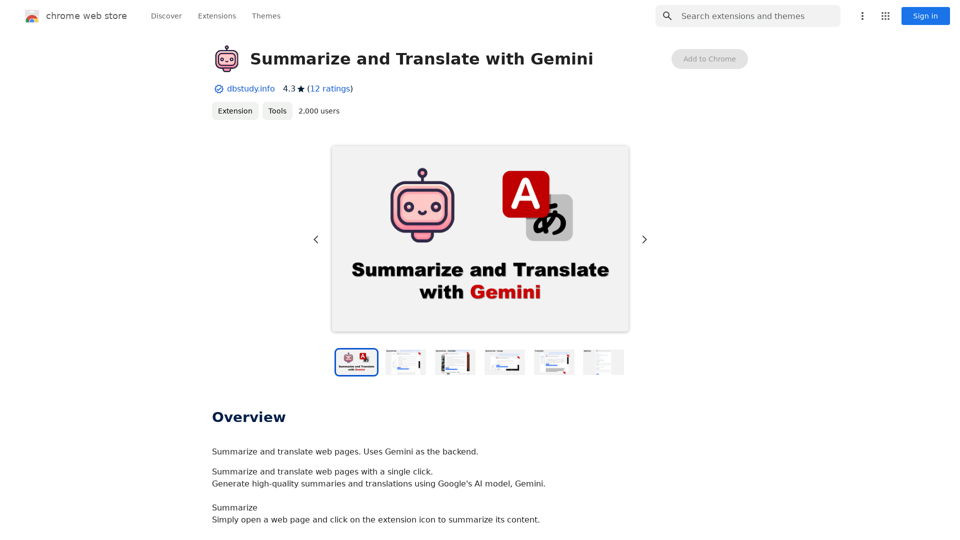
Summarize and Translate Web Pages This tool utilizes Gemini as its backend to provide a convenient way to summarize and translate web pages.
Visit Website
Summarize and Translate with Gemini
Gemini是一个基于人工智能的多语言翻译和文本摘要工具。它可以将长篇文本转换为简洁的摘要,同时提供多种语言的翻译选项。

#Key Features
* Multilingual Translation: Gemini支持多种语言的翻译,包括英语、法语、德语、西班牙语、葡萄牙语、意大利语、荷兰语、俄语、中文、日语和韩语等。
* Text Summarization: Gemini可以将长篇文本转换为简洁的摘要,帮助用户快速了解文本的主要内容。
* AI-powered: Gemini基于人工智能技术,能够智能地识别和处理语言,提供高质量的翻译和摘要结果。

#How to Use Gemini
1. Copy and Paste: 将需要翻译或摘要的文本复制并粘贴到Gemini的输入框中。
2. Select Language: 选择需要翻译的语言或摘要的格式。
3. Get Result: Gemini将提供翻译或摘要结果,用户可以根据需要进行调整和编辑。

#Benefits
* Save Time: Gemini可以快速地翻译和摘要长篇文本,节省用户的时间和精力。
* Improve Efficiency: Gemini的翻译和摘要结果可以帮助用户更好地理解和处理文本,提高工作效率。
* Enhance Productivity: Gemini可以帮助用户更好地与他人交流和合作,提高生产力和效率。
Visit Website

Introduction

Summarize and Translate with Gemini is a Chrome extension that leverages Google's AI model, Gemini, to provide high-quality summaries and translations of web pages. This powerful tool supports multiple languages and requires a Gemini API key for operation, making it an essential asset for users who frequently engage with multilingual content or need quick, accurate summaries of web pages.

Feature

Summarization Capability

Users can easily summarize web page content by clicking the extension icon, providing quick access to key information without the need to read through entire articles.

Translation Functionality

The extension offers a convenient translation feature, allowing users to select specific text and translate it instantly using the Gemini AI model.

Multilingual Support

With support for 15 languages, including German, English, and French, the extension caters to a diverse user base and facilitates cross-language communication.

Gemini API Integration

The extension utilizes Google's Gemini AI model, ensuring high-quality summaries and translations powered by advanced artificial intelligence technology.

Versatile Application

Users can apply the extension's features to various online content, including web pages, YouTube videos, and more, enhancing its utility across different platforms.

User-Friendly Interface

With a simple click-to-use design, the extension offers a seamless experience for summarizing and translating content directly from the browser.

FAQ

What is Gemini and why is it used in this extension?

Gemini is a Google AI model that provides high-quality summaries and translations. It's used in this extension to ensure accurate and reliable results for users when summarizing or translating web content.

Is a Gemini API key required to use the extension?

Yes, users need to obtain a Gemini API key from the Google AI for Developers page to use the extension's features. This key is essential for accessing the Gemini AI model's capabilities.

How many languages does the extension support?

The extension supports 15 languages, including German (Deutsch), English, French (Français), and several others. This wide language support makes it a versatile tool for multilingual users and content.

Related Websites
Hints Playbook AI

This playbook provides guidance on how to effectively use hints to improve the performance of AI models.

Understanding Hints

Hints are additional pieces of information provided to an AI model to guide its output. They can take various forms, such as:

* Textual prompts: Direct instructions or suggestions.
* Examples: Demonstrating the desired output format or style.
* Constraints: Specifying limitations or boundaries for the response.

Types of Hints

* Zero-shot: Hints are provided without any examples.
* Few-shot: A small number of examples are given to illustrate the desired output.
* Fine-tuning: Hints are incorporated into the training data to adjust the model's behavior.

Best Practices for Using Hints

* Be specific: Clearly articulate what you want the AI to do.
* Provide context: Give the model enough background information to understand the task.
* Use examples: Demonstrate the desired output format or style.
* Iterate and refine: Experiment with different types and formats of hints to find what works best.
* Evaluate results: Assess the quality of the AI's output and adjust hints accordingly.
View Detail

Hints Playbook AI This playbook provides guidance on how to effectively use hints to improve the performance of AI models. Understanding Hints Hints are additional pieces of information provided to an AI model to guide its output. They can take various forms, such as: * Textual prompts: Direct instructions or suggestions. * Examples: Demonstrating the desired output format or style. * Constraints: Specifying limitations or boundaries for the response. Types of Hints * Zero-shot: Hints are provided without any examples. * Few-shot: A small number of examples are given to illustrate the desired output. * Fine-tuning: Hints are incorporated into the training data to adjust the model's behavior. Best Practices for Using Hints * Be specific: Clearly articulate what you want the AI to do. * Provide context: Give the model enough background information to understand the task. * Use examples: Demonstrate the desired output format or style. * Iterate and refine: Experiment with different types and formats of hints to find what works best. * Evaluate results: Assess the quality of the AI's output and adjust hints accordingly.

Hints Playbook AI This playbook provides guidance on how to effectively use hints to improve the performance of AI models. Understanding Hints Hints are additional pieces of information provided to an AI model to guide its output. They can take various forms, such as: * Textual prompts: Direct instructions or suggestions. * Examples: Demonstrating the desired output format or style. * Constraints: Specifying limitations or boundaries for the response. Types of Hints * Zero-shot: Hints are provided without any examples. * Few-shot: A small number of examples are given to illustrate the desired output. * Fine-tuning: Hints are incorporated into the training data to adjust the model's behavior. Best Practices for Using Hints * Be specific: Clearly articulate what you want the AI to do. * Provide context: Give the model enough background information to understand the task. * Use examples: Demonstrate the desired output format or style. * Iterate and refine: Experiment with different types and formats of hints to find what works best. * Evaluate results: Assess the quality of the AI's output and adjust hints accordingly.

Hints automatically updates CRM fields from video calls. Keep your CRM up-to-date.

193.90 M
Meet the Meeting
View Detail

Meet the Meeting

Meet the Meeting

Identifying People Expressions in Google Meets Calls This is a complex task with several challenges: * Technical Limitations: Google Meets doesn't currently offer an API to directly access facial expressions of participants. * Privacy Concerns: Analyzing facial expressions raises significant privacy issues. Users should have control over whether their expressions are being tracked and used. * Accuracy: Even with access to facial data, accurately interpreting expressions can be difficult due to variations in lighting, angles, and individual differences. Possible Approaches (with limitations): * User-Submitted Data: Participants could manually indicate their emotions during the call, which could be collected and analyzed. This relies on user honesty and may not capture subtle expressions. * Third-Party Tools: Some external tools might analyze video feeds and attempt to detect expressions. However, their accuracy and privacy practices should be carefully evaluated. * Future Developments: Google or other companies might develop features that allow for more ethical and accurate expression analysis in the future. It's important to remember that facial expressions are just one aspect of communication, and relying solely on them can be misleading.

193.90 M
Search Engine  
AI Chat  
Web  
Video  
Image  
Social
View Detail

Search Engine AI Chat Web Video Image Social

Search Engine AI Chat Web Video Image Social

Quickly search the entire Internet, including websites, search engines, AI chatbots, videos, photos, social media, radio, PDFs, images, online shopping platforms, and AI-powered search chatbots.

193.90 M
AI Localizer - Easily Translate Your Project Code
View Detail

AI Localizer - Easily Translate Your Project Code

AI Localizer - Easily Translate Your Project Code

Seamlessly add localized translations to your Xcode projects. Add up to 37 languages to your app automatically, using the power of AI.

210.21 K
Mellow - DALL-E Image and Prompts Bulk Download 

This is a tool to download images and prompts from Mellow, a platform for creating and sharing DALL-E images.
View Detail

Mellow - DALL-E Image and Prompts Bulk Download This is a tool to download images and prompts from Mellow, a platform for creating and sharing DALL-E images.

Mellow - DALL-E Image and Prompts Bulk Download This is a tool to download images and prompts from Mellow, a platform for creating and sharing DALL-E images.

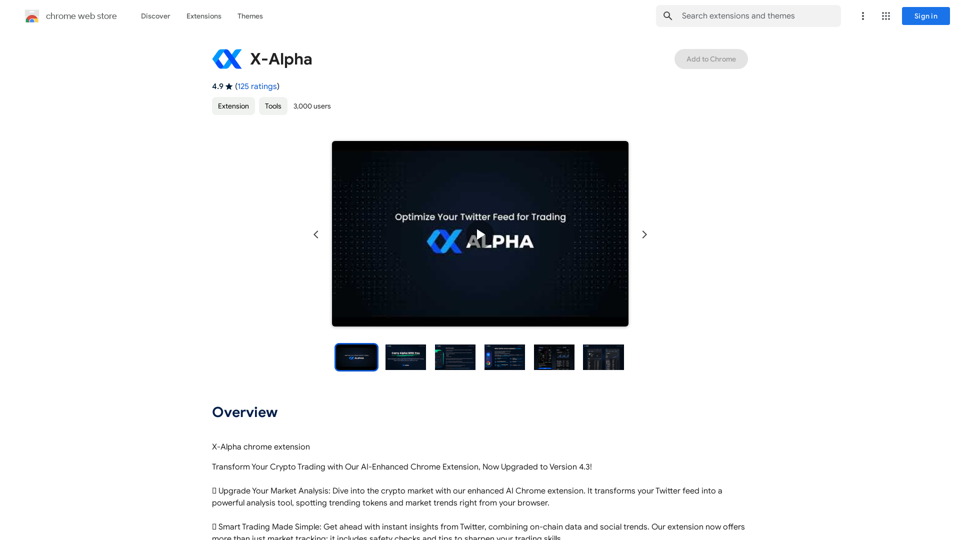
🐱 Mellow is a Chrome extension designed for users of ChatGPT who use GPTs or DALL·E to create AI images.

193.90 M
Tendi | Your Personal AI Financial Advisor
View Detail

Tendi | Your Personal AI Financial Advisor

Tendi | Your Personal AI Financial Advisor

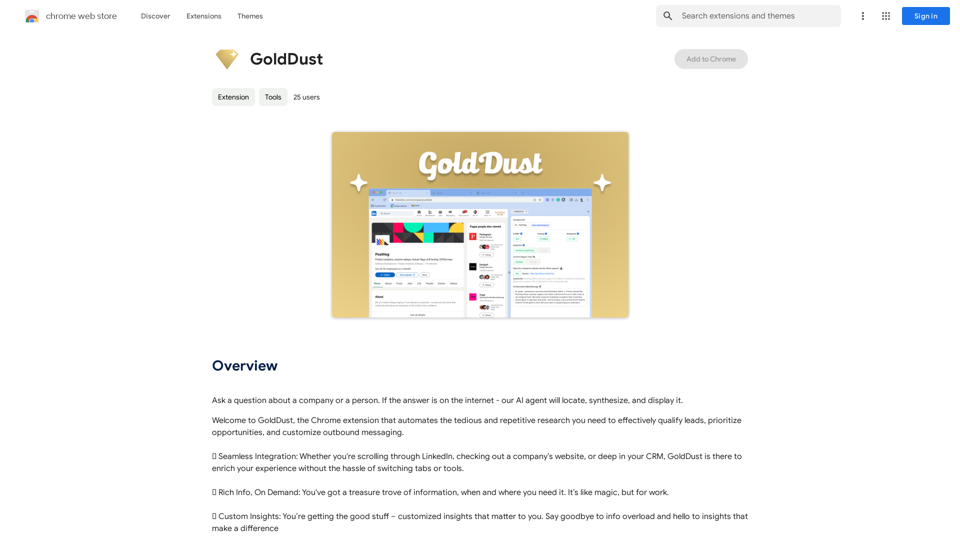
Tendi is a personal AI financial advisor that helps you set financial goals, plan, budget, and achieve them.

22.20 K
Midjourney SREF Codes Library for Style Reference

What are SREF Codes?

SREF codes are special text strings used in Midjourney to quickly and easily apply specific artistic styles to your image generations. 

How to Use SREF Codes:

Simply add an SREF code to your Midjourney prompt. For example:

`/imagine a majestic dragon, SREF:cyberpunk`

SREF Code Library:

This library contains a collection of SREF codes categorized by style. 

* Art Styles:
    * `photorealistic`: Creates images with high levels of realism.
    * `impressionistic`:  Captures the essence of a scene with loose brushstrokes and vibrant colors.
    * `cubist`:  Breaks down objects into geometric shapes.
    * `surrealist`:  Creates dreamlike and fantastical images.
    * `abstract`:  Focuses on form, color, and composition rather than representational imagery.

* Visual Effects:
    * `cinematic`:  Gives images a cinematic look and feel.
    * `HDR`:  Creates images with high dynamic range, resulting in greater detail and contrast.
    * `neon`:  Adds vibrant neon lights to the image.
    * `pixel art`:  Generates images in a retro pixel art style.

* Other Styles:
    * `anime`:  Creates images in the style of Japanese animation.
    * `manga`:  Similar to anime, but with a more comic book aesthetic.
    * `sketch`:  Generates images that resemble pencil sketches.
    * `watercolor`:  Creates images with the look and feel of watercolor paintings.

Note: This is just a small sample of the many SREF codes available. 

Explore and Experiment:

The best way to learn about SREF codes is to experiment with them! Try combining different codes to create unique and interesting styles.
View Detail

Midjourney SREF Codes Library for Style Reference What are SREF Codes? SREF codes are special text strings used in Midjourney to quickly and easily apply specific artistic styles to your image generations. How to Use SREF Codes: Simply add an SREF code to your Midjourney prompt. For example: `/imagine a majestic dragon, SREF:cyberpunk` SREF Code Library: This library contains a collection of SREF codes categorized by style. * Art Styles: * `photorealistic`: Creates images with high levels of realism. * `impressionistic`: Captures the essence of a scene with loose brushstrokes and vibrant colors. * `cubist`: Breaks down objects into geometric shapes. * `surrealist`: Creates dreamlike and fantastical images. * `abstract`: Focuses on form, color, and composition rather than representational imagery. * Visual Effects: * `cinematic`: Gives images a cinematic look and feel. * `HDR`: Creates images with high dynamic range, resulting in greater detail and contrast. * `neon`: Adds vibrant neon lights to the image. * `pixel art`: Generates images in a retro pixel art style. * Other Styles: * `anime`: Creates images in the style of Japanese animation. * `manga`: Similar to anime, but with a more comic book aesthetic. * `sketch`: Generates images that resemble pencil sketches. * `watercolor`: Creates images with the look and feel of watercolor paintings. Note: This is just a small sample of the many SREF codes available. Explore and Experiment: The best way to learn about SREF codes is to experiment with them! Try combining different codes to create unique and interesting styles.

Midjourney SREF Codes Library for Style Reference What are SREF Codes? SREF codes are special text strings used in Midjourney to quickly and easily apply specific artistic styles to your image generations. How to Use SREF Codes: Simply add an SREF code to your Midjourney prompt. For example: `/imagine a majestic dragon, SREF:cyberpunk` SREF Code Library: This library contains a collection of SREF codes categorized by style. * Art Styles: * `photorealistic`: Creates images with high levels of realism. * `impressionistic`: Captures the essence of a scene with loose brushstrokes and vibrant colors. * `cubist`: Breaks down objects into geometric shapes. * `surrealist`: Creates dreamlike and fantastical images. * `abstract`: Focuses on form, color, and composition rather than representational imagery. * Visual Effects: * `cinematic`: Gives images a cinematic look and feel. * `HDR`: Creates images with high dynamic range, resulting in greater detail and contrast. * `neon`: Adds vibrant neon lights to the image. * `pixel art`: Generates images in a retro pixel art style. * Other Styles: * `anime`: Creates images in the style of Japanese animation. * `manga`: Similar to anime, but with a more comic book aesthetic. * `sketch`: Generates images that resemble pencil sketches. * `watercolor`: Creates images with the look and feel of watercolor paintings. Note: This is just a small sample of the many SREF codes available. Explore and Experiment: The best way to learn about SREF codes is to experiment with them! Try combining different codes to create unique and interesting styles.

Explore a list of 177 unique Midjourney sref codes and style references to find your perfect Midjourney sref code effect.

149.96 K
Bing AI Chatbot

Bing AI Chatbot is a conversational AI developed by Microsoft, which uses natural language processing (NLP) technology to understand and respond to user queries.
View Detail

Bing AI Chatbot Bing AI Chatbot is a conversational AI developed by Microsoft, which uses natural language processing (NLP) technology to understand and respond to user queries.

Bing AI Chatbot Bing AI Chatbot is a conversational AI developed by Microsoft, which uses natural language processing (NLP) technology to understand and respond to user queries.

Enhance Chrome with Bing AI Chatbot: Unlock Bing AI chatbot conversation and easily access Bing AI for a better browsing experience.

193.90 M