Open-source RightAI Tools Directory
  • Discover AI
  • Submit
  • Startup
  • Blog
Open-source RightAI Tools Directory
Discover the best AI tools of 2025 with the RightAI Tools Directory!

Friend Links

AI Anime GeneratorToolsApp AI

Support

Tap4
Privacy policyTerms & ConditionsContact Us
Loading...
loading...

Summarize and Translate with Gemini Gemini是一个基于人工智能的多语言翻译和文本摘要工具。它可以将长篇文本转换为简洁的摘要,同时提供多种语言的翻译选项。 #Key Features * Multilingual Translation: Gemini支持多种语言的翻译,包括英语、法语、德语、西班牙语、葡萄牙语、意大利语、荷兰语、俄语、中文、日语和韩语等。 * Text Summarization: Gemini可以将长篇文本转换为简洁的摘要,帮助用户快速了解文本的主要内容。 * AI-powered: Gemini基于人工智能技术,能够智能地识别和处理语言,提供高质量的翻译和摘要结果。 #How to Use Gemini 1. Copy and Paste: 将需要翻译或摘要的文本复制并粘贴到Gemini的输入框中。 2. Select Language: 选择需要翻译的语言或摘要的格式。 3. Get Result: Gemini将提供翻译或摘要结果,用户可以根据需要进行调整和编辑。 #Benefits * Save Time: Gemini可以快速地翻译和摘要长篇文本,节省用户的时间和精力。 * Improve Efficiency: Gemini的翻译和摘要结果可以帮助用户更好地理解和处理文本,提高工作效率。 * Enhance Productivity: Gemini可以帮助用户更好地与他人交流和合作,提高生产力和效率。

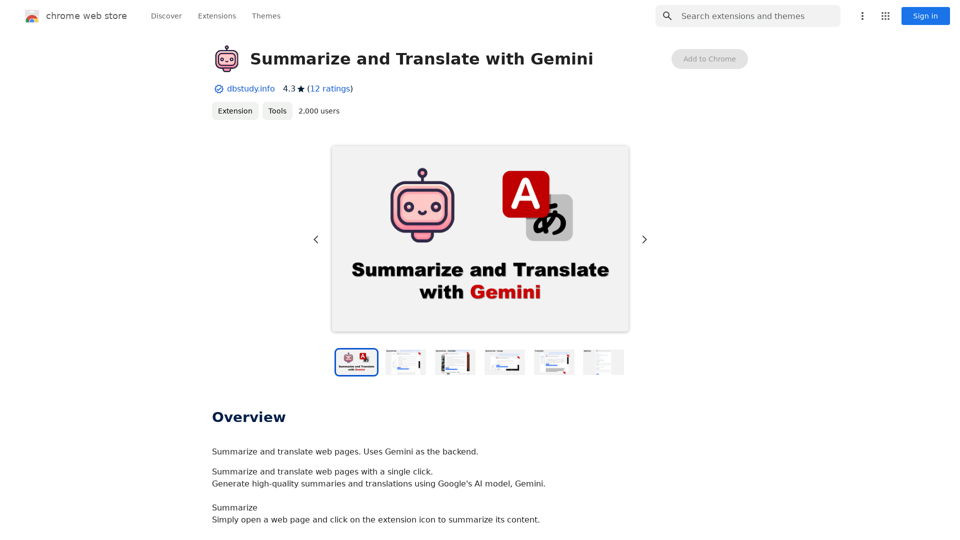
Summarize and Translate Web Pages This tool utilizes Gemini as its backend to provide a convenient way to summarize and translate web pages.
Visit Website
Summarize and Translate with Gemini
Gemini是一个基于人工智能的多语言翻译和文本摘要工具。它可以将长篇文本转换为简洁的摘要,同时提供多种语言的翻译选项。

#Key Features
* Multilingual Translation: Gemini支持多种语言的翻译,包括英语、法语、德语、西班牙语、葡萄牙语、意大利语、荷兰语、俄语、中文、日语和韩语等。
* Text Summarization: Gemini可以将长篇文本转换为简洁的摘要,帮助用户快速了解文本的主要内容。
* AI-powered: Gemini基于人工智能技术,能够智能地识别和处理语言,提供高质量的翻译和摘要结果。

#How to Use Gemini
1. Copy and Paste: 将需要翻译或摘要的文本复制并粘贴到Gemini的输入框中。
2. Select Language: 选择需要翻译的语言或摘要的格式。
3. Get Result: Gemini将提供翻译或摘要结果,用户可以根据需要进行调整和编辑。

#Benefits
* Save Time: Gemini可以快速地翻译和摘要长篇文本,节省用户的时间和精力。
* Improve Efficiency: Gemini的翻译和摘要结果可以帮助用户更好地理解和处理文本,提高工作效率。
* Enhance Productivity: Gemini可以帮助用户更好地与他人交流和合作,提高生产力和效率。
Visit Website

Introduction

Summarize and Translate with Gemini is a Chrome extension that leverages Google's AI model, Gemini, to provide high-quality summaries and translations of web pages. This powerful tool supports multiple languages and requires a Gemini API key for operation, making it an essential asset for users who frequently engage with multilingual content or need quick, accurate summaries of web pages.

Feature

Summarization Capability

Users can easily summarize web page content by clicking the extension icon, providing quick access to key information without the need to read through entire articles.

Translation Functionality

The extension offers a convenient translation feature, allowing users to select specific text and translate it instantly using the Gemini AI model.

Multilingual Support

With support for 15 languages, including German, English, and French, the extension caters to a diverse user base and facilitates cross-language communication.

Gemini API Integration

The extension utilizes Google's Gemini AI model, ensuring high-quality summaries and translations powered by advanced artificial intelligence technology.

Versatile Application

Users can apply the extension's features to various online content, including web pages, YouTube videos, and more, enhancing its utility across different platforms.

User-Friendly Interface

With a simple click-to-use design, the extension offers a seamless experience for summarizing and translating content directly from the browser.

FAQ

What is Gemini and why is it used in this extension?

Gemini is a Google AI model that provides high-quality summaries and translations. It's used in this extension to ensure accurate and reliable results for users when summarizing or translating web content.

Is a Gemini API key required to use the extension?

Yes, users need to obtain a Gemini API key from the Google AI for Developers page to use the extension's features. This key is essential for accessing the Gemini AI model's capabilities.

How many languages does the extension support?

The extension supports 15 languages, including German (Deutsch), English, French (Français), and several others. This wide language support makes it a versatile tool for multilingual users and content.

Latest Traffic Insights

  • Monthly Visits

    193.90 M

  • Bounce Rate

    56.27%

  • Pages Per Visit

    2.71

  • Time on Site(s)

    115.91

  • Global Rank

    -

  • Country Rank

    -

Recent Visits

Traffic Sources

  • Social Media:
    0.48%
  • Paid Referrals:
    0.55%
  • Email:
    0.15%
  • Referrals:
    12.81%
  • Search Engines:
    16.21%
  • Direct:
    69.81%
More Data

Related Websites

Suki Assistant
View Detail

Suki Assistant

Suki Assistant

Suki: An AI-powered clinical documentation app for your Chrome browser.

193.90 M
Kinky Chat - Unleash Your Fantasies
View Detail

Kinky Chat - Unleash Your Fantasies

Kinky Chat - Unleash Your Fantasies

Sign up for Kinky Chat's early access! Be the first to meet the world's most intense chatbot. Don't miss out!

17.07 K
Spoken
View Detail

Spoken

Spoken

Production version

193.90 M
Deploy GPTsDeploying GPTs
View Detail

Deploy GPTsDeploying GPTs

Deploy GPTsDeploying GPTs

This extension deploys your OpenAI GPTs to places like websites, WhatsApp, Telegram, and more.

193.90 M
Talk GPT
View Detail

Talk GPT

Talk GPT

Use ChatGPT in a different way.

193.90 M
AI Blog Writer - Create Humanized, SEO-Optimized Blogs | QuickCreator
View Detail

AI Blog Writer - Create Humanized, SEO-Optimized Blogs | QuickCreator

AI Blog Writer - Create Humanized, SEO-Optimized Blogs | QuickCreator

Elevate your content with AI Blog Writer by QuickCreator. Generate engaging, human-like blog posts using real-time data and verified citations. Try it for Free.

97.34 K
YGPT: YouTube GPT
View Detail

YGPT: YouTube GPT

YGPT: YouTube GPT

Using OpenAI's GPT to determine if YouTube videos have been watched or ignored, based on your instructions.

193.90 M
Claude to Notion

This is a guide on how to connect Claude, an AI assistant, with Notion, a note-taking and workspace app. 

Why connect Claude and Notion?

* Boost your productivity: Use Claude to generate content, summarize information, and automate tasks directly within Notion.
* Enhance your research: Ask Claude questions about your Notion notes and get insightful answers.
* Unlock new creative possibilities: Leverage Claude's generative capabilities to brainstorm ideas, write stories, or compose emails within your Notion workspace.

How to connect Claude and Notion:

1. API Keys: Obtain an API key for both Claude and Notion. 
2. Integration Tool: Explore integration tools like Zapier or Integromat to connect Claude and Notion. These platforms allow you to create workflows that trigger actions in one app based on events in the other.
3. Custom Development: For advanced users, you can develop your own custom integration using the Claude and Notion APIs. This gives you the most flexibility but requires coding knowledge.

Example Use Cases:

* Meeting Summarization: After a meeting, paste the transcript into Notion and use Claude to generate a concise summary.
* Content Creation:  Use Claude to write blog posts, articles, or social media captions directly within your Notion pages.
* Idea Generation: Brainstorm new ideas for projects or tasks by prompting Claude with specific questions within your Notion workspace.


Remember to review the documentation and terms of service for both Claude and Notion to ensure proper usage and security.
View Detail

Claude to Notion This is a guide on how to connect Claude, an AI assistant, with Notion, a note-taking and workspace app. Why connect Claude and Notion? * Boost your productivity: Use Claude to generate content, summarize information, and automate tasks directly within Notion. * Enhance your research: Ask Claude questions about your Notion notes and get insightful answers. * Unlock new creative possibilities: Leverage Claude's generative capabilities to brainstorm ideas, write stories, or compose emails within your Notion workspace. How to connect Claude and Notion: 1. API Keys: Obtain an API key for both Claude and Notion. 2. Integration Tool: Explore integration tools like Zapier or Integromat to connect Claude and Notion. These platforms allow you to create workflows that trigger actions in one app based on events in the other. 3. Custom Development: For advanced users, you can develop your own custom integration using the Claude and Notion APIs. This gives you the most flexibility but requires coding knowledge. Example Use Cases: * Meeting Summarization: After a meeting, paste the transcript into Notion and use Claude to generate a concise summary. * Content Creation: Use Claude to write blog posts, articles, or social media captions directly within your Notion pages. * Idea Generation: Brainstorm new ideas for projects or tasks by prompting Claude with specific questions within your Notion workspace. Remember to review the documentation and terms of service for both Claude and Notion to ensure proper usage and security.

Claude to Notion This is a guide on how to connect Claude, an AI assistant, with Notion, a note-taking and workspace app. Why connect Claude and Notion? * Boost your productivity: Use Claude to generate content, summarize information, and automate tasks directly within Notion. * Enhance your research: Ask Claude questions about your Notion notes and get insightful answers. * Unlock new creative possibilities: Leverage Claude's generative capabilities to brainstorm ideas, write stories, or compose emails within your Notion workspace. How to connect Claude and Notion: 1. API Keys: Obtain an API key for both Claude and Notion. 2. Integration Tool: Explore integration tools like Zapier or Integromat to connect Claude and Notion. These platforms allow you to create workflows that trigger actions in one app based on events in the other. 3. Custom Development: For advanced users, you can develop your own custom integration using the Claude and Notion APIs. This gives you the most flexibility but requires coding knowledge. Example Use Cases: * Meeting Summarization: After a meeting, paste the transcript into Notion and use Claude to generate a concise summary. * Content Creation: Use Claude to write blog posts, articles, or social media captions directly within your Notion pages. * Idea Generation: Brainstorm new ideas for projects or tasks by prompting Claude with specific questions within your Notion workspace. Remember to review the documentation and terms of service for both Claude and Notion to ensure proper usage and security.

Save Claude conversations to Notion with one click. Export Claude conversations.

193.90 M