Open-source RightAI Tools Directory
  • Discover AI
  • Submit
  • Startup
  • Blog
Open-source RightAI Tools Directory
Discover the best AI tools of 2025 with the RightAI Tools Directory!

Friend Links

AI Anime GeneratorToolsApp AI

Support

Tap4
Privacy policyTerms & ConditionsContact Us
Loading...
loading...

SearchAISearchAI

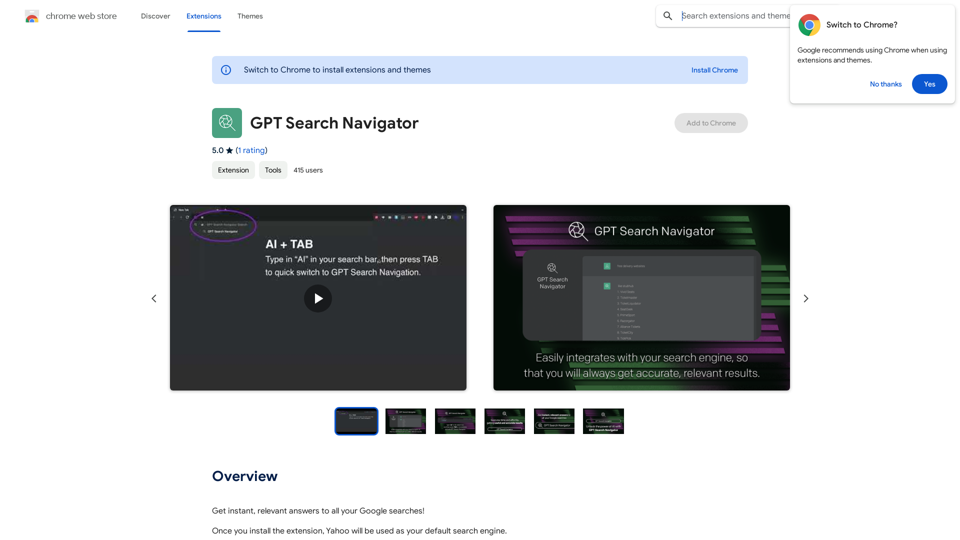
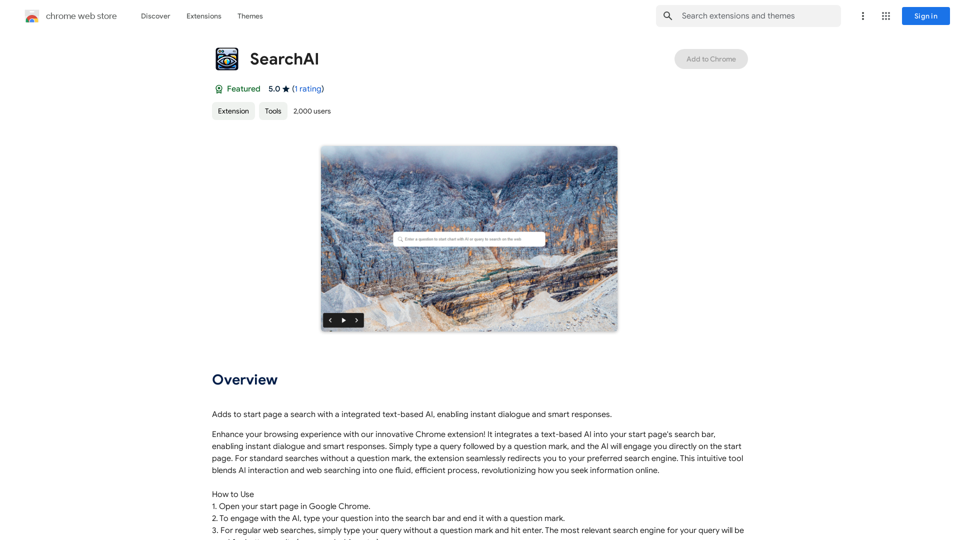
Adds a search function to the start page that incorporates a text-based AI, allowing for instant dialogue and intelligent responses.
Visit Website
SearchAISearchAI
Visit Website

Introduction

AI Search is a Chrome extension that enhances your browsing experience by integrating a text-based AI into your start page's search bar. This innovative tool allows users to engage in instant dialogues and receive smart responses directly on their start page, making information retrieval more efficient and interactive.

Feature

Seamless Integration with Start Page

AI Search seamlessly integrates with your Chrome start page's search bar, providing a familiar and user-friendly interface for accessing AI-powered responses.

Instant Dialogue and Smart Responses

Users can engage in instant conversations with the AI, receiving intelligent and relevant answers to their queries without leaving the start page.

Multilingual Support

AI Search supports multiple languages, including English, Spanish, Russian, Hindi, and Arabic, making it accessible to a global user base.

Dual Functionality

The extension offers two modes of operation:

  1. AI-powered responses: End your query with a question mark
  2. Regular web searches: Type your query without a question mark

Free to Use

AI Search is completely free, with no subscription fees or usage limitations, making it accessible to all users.

Privacy-Focused

The extension prioritizes user privacy by not storing any conversation history, ensuring secure and confidential interactions.

Customization Options

Users can tailor AI Search to their preferences, allowing for a personalized browsing experience.

FAQ

How do I use AI Search?

To use AI Search:

  1. Open your start page in Google Chrome
  2. Type your question into the search bar
  3. End your query with a question mark for AI responses
  4. For regular web searches, type your query without a question mark and hit enter

Is AI Search available in multiple languages?

Yes, AI Search supports multiple languages, including English, Spanish, Russian, Hindi, and Arabic.

Is AI Search secure to use?

Yes, AI Search prioritizes user privacy and does not store any conversation history, ensuring a secure browsing experience.

Can I customize AI Search?

Yes, AI Search allows you to customize the extension to fit your needs and preferences, enhancing your personal browsing experience.

Related Websites

Free Suno AI Music Generator by SunoCC.com
View Detail

Free Suno AI Music Generator by SunoCC.com

Free Suno AI Music Generator by SunoCC.com

Create music with Suno AI for free. Download and enjoy new music today! Discover SunoCC.com and the innovative Suno AI Music Generator V3.

96.16 K
Chat AI
View Detail

Chat AI

Chat AI

Talk to AI whenever you want with Chat AI: an AI-powered friend, featuring ChatGPT, Bard, Bing, and more! ⚡

193.90 M
Best Meme Coins with AI Insights at MEME is Game 

Let's explore the top meme coins gaining traction in the crypto space, enhanced by the power of AI insights at MEME is Game.
View Detail

Best Meme Coins with AI Insights at MEME is Game Let's explore the top meme coins gaining traction in the crypto space, enhanced by the power of AI insights at MEME is Game.

Best Meme Coins with AI Insights at MEME is Game Let's explore the top meme coins gaining traction in the crypto space, enhanced by the power of AI insights at MEME is Game.

Discover the newest and best meme coins at MEME is Game, featuring AI-powered insights. Stay informed with the latest trends, reviews, and AI analyses of top meme coins, including Hot New Meme Coins and Best Meme Coins.

0
super memory
View Detail

super memory

super memory

An extension for https://supermemory.ai - an AI hub for all your bookmarks.

193.90 M
AiTab New Tab with ChatGPT
View Detail

AiTab New Tab with ChatGPT

AiTab New Tab with ChatGPT

AiTab new tab page, integrates AI capabilities such as AI Chat, drawing, translation, and integrated ChatGPT components

193.90 M
MaxBot Plus
View Detail

MaxBot Plus

MaxBot Plus

Fast ways to get tickets for events on certain websites.

193.90 M
LeadSpot Flex - AI Messaging on LinkedIn
View Detail

LeadSpot Flex - AI Messaging on LinkedIn

LeadSpot Flex - AI Messaging on LinkedIn

AI Messaging on LinkedIn Let's explore the potential and pitfalls of using AI for messaging on LinkedIn. Potential Benefits: * Increased Efficiency: AI can automate repetitive tasks like sending personalized connection requests or follow-up messages, freeing up your time for more strategic activities. * Improved Targeting: AI algorithms can analyze user profiles and identify potential connections based on shared interests, industry, or other relevant criteria. * Enhanced Personalization: AI can help craft personalized messages that resonate with individual recipients, increasing the likelihood of engagement. * Data-Driven Insights: AI can track message performance and provide insights into which messages are most effective, allowing you to refine your approach. Potential Pitfalls: * Lack of Authenticity: Overly generic or robotic messages can come across as impersonal and insincere, damaging your professional reputation. * Ethical Concerns: Using AI to manipulate or deceive users on LinkedIn raises ethical questions about transparency and consent. * Technical Limitations: Current AI technology may struggle to understand nuanced conversations or respond appropriately to complex queries. * Spam and Abuse: Malicious actors could exploit AI to send spam messages or engage in other harmful activities on LinkedIn. Best Practices: * Use AI as a Tool, Not a Replacement: Leverage AI to enhance your messaging, but always maintain human oversight and authenticity. * Prioritize Quality over Quantity: Focus on sending personalized messages to a targeted audience rather than mass-sending generic content. * Be Transparent: Disclose when you are using AI to assist with your messaging, and respect user preferences for communication. * Stay Informed: Keep up-to-date on the latest developments in AI ethics and best practices for using AI on LinkedIn.

193.90 M
Claude to Notion

This is a guide on how to connect Claude, an AI assistant, with Notion, a note-taking and workspace app. 

Why connect Claude and Notion?

* Boost your productivity: Use Claude to generate content, summarize information, and automate tasks directly within Notion.
* Enhance your research: Ask Claude questions about your Notion notes and get insightful answers.
* Unlock new creative possibilities: Leverage Claude's generative capabilities to brainstorm ideas, write stories, or compose emails within your Notion workspace.

How to connect Claude and Notion:

1. API Keys: Obtain an API key for both Claude and Notion. 
2. Integration Tool: Explore integration tools like Zapier or Integromat to connect Claude and Notion. These platforms allow you to create workflows that trigger actions in one app based on events in the other.
3. Custom Development: For advanced users, you can develop your own custom integration using the Claude and Notion APIs. This gives you the most flexibility but requires coding knowledge.

Example Use Cases:

* Meeting Summarization: After a meeting, paste the transcript into Notion and use Claude to generate a concise summary.
* Content Creation:  Use Claude to write blog posts, articles, or social media captions directly within your Notion pages.
* Idea Generation: Brainstorm new ideas for projects or tasks by prompting Claude with specific questions within your Notion workspace.


Remember to review the documentation and terms of service for both Claude and Notion to ensure proper usage and security.
View Detail

Claude to Notion This is a guide on how to connect Claude, an AI assistant, with Notion, a note-taking and workspace app. Why connect Claude and Notion? * Boost your productivity: Use Claude to generate content, summarize information, and automate tasks directly within Notion. * Enhance your research: Ask Claude questions about your Notion notes and get insightful answers. * Unlock new creative possibilities: Leverage Claude's generative capabilities to brainstorm ideas, write stories, or compose emails within your Notion workspace. How to connect Claude and Notion: 1. API Keys: Obtain an API key for both Claude and Notion. 2. Integration Tool: Explore integration tools like Zapier or Integromat to connect Claude and Notion. These platforms allow you to create workflows that trigger actions in one app based on events in the other. 3. Custom Development: For advanced users, you can develop your own custom integration using the Claude and Notion APIs. This gives you the most flexibility but requires coding knowledge. Example Use Cases: * Meeting Summarization: After a meeting, paste the transcript into Notion and use Claude to generate a concise summary. * Content Creation: Use Claude to write blog posts, articles, or social media captions directly within your Notion pages. * Idea Generation: Brainstorm new ideas for projects or tasks by prompting Claude with specific questions within your Notion workspace. Remember to review the documentation and terms of service for both Claude and Notion to ensure proper usage and security.

Claude to Notion This is a guide on how to connect Claude, an AI assistant, with Notion, a note-taking and workspace app. Why connect Claude and Notion? * Boost your productivity: Use Claude to generate content, summarize information, and automate tasks directly within Notion. * Enhance your research: Ask Claude questions about your Notion notes and get insightful answers. * Unlock new creative possibilities: Leverage Claude's generative capabilities to brainstorm ideas, write stories, or compose emails within your Notion workspace. How to connect Claude and Notion: 1. API Keys: Obtain an API key for both Claude and Notion. 2. Integration Tool: Explore integration tools like Zapier or Integromat to connect Claude and Notion. These platforms allow you to create workflows that trigger actions in one app based on events in the other. 3. Custom Development: For advanced users, you can develop your own custom integration using the Claude and Notion APIs. This gives you the most flexibility but requires coding knowledge. Example Use Cases: * Meeting Summarization: After a meeting, paste the transcript into Notion and use Claude to generate a concise summary. * Content Creation: Use Claude to write blog posts, articles, or social media captions directly within your Notion pages. * Idea Generation: Brainstorm new ideas for projects or tasks by prompting Claude with specific questions within your Notion workspace. Remember to review the documentation and terms of service for both Claude and Notion to ensure proper usage and security.

Save Claude conversations to Notion with one click. Export Claude conversations.

193.90 M